

Embird 2017 Full Embroidery Software Digitizing
49,00 $
Embird 2017 for embroidery design editing, splitting and file conversion.
- Listed offer: main program, lifetime activation and digital access.
- PDF manual and sample designs.
- Studio, Font Engine and Cross Stitch are optional; confirm the modules included.
- Check the 2017 build, computer and machine format before ordering.
Embird 2017: choose the tools for your embroidery workflow
Embird 2017 is an older release of the modular Embird embroidery system. This Needlic listing offers the 2017 main program with lifetime activation, digital access, a PDF manual and sample designs. Studio, Font Engine and Cross Stitch are listed as optional plug-ins: confirm their inclusion and activation separately before ordering.
Start by identifying your task. Editing an existing stitch file is different from digitizing a new logo, creating lettering from a computer font or converting a photograph. The right module combination matters more than the phrase “full version.”
Basic, Studio and Font Engine: what is the difference?
The publisher describes Embird Basic as the central program for viewing, editing, resizing, splitting, printing and converting embroidery designs. It has Manager and Editor modes. Additional capabilities are provided through optional modules.
- Digitizing Tools, part of Studio: creating new embroidery designs.
- Sfumato Stitch: converting photos into embroidery.
- Font Engine: converting TrueType and OpenType lettering and supported vector artwork into stitches.
- Cross Stitch: creating machine cross-stitch designs.
- Iconizer: previewing design contents as file icons.
- Alphabets: separately supplied pre-digitized lettering.
This explains the Embird module system; it is not a statement that every module is included in this Needlic offer. Font Engine is a conversion tool, not a supplied library of every font. Check both the software components and the rights for any third-party fonts or designs you intend to use.
Which task do you need to complete?
Edit or convert an existing design
Keep the original file and work on a copy. Check its dimensions, stitch count and color sequence before editing. When converting for another machine, reopen the exported file and verify the finished size and orientation. A change of file extension alone is not an embroidery conversion.
Digitize a new logo
Confirm that the Digitizing Tools module is included and activated. Prepare a clean reference image at the final dimensions, identify small letters and narrow shapes, and plan overlaps before generating the finished stitch file. Begin with one representative logo rather than a large batch.
Add names or monograms
Decide whether you will use ready-made embroidery letters or convert a computer font. These are different workflows and may require different registered components. Make a sample at the actual lettering size; readability on screen is not enough to confirm a good stitch-out.
What to check about the 2017 version
The official archive lists Embird 2017 Build 10.25 in both 32-bit and 64-bit editions. That archive entry identifies a historical release; it does not confirm the exact build or registered modules supplied in your order.
Do not transfer requirements or feature promises from current Embird or Studio Next pages to this older offer. Send Needlic your Windows version, processor, memory and existing Embird details before installation. If you use a Mac or a virtual Windows environment, request a specific compatibility check rather than assuming native support.
Machine formats and hoop sizes
For files such as PES, DST, EXP and JEF, confirm your exact import and export requirements with a representative design, particularly if a newer application created it. Also check the embroidery machine model, supported hoop dimensions and transfer method.
Being able to open a file does not prove that every object remains editable or that the output will fit your machine. Review the exported design, then sew a small sample on the intended fabric and stabilizer.
Prepare for installation
- Back up your designs and record your existing software version.
- Confirm the 2017 build, 32-bit or 64-bit package and the modules covered by the offer.
- List the first task you need to complete, such as editing a PES file or digitizing a logo.
- Confirm activation scope, setup instructions and any update entitlement before purchase.
- After setup, test one representative design from opening through export and sample stitching.
The price displayed beside the purchase button is the current product price. For module or compatibility questions, contact Needlic before ordering.
Frequently asked questions
Is Embird 2017 the current release?
No. This listing is specifically for the 2017 release. Newer versions exist, and their features should not be assumed to be part of this package.
Does “full version” include every plug-in?
Not automatically. The main program and optional modules have separate roles and registrations. Studio, Font Engine and Cross Stitch are optional in this offer; confirm the exact package before payment.
Are plug-ins activated just because the installer contains them?
No. The official archive notes that installation files can contain plug-ins and alphabets, while the publisher explains that plug-in registration is separate from the Basic program. Confirm which components your purchase covers.
Can Basic digitize a new logo?
For creating a new digitized design, the publisher’s module guide identifies Basic together with Digitizing Tools. Basic editing and conversion should not be confused with a complete digitizing package.
Will changing the design size preserve the result perfectly?
Inspect the result after resizing and test it on fabric. Small lettering, narrow details and the original stitch structure may need additional work.
Compare related offers and read the official guides
Browse our embroidery software buying guide, or compare the separate Hatch 2 and PE-DESIGN 11.40 offers by task, version and included components.
Only logged in customers who have purchased this product may leave a review.
Related products
Embroidery Software
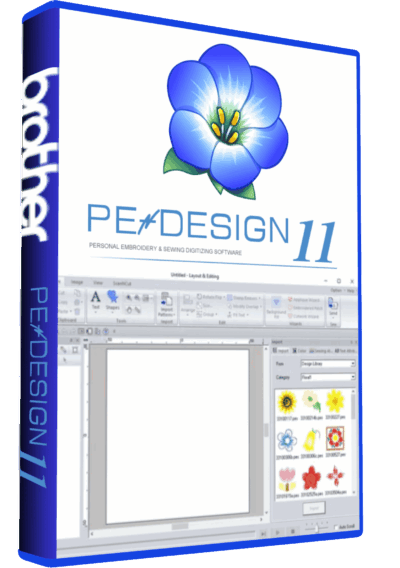
PE-Design 11.40 Embroidery Software Full Version Lifetime – Professional Digitizing
Embroidery Software
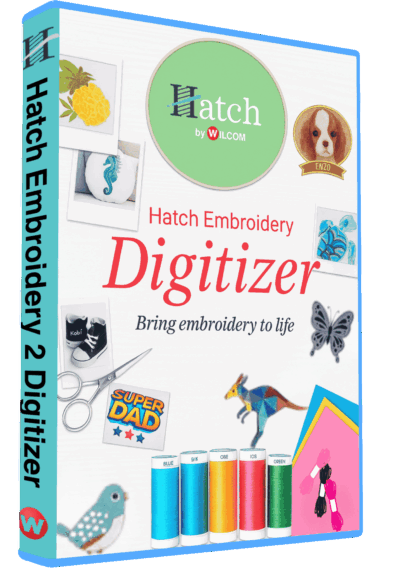
Hatch Embroidery 2 Professional Digitizing Software – 1 Key per PC Lifetime License
Embroidery Software
Tajima DGML 16 Pulse Embroidery Software Full Version Lifetime – Instant Download
Embroidery Software
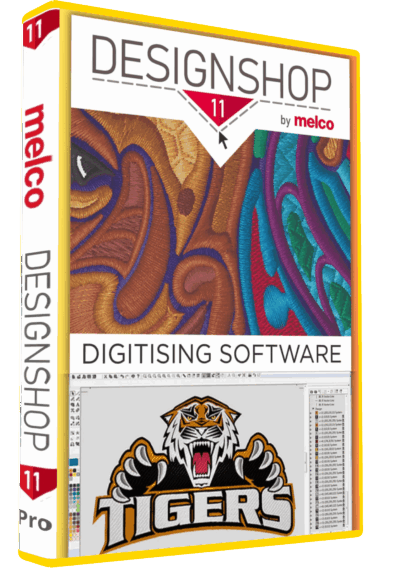
Melco DesignShop 11.3 Pro Embroidery Software Full Version Lifetime – Instant Download
Embroidery Software
Embroidery Software
Embroidery Software
Embroidery Software
Bravo Amaya OS 12.06.42 Full Version Lifetime – Embroidery Machine Software
Reviews
There are no reviews yet.