
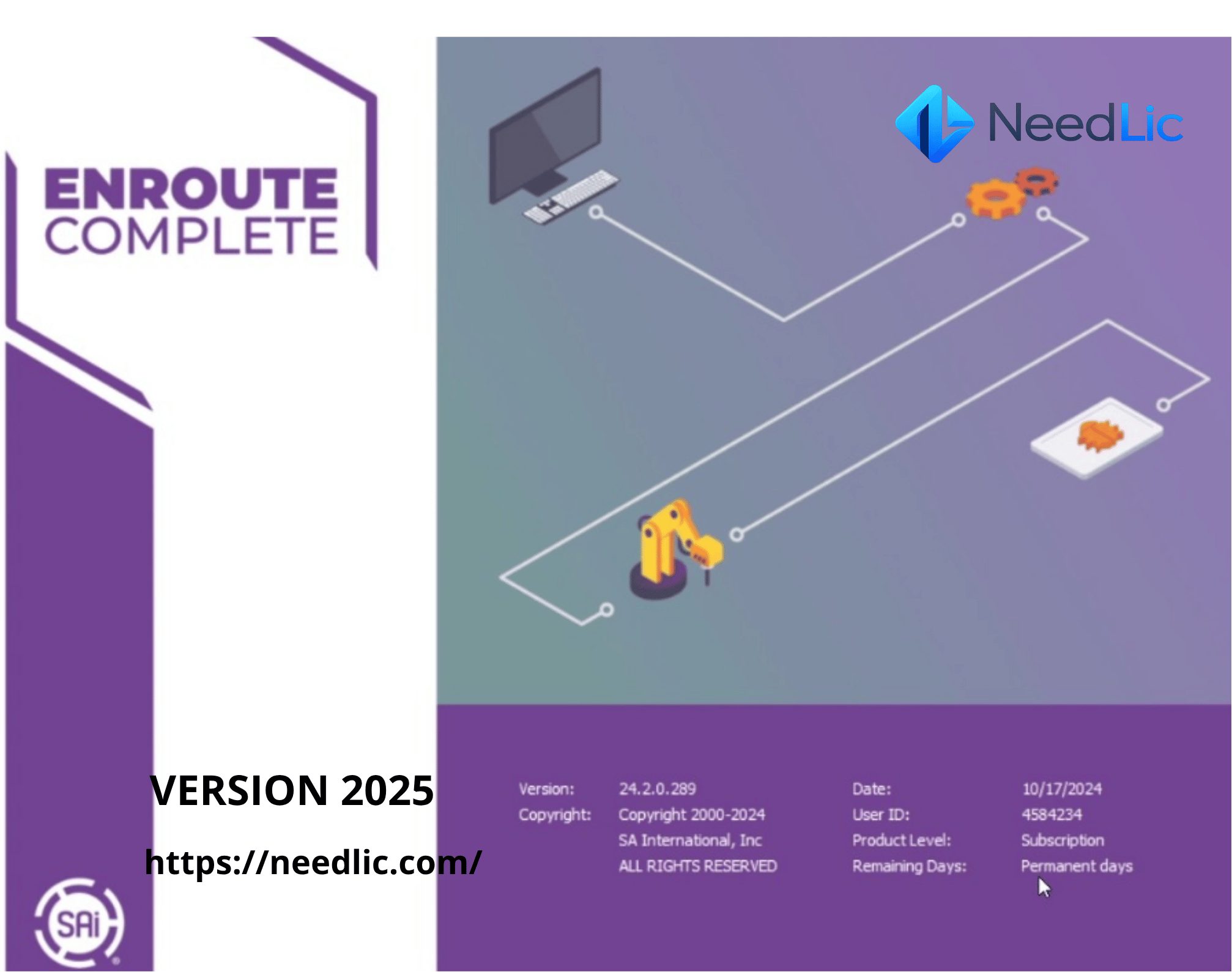
SAi EnRoute 2025 – Professional CNC CAD/CAM Design Software
SAi EnRoute 2025 is a professional CAD/CAM design and production software solution developed for CNC routing, engraving, milling, cutting, and nested-based manufacturing. It combines powerful 2D, 2.5D, and 3D design tools with advanced toolpath creation, material nesting, machine output, and production-management capabilities in one complete workflow.
Designed for CNC router operators, sign makers, woodworking businesses, cabinet manufacturers, metal fabrication shops, engraving professionals, and creative production companies, SAi EnRoute 2025 software helps users transform ideas and vector artwork into accurate, machine-ready projects.
Whether you are creating dimensional signs, decorative wall panels, furniture components, cabinet parts, engraved products, channel letters, molds, architectural elements, or personalized gifts, EnRoute provides the design precision and manufacturing control required for professional CNC production.
Its combination of artistic drawing tools, precision CAD functions, flexible toolpath strategies, realistic simulation, and machine-driver support makes EnRoute a complete solution for businesses that want to improve productivity, reduce material waste, and produce cleaner finished results.
What Is SAi EnRoute 2025?
SAi EnRoute 2025 is an all-in-one CNC CAD/CAM software package used to create designs, calculate cutting strategies, generate toolpaths, organize parts on material sheets, and prepare output for compatible CNC machines.
Unlike basic vector-design programs, EnRoute is created specifically for production environments. It allows users to design artwork and immediately define how that artwork will be routed, engraved, milled, cut, or carved by a CNC machine.
The software supports multiple production methods, including 2D profile cutting, pocketing, drilling, engraving, 2.5D relief work, 3D surface machining, texture creation, and nested manufacturing. This makes it suitable for both everyday commercial cutting and advanced creative applications.
Users can import existing artwork from common design programs or create designs directly inside EnRoute. After preparing the artwork, they can define tools, cutting depths, feeds, speeds, entry methods, cutting order, and other machining parameters before generating the final machine output.
Why Choose SAi EnRoute 2025?
SAi EnRoute 2025 brings design and CNC production together in a single environment. Instead of using one application for drawing, another application for nesting, and a separate program for machine output, users can manage most of the production workflow from one software interface.
This integrated approach helps reduce unnecessary file conversion, prevents production errors, and makes it easier to modify a design without restarting the entire toolpath process.
- Professional CAD and CAM functionality in one application
- Powerful 2D, 2.5D, and 3D design capabilities
- Advanced toolpath creation and editing
- True-shape nesting for improved material utilization
- Support for routers, lasers, plasma, waterjet, and knife cutters
- Machine-ready output through compatible post processors
- Realistic toolpath simulation before production
- Tools for woodworking, signage, fabrication, and engraving
- Custom tool libraries and machining strategies
- Flexible workflows for individual and batch production
Main Features of SAi EnRoute 2025
Professional 2D CAD Design
EnRoute includes accurate drawing tools for creating lines, rectangles, circles, arcs, curves, polygons, contours, and custom vector shapes. Designers can control object dimensions, positions, alignment, spacing, rotation, and scale to produce precise machine-ready artwork.
These tools are useful for creating signs, furniture parts, cabinet components, decorative panels, lettering, templates, mounting plates, and other projects that require accurate measurements.
2.5D Design and Production
SAi EnRoute 2025 can create 2.5D projects that use multiple cutting depths to produce raised or recessed elements. This is ideal for dimensional signage, carved lettering, decorative panels, plaques, cabinet doors, textured surfaces, and architectural details.
Users can assign different depths and toolpath strategies to individual design elements, allowing a flat sheet of material to be transformed into a detailed dimensional product.
Advanced 3D Design
The software provides tools for creating and machining three-dimensional surfaces and reliefs. Users can build artistic shapes, apply relief effects, combine surface elements, create textures, and prepare detailed 3D projects for CNC routing or milling.
These capabilities are especially valuable for sign makers, woodworkers, mold makers, furniture designers, artists, and businesses producing decorative or customized products.
Powerful Toolpath Creation
A toolpath defines how the CNC machine will move and remove material. EnRoute allows users to create, edit, save, and reuse multiple toolpath strategies for different materials, tools, and production requirements.
Operators can control cutting depth, pass depth, tool diameter, cutting direction, entry and exit position, overlap, finishing passes, and many other machining parameters.
Common EnRoute toolpath operations include:
- Profile and contour cutting
- Inside and outside offset routing
- Pocket cutting
- Hatch-fill toolpaths
- Island-fill toolpaths
- Engraving
- Drilling
- V-carving
- 3D surface machining
- Roughing and finishing passes
- Kerf-compensated cutting
- Texture machining
True-Shape Nesting
Material cost is one of the most important factors in CNC production. SAi EnRoute 2025 includes nesting tools that arrange parts efficiently on a sheet according to their actual shape rather than only using rectangular boundaries.
True-shape nesting can place compatible parts closer together, helping reduce unused space and material waste. This is particularly useful for cabinet production, furniture manufacturing, metal fabrication, signage, acrylic cutting, and other applications involving multiple parts.
Users can define spacing between parts, sheet dimensions, rotation rules, quantities, grain direction, and other nesting conditions based on the production job.
Toolpath Simulation
Before sending a project to the CNC machine, users can simulate the machining process and preview the expected result. The simulation helps identify incorrect depths, missed areas, unsuitable tools, possible collisions, and other production problems.
Reviewing the project before cutting can reduce wasted material, broken tools, and machine downtime. It also gives operators greater confidence when working with expensive materials or complex designs.
Machine Drivers and Post Processors
EnRoute uses machine drivers, also known as post processors, to translate calculated toolpaths into a format that can be understood by a compatible CNC machine.
Users can select and configure the appropriate driver for their production equipment. The selected post processor controls how the machining data is converted and delivered to the machine.
Because compatibility depends on the manufacturer, controller, machine model, and required output format, customers should confirm that the correct machine driver is available before purchasing or beginning production.
Cut Order Management
The order in which parts and toolpaths are processed can affect production time, material stability, and the quality of the final result. EnRoute allows operators to review and organize the cutting sequence before generating machine output.
For example, internal holes may need to be cut before the outside contour of a part. Small pieces may also need to be processed before larger surrounding shapes. Cut-order management helps users define a more logical and efficient production sequence.
Custom Tool Libraries
Users can build a tool library containing the CNC tools they use regularly. Tool information can include diameter, tool type, cutting settings, pass depth, feed rate, spindle speed, and other production parameters.
Saving frequently used tools and strategies can speed up job preparation and improve consistency across similar projects. Operators can also create different strategies for wood, acrylic, plastic, foam, aluminum, composite panels, and other materials.
Engraving and V-Carving
SAi EnRoute 2025 is suitable for creating engraved text, decorative patterns, identification plates, personalized products, memorial plaques, awards, signs, and artistic carvings.
V-carving tools can create sharp corners and variable-width engraved effects using compatible V-shaped cutting tools. This technique is commonly used for carved lettering, dimensional signs, decorative woodwork, and premium personalized products.
Texture Creation
EnRoute allows users to apply creative textures and surface effects to selected design areas. Textures can add visual depth and a handcrafted appearance to signs, panels, doors, furniture, wall decorations, and artistic projects.
Texture settings can be adjusted to create different patterns, densities, depths, and machining styles depending on the selected material and cutting tool.
Parametric and Precision Drawing Tools
Precision is essential for parts that must fit together correctly. EnRoute provides measurement, snapping, alignment, duplication, transformation, and contour-editing tools that help users create accurate production designs.
Objects can be resized, rotated, mirrored, grouped, aligned, distributed, welded, trimmed, or edited at the node level. These functions make it easier to create custom parts and correct imported artwork.
Advanced Text Tools
Users can add and edit text for signs, plaques, labels, personalized products, logos, and decorative CNC projects. Text can be converted into editable contours and prepared for routing, engraving, V-carving, plasma cutting, or laser cutting.
Designers can adjust font selection, spacing, alignment, size, position, and layout before converting the text into machine-ready artwork.
Supported CNC Applications
SAi EnRoute 2025 can be used across multiple CNC-related industries and production methods.
- CNC routing
- CNC engraving
- CNC milling
- Laser cutting
- Plasma cutting
- Waterjet cutting
- Knife cutting
- Wood carving
- Cabinet manufacturing
- Furniture production
- Dimensional sign making
- Channel-letter production
- Metal fabrication
- Acrylic and plastic cutting
- Foam cutting and carving
- Architectural decoration
Perfect for Sign Making
Sign shops can use SAi EnRoute 2025 to design and produce dimensional letters, engraved signs, routed panels, channel letters, decorative textures, logo elements, sign cabinets, and custom architectural signage.
The ability to combine vector drawing, relief design, nesting, toolpath creation, and machine output makes EnRoute particularly useful for businesses that produce both creative and structural sign components.
Ideal for Woodworking and Furniture Production
Woodworkers and furniture businesses can use EnRoute to create cabinet doors, wall panels, furniture parts, decorative trim, table components, shelving, wooden signs, doors, templates, and personalized wood products.
Nesting tools help arrange parts efficiently on plywood, MDF, solid wood, or composite sheets. Operators can also create pockets, drilling points, profile cuts, joinery elements, and decorative machining details.
Suitable for Cabinet Manufacturing
Cabinet manufacturers can create and organize doors, side panels, shelves, dividers, backs, decorative elements, and other cabinet components. Parts can be nested onto available sheets to improve material usage and simplify batch production.
Toolpath strategies can be saved and reused for repeated operations such as drilling, pocketing, and profile cutting, helping standardize production across similar projects.
Laser, Plasma, and Waterjet Cutting
EnRoute can also support compatible fabrication workflows for plasma, laser, and waterjet machines. Users can prepare vector contours, control cutting order, apply kerf compensation, optimize part placement, and generate output using the appropriate machine driver.
Kerf compensation adjusts a cutting path to account for the width of material removed during the cutting process. This helps finished parts maintain more accurate dimensions.
Materials You Can Work With
The exact materials supported depend on the CNC machine, cutting tool, spindle, laser source, plasma system, waterjet configuration, and production settings. Common materials used in EnRoute workflows include:
- Wood
- MDF
- Plywood
- Acrylic
- Plastic sheets
- PVC
- Foam
- Aluminum
- Brass
- Steel
- Composite panels
- Sign-making materials
- Solid-surface materials
- Laminated sheets
Always select tools, cutting speeds, spindle settings, and machining strategies that are appropriate for the material and CNC equipment being used.
File Import and Design Compatibility
SAi EnRoute 2025 can work with common vector and CAD artwork used in CNC production. This allows users to import files prepared in other design applications, correct the artwork, assign toolpaths, and prepare it for machining.
Actual import and export results can depend on the file version, object type, fonts, effects, embedded content, and the edition of EnRoute being used. Complex artwork should be simplified or converted to clean vector contours before production when necessary.
Before generating toolpaths, users should check imported artwork for duplicate lines, open contours, overlapping shapes, unnecessary nodes, incorrect dimensions, and unsupported design effects.
SAi EnRoute 2025 System Requirements
Recommended Windows Configuration
- Windows 10 or Windows 11
- 64-bit operating system recommended
- Compatible Intel or AMD processor
- 8 GB RAM minimum
- 16 GB RAM or more recommended for complex projects
- Approximately 1 GB of installation space
- SSD with 256 GB or more recommended
- Compatible graphics hardware
- Broadband internet connection
- Available connection or output method for compatible equipment
A more powerful computer is recommended for complex 3D reliefs, detailed simulations, large nested jobs, and projects containing many vector objects. An SSD, additional memory, and a modern multi-core processor can improve loading, rendering, and calculation performance.
What You Will Receive from Needlic
- Digital Download: Access the installation files electronically.
- Installation Instructions: Receive guidance to complete the software setup.
- Activation Assistance: Get help with the provided activation procedure.
- Remote Installation Support: Remote assistance may be provided when required.
- Fast Digital Delivery: No physical shipping or delivery delay.
- Customer Support: Contact Needlic for installation-related assistance.
- Machine Setup Guidance: Basic help may be provided when selecting an available machine driver.
Why Buy SAi EnRoute 2025 from Needlic?
Needlic provides professional software solutions for CNC machining, sign making, engraving, graphic design, embroidery, and digital-printing businesses. Our objective is to offer clear product information, dependable digital delivery, and practical installation assistance.
When you order SAi EnRoute 2025 from Needlic, you receive access to the required digital resources and support during the installation process. Our team can help you understand the basic setup steps and address common installation or activation difficulties.
- Fast digital product delivery
- Secure access to download resources
- Clear installation guidance
- Remote installation assistance when available
- Professional customer service
- No physical product shipping
- Support for customers worldwide
- Experience with professional production software
Benefits for CNC Businesses
SAi EnRoute 2025 can help CNC businesses improve their workflow by connecting design, nesting, toolpathing, simulation, and machine output. This reduces the need to move projects repeatedly between different applications.
Saved tools and machining strategies can reduce setup time for recurring jobs. Nesting can improve material utilization, while simulation can help identify mistakes before production begins.
The software is suitable for both one-off custom products and repeated manufacturing jobs. A business can use it to produce personalized signs, decorative products, furniture parts, cabinet components, metal parts, templates, or complete batches of nested components.
Frequently Asked Questions
What is SAi EnRoute 2025 used for?
SAi EnRoute 2025 is used to create 2D, 2.5D, and 3D designs, calculate CNC toolpaths, nest parts on material sheets, simulate machining, and generate output for compatible routers, lasers, plasma cutters, waterjet systems, and knife cutters.
Can EnRoute create CNC toolpaths?
Yes. EnRoute includes professional toolpath features for routing, profile cutting, pocketing, engraving, drilling, V-carving, hatch filling, island filling, and 3D surface machining.
Is EnRoute suitable for CNC routers?
Yes. CNC routing is one of the software’s main applications. It can be used for woodworking, signage, cabinet parts, furniture components, acrylic cutting, decorative carving, and many other router-based projects.
Can EnRoute be used for laser or plasma cutting?
Yes, EnRoute supports workflows for compatible laser, plasma, and waterjet systems. Compatibility depends on the machine model, controller, required output format, and availability of an appropriate post processor.
Does EnRoute include nesting?
Yes. EnRoute includes nesting capabilities that can organize multiple parts on a material sheet. True-shape nesting helps position parts based on their actual contours to reduce unused material.
Can I create 3D designs with EnRoute?
Yes. EnRoute Complete provides tools for creating and machining three-dimensional surfaces, reliefs, textures, and dimensional projects. Available features may depend on the installed EnRoute edition.
Can EnRoute generate G-code?
EnRoute can generate machine output through compatible drivers or post processors. The output format depends on the selected machine, controller, and driver configuration.
Will EnRoute work with my CNC machine?
Compatibility depends on your exact machine manufacturer, model, controller, and post-processor requirements. Confirm that a compatible driver is available before purchasing or using the software for production.
Is SAi EnRoute available for macOS?
The recommended supported systems for EnRoute are Windows 10 and Windows 11. A native Windows computer is recommended for reliable installation and machine communication.
Does Needlic provide installation support?
Yes. Needlic provides installation guidance and may offer remote assistance when required. Machine configuration and production testing remain the responsibility of the machine owner or qualified operator.
Is this a physical product?
No. This is a digitally delivered software product. You will not receive a DVD, USB drive, printed manual, or physical package.
Important Information Before Ordering
- Confirm that your computer meets the recommended system requirements.
- Verify your exact CNC machine model and controller.
- Confirm the availability of a compatible machine driver or post processor.
- This product is delivered digitally; no physical item is shipped.
- Back up your machine settings, tool libraries, and existing projects before changing software.
- Test new toolpaths using simulation and a safe sample material.
- Never operate CNC equipment without proper training and safety procedures.
- Features can vary depending on the EnRoute edition and installed build.
- Internet access may be required for downloading, activation, and software services.
Order SAi EnRoute 2025 Today
Improve your CNC design and manufacturing workflow with SAi EnRoute 2025 Professional CNC CAD/CAM Software. Create accurate 2D drawings, dimensional signage, 3D reliefs, nested production jobs, engraving projects, furniture components, cabinet parts, and machine-ready toolpaths from one powerful application.
Whether you operate a CNC router, laser cutter, plasma table, waterjet system, or compatible knife cutter, EnRoute provides the design and production tools required to transform creative ideas into finished products.
Order SAi EnRoute 2025 from Needlic and receive fast digital delivery, installation guidance, download access, activation assistance, and professional customer support.
Only logged in customers who have purchased this product may leave a review.
Related products
Reviews
There are no reviews yet.