

Sure Cuts A Lot Pro — Vinyl Cutting & Design Software

40,00 $
Sure Cuts A Lot Pro for preparing vinyl lettering, decals and HTV artwork, with Pro tools for weeding, tiling and color-separated cutting.
- SCAL Pro license with digital delivery.
- Confirm the supplied major version and build before ordering.
- Check the exact cutter model, computer requirements and activation terms.
Sure Cuts A Lot Pro for vinyl lettering, decals and HTV
Sure Cuts A Lot Pro, often shortened to SCAL Pro, combines artwork preparation with tools for sending designs to compatible electronic cutting machines and vinyl plotters. It can suit work such as lettering, adhesive decals, stencils and heat-transfer vinyl layouts.
This Needlic offer lists a digitally delivered SCAL Pro license. Confirm the supplied major version and build before ordering: the product name alone does not identify whether the package is version 5, version 6 or another release. Use the requirements and cutter list for that exact version.
What does Pro add to regular Sure Cuts A Lot?
Craft Edge distinguishes Pro with production tools including weeding, tiling, cut by color, duplicate cutting, cut-order control and extended cutting length. These functions address different jobs: weeding aids material removal, tiling divides a large design into manageable sections, and color-based cutting separates a multi-color job into production steps.
Choose the tools around your work. A small one-color decal may need little more than clean paths and a reliable cutter connection. A large shop-window design requires planning for material width, alignment and installation. Pro features can assist that process, but they do not increase the physical capacity of a cutter.
Prepare clean artwork instead of relying on tracing alone
SCAL’s product family includes drawing, text and image-tracing tools. Tracing can provide a starting point for a logo, but examine the result before cutting. Blurry source images can produce jagged curves, unwanted shapes and excessive nodes.
- Set the finished size: inspect thin strokes and small gaps at the size you intend to produce.
- Resolve text: check spelling and font availability before preparing the production copy.
- Inspect paths: remove accidental duplicates and check that the cutter will follow the intended outline.
- Plan overlaps: decide whether touching shapes should form one cut shape or remain separate pieces.
- Keep the source: save an editable copy before preparing a final output file.
File formats and version-specific features
The current Craft Edge product information lists artwork import options including SVG, PDF, AI and EPS, with additional capabilities depending on the version and edition. Test a sample from your usual design application rather than relying on the extension alone: a PDF with vector paths is different from a PDF containing a scanned image.
Craft Edge identifies direct Silhouette Studio file import and several additional effects as version 6 features. Do not assume those features are included in an unspecified SCAL Pro package. For DXF, rhinestone tools, nesting or any other feature essential to a job, confirm the exact supplied version and demonstrate the required workflow before purchase.
Cutter compatibility and the Cricut distinction
Provide the full cutter model and connection method for a compatibility check. Support for one machine in a brand’s range does not establish support for every model or every specialist tool.
Cricut users should distinguish direct machine control from preparing artwork for another application. Craft Edge’s version 5 FAQ describes exporting SVG for use in Cricut Design Space with Explore, Air, Maker and Joy machines. That is a file-transfer workflow, not a promise of direct cutting from SCAL to every Cricut.
The same FAQ identifies eCAL as the separate product for Sizzix eclips. Confirm the correct product for that machine rather than assuming that a standard SCAL Pro offer is interchangeable.
A practical test for a two-color decal
Prepare a small design with one shape in each color and a short line of text. Check the finished dimensions and keep each color organized for cutting. Plan how the layers will be aligned when applied; do not wait until both pieces are weeded to decide how to register them.
Cut a small sample using the intended vinyl and inspect the result. Look for doubled cuts, corners lifting during weeding and details that are too fine to handle. Adjust the artwork or the cutter settings according to the material and machine guidance, then repeat the test before making a batch.
For HTV, confirm the material’s required orientation and mirroring instructions. For printed contour work, verify the software’s registration workflow and the cutter’s alignment capabilities separately.
Computer and package checklist
- Version: confirm the major release, build and Pro edition.
- Computer: provide the operating-system version, processor, RAM and available disk space. Request requirements for the actual installer supplied.
- Connection: confirm the cutter driver and port or connection method.
- License: confirm the activation method, device allowance and update entitlement for this offer.
- Existing work: back up designs and retain a working production setup until a representative project has been tested.
Frequently asked questions
Is this necessarily SCAL Pro 6?
The listing does not currently specify a major version. Confirm it with Needlic before ordering for a feature introduced in version 6.
Does Pro mean that every cutter is supported?
No. Pro identifies the software edition. Cutter support still depends on the machine model, software version and required connection.
Can I use a photograph as a cut file?
A photograph needs suitable path preparation. Review the traced or redrawn shapes at final size, and test them before cutting valuable material.
Do I need Pro for every small craft project?
Compare your required tools with the regular edition. Pro’s production features are most relevant when you need operations such as tiling, color-separated output or additional cutting control.
Related software and official references
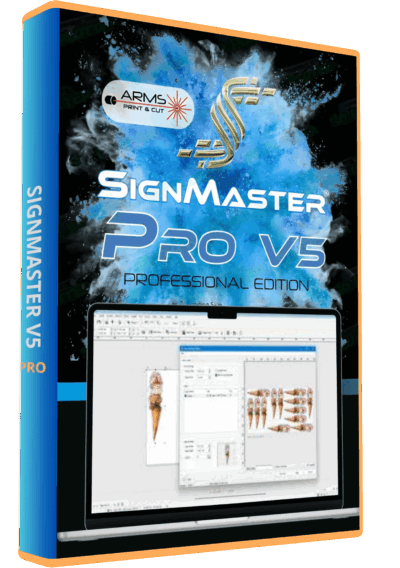
Compare the output-focused workflow of SignCut Pro 2 and the level-based tools in SignMaster V5. Our vinyl cutting software guide provides a checklist for narrowing the choice by task and cutter.
Manufacturer references: current SCAL Pro features and SCAL 5 compatibility FAQ. These describe specific releases and do not establish which release is supplied in this offer.
Only logged in customers who have purchased this product may leave a review.
Related products
Vinyl Cutting Software
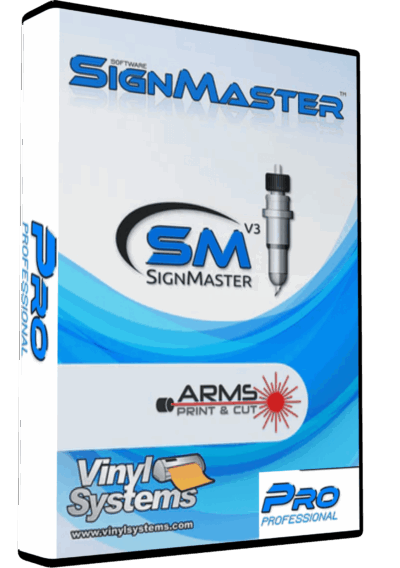
SignMaster V3.5 PRO Vinyl Cutting Software – Lifetime Activation & Installation
Vinyl Cutting Software
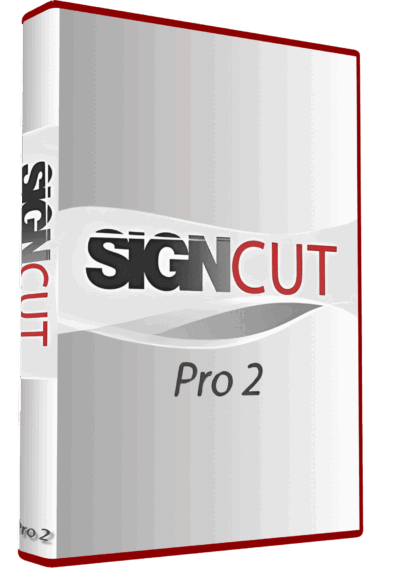
SignCut Pro 2 Vinyl Cutting Software Full Version Lifetime – Professional Plotter Tool

Vinyl Cutting Software

Reviews
There are no reviews yet.