
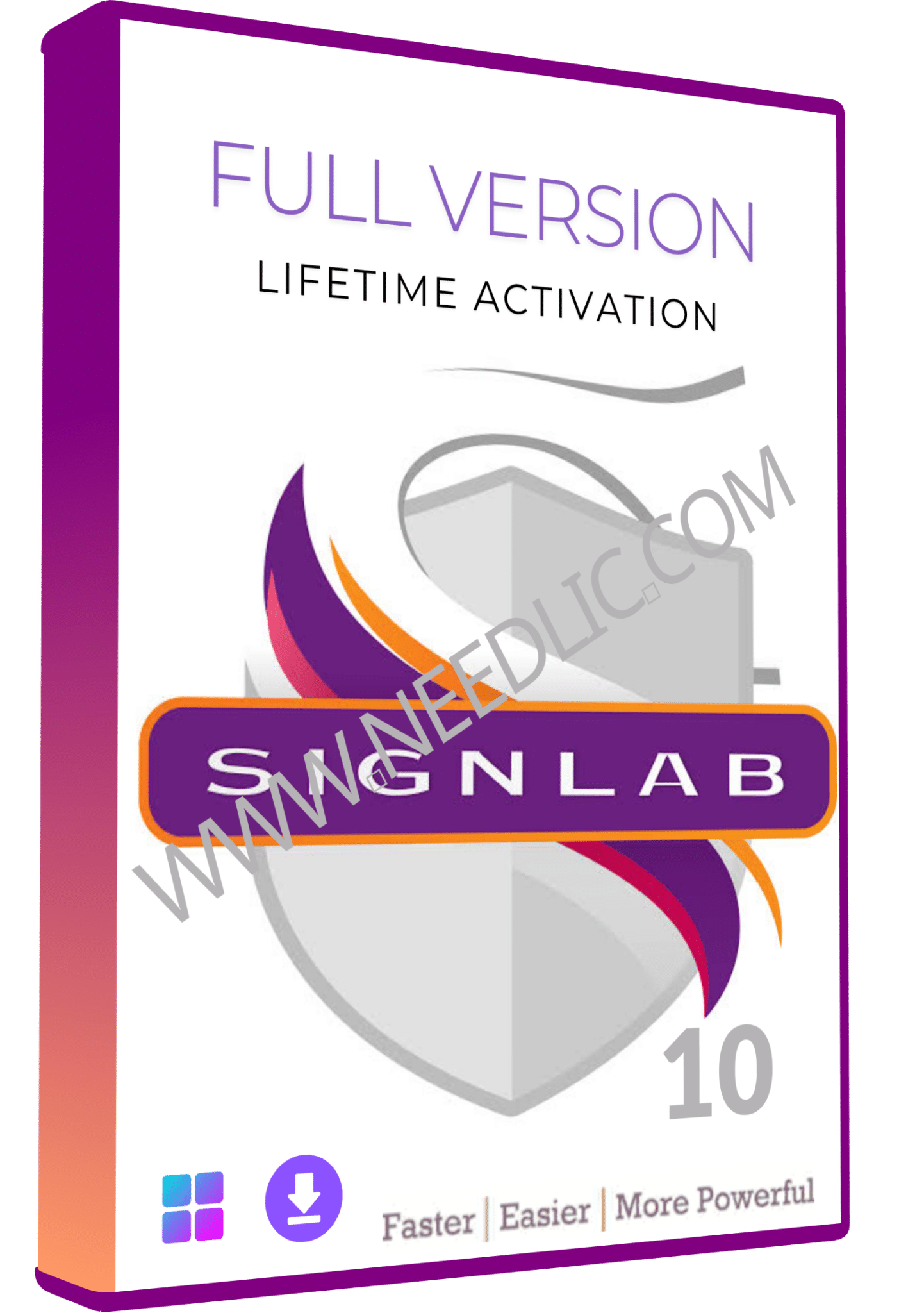
SignLab 10 – Professional Sign Making, Print & Cut Software
SignLab 10 is professional sign making software designed for sign shops, print businesses and graphics professionals who need powerful tools for designing, printing and cutting large-format graphics.
Developed by CADlink Technology, SignLab 10 combines vector design, bitmap editing, contour cutting, print production and advanced sign-making tools in one Windows-based application.
Whether you create vinyl signs, banners, vehicle graphics, decals, stickers, labels or large-format printed graphics, SignLab 10 provides the design and production tools needed to prepare artwork and send jobs to compatible printers, cutters and print-and-cut devices.
SignLab 10 also includes advanced features such as TrueShape nesting, Layer Manager, special effects, Unicode support, contour cutting, RIP functionality and extensive file compatibility.
Why Choose SignLab 10?
SignLab 10 was developed specifically for the professional sign-making and graphics industry rather than general-purpose desktop publishing.
It combines design and production functions to help sign makers create artwork and prepare it for printing, vinyl cutting and other output workflows.
Key benefits
- Professional sign design tools
- Vector and bitmap editing
- Print and cut workflow
- Contour cutting
- TrueShape nesting
- Large-format graphics production
- Advanced text tools
- Layer Manager
- Special effects
- Color management
- Pantone color libraries
- Unicode and multilingual text support
- Extensive file compatibility
- RIP functionality
- Multiple output devices and queues
SignLab v10 was specifically designed around productivity, workflow and connectivity improvements for sign-making businesses.
SignLab 10 Features
Professional Vector Design
Create precise vector artwork for signs, decals, stickers, logos, lettering and large-format graphics.
SignLab provides tools for creating and editing paths, shapes and text while maintaining accurate control over your artwork.
Vector tools include:
- Bezier object editing
- Path editing
- Shape creation
- Object manipulation
- Contour creation
- Color fills and strokes
- Text-to-path workflows
- Object alignment
- Grouping and ungrouping
Bitmap Editing and Image Processing
SignLab 10 is not limited to vector artwork.
You can also work with bitmap images when creating signs, vehicle graphics, banners and promotional materials.
The software includes bitmap editing functionality directly within the sign-making workflow, reducing the need to constantly move between different applications.
TrueShape Nesting
One of the most useful production features in SignLab 10 is TrueShape nesting.
Nesting automatically arranges objects to make better use of available media.
This can help reduce material waste when producing:
- Vinyl lettering
- Decals
- Stickers
- Printed graphics
- Contour-cut graphics
- Multiple sign jobs
The SignLab v10 feature set specifically includes TrueShape nesting for print-and-cut workflows.
Print and Cut Software for Sign Makers
SignLab 10 is designed for professional print and cut production.
You can create your design, prepare contour-cut paths and send the job to compatible production equipment.
This makes SignLab useful for businesses producing:
- Printed stickers
- Vinyl graphics
- Labels
- Vehicle decals
- Window graphics
- Banners
- Promotional signs
- Wall graphics
- Large-format signage
SignLab can work with multiple output devices, including printers, cutters and hybrid print-and-cut systems, depending on the edition and configuration.
Contour Cutting
Create accurate cutting paths around printed artwork or vector objects.
Contour cutting is particularly useful for:
- Stickers
- Decals
- Labels
- Vehicle graphics
- Printed vinyl
- Custom shapes
- Promotional graphics
SignLab’s production workflow supports print-and-cut and contour-cut operations for compatible devices.
Large Format Printing
SignLab 10 is built for large-format graphics and sign production.
Prepare artwork for wide-format printers and print-and-cut workflows while maintaining control over layout, paths, colors and production settings.
It is suitable for sign shops producing:
- Banners
- Posters
- Outdoor signs
- Vehicle wraps
- Wall graphics
- Window graphics
- Retail displays
- Promotional signage
Layer Manager
The Layer Manager helps organize complex sign designs containing multiple objects and elements.
You can separate artwork into layers, making it easier to:
- Edit individual elements
- Hide and show objects
- Organize complex designs
- Manage production artwork
- Control different design components
SignLab v10 introduced an enhanced Layer Manager as part of its workflow improvements.
Special Effects
SignLab 10 includes special effects tools for creating more advanced sign and graphic designs.
These can be used for:
- Shadows
- Decorative effects
- Graphic enhancements
- Shape manipulation
- Stylized artwork
The v10 release added new special-effects filters and shadow effects.
Unicode and Multilingual Text Support
SignLab 10 includes Unicode support, allowing users to work with characters and scripts from different languages.
This is particularly useful for sign shops serving international customers or producing multilingual signage.
The v10 feature documentation specifically lists Unicode support and functionality across Windows installations using different languages.
Pantone Color Matching
SignLab 10 supports Pantone color libraries for professional color matching.
Pantone palettes can help sign makers reproduce brand colors more consistently across different projects.
The v10 feature set includes updated Pantone color matching libraries.
RIP and Color Management
SignLab has historically included RIP functionality directly within the software, allowing design and production functions to work together in a single workflow.
SignLab also provides options for professional color management and can integrate with external RIP workflows depending on the edition.
For example, dedicated editions can interface with Roland VersaWorks and Mimaki RasterLink.
SignLab 10 for Vinyl Cutting
If your business uses a vinyl cutter or plotter, SignLab 10 can be used to prepare artwork and cutting paths for production.
Typical vinyl-cutting applications include:
- Sign lettering
- Vehicle decals
- Window lettering
- Wall decals
- Promotional graphics
- Custom stickers
- Heat-transfer vinyl designs
The software’s contour-cut and nesting tools make it suitable for production environments where material usage and cutting accuracy are important.
SignLab 10 for Vehicle Graphics
SignLab can be used to prepare artwork for vehicle graphics and decals.
Create and arrange logos, lettering, shapes and graphics before preparing them for large-format printing and contour cutting.
For vehicle graphics production, nesting can also help organize multiple components and reduce unnecessary media waste.
File Format Compatibility
SignLab 10 supports a broad range of commonly used graphic file formats, allowing users to bring artwork from other design applications into their sign-making workflow.
Supported and commonly used formats include:
- SVG
- EPS
- AI
- BMP
- JPG / JPEG
- TIFF
- PNG
- Other common vector and bitmap formats
The SignLab v10 documentation highlights extensive file compatibility, including PDF and SVG support and importing files from other applications.
SignLab 10 Print and Cut Workflow
Step 1 — Create Your Design
Create your sign, lettering, logo or graphic using SignLab’s vector and bitmap tools.
Step 2 — Import Artwork
Import existing artwork from other graphic applications when required.
Step 3 — Prepare Cutting Paths
Create or edit contour-cut paths around the objects that need to be cut.
Step 4 — Arrange the Job
Position the artwork and use nesting tools to optimize media usage.
Step 5 — Configure Production
Select the appropriate printer, cutter or print-and-cut workflow.
Step 6 — Print and Cut
Send the completed job to your compatible production equipment.
SignLab’s production documentation specifically describes separate workflows for printing, cutting, print-and-cut and contour-cut operations.
SignLab 10 Compatible Equipment
SignLab 10 is designed to work within professional sign-making production environments and can drive or integrate with compatible printers, cutters and output devices depending on the edition.
Common production categories include:
| Equipment | Application |
|---|---|
| Vinyl Cutters | Vinyl lettering and decals |
| Cutting Plotters | Precision contour cutting |
| Large Format Printers | Banners and signage |
| Print & Cut Machines | Printing and contour cutting |
| Roland Devices | Print/cut workflows and VersaWorks integration |
| Mimaki Devices | Print/cut workflows and RasterLink integration |
Specific device compatibility depends on the SignLab edition, output driver and production configuration. The SignLab documentation includes dedicated workflows for Roland VersaWorks and Mimaki RasterLink.
SignLab 10 System Requirements
Operating System
- Windows 10
- Windows 8
- Windows 7
- 32-bit and 64-bit configurations
Minimum hardware
- Dual Core CPU, 2.0 GHz or higher
- 1 GB RAM plus operating-system requirements
- 120 GB hard drive
Recommended hardware
- Quad Core CPU, 3.0 GHz or higher
- 4 GB RAM or more
- 250 GB hard drive or larger
These specifications are based on the SignLab v10 published requirements.
Note: SignLab 10 is an older software release, so compatibility with newer Windows versions such as Windows 11 should be verified before purchase rather than assumed.
Who Is SignLab 10 For?
SignLab 10 is designed for professionals and businesses working with:
- Sign making
- Vinyl cutting
- Print and cut
- Large-format printing
- Vehicle graphics
- Stickers and decals
- Banners
- Labels
- Window graphics
- Promotional signage
- Custom lettering
It can be especially useful for sign shops that want design and production tools specifically developed around sign-making workflows.
SignLab 10 vs General Graphic Design Software
Unlike general-purpose graphic design applications, SignLab was developed specifically around sign production.
| Feature | SignLab 10 | General Design Software |
|---|---|---|
| Sign-making workflow | ✓ | Limited |
| Vinyl cutting | ✓ | Requires additional workflow |
| Contour cutting | ✓ | Limited |
| Print & cut | ✓ | Requires additional tools |
| TrueShape nesting | ✓ | Usually unavailable |
| Large-format production | ✓ | Limited |
| Layer management | ✓ | ✓ |
| Vector design | ✓ | ✓ |
| Bitmap editing | ✓ | ✓ |
| Pantone support | ✓ | Depends on software |
| Sign-specific tools | ✓ | Limited |
Frequently Asked Questions
What is SignLab 10?
SignLab 10 is professional sign-making and large-format graphics software developed by CADlink Technology. It combines design and production tools for sign shops, print businesses and graphics professionals.
What can SignLab 10 be used for?
SignLab 10 can be used for sign design, vinyl cutting, print-and-cut production, contour cutting, large-format graphics, decals, banners, vehicle graphics and other signage applications.
Is SignLab 10 a RIP software?
SignLab includes RIP functionality as part of its sign-making and production workflow, while some editions can also integrate with external RIP systems such as Roland VersaWorks and Mimaki RasterLink.
Does SignLab 10 support vinyl cutters?
Yes. SignLab is designed for sign-making and cutting workflows, including vinyl cutting and contour-cut production with compatible devices.
Does SignLab 10 support print and cut?
Yes. Print-and-cut is one of the primary production workflows supported by SignLab 10.
What is TrueShape nesting in SignLab?
TrueShape nesting automatically arranges objects to improve media utilization and reduce material waste in production jobs.
Can SignLab 10 create contour-cut paths?
Yes. SignLab provides tools for creating and preparing contour-cut paths for compatible cutting equipment.
Does SignLab 10 support PDF and SVG?
Yes. The v10 documentation lists PDF, SVG and other commonly used file formats among its compatibility features.
Does SignLab 10 support multiple languages?
Yes. SignLab v10 introduced Unicode support for working with different languages and character sets.
Does SignLab 10 work with Roland VersaWorks?
There is a dedicated SignLab VersaWorks workflow/module that allows jobs to be sent to Roland VersaWorks.
Does SignLab 10 work with Mimaki RasterLink?
SignLab includes a dedicated Mimaki workflow/module for sending jobs to RasterLink, depending on the purchased edition.
What Windows versions does SignLab 10 support?
Published SignLab v10 requirements list Windows 10, Windows 8 and Windows 7 in both 32-bit and 64-bit configurations.
Is SignLab 10 suitable for a sign shop?
Yes. SignLab 10 was specifically developed for professional sign-making and large-format graphics production, with tools for design, printing, cutting and production workflow.
Buy SignLab 10 Software
Get SignLab 10 for professional sign design, vinyl cutting, print-and-cut production and large-format graphics.
Ideal for:
✓ Sign shops
✓ Vinyl cutting businesses
✓ Print shops
✓ Vehicle graphics
✓ Sticker and decal production
✓ Banner printing
✓ Large-format graphics
✓ Print-and-cut workflows
If you are unsure whether your printer, cutter or plotter is compatible with SignLab 10, check the exact device model before purchasing.
Only logged in customers who have purchased this product may leave a review.
Related products

RIP Software
Reviews
There are no reviews yet.