
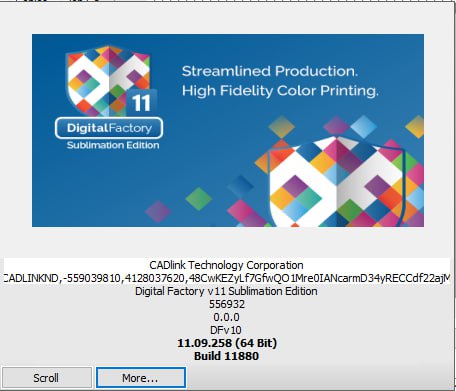
Digital Factory v11 Sublimation Edition – Professional RIP Software
35,00 $
Digital Factory v11 Sublimation Edition is professional RIP and workflow software for compatible dye-sublimation printers. Manage ICC colors, mirrored output, nesting, Step and Repeat, gang sheets, production queues, templates, hot folders, and accurate artwork positioning. Digital delivery with installation and printer compatibility assistance from Needlic.
Digital Factory v11 Sublimation Edition – Professional Sublimation RIP Software
Digital Factory v11 Sublimation Edition is professional RIP and production workflow software designed for compatible dye-sublimation printers. It provides advanced color management, artwork preparation, mirrored output, nesting, Step and Repeat, production queues, ICC profiles, templates, hot-folder automation, and efficient job management for textile and hard-surface sublimation printing.
Developed for custom apparel businesses, personalized gift shops, sportswear manufacturers, textile printers, promotional-product companies, signage businesses, and professional sublimation studios, Digital Factory v11 helps simplify the complete workflow from artwork preparation to final transfer printing.
The software processes artwork before it is sent to the printer. It applies the selected printer driver, print mode, media size, ICC profile, resolution, color settings, and production layout to create output optimized for a compatible sublimation printer.
Whether you print sportswear, jerseys, mugs, mouse pads, polyester garments, flags, banners, ceramic products, aluminum panels, promotional gifts, or customized merchandise, Digital Factory v11 Sublimation Edition provides a professional environment for accurate, organized, and repeatable production.
What Is Digital Factory v11 Sublimation Edition?
Digital Factory v11 Sublimation Edition is specialized RIP and workflow software for dye-sublimation production.
A RIP processes digital artwork and converts it into print-ready data according to the selected printer, sublimation ink, transfer paper, resolution, and color profile. This gives the operator more control than a standard Windows printer driver.
The software is designed to improve artwork preparation, color consistency, layout efficiency, queue management, and repeat production. It can be used for both textile sublimation and compatible coated hard products.
Exact printer support depends on the Digital Factory build, license, available printer driver, printer width, connection method, and optional device modules.
Why Choose Digital Factory v11 Sublimation Edition?
Professional sublimation printing requires more than sending an image directly to a printer. Artwork must be prepared at the correct size, mirrored when required, arranged efficiently on the transfer paper, and processed using suitable color settings.
Digital Factory v11 combines these tasks inside one organized production environment. Operators can create reusable queues for specific printers, papers, products, resolutions, and production methods.
- Professional RIP processing for compatible sublimation printers
- Advanced ICC color management
- Mirrored output for transfer printing
- Nesting and layout optimization
- Step and Repeat production
- Reusable printer and media queues
- Artwork resizing, rotation, cropping, and positioning
- Hot-folder automation
- Template-driven production workflows
- Support for textile and coated hard-surface sublimation
- Job preview before printing
- Support for common raster, vector, and PDF files
- Direct workflow options from popular design applications
- Production tools for small and high-volume businesses
Main Features of Digital Factory v11 Sublimation Edition
Professional Sublimation RIP Processing
Digital Factory processes artwork before it is sent to a compatible sublimation printer.
The RIP engine applies the selected resolution, printer driver, ICC profile, media size, print mode, color configuration, and production settings.
This gives operators greater control over the final printed transfer and helps maintain repeatable results across customer orders.
Advanced Color Management
Color management is one of the most important parts of sublimation production. The colors visible on a computer monitor do not always match the colors produced after heat transfer.
Digital Factory uses professional color-management tools to convert artwork colors into printable values for a specific printer, sublimation ink, transfer paper, substrate, and production mode.
This helps improve:
- Color accuracy
- Photographic detail
- Smooth gradients
- Neutral gray balance
- Strong black output
- Bright and saturated colors
- Repeatability between orders
- Brand and team-color consistency
Final transfer results also depend on the heat press, transfer temperature, pressing time, pressure, substrate coating, paper, ink, humidity, and printer maintenance.
ICC Profile Support
ICC profiles describe how a specific printer, ink, transfer paper, substrate, and print mode reproduce color.
Digital Factory can use compatible ICC profiles to create more predictable output. The selected profile should match the exact production conditions being used.
A profile created for one printer, paper, or ink may not provide accurate results with another combination.
Before processing a large order, operators should print and transfer a sample to verify the colors on the final product.
Mirrored Output
Most sublimation transfers must be mirrored before printing so that the final design appears in the correct orientation after heat pressing.
Digital Factory can automatically mirror artwork according to the selected production queue.
This is especially important for text, logos, numbers, names, directional graphics, and sportswear designs.
Mirroring can be saved as part of the queue so that operators do not need to reverse every design manually in CorelDRAW, Photoshop, or Illustrator.
Production Queue Management
Digital Factory organizes jobs through configurable production queues.
Each queue can contain settings for a specific printer, transfer paper, media width, resolution, color profile, mirror mode, and product workflow.
Businesses can create reusable queues for applications such as:
- Polyester T-shirts
- Sports jerseys
- Mugs
- Mouse pads
- Coated aluminum panels
- Flags and banners
- Photo products
- Promotional merchandise
- High-quality photographic output
- Fast production printing
- Sample and test printing
- Repeat customer orders
Reusable queues reduce setup time and help different operators maintain consistent production settings.
Visual Job Management
Digital Factory provides a visual workspace for managing artwork, printer queues, copies, dimensions, media usage, previews, and production status.
Operators can review which jobs are waiting, processing, completed, paused, or held for later production.
This helps organize several customer orders and reduces the risk of sending artwork to the wrong printer or production queue.
Job Preview Before Printing
Artwork can be previewed inside the selected media area before printing.
The preview helps operators confirm:
- Final artwork dimensions
- Mirrored orientation
- Media width and height
- Number of copies
- Artwork placement
- Spacing between designs
- Page layout
- Selected production queue
Reviewing the job before production can reduce wasted ink, transfer paper, substrates, and production time.
Artwork Resizing and Positioning
Digital Factory includes practical tools for common production adjustments.
- Resize artwork proportionally
- Set exact width and height
- Rotate artwork
- Mirror the design
- Crop unwanted areas
- Position artwork on the media
- Center designs
- Create multiple copies
- Adjust spacing
- Organize multiple customer jobs
These tools reduce the need to reopen the original design program for basic production changes.
Step and Repeat
Step and Repeat duplicates one design across the available transfer-paper area.
This is useful for producing multiple logos, labels, shirt graphics, product images, mug designs, numbers, names, and small transfers.
Operators can configure the number of copies and spacing between each repeated item.
Efficient Step and Repeat layouts can reduce transfer-paper waste and improve production speed.
Automatic and Manual Nesting
Nesting arranges multiple designs within the available media area to reduce unused space.
This is especially useful when printing irregularly shaped designs, mixed customer orders, sportswear elements, logos, and multiple product sizes.
Jobs can be positioned manually or through available layout automation tools, depending on the installed edition and license.
Better media utilization can help reduce production costs and improve printer efficiency.
Gang Sheet Production
Several designs can be combined into one larger production layout or gang sheet.
Gang sheets are useful for:
- Multiple customer orders
- Mixed-size apparel graphics
- Sports-team names and numbers
- Small product logos
- Promotional-product graphics
- Repeat designs
- Batch production
Operators should leave sufficient spacing for cutting, trimming, product placement, and transfer alignment.
Template-Driven Production
Templates can be created for frequently produced products and layouts.
A template can define the printable area, artwork position, product dimensions, spacing, and number of copies.
This is useful for repeat products such as:
- Mugs
- Coasters
- Phone cases
- Mouse pads
- Name badges
- Photo panels
- Sportswear components
- Promotional products
Reusable templates reduce artwork-positioning time and help maintain consistent production.
Hot Folder Automation
Hot folders can automate the process of importing artwork into a predetermined production queue.
A file placed inside a configured folder can be detected and processed using the assigned printer, profile, media, resolution, mirror, and layout settings.
Different hot folders can be created for different products or production methods.
This is useful for online-order workflows, production teams, repeat products, and businesses processing a high number of customer files.
Direct Workflow from Design Applications
Digital Factory can work with artwork prepared in popular design applications such as:
- CorelDRAW
- Adobe Illustrator
- Adobe Photoshop
- Affinity Designer
- Other compatible raster and vector applications
Artwork can be exported in a supported file format and imported into Digital Factory for final RIP processing.
Direct-send plugins or integrations depend on the installed Digital Factory build, design-software version, Windows version, and available workflow components.
Color Replacement Tools
Selected colors may be adjusted during production preparation without returning to the original design application.
This is useful for:
- Team-color variations
- Logo corrections
- Customer color requests
- Personalized products
- Repeat orders
- Different versions of the same design
Color replacement can save time when one design must be produced in several color combinations.
Spot Color and Named Color Management
Digital Factory can process spot and named colors used in logos, sportswear, labels, promotional products, and company branding.
Operators may adjust selected color values to improve matching with production samples.
Exact color matching is limited by the printer’s color gamut, sublimation ink, ICC profile, transfer paper, substrate, and heat-transfer conditions.
Photographic Sublimation Printing
Digital Factory can process high-resolution photographic artwork for compatible sublimation workflows.
Professional RIP processing can help preserve gradients, skin tones, shadows, highlights, and image detail.
Photographic sublimation is commonly used for:
- Photo mugs
- Photo panels
- Personalized gifts
- Mouse pads
- Photo cushions
- Coated metal products
- Decorative products
- Custom merchandise
High-quality source artwork and a suitable ICC profile are essential for professional photographic output.
Sportswear and Textile Production
Digital Factory v11 Sublimation Edition is suitable for preparing artwork used in polyester sportswear and textile production.
Potential applications include:
- Football jerseys
- Basketball uniforms
- Cycling clothing
- Running apparel
- Team shirts
- Training wear
- Leggings
- Fashion polyester garments
- Flags
- Fabric banners
Garment panels and production layouts should be prepared according to the final cutting and sewing requirements.
Roll-to-Roll Sublimation Workflow
Compatible wide-format printers can be used for continuous roll-to-roll transfer-paper production.
Digital Factory can help operators organize long production jobs, select media widths, arrange artwork, mirror output, and apply color settings through reusable queues.
Roll-to-roll production may be used for sportswear, flags, soft signage, fashion textiles, interior decoration, and high-volume transfer printing.
Desktop and Wide-Format Workflows
Digital Factory Sublimation can be used in different production environments depending on the supplied license and printer driver.
Desktop systems may be used for mugs, gifts, small apparel graphics, and personalized products.
Wide-format systems are commonly used for sportswear, textiles, banners, flags, fashion, and higher-volume production.
Some printer widths or additional printers may require separate device modules or a compatible production license.
Supported Artwork and File Formats
Digital Factory v11 Sublimation Edition can process common raster, vector, and professional print formats. Exact support may vary according to the software build and file structure.
- EPS
- PNG
- TIFF
- JPG and JPEG
- PSD
- BMP
- Common raster image formats
- Common vector and print-ready formats
Complex transparency, unsupported fonts, damaged objects, linked images, or unusual PDF effects may require conversion or flattening before production.
Artwork Preparation Recommendations
- Use high-resolution artwork whenever possible.
- Check the final physical dimensions carefully.
- Mirror artwork when required by the transfer workflow.
- Convert or embed fonts before production.
- Use suitable color settings and ICC profiles.
- Avoid enlarging small images excessively.
- Leave sufficient spacing for cutting and transfer placement.
- Save an editable master copy before printing.
- Print and transfer a sample before starting a large order.
- Confirm that the selected product is suitable for sublimation.
Textile Sublimation Applications
Digital Factory v11 can be used to prepare artwork for compatible polyester and polyester-coated textile products.
- Polyester T-shirts
- Sports jerseys
- Team uniforms
- Fashion garments
- Leggings
- Flags
- Fabric banners
- Soft signage
- Cushion covers
- Polyester bags
- Table covers
- Event displays
Sublimation ink generally requires polyester fibers or a compatible polyester coating. Natural cotton does not accept conventional sublimation ink in the same way as polyester.
Hard-Surface Sublimation Applications
With compatible coated products, transfer paper, ink, and heat equipment, Digital Factory can prepare artwork for:
- Sublimation mugs
- Ceramic tiles
- Coated aluminum panels
- Photo panels
- Mouse pads
- Coasters
- Keychains
- Phone cases
- Name badges
- Promotional gifts
- Puzzles
- Decorative products
The product must have a coating or material designed to receive sublimation dye.
Heat Press and Transfer Settings
Digital Factory controls the digital print data, but successful sublimation also depends on the heat-transfer process.
Important production variables include:
- Pressing temperature
- Pressing time
- Pressure
- Transfer-paper orientation
- Substrate coating
- Moisture control
- Heat-press calibration
- Product positioning
Incorrect temperature, pressure, or time may cause weak colors, ghosting, blurred edges, scorching, incomplete transfer, or substrate damage.
Always follow the recommendations provided by the ink, transfer-paper, product, and heat-equipment manufacturers.
Preventing Ghosting and Transfer Errors
Ghosting can occur when the transfer paper moves while the substrate is still hot.
To reduce transfer errors:
- Secure the transfer paper using suitable heat-resistant tape.
- Keep the product and paper stable during pressing.
- Open the heat press carefully.
- Remove the transfer according to the product instructions.
- Avoid moving hot fabric excessively.
- Use correct pressure and temperature.
- Perform sample tests before large production runs.
Compatible Sublimation Printers
Digital Factory v11 Sublimation Edition is designed for supported dye-sublimation printers through compatible drivers and licenses.
The name “Sublimation Edition” does not automatically guarantee compatibility with every sublimation printer.
Compatibility depends on:
- Printer manufacturer
- Exact printer model
- Printer width
- Available Digital Factory driver
- Software version and build
- License type
- Required add-on printer modules
- Ink configuration
- Printer firmware
- USB or network connection
- Windows operating-system compatibility
Please provide the complete printer manufacturer and model before ordering.
System Requirements
System requirements may vary according to the Digital Factory v11 build, printer driver, artwork size, production volume, and number of connected printers.
Recommended Windows Configuration
- Compatible 64-bit Windows operating system
- Modern Intel Core i5, Core i7, or comparable AMD processor
- 8 GB RAM minimum
- 12–16 GB RAM or more recommended for production use
- SSD storage recommended
- Sufficient free storage for RIP and temporary production files
- Compatible USB or TCP/IP printer connection
- Stable internet connection for download, activation, and support
- Monitor resolution suitable for professional production software
Large TIFF, PSD, PDF, textile, gang-sheet, and wide-format jobs may require additional RAM, faster processing, and greater SSD capacity.
A dedicated production computer is recommended to reduce interruptions caused by automatic updates, antivirus scans, and unrelated applications.
What You Will Receive from Needlic
- Digital Download Access: Receive the supplied installation resources electronically.
- Installation Instructions: Follow the provided setup guidance.
- Activation Assistance: Receive help with the supplied activation procedure.
- Remote Installation Support: Remote assistance may be available when required.
- Fast Digital Delivery: No physical shipping or delivery delay.
- Customer Support: Contact Needlic for common installation and setup questions.
- Printer Compatibility Review: Compatibility can be reviewed after receiving the complete printer model.
Why Buy Digital Factory v11 Sublimation Edition from Needlic?
Needlic provides professional software for sublimation, DTF, DTG, UV printing, signage, embroidery, graphic design, RIP production, and CNC workflows.
Sublimation software requires the correct printer driver, color profile, transfer-paper setup, Windows environment, and device connection.
Our objective is to provide clear product information, fast digital delivery, and practical installation assistance.
- Fast digital delivery
- Professional installation guidance
- Remote assistance when available
- Sublimation printer compatibility review
- Clear product information
- No physical shipping required
- Customer-focused support
- Experience with RIP and specialty-printing software
- Support for international customers
Frequently Asked Questions
What is Digital Factory v11 Sublimation Edition?
It is professional RIP and production software designed for compatible dye-sublimation printers. It provides color management, mirrored output, production queues, artwork layout, nesting, templates, and workflow automation.
Does it automatically mirror artwork?
Yes. Mirroring can be applied automatically through the selected production queue.
Can it be used for textile sublimation?
Yes. It can prepare artwork for compatible polyester garments, sportswear, flags, banners, soft signage, and other textile-sublimation applications.
Can it be used for mugs and hard products?
Yes. It can prepare artwork for compatible sublimation-coated mugs, panels, coasters, mouse pads, and promotional products.
Does it support ICC profiles?
Yes. Digital Factory supports professional ICC color-management workflows. The profile should match the printer, ink, transfer paper, substrate, resolution, and print mode.
Can I create several copies of one design?
Yes. Step and Repeat tools can duplicate and arrange multiple copies within the available media area.
Does it include nesting?
Sublimation workflows can include layout and nesting tools for organizing multiple designs and reducing unused transfer paper. Exact availability may depend on the installed license.
Can I create gang sheets?
Yes. Multiple compatible designs can be combined into one production layout.
Can I resize and position artwork inside Digital Factory?
Yes. Digital Factory includes tools for resizing, rotating, mirroring, cropping, duplicating, and positioning artwork.
Can Digital Factory replace CorelDRAW or Photoshop?
Digital Factory includes useful production and layout tools, but it is mainly RIP and workflow software. Complex design creation should still be completed in dedicated graphic-design software.
Can I use ordinary inkjet ink?
No. Dye-sublimation production requires compatible sublimation ink, suitable transfer paper, and a compatible printer configuration.
Can I print directly on cotton?
Conventional sublimation is intended primarily for polyester or compatible coated products. Standard cotton does not receive sublimation dye in the same way as polyester.
Will it work with every sublimation printer?
No. Compatibility depends on the exact printer model, available driver, license, software build, and optional modules.
Is it compatible with macOS?
A compatible native Windows computer is recommended. Confirm the exact operating-system requirements before installation.
Will I receive a physical product?
No. This is a digitally delivered product. No DVD, USB drive, printed manual, or physical package will be shipped.
Does Needlic provide installation support?
Yes. Needlic provides installation guidance and may offer remote assistance. Printer maintenance, color calibration, heat-press operation, transfer testing, and production settings remain the responsibility of the printer owner or qualified technician.
Important Information Before Purchase
- This product is delivered digitally.
- No physical package will be shipped.
- Provide the complete printer manufacturer and model before ordering.
- Confirm that a compatible printer driver is available.
- Confirm whether an additional printer module is required.
- Verify that the Windows computer meets the system requirements.
- Back up existing profiles, queues, presets, templates, and artwork.
- Do not remove existing production software until compatibility is confirmed.
- Print and transfer a sample before starting commercial production.
- Final output depends on the printer, inks, transfer paper, substrate, profile, heat press, and production settings.
- Available features may vary according to the software build, license, driver, and optional modules.
Order Digital Factory v11 Sublimation Edition Today
Upgrade your dye-sublimation workflow with Digital Factory v11 Sublimation Edition. Manage professional color, mirror artwork automatically, organize production queues, create gang sheets, optimize transfer-paper usage, prepare product templates, and operate compatible sublimation printers from one organized RIP environment.
Whether you produce sportswear, personalized gifts, mugs, photo panels, promotional products, textiles, flags, or high-volume sublimation output, Digital Factory v11 Sublimation Edition provides professional tools for faster and more consistent production.
Order from Needlic and receive fast digital delivery, installation guidance, activation assistance, printer compatibility review, and professional customer support.
Only logged in customers who have purchased this product may leave a review.
Related products

Flexi 25 Software – Professional Vinyl Design & Cutting Solution
Flexi 25 Software – Professional Vinyl Design & Cutting Solution
✔️ Instant download after purchase
✔️ Advanced vinyl design & cutting tools
✔️ Compatible with cutters and printers
✔️ Easy setup with installation guidance
👉 Create high-quality vinyl designs and professional signage with ease.

NeoStampa RIP Software – Professional Textile Printing Solution
📦 Brand: NEOSTAMPA 25.5
🔑 License: For 1 PC activate license key, this is not a subscription
💻 Version: For 32 and 64-bit systems
✉ Delivery: Download link and instructions instantly delivered by email
🌐Languages: Works worldwide, all languages included
📞 Support: 24/7 Free customer care support

Acrorip 11.2 RIP Software – Full Version for DTG Printing + Easy Install
Acrorip 11.2 – Full Version with Lifetime Activation
✔️ Instant download after payment
✔️ DTG RIP software
✔️ Full features unlocked
✔️ Remote installation support
👉 Print high-quality DTG designs easily.
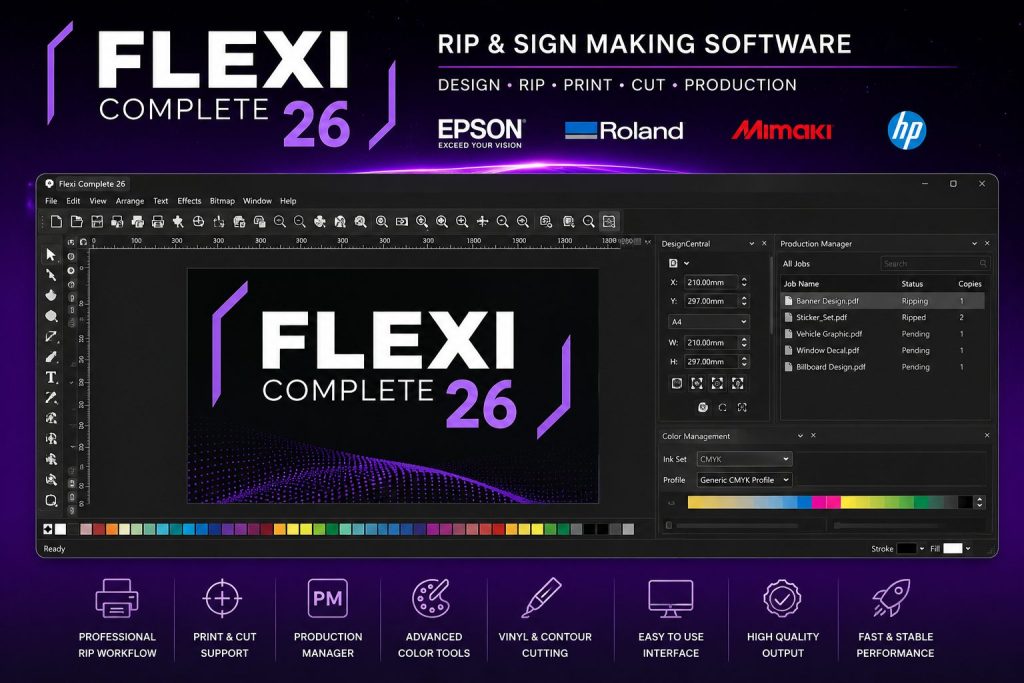
SAi Flexi Complete 26 RIP & Sign Making Software for Epson Roland Mimaki HP
Professional RIP and sign making software compatible with Epson, Roland, Mimaki and HP printers. Includes Production Manager, print & cut workflow, vinyl cutting tools and installation support.

Reviews
There are no reviews yet.