
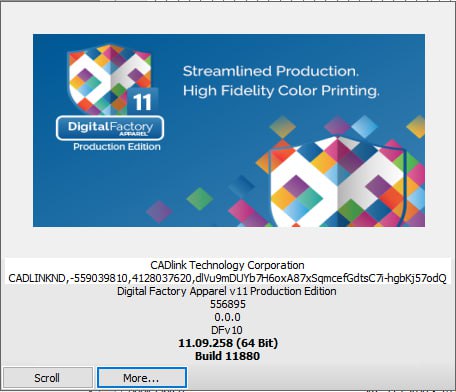
DigitalFactory Apparel v11 Production Edition – DTG RIP

37,00 $
DigitalFactory Apparel v11 Production Edition – Professional DTG RIP Software
DigitalFactory Apparel v11 Production Edition is a professional RIP and production workflow solution developed for high-volume direct-to-garment printing businesses. It is designed for print shops operating two or more compatible DTG printers and provides advanced tools for color management, white ink automation, job preparation, production queues, workflow automation, and multi-printer control.
Built for growing apparel-decoration businesses, commercial DTG print shops, print-on-demand companies, fashion brands, and custom T-shirt producers, DigitalFactory Apparel v11 Production Edition helps operators manage complex printing workflows from one organized interface.
The software processes artwork, creates white ink underbases, manages color output, organizes jobs, and distributes production across multiple supported printers. This allows businesses to improve productivity, maintain consistent output, and reduce repetitive manual work.
Whether you are printing personalized T-shirts, hoodies, uniforms, promotional apparel, fashion collections, photographic designs, logos, or customer artwork, DigitalFactory Apparel v11 Production Edition provides the professional RIP tools required for efficient and consistent garment production.
What Is DigitalFactory Apparel v11 Production Edition?
DigitalFactory Apparel v11 Production Edition is a complete DTG RIP and print-management system intended for larger apparel-production environments. Unlike printer-specific editions designed around one manufacturer, the Production Edition is built for shops that need greater flexibility, advanced workflow control, and simultaneous support for multiple compatible printers.
RIP software converts digital artwork into printable information that a supported DTG printer can process. During this process, DigitalFactory controls color separation, white ink generation, image resolution, print modes, placement, ink channels, and production settings.
The Production Edition is especially useful when a business operates two or more printers, processes many orders each day, or needs a centralized system for preparing, managing, and tracking print jobs.
It can help reduce production delays by allowing multiple printers to be controlled from one interface while preserving consistent print settings across devices.
Why Choose DigitalFactory Apparel v11 Production Edition?
Managing several DTG printers with separate applications can create unnecessary complexity. Operators may need to prepare the same design several times, switch between printer drivers, or manually track which machine is handling each job.
DigitalFactory Apparel v11 Production Edition brings these tasks together in one workflow. It allows operators to organize jobs, assign queues, prepare artwork, manage white ink, control color processing, and route work to compatible printers.
- Designed for two or more compatible DTG printers
- Centralized multi-printer production management
- Professional white ink automation
- Automated underbase and highlight generation
- Advanced ICC color management
- Intelligent production queues
- Hot-folder automation
- Barcode-based workflow options
- Template-based job preparation
- Direct RIP workflow from popular design applications
- Layout optimization and nesting tools
- Expandable through optional printer and workflow modules
- Suitable for high-volume apparel production
Main Features of DigitalFactory Apparel v11 Production Edition
Multi-Printer Production Support
One of the main advantages of DigitalFactory Apparel v11 Production Edition is its ability to support multiple compatible DTG printers from one production environment.
This is particularly useful for busy print shops where several machines may be running different orders at the same time. Operators can organize jobs, select production queues, monitor workflow status, and send output to the appropriate printer.
A multi-printer workflow can help businesses balance production more effectively. Smaller jobs can be sent to one printer while larger or urgent orders are processed on another compatible machine.
Exact support depends on the available DigitalFactory drivers, printer models, software license, and installed modules.
Professional DTG RIP Processing
DigitalFactory Apparel v11 processes graphic files before printing. The RIP engine converts artwork into the color, white ink, resolution, and print-layer information required by compatible garment printers.
This provides more production control than a standard printer driver. Operators can manage print modes, ink layers, underbase settings, color profiles, output resolution, and other job-specific parameters.
White Ink Automation
White ink management is one of the most important parts of direct-to-garment printing on dark apparel. DigitalFactory Apparel v11 Production Edition can automatically generate the white ink data needed beneath colored artwork.
The software analyzes the design, transparency, garment workflow, and selected production settings to prepare an underbase. This helps eliminate the need to create a separate white ink layer manually in Photoshop or another design program.
Automated white ink processing can reduce preparation time and improve consistency across operators and repeat orders.
Underbase and Highlight Layers
The Production Edition supports advanced white ink automation, including underbase and highlight processing.
An underbase is printed beneath the color artwork to prevent the garment color from affecting the final image. A highlight layer may be used to strengthen selected white areas or improve brightness in certain parts of the design.
Operators can control how these layers are generated and printed according to the garment, artwork, ink system, print mode, and desired result.
Independent Layer Control
DigitalFactory can use multiple print layers within a production queue. Individual layers may be configured with different resolutions or print settings.
For example, the white underbase may use one resolution while the color layer uses another. This can help balance speed, ink use, opacity, detail, and production quality.
The layer order can also be organized so that the underbase prints first, followed by the required color or highlight layers. :contentReference[oaicite:1]{index=1}
Advanced ICC Color Management
DigitalFactory Apparel v11 Production Edition includes professional ICC color-management capabilities designed to improve color accuracy and consistency.
ICC profiles describe how a specific combination of printer, ink, garment, and print mode reproduces color. DigitalFactory uses these profiles to convert artwork into printable color values.
Accurate color management is especially important for company logos, brand colors, photographic images, fashion graphics, team apparel, and repeat customer orders.
Final print results can still be affected by printer condition, ink quality, pretreatment, garment composition, curing, humidity, maintenance, and operator settings.
Consistent Color Across Multiple Devices
When a print shop operates several printers, color differences between devices can create problems. The same artwork may appear slightly different depending on the printer, profile, ink condition, or selected queue.
DigitalFactory Apparel v11 Production Edition helps centralize color processing and production settings. This can make it easier to maintain similar output across supported devices when appropriate profiles and workflows are used.
Regular printer maintenance, calibration, and production testing remain essential for consistent results.
Professional Color Replacement
Color replacement tools allow operators to modify selected colors during production preparation. This can be useful when a customer requests a logo variation, team-color change, personalized color option, or correction to an imported design.
Instead of reopening the source artwork, the operator may be able to make the required color adjustment directly within the production environment.
Transparent Artwork Processing
DTG artwork often contains transparent backgrounds, faded edges, shadows, semi-transparent pixels, and antialiased details.
DigitalFactory Apparel v11 processes transparency when generating white ink and color data. Proper transparency handling is important for preventing unwanted boxes, rough outlines, or incorrect white ink beneath soft effects.
High-quality PNG, TIFF, PSD, PDF, and other supported files generally provide better results than small compressed images.
Garment Color Knockout
Garment color knockout can allow the shirt fabric to replace selected dark areas of the artwork. For example, black areas may be removed from a design printed on a black garment so that the fabric provides the black color.
This can reduce ink consumption and produce a softer finished print. It can also improve breathability by reducing the amount of ink deposited on the garment.
This technique should be applied carefully because the final appearance depends on the artwork, garment shade, fabric texture, and customer requirements.
Production Queue Management
DigitalFactory Apparel v11 Production Edition organizes jobs through configurable production queues. Each queue can contain settings for a particular printer, garment type, resolution, color profile, ink configuration, and print workflow.
Print shops can create separate queues for frequently used production conditions, such as:
- White cotton garments
- Black cotton garments
- Colored apparel
- High-resolution photographic printing
- Fast production mode
- Small chest logos
- Large front designs
- Back prints
- Children’s apparel
- Sample and test printing
- Urgent production orders
- Specific printer models
Reusable queues reduce the need to rebuild settings for every job and help maintain a more standardized production process.
Intelligent Queue Control
Queue control helps operators organize the order in which jobs are processed and determine which compatible printer will receive each job.
This is valuable for larger shops where several orders may be waiting at the same time. Jobs can be arranged based on priority, printer availability, garment type, production requirements, or delivery deadline.
Hot-Folder Automation
Hot folders allow files to enter a predefined production workflow automatically. An artwork file placed into a configured folder can be imported into a selected DigitalFactory queue with predetermined settings.
This can reduce repetitive manual work and is particularly helpful when artwork is prepared by multiple designers, received from an online-order system, or processed in large batches.
Different hot folders may be created for specific printers, garment colors, production modes, or order types.
Barcode Workflow
Barcode-based workflow options can help larger print shops organize jobs and reduce manual selection during production.
A barcode may be associated with a job, order, template, or production instruction. When integrated correctly, scanning the barcode can help the operator retrieve or process the correct job.
The exact barcode workflow depends on the installed modules, business process, hardware, and production configuration.
Template Automation
Production templates can standardize the placement, size, and preparation of repeat jobs. A template may define a print area, garment position, artwork location, or commonly used production layout.
Templates are useful for businesses producing uniforms, team apparel, branded clothing, personalized products, and recurring customer orders.
They can reduce preparation time and help ensure that similar jobs are positioned consistently.
Job Layout and Nesting
Layout optimization tools help arrange one or more designs inside the available production area. This is useful for small graphics, labels, samples, or workflows involving multiple items.
Nesting can reduce unused space and make production more efficient. The exact benefit depends on the printer, platen, media, and selected workflow.
Pre-Production Editing Tools
DigitalFactory Apparel v11 Production Edition includes practical tools for preparing artwork before printing.
- Resize artwork
- Adjust print dimensions
- Crop unwanted areas
- Rotate the design
- Mirror artwork
- Position artwork on the platen
- Create multiple copies
- Apply selected color adjustments
- Organize multiple jobs
- Preview production placement
These tools allow operators to complete common production corrections without returning to the original design software.
Direct RIP from Design Applications
DigitalFactory Apparel v11 Production Edition can support direct RIP workflows from popular design applications such as Adobe Illustrator and CorelDRAW, depending on the installed software versions, plugins, and system configuration. :contentReference[oaicite:2]{index=2}
This can simplify production by reducing repeated exporting and importing. Designers may be able to send artwork directly into a selected DigitalFactory workflow.
Compatibility with a specific version of CorelDRAW, Illustrator, Photoshop, or Windows should be verified before installation.
Job Preview
Operators can preview artwork before printing to check size, orientation, position, crop, transparency, and layout.
Previewing the design helps identify mistakes before consuming ink, pretreatment, garments, and production time.
This is particularly important for expensive apparel, customer-supplied garments, large batches, and urgent orders.
Job History and Repeat Orders
Production software can make repeat jobs easier by preserving job information, queue settings, templates, and production resources.
When a customer reorders the same design, the operator may be able to reuse the previous workflow instead of rebuilding the entire job from the beginning.
Businesses should maintain organized backups of customer files, profiles, templates, queues, and production settings.
Who Should Use DigitalFactory Apparel v11 Production Edition?
This edition is designed for businesses that need more advanced production control than a single-printer or manufacturer-specific workflow.
- High-volume DTG print shops
- Businesses operating two or more printers
- Commercial T-shirt printing companies
- Print-on-demand fulfillment centers
- Apparel-decoration businesses
- Fashion and streetwear brands
- Uniform manufacturers
- Promotional-product companies
- Online custom apparel stores
- Sportswear printing companies
- Personalized clothing businesses
- Growing DTG startups
- Industrial garment-printing environments
Products You Can Prepare
With compatible printers, inks, garments, pretreatment, and curing equipment, DigitalFactory Apparel v11 Production Edition can be used to prepare artwork for many apparel products.
- Custom T-shirts
- Hoodies
- Sweatshirts
- Tank tops
- Children’s clothing
- Uniforms
- Workwear
- Sports apparel
- Fashion garments
- Promotional clothing
- Event merchandise
- Personalized apparel
- Branded company clothing
Supported Artwork Formats
DigitalFactory Apparel v11 can process common raster and vector formats used in professional garment printing. Support may vary according to the installed build, options, and modules.
- PNG
- TIFF
- JPG and JPEG
- PSD
- EPS
- BMP
- Common raster formats
- Common vector formats
Transparent PNG and TIFF files are commonly used for DTG production because they can preserve transparent backgrounds. PDF and EPS files can be suitable for vector graphics and professional print workflows.
Complex effects, missing fonts, linked images, unsupported transparency, damaged files, or unusual PDF settings may require correction before production.
Artwork Preparation Recommendations
- Use high-resolution artwork whenever possible.
- Remove unwanted backgrounds.
- Use transparent artwork for designs without rectangular backgrounds.
- Check the final physical print dimensions.
- Avoid excessively enlarging small images.
- Convert or embed fonts before submitting artwork.
- Inspect transparent edges for unwanted pixels.
- Save an editable master file before production.
- Confirm that the design is suitable for the selected garment color.
- Perform a sample print before large production runs.
The Importance of Pretreatment
DigitalFactory controls the print data, but successful DTG production also requires correct garment pretreatment.
Dark garments normally require pretreatment before printing white ink. Pretreatment helps white ink remain on the surface of the fabric and supports stronger color, sharper detail, and improved wash durability.
Too little pretreatment can produce weak white ink and dull colors. Too much pretreatment may create stains, stiffness, or poor surface quality.
Always follow the recommendations provided by the printer, ink, garment, and pretreatment manufacturers.
Curing and Finishing
After printing, DTG ink must normally be cured using a heat press, conveyor dryer, or another approved curing method.
Correct temperature, pressure, airflow, and curing time depend on the ink, garment, printer, and production equipment.
Incorrect curing can reduce wash durability, alter colors, damage the garment, or cause ink to crack and fade.
Production settings should always be tested before processing a large customer order.
Printer Compatibility
DigitalFactory Apparel v11 Production Edition is designed to work with supported DTG printers through compatible drivers and optional device modules.
The Production Edition does not automatically support every garment printer on the market. Compatibility depends on:
- Printer manufacturer
- Exact printer model
- Available DigitalFactory driver
- Printer firmware and controller
- Ink channel configuration
- White ink setup
- Installed DigitalFactory build
- License type
- Optional printer modules
- Windows operating system
Please provide the exact manufacturer and model of every printer before ordering. This allows compatibility and required modules to be checked.
DigitalFactory Apparel v11 Production Edition System Requirements
The official Production Edition requirements include Windows 10 or Windows 11, an Intel i5–i7 class processor, approximately 8–12 GB RAM, and an SSD with around 500 GB recommended for production storage. :contentReference[oaicite:3]{index=3}
Recommended Computer Configuration
- Windows 10 or Windows 11
- 64-bit operating system
- Intel Core i5 or i7 processor
- Approximately 2.6 GHz to 3.0 GHz processor speed or better
- 8 GB RAM minimum
- 12 GB to 16 GB RAM recommended for production use
- 500 GB SSD recommended
- Additional storage for large job libraries
- Compatible network or USB printer connection
- Stable internet connection for download, licensing, and support
- Professional display resolution
Businesses processing large PSD, TIFF, PNG, or PDF files should consider using additional RAM, a faster processor, and dedicated SSD storage.
A dedicated production computer is recommended when controlling several printers to reduce interruptions from antivirus scans, automatic updates, unrelated applications, and insufficient system resources.
What You Will Receive from Needlic
- Digital Download Access: Receive the supplied installation resources electronically.
- Installation Instructions: Follow clear guidance during the setup process.
- Activation Assistance: Receive support for the supplied activation method.
- Remote Installation Support: Remote assistance may be provided when required.
- Fast Digital Delivery: No physical shipping or delivery delay.
- Customer Support: Contact Needlic for common installation and setup questions.
- Compatibility Review: Printer compatibility can be reviewed when full model information is provided.
- Multi-Printer Setup Guidance: Basic guidance may be provided for available supported drivers and queues.
Why Buy DigitalFactory Apparel v11 Production Edition from Needlic?
Needlic provides professional software for DTG printing, DTF production, embroidery, signage, graphic design, RIP workflows, and CNC manufacturing.
Production software can require more than a basic download. Printer drivers, queues, color profiles, ink channels, operating systems, and network configurations must all be considered.
Our objective is to provide clear product information, reliable digital delivery, and practical installation assistance.
- Fast digital delivery
- Professional installation guidance
- Remote assistance when available
- Printer compatibility review
- Clear product information
- No physical shipping required
- Customer-focused support
- Experience with RIP and production software
- Support for international customers
Benefits for High-Volume DTG Businesses
DigitalFactory Apparel v11 Production Edition can help a growing print shop create a more structured production environment.
Multiple printers can be managed from one workflow, while queues, templates, hot folders, and color settings help reduce repetitive preparation.
White ink automation can reduce manual file work, while centralized color management helps maintain more predictable output across compatible devices.
Production teams can also organize urgent jobs, repeat orders, garment types, and printer-specific workflows more effectively.
As production volume increases, these workflow improvements can reduce operator errors, shorten preparation time, and improve overall efficiency.
Frequently Asked Questions
What is DigitalFactory Apparel v11 Production Edition?
It is a professional DTG RIP and workflow-management solution designed for businesses operating multiple compatible garment printers. It includes color management, white ink automation, queues, job preparation, and production tools.
How many printers can it support?
The Production Edition is designed for shops running two or more printers simultaneously. Additional printers or device types may require compatible drivers or optional modules.
Can it control different printer models?
It may support different compatible printer models when the correct drivers and modules are available. Provide the exact manufacturer and model of every printer before purchasing.
Does it create white ink automatically?
Yes. DigitalFactory Apparel includes automated white ink processing for underbase and highlight workflows.
Can it print on black garments?
Yes, when used with a compatible DTG printer, white ink, proper pretreatment, suitable garments, and correct curing settings.
Can it print on white T-shirts?
Yes. Light garments may use a color-only workflow when appropriate, reducing white ink use and production time.
Does it support hot folders?
Yes. Hot folders can automate the import of artwork into predefined production queues.
Does it support barcode automation?
The Production Edition includes barcode-related workflow capabilities. The exact configuration may depend on installed options, hardware, and production requirements.
Can it work with CorelDRAW and Illustrator?
Direct RIP workflows are available for supported versions of CorelDRAW, Adobe Illustrator, and other design applications. Compatibility should be verified for the exact installed versions.
Does it include ICC color management?
Yes. The Production Edition includes advanced ICC color-management tools for professional apparel production.
Can I use it for DTF printing?
This product is the Apparel Production Edition and is primarily intended for supported apparel and DTG workflows. DTF support should not be assumed unless the required printer driver, ink configuration, and optional module are confirmed.
Does it support every DTG printer?
No. Printer support depends on the availability of a compatible DigitalFactory driver or module.
Is it compatible with macOS?
The official system requirements specify Windows 10 or Windows 11. A native Windows production computer is recommended.
Will I receive a physical product?
No. This is a digital product. No DVD, USB drive, printed manual, or physical package will be shipped.
Does Needlic provide installation support?
Yes. Needlic provides installation guidance and may offer remote assistance. Printer maintenance, color calibration, pretreatment, curing, and production testing remain the responsibility of the printer owner or qualified technician.
Important Information Before Purchase
- This product is delivered digitally.
- No physical package will be shipped.
- Provide all printer manufacturers and exact model numbers before ordering.
- Confirm that the required printer drivers or modules are available.
- Verify that the Windows computer meets the system requirements.
- Back up current profiles, queues, templates, and customer files.
- Do not remove existing production software before compatibility is confirmed.
- Test each printer and queue using sample garments.
- Final output depends on printer condition, inks, pretreatment, garments, curing, and maintenance.
- Features may vary according to the installed build, license, and optional modules.
Order DigitalFactory Apparel v11 Production Edition Today
Upgrade your high-volume garment-printing workflow with DigitalFactory Apparel v11 Production Edition. Manage multiple compatible DTG printers, automate white ink underbases, control color output, organize production queues, prepare artwork, and process customer orders from one professional RIP environment.
Whether you operate a growing custom T-shirt business, commercial print shop, apparel brand, print-on-demand facility, or multi-printer production department, DigitalFactory Apparel v11 Production Edition provides the tools required for a faster and more organized workflow.
Order from Needlic and receive fast digital delivery, installation guidance, activation assistance, compatibility review, and professional customer support.
Only logged in customers who have purchased this product may leave a review.
Related products

NeoStampa Delta 24.8 Full Version Lifetime activation
 License: License: |
For 1 PC activate license key, this is not a subscription |
| Version: |
For 32 and 64 bit systems |
| Delivery: |
Download link and instructions delivered by email from 10 minutes to 4 hours. |
| Languages: |
Works worldwide, all languages included |
| Support: |
24/7 Free customer care support |

NeoStampa RIP Software – Professional Textile Printing Solution
📦 Brand: NEOSTAMPA 25.5
🔑 License: For 1 PC activate license key, this is not a subscription
💻 Version: For 32 and 64-bit systems
✉ Delivery: Download link and instructions instantly delivered by email
🌐Languages: Works worldwide, all languages included
📞 Support: 24/7 Free customer care support

RIP Software
AccuRIP Emerald & Separation Studio NXT 2024 Full Version Lifetime – RIP Software ($77)
AccuRIP Emerald & Separation Studio NXT 2024 Full Version Lifetime – RIP Software ($77)
AccuRIP Emerald & Separation Studio NXT 2024 – Full Version with Lifetime Activation
✔️ Instant download after payment
✔️ RIP software for screen printing
✔️ Full features unlocked
✔️ Remote installation support
👉 Create professional screen prints easily.

Flexi 25 Software – Professional Vinyl Design & Cutting Solution
Flexi 25 Software – Professional Vinyl Design & Cutting Solution
✔️ Instant download after purchase
✔️ Advanced vinyl design & cutting tools
✔️ Compatible with cutters and printers
✔️ Easy setup with installation guidance
👉 Create high-quality vinyl designs and professional signage with ease.
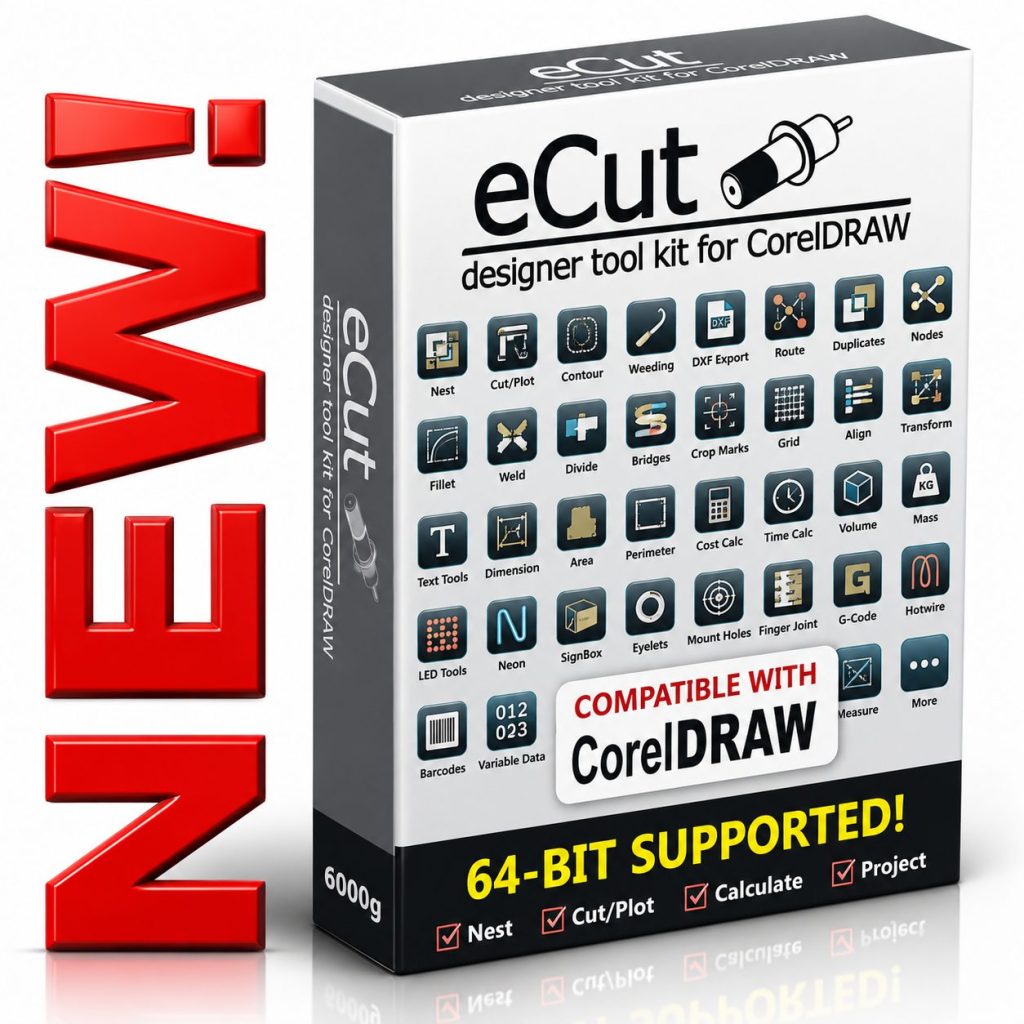
eCut v7.4.12.57 for CorelDRAW 2026 – CNC & Cutting Plugin
eCut v7.4.12.57 for CorelDRAW 2026 is a professional production plugin for vinyl cutting, CNC routing, laser cutting, sign making, nesting, contour cutting, DXF export, G-code generation, route optimization, LED and neon layouts, cost calculation, and more. Requires a compatible full version of CorelDRAW on Windows. Digital delivery with installation and activation assistance from Needlic.

Adobe Photoshop 2025 | Latest Features & Creative Tools

Reviews
There are no reviews yet.