
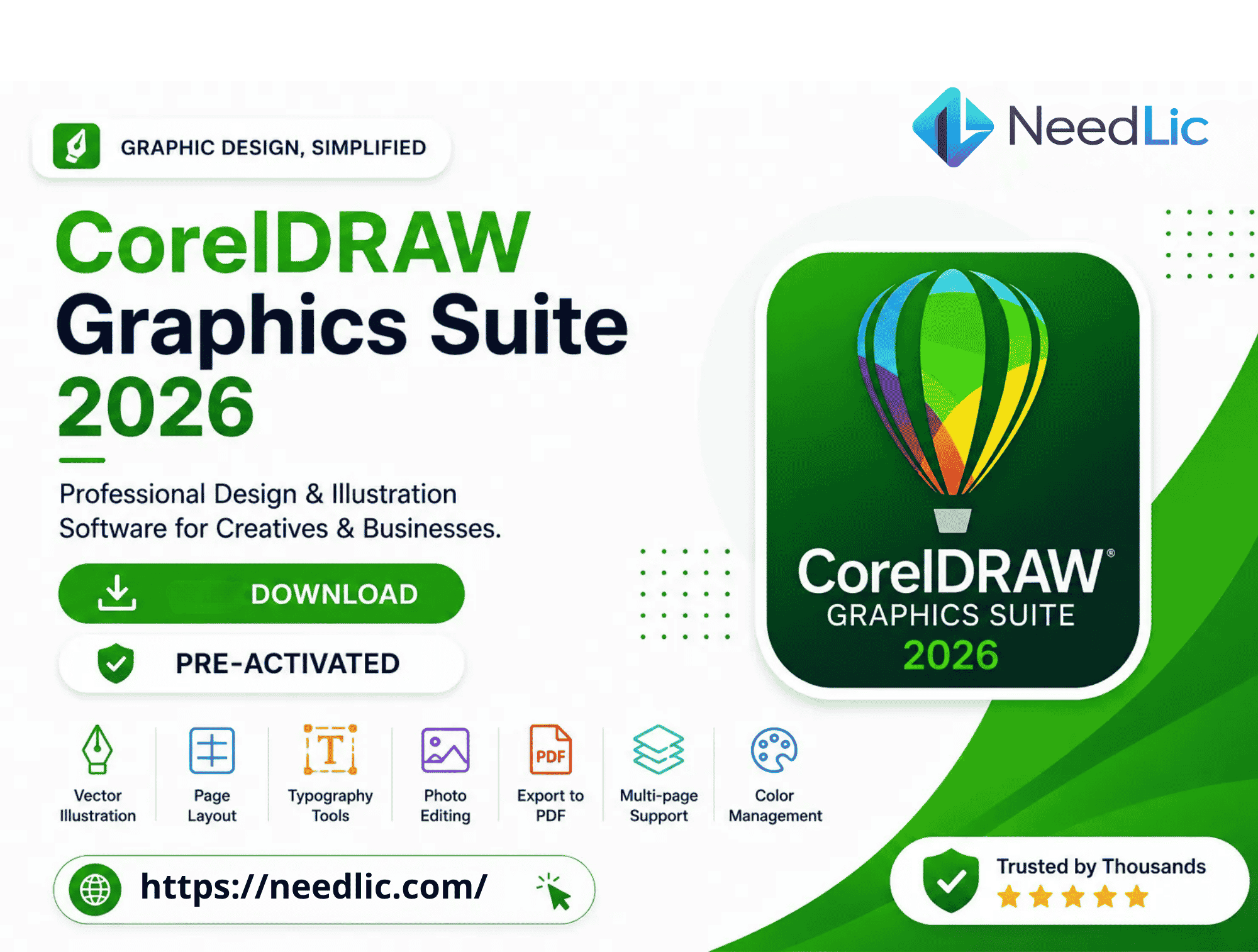
CorelDRAW Graphics Suite 2026 – Professional Graphic Design Software

45,00 $
CorelDRAW Graphics Suite 2026 – Professional Graphic Design Software
CorelDRAW Graphics Suite 2026 is a complete professional graphic design solution created for designers, print shops, sign makers, illustrators, marketing agencies, apparel businesses, and creative professionals. It combines powerful vector illustration, image editing, typography, page layout, color management, and print production tools in one comprehensive software package.
With CorelDRAW Graphics Suite 2026, users can create professional logos, business cards, brochures, banners, posters, packaging designs, vehicle wraps, technical illustrations, social media graphics, apparel artwork, signage, and many other visual projects. Its flexible design environment makes it suitable for beginners, freelancers, students, and experienced professionals who need reliable tools for both digital and print production.
The 2026 edition introduces a modernized workflow, improved performance, enhanced creative tools, and AI-assisted features designed to help users complete projects faster. Whether you are creating a simple logo or managing a complex multi-page layout, CorelDRAW Graphics Suite 2026 provides the precision, flexibility, and control required for high-quality professional results.
What Is CorelDRAW Graphics Suite 2026?
CorelDRAW Graphics Suite 2026 is a professional graphics package used for vector illustration, photo editing, page layout, typography, print preparation, and digital design. It includes multiple applications and utilities that work together to support a complete creative workflow.
The main CorelDRAW application is focused on vector-based design, allowing artwork to be resized without losing quality. This makes it ideal for logos, signs, vehicle graphics, apparel designs, posters, packaging, and large-format printing. Corel PHOTO-PAINT complements the suite by offering professional bitmap image editing, retouching, masking, and photo enhancement tools.
The software is designed to support many industries, including graphic design, digital printing, embroidery preparation, engraving, laser cutting, screen printing, advertising, packaging, publishing, and sign production. Its wide file-format compatibility also makes it easy to exchange projects with clients, printers, and other design applications.
What’s New in CorelDRAW Graphics Suite 2026?
CorelDRAW Graphics Suite 2026 includes new tools and workflow improvements intended to make the design process faster, more intuitive, and more productive. The updated version focuses on performance, AI-assisted creativity, simplified editing, and improved project management.
- AI Generate Tool: Create visual concepts and design elements with AI-assisted generation tools.
- AI Image Remix: Transform existing images into new visual styles and creative variations.
- AI Background Removal: Remove backgrounds quickly without performing complex manual selections.
- AI Object Masking: Detect and isolate objects to simplify detailed photo-editing tasks.
- Improved Application Performance: Work more efficiently with smoother editing and faster processing.
- Modern User Interface: Enjoy a cleaner and more organized workspace for professional design projects.
- Improved Stability: Experience a more reliable workflow when handling large and complex documents.
- Better Font Management: Find, organize, preview, and manage fonts more efficiently.
- Enhanced PDF Export: Prepare professional print-ready PDF documents with improved export options.
- CorelDRAW Web Improvements: Access and review compatible projects through browser-based tools.
- Faster Startup Times: Launch the software and begin designing more quickly.
Included Applications
CorelDRAW Graphics Suite 2026 includes a collection of professional applications and utilities that cover different parts of the design and production process.
CorelDRAW
CorelDRAW is the main vector illustration and page-layout application. It is used to create logos, branding materials, advertisements, technical illustrations, packaging, signage, apparel graphics, and multi-page documents. Vector objects can be resized to any dimension without losing image quality.
Corel PHOTO-PAINT
Corel PHOTO-PAINT provides advanced image-editing tools for retouching photographs, correcting colors, removing unwanted objects, creating masks, adjusting lighting, and preparing bitmap images for print or digital use.
Corel Font Manager
Corel Font Manager helps designers organize large font collections. Users can search, preview, sort, install, and manage fonts without opening every font individually. This feature is especially useful for branding, typography, sign making, and publication design.
CorelDRAW Web
CorelDRAW Web extends the design workflow by offering browser-based tools for compatible projects. It can help users access, review, and make selected changes without always working from the main desktop application.
Corel Capture
Corel Capture is a Windows screen-capture utility that allows users to capture full screens, selected windows, menus, or custom areas. Captured images can be used in tutorials, presentations, technical documents, and online content.
AfterShot HDR
AfterShot HDR provides tools for working with photographs and RAW image files. It supports photo correction, enhancement, tone adjustments, color improvement, and HDR-related workflows.
Main Features of CorelDRAW Graphics Suite 2026
Professional Vector Illustration
Create precise vector illustrations using curves, shapes, nodes, outlines, fills, and advanced drawing tools. Vector graphics can be enlarged for banners, signs, and large-format prints without becoming pixelated.
Logo and Brand Identity Design
CorelDRAW Graphics Suite 2026 is an excellent solution for creating professional logos and complete brand identities. Designers can build scalable symbols, select brand colors, develop typography systems, and prepare assets for both digital and print use.
Business Card and Stationery Design
Create business cards, letterheads, envelopes, invoices, presentation folders, and other branded stationery. Alignment tools, guidelines, grids, and precise object controls help maintain consistent spacing and professional layouts.
Flyer, Brochure, and Catalog Design
Design promotional flyers, folded brochures, product catalogs, menus, price lists, and company profiles. Multi-page layout tools simplify the process of managing text, images, page numbers, and repeated design elements.
Poster and Banner Creation
Create posters, event banners, roll-up displays, outdoor advertisements, and promotional graphics. The software supports high-resolution output and scalable vector elements suitable for both small and large print sizes.
Sign Making and Large-Format Printing
Sign makers can use CorelDRAW to create storefront signs, directional signs, window graphics, safety labels, exhibition displays, and large-format advertising. The software’s precise dimensions and vector workflow are especially valuable for production environments.
Vehicle Wrap Design
Create vehicle graphics, decals, branding elements, and full-wrap concepts. Designers can import vehicle templates, apply logos and artwork, and prepare production files for cutting or large-format printing.
Apparel and Embroidery Artwork
CorelDRAW Graphics Suite 2026 can be used to prepare artwork for T-shirts, uniforms, caps, sportswear, and promotional clothing. Vector designs can also be prepared for embroidery digitizing software, vinyl cutting, heat-transfer production, and direct-to-film printing.
Packaging and Label Design
Design product packaging, boxes, stickers, labels, bottles, bags, and retail displays. CorelDRAW provides accurate measurement tools and flexible layout options for creating professional packaging concepts and print-ready artwork.
Technical Drawing
Create technical illustrations, product diagrams, instructional graphics, floor layouts, and detailed visual guides. Snap tools, dimension controls, guidelines, and object alignment features support accurate technical work.
Advanced Typography
Work with professional typography tools to create headings, body text, artistic text, curved text, logos, and custom lettering. Users can adjust spacing, alignment, kerning, line height, paragraph styles, and other text properties.
Bitmap-to-Vector Conversion
Convert bitmap images such as JPG, PNG, or scanned logos into editable vector artwork. This feature is useful when clients provide low-resolution files that need to be recreated for printing, cutting, engraving, embroidery preparation, or large-scale production.
Professional Color Management
CorelDRAW Graphics Suite 2026 supports professional color workflows for print and digital projects. Users can work with RGB for screens and digital media, CMYK for commercial printing, and spot-color systems for specialized production.
PDF Editing and Export
Import compatible PDF files for editing and export projects as professional PDFs. Designers can prepare documents for clients, commercial printers, online distribution, and archiving while controlling important output settings.
Supported File Formats
CorelDRAW Graphics Suite 2026 supports a wide range of popular file formats, making it easier to collaborate with clients and move projects between different design and production applications.
- CDR
- AI
- EPS
- SVG
- PSD
- JPG
- JPEG
- PNG
- TIFF
- BMP
- GIF
- DXF
- DWG
- WebP
File-format support may vary depending on the file version, content, and export settings. For the best results, users should confirm the required format with their print shop, cutting software, embroidery application, or production equipment.
Who Should Use CorelDRAW Graphics Suite 2026?
CorelDRAW Graphics Suite 2026 is suitable for a wide range of users and professional industries.
- Graphic designers
- Logo designers
- Freelancers
- Print shops
- Sign makers
- Embroidery businesses
- Screen-printing companies
- Apparel decorators
- Vehicle-wrap designers
- Marketing agencies
- Packaging designers
- Advertising companies
- Content creators
- Small businesses
- Students and design learners
- Laser-cutting professionals
- Engraving businesses
- Digital-printing companies
System Requirements
Windows Requirements
- Windows 10 or Windows 11, 64-bit
- Compatible Intel or AMD processor
- 8 GB RAM minimum
- 16 GB RAM recommended for larger projects
- Approximately 6 GB of available storage
- Compatible graphics hardware
- Internet connection for download, installation, activation, or updates
- Screen resolution suitable for professional design work
For better performance, especially when working with large documents, high-resolution photographs, complex vector artwork, or multi-page projects, a modern processor, additional RAM, and an SSD are recommended.
What You Will Receive from Needlic
When you order CorelDRAW Graphics Suite 2026 from Needlic, you receive a complete digital-delivery service designed to make installation and activation easier.
- Digital Download Links: Access the required installation files digitally.
- Installation Instructions: Follow clear guidance during the setup process.
- Activation Assistance: Receive support for the provided activation process.
- Remote Installation Support: Get remote help when installation assistance is required.
- Fast Digital Delivery: Receive your order without waiting for physical shipping.
- Customer Support: Contact the Needlic team for assistance with your order.
- Lifetime Access: Keep access to the provided download and installation resources according to the product terms.
Why Buy CorelDRAW Graphics Suite 2026 from Needlic?
Needlic specializes in professional design, embroidery, printing, RIP, and production software. Our goal is to provide customers with clear product information, dependable digital delivery, and helpful installation support.
Buying from Needlic gives you access to a team familiar with creative and production software. Whether you are a graphic designer, print-shop owner, sign maker, apparel decorator, or freelancer, we aim to help you complete the installation process and begin using the software successfully.
- Fast digital delivery
- Secure download access
- Professional installation guidance
- Remote support when available
- Clear product information
- Customer-focused assistance
- No physical shipping required
- Suitable for international customers
Benefits of Using CorelDRAW Graphics Suite 2026
CorelDRAW Graphics Suite 2026 brings multiple creative tools together in a single workflow. Instead of switching between several unrelated programs, users can create vector graphics, edit photos, manage fonts, organize pages, and prepare print files within one integrated environment.
The software can help businesses improve productivity by simplifying repetitive design tasks and making it easier to reuse brand assets. Logos, colors, templates, page layouts, and graphic elements can be saved and adapted for future projects.
Its scalable vector workflow is particularly valuable for businesses that produce artwork in multiple sizes. The same logo can be used on a business card, T-shirt, storefront sign, vehicle graphic, and large banner without recreating the design from the beginning.
Frequently Asked Questions
Is CorelDRAW Graphics Suite 2026 suitable for beginners?
Yes. CorelDRAW Graphics Suite 2026 can be used by beginners as well as experienced professionals. The workspace can be customized, and users can learn gradually by starting with basic shapes, text, colors, and simple layouts before moving to advanced vector and photo-editing tools.
Can I use CorelDRAW 2026 for logo design?
Yes. CorelDRAW is widely used for professional logo design because it allows designers to create scalable vector graphics. Logos can be resized for websites, social media, clothing, packaging, signs, and printed materials without losing quality.
Is CorelDRAW suitable for printing businesses?
Yes. Print shops use CorelDRAW for business cards, brochures, banners, stickers, labels, posters, menus, packaging, signage, and many other print products. It supports professional page layout, color management, and print-ready export workflows.
Can CorelDRAW be used for embroidery designs?
CorelDRAW can be used to create and prepare vector artwork before importing it into compatible embroidery digitizing software. However, CorelDRAW itself does not automatically convert every graphic into a ready-to-stitch embroidery file without dedicated embroidery tools or plugins.
Can I create vehicle wraps with CorelDRAW?
Yes. CorelDRAW can be used to design vehicle decals, partial wraps, and full-wrap graphics. Users can work with vehicle templates, accurate measurements, logos, typography, and scalable vector artwork.
Does CorelDRAW support PDF files?
Yes. CorelDRAW can import many PDF documents and export professional PDF files. The exact editing results may depend on how the original PDF was created and whether fonts, effects, or special elements are embedded.
Is an internet connection required?
An internet connection may be required for downloading the installation files, completing activation, accessing online features, receiving updates, or using web-based services.
Will I receive a physical product?
No. This is a digital product. Delivery is completed electronically through download links and digital instructions. No DVD, USB drive, printed manual, or physical package will be shipped.
Does Needlic provide installation support?
Yes. Needlic provides installation guidance and may offer remote installation assistance when required. Customers should make sure their computer meets the system requirements before ordering.
Important Information Before Purchase
- This is a digital product and no physical item will be shipped.
- Verify that your computer meets the required system specifications.
- Make sure your operating system is compatible before completing your order.
- Remove incompatible or conflicting versions when instructed during installation.
- Follow the provided installation steps carefully.
- Contact support if you experience an installation or activation issue.
- Product features and included services may depend on the edition and installation package supplied.
Order CorelDRAW Graphics Suite 2026 Today
Upgrade your creative workflow with CorelDRAW Graphics Suite 2026 and access professional tools for vector illustration, photo editing, typography, page layout, branding, signage, packaging, apparel graphics, and print production.
Whether you run a printing business, create professional logos, design apparel, prepare vehicle wraps, or work as a freelance designer, CorelDRAW Graphics Suite 2026 gives you the flexibility and control needed to turn creative ideas into polished, production-ready designs.
Order from Needlic today and receive fast digital delivery, installation instructions, download access, and professional customer support.
Only logged in customers who have purchased this product may leave a review.
Related products

EnRoute 24.2 CNC Design Software – Routing & Engraving Solutions
EnRoute 24.2 is a professional CAD/CAM CNC software designed for routing, engraving, and production workflows. It provides powerful tools to create precise designs and generate efficient toolpaths for CNC machines.
- ✔️ Instant download after purchase
- ✔️ Advanced CAD/CAM CNC tools
- ✔️ Complete feature set for design and routing
- ✔️ Remote installation support available
👉 Create professional CNC designs easily and improve your production workflow with EnRoute 24.2.

SignMaster V5 Vinyl Cutting Software Full Version Lifetime – Instant Download ($60)
SignMaster V5 – Full Version with Lifetime Activation
✔️ Instant download after payment
✔️ Vinyl design & cutting software
✔️ Full features unlocked
✔️ Remote installation support
👉 Create professional signs and decals easily.


RIP Software
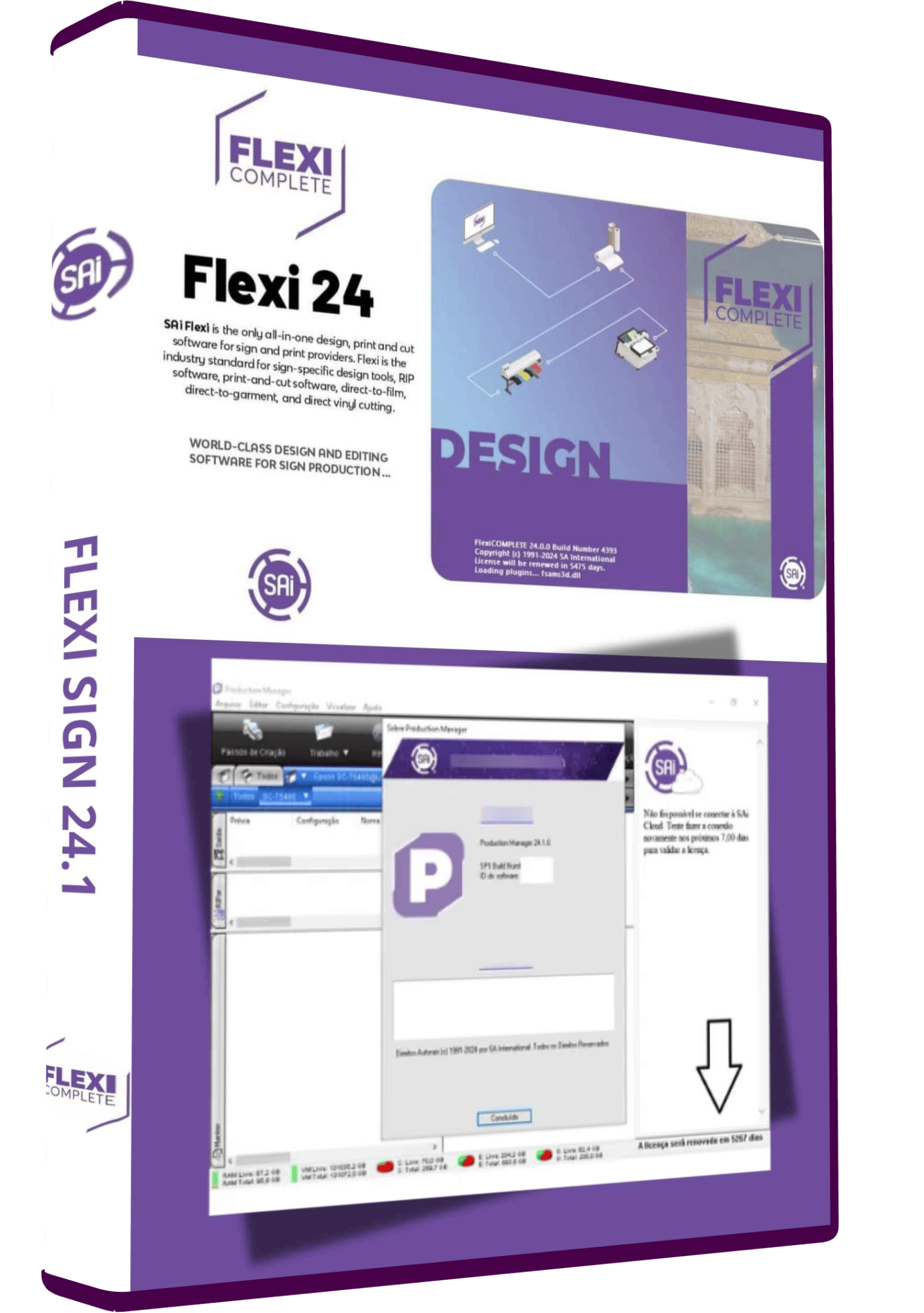
FlexiSign 24 Full Version Lifetime – Vinyl Design & Cutting Software Instant Download ($120)
FlexiSign 24 Full Version Lifetime – Vinyl Design & Cutting Software Instant Download ($120)
FlexiSign 24 – Full Version with Lifetime Activation
✔️ Instant download after payment
✔️ Vinyl design & cutting software
✔️ Full features unlocked
✔️ Remote installation support
👉 Create professional vinyl designs easily.

CADLINK 11 DTF RIP Software – Full Version for DTF Printing + Easy Install
CADLINK 11 DTF RIP Software – Full Version with Lifetime Activation
✔️ Instant download after payment
✔️ DTF RIP software
✔️ Full features unlocked
✔️ Remote installation support
👉 Print high-quality DTF designs easily.

Wasatch SoftRIP 7.4 RIP Software Full Version Lifetime – Professional Printing Solution ($55)
Wasatch SoftRIP 7.4 – Full Version with Lifetime Activation
✔️ Instant download after payment
✔️ RIP software
✔️ Full features unlocked
✔️ Remote installation support
👉 Produce high-quality prints easily.
Reviews
There are no reviews yet.