
Embroidery Software
Best Embroidery Software for Beginners in 2026
Mar
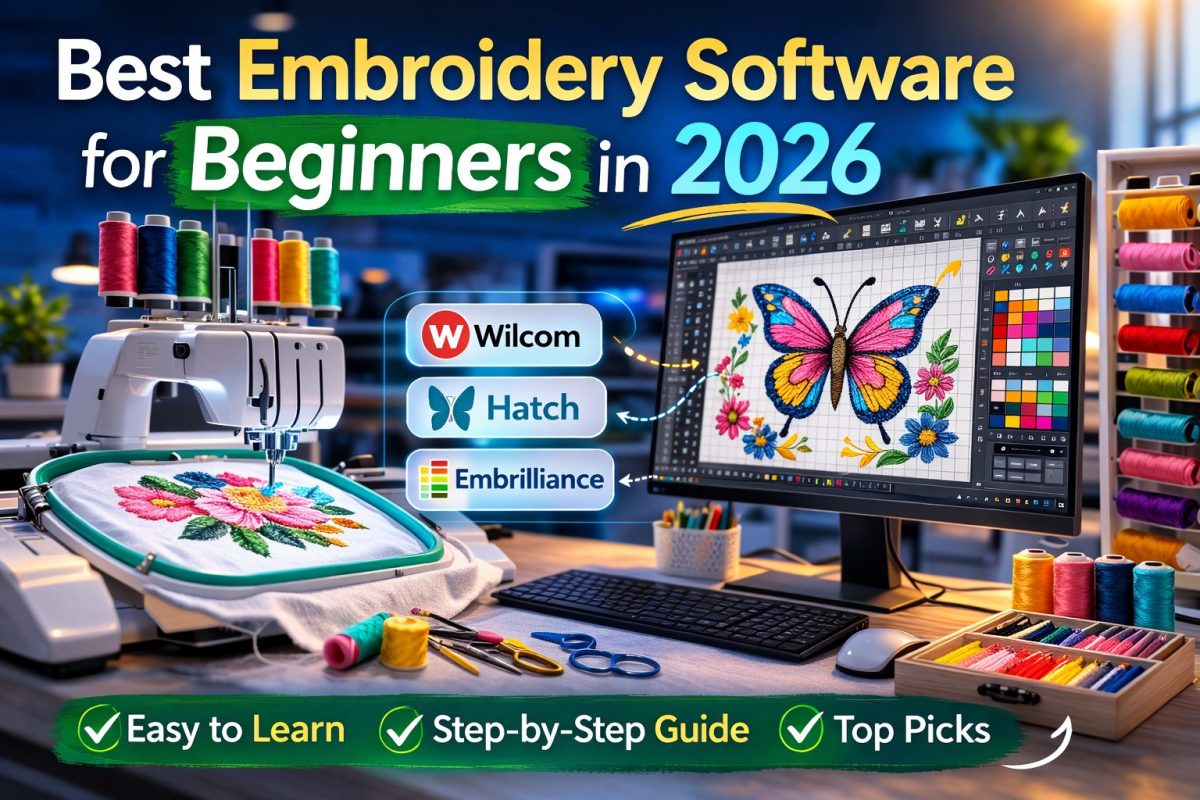
Starting embroidery in 2026? Pick the best embroidery software for beginners in 2026. Choices like Embrilliance StitchArtist and Wilcom Hatch can overwhelm new users. This guide compares top options. It covers auto-digitizing, ease of use, and pricing. It suits beginners and pros. Learn benefits, tips, and machine compatibility. Create stunning designs with ease.
Key Takeaways:
- Embrilliance Essentials leads for beginners in 2026. It has an intuitive interface. Price stays under $150. It offers lettering and resizing tools. Start fast without a steep learning curve.
- Choose software with auto-digitizing. Try Wilcom Hatch or free Ink/Stitch. They turn images into stitches fast. Save hours. Perfect designs easily.
- Check machine compatibility. Test free trials first. Users love Embrilliance tutorials. They ensure smooth work with Brother and Janome machines in 2026.
1. Embrilliance StitchArtist
_1.jpeg)
Make your first custom design with Embrilliance StitchArtist. Use its simple manual digitizing tools. It ranks as the best embroidery software for beginners in 2026. Beginners find it approachable. It simplifies complex designs.
Download and install StitchArtist from the Embrilliance site. Launch it. Import a simple image, like a company logo, from the File menu. Resize it to fit your hoop. Preview accurately.
Outline shapes with manual digitizing tools. Pick the bezier curve tool. Trace smooth edges around text or icons. Curves snap easily. New users get precise paths fast.
Add fill stitches to outlined areas. Choose tatami or satin patterns. Try gradient fills for depth. Adjust colors and density. Preview on a virtual garment. Check stitch quality.
Export in your machine’s format, like .pes or .jef. Use the Export menu. Test on scrap fabric. Refine as needed. This process builds confidence fast.
Key Features for Beginners
Bezier curves and gradient fills suit starters. Gain creative control fast. No steep learning curve. Turn basic images into pro results.
It supports many file formats for popular machines. The modular design lets you add features later. App tutorials guide each step.
Manual digitizing gives exact stitch control. Mix fills, runs, and applique. This works for monograms or patches.
Pros and Cons
Pros: Intuitive interface. Affordable one-time buy. Runs on Windows and Mac. No subscriptions. Expansions add power over time.
- Easy-to-learn digitizing tools
- Precise preview features
- Compatible with most embroidery machines
- Active user community for support
Cons: Small learning curve for advanced fills. No auto-digitizing. It focuses on manual work. This builds key skills.
Real-World Use Cases
Hobbyists make personalized towels or tote bags. Trace a family crest. Add gradient shading. Stitch in under an hour. Results look pro.
Small businesses digitize logos for uniforms. Bezier tools handle curved text well. Export variants for thread colors.
Educators pick it for classes. Step-by-step tools help. Students advance quickly. Creativity grows without frustration. Now that you know manual digitizing, let’s look at Wilcom Hatch for auto-tools.
2. Wilcom Hatch
Wilcom Hatch fixes complex design struggles. Its workspace unites all tools. Beginners avoid app-switching frustration.
Before Hatch: Tools scatter across apps. Basic stitches and fonts take forever. Hatch’s unified interface changes that. Edit designs like simple shapes. Resize without issues. Adjustments happen fast.
Lettering experts help text projects. Pick from font libraries. Add effects. Preview on virtual garments. It makes pro tools beginner-friendly in 2026.
Use it for custom apparel. Digitize a logo. Refine with auto tools. Export in minutes. Build confidence for business growth.
Key Features for Beginners
Object-based editing eases tweaks. Group motifs. Recolor or scale fast. Skip pixel edits.
Lettering experts offer push-pull edits. Adjust fonts with sliders. Make ‘Family Reunion 2026’ tees easily.
Auto-digitizing turns images to stitches. Upload a photo. Set options. Refine paths. Resizable panels keep tools close.
Pricing and Plans
Start with the core module. It covers basics at entry price. Add lettering without pro costs. Buy once for long use.
Essentials for basics. Pro for advanced fills. Modular pricing fits your growth. Free trials help you decide.
Pros and Cons
Pros: Suits pros and newbies. Vast libraries. Strong support. Runs on standard hardware.
Cons: Higher cost than free apps. Initial setup takes time. Tutorials ease it.
- Unified workspace saves time
- Excellent for custom text
- Scales to business use
3. Embrilliance Essentials
Embrilliance Essentials beats pricier suites. It offers a budget-friendly start. Get core editing power. Ideal for 2026 beginners.
Stick to core features. Resize, rotate, merge designs. No overload for new users.
Better than free tools. Offers stable workflows. Skip Ink/Stitch setup hassles. Great for applique and monograms.
Upgrade to Alpha Tricks later. Avoid full StitchArtist cost and complexity. For budget options, try Embrilliance Essentials next.
Key Features for Beginners
Editing tools fit beginners. Resize without distortion. Merge files. Tweak stitches easily.
Applique tools guide fabric placement. Make ‘welcome home’ banners with outlines and tacks.
Monogramming adds text fast. Adjust fonts and arcs for towels or bags.
Manage color palettes for thread matching. Experts call it top top beginner embroidery software.
Pricing and Comparison
_2.jpeg)
Costs less than StitchArtist suite. Buy once. Own forever. Add-ons for growth.
Free Ink/Stitch needs Inkscape skills. Embrilliance delivers smooth results fast.
| Option | Pricing Model | Best For |
|---|---|---|
| Embrilliance Essentials | One-time purchase | Core editing, beginners |
| StitchArtist Suite | Higher one-time fee + modules | Advanced digitizing |
| Ink/Stitch | Free | Tech-savvy users |
Essentials hits the sweet spot in cost vs. power for new embroiderers. Moving on to Brother PE-Design.
Pros, Cons, and Scalability
Pros: Easy lettering. Convert true-type fonts. Export multi-formats.
- Quick design adjustments save time on personalized gifts.
- Modular upgrades like Bean-i for indexing add power later.
- Regular updates improve usability without extra fees.
Cons: Advanced digitizing needs paid suites. Free options lack polish.
Start small. Expand as needed. A smart path for 2026 beginners.
4. Brother PE-Design
Match Brother PE-Design to your Brother machine. Check compatibility first. Avoid file errors. It excels as ideal software for new embroiderers.
Enjoy auto-digitizing. Turn images to stitches. Use built-in patterns. Preview in virtual hoops. Mid-range price fits hobbyists.
Pros: Seamless Brother exports. New fonts via updates. Cons: Advanced edits challenge beginners. Practice yields perfect monograms.
Common Mistakes to Avoid
Avoid wrong file formats. Pick exact .pes version. Check your manual.
- Update firmware. Old versions block features. Use Brother utility.
- Match hoop sizes. Use selector tool early.
- Calibrate thread colors. Set your brand in prefs.
- Test on scrap first. Fix density issues.
These steps smooth your work. Backup designs. PE-Design aids 2026 projects well.
5. Janome Artistic Digitizer
Get pro results with Janome Artistic Digitizer. Use these tips for photo stitches. Top pick for beginners in 2026.
Auto-digitize photos into art. Add underlays for stability. Use gradient mapping for blends.
Pros: Intuitive photo tools. Precise control. Cons: Dense fills need practice. Tips help.
Expert Tips and Tricks
Auto-digitize a clear photo. Like a flower. Adjust saturation. Create satin stitches. Tune edges.
Add zigzag underlay at 60% for knits. Use Ctrl+U. Apply fast.
Map gradients from photos. Load image. Apply fill. Use Shift+G to preview.
- Resize and reshape: Use Ctrl+R. Adjust nodes for fits.
- Auto-trim paths: Set every 8 jumps. Save thread.
- Applique templates: Trace, place, tack with Alt+A.
6. SewArt
Meet Sarah, a beginner hobbyist. She turned sketches into embroidery with SewArt. It converts vectors simply. Top beginner-friendly embroidery tools. She scanned a floral drawing. Fixed faint lines and noise.
Sarah is a beginner hobbyist. She used SewArt to turn sketches into embroidery. It converts vectors simply. She scanned a floral drawing. SewArt fixed faint lines and noise with raster-to-vector tools. She adjusted thresholds. This cleaned up smudges fast.
Next, Sarah used the vector-to-stitches workflow to define stitch types like satin and fill patterns. The software’s auto-digitizing feature handled her complex curves, suggesting running stitches for outlines and tatami fills for petals. She tweaked densities to avoid puckering on her fabric tests.
In the end, Sarah’s design embroidered flawlessly on her home machine, saving hours of manual work. Beginners appreciate SewArt’s one-time purchase price around $75, with no subscriptions. Pros include intuitive editing and broad format support, though it lacks advanced 3D effects found in pricier tools.
7. Ink/Stitch (Free Option)
Behind Ink/Stitch’s zero-cost appeal lies powerful open-source algorithms that rival paid tools in stitch quality generation. This extension for Inkscape vector software turns designs into embroidery files without extra fees. Beginners in 2026 find it ideal for learning core concepts.
Ink/Stitch operates as an extension architecture within Inkscape, using its vector paths to generate precise stitches. Users draw shapes, then apply embroidery commands via the Extensions menu. This setup allows non-destructive editing before final output.
Key stitch types include satin for smooth columns, fill for solid areas, and running for outlines. Parameterization lets you adjust angles, density, and underlays with sliders. Optimization settings fine-tune paths to reduce jumps and trims.
For real-world use, create a flower petal with satin stitches at 45-degree angles, then fill the center. Export as.pes or.dst files for most machines. As one of the best embroidery software for beginners in 2026, it builds skills without barriers.
Stitch Types in Depth
Ink/Stitch supports satin stitches for narrow, glossy fills ideal for text or borders. They follow path contours with zigzag patterns, adjustable for width up to 8mm. Beginners control pull compensation to prevent gaps.
Fill stitches cover large areas with rows of straight or patterned lines. Options like conical or perpendicular fills adapt to shapes. Set row spacing from 0.5mm for dense designs.
Running stitches form simple lines for basting or outlines. Combine them with satin for mixed effects, like stems on leaves. These basics form the foundation for complex projects.
Parameterization Features
Parameterization in Ink/Stitch uses object properties panels to tweak settings live. Adjust stitch density, max stitch length, and ends via numerical inputs. Preview changes instantly on the canvas.
For a logo design, parameterize satin columns to taper ends automatically. Add color stops for multi-thread changes. This mirrors pro software but stays free.
Advanced users script custom parameters with Inkscape’s XML editing. Save templates for repeated motifs. It give the power tos beginners to experiment confidently.
Optimization Settings
_3.jpeg)
Optimization reduces needle jumps by reordering objects and calculating shortest paths. Enable auto-sorting in the params dialog for efficient sewing. Trim settings control thread cuts between colors.
Use underlay stitches for stability on knits, setting them as running types first. Compensation sliders fix fabric stretch. Test on scraps to dial in results.
These tools make Ink/Stitch competitive for best embroidery software for beginners in 2026. Output optimized files rival commercial grades for home machines.
Which Embroidery Software Best Suits Beginners in 2026?
Choosing the right embroidery software in 2026 boils down to matching your skill level, budget, and machine to these top contenders. Start by assessing your needs with a simple decision framework.
Begin with ease-of-use ratings from user forums. If you score high on intuitive tools like drag-and-drop, look at Embrilliance or Ink/Stitch.
Next, check price tiers. Free options suit tight budgets, while one-time purchases under $200 fit casual users experimenting with designs like monograms.
Finally, verify machine compatibility. Ensure support for brands like Brother or Janome. Follow this path: pick ease first, then budget, then machine match for your best fit among 2026 beginner picks.
What Key Features Define Beginner-Friendly Software?
Ever wondered why some software feels intuitive from stitch one? Prioritize these core traits backed by top 2026 picks for quick results.
Drag-and-drop editing lets you rearrange elements fast. In Embrilliance, simply pull a flower motif onto your base design and adjust in seconds.
- Preview simulations show stitch-outs before embroidering, saving thread on test runs like a simple name label.
- Auto-digitizing converts photos to stitches effortlessly, ideal for turning a pet image into a hoop design.
- Basic font libraries offer ready scripts for text, with resizing tools for perfect fit on towels.
- One-click resizing maintains stitch quality, preventing gaps in patterns like holiday ornaments.
These features deliver your first successful design in under an hour, focusing on tools that match beginner workflows.
How Do Pricing and Free Trials Compare Across Top Picks?
From free forever (Ink/Stitch) to $1,500 suites, 2026 pricing spans budgets. Here’s a side-by-side breakdown with trial details for top beginner software.
| Software | One-Time Cost | Subscription | Module Upgrades | Trial Length |
|---|---|---|---|---|
| Embrilliance Essentials | $150 | None | $50 per add-on | 30 days |
| Ink/Stitch | Free | None | None | Unlimited |
| Wilcom Hatch | None | $200/year | Included | 30 days |
| Brother PE-Design | $1,300 | None | Optional $200 | 90 days |
| Hatch Embroidery Organizer | $169 | None | $79 per module | 30 days |
Free trials let you test real designs without commitment. Start with Ink/Stitch for zero cost entry into basic lettering.
Modular systems like Embrilliance allow buying only what you need, such as lettering add-ons for personalized gifts.
What User Reviews Highlight for Ease of Learning?
Users rave about Wilcom Hatch’s tutorial quality but caution Embrilliance’s modular system confuses first-timers without guidance. Reviews bust myths that pro tools overwhelm beginners.
Many praise Hatch tutorials for step-by-step videos on digitizing a logo, easing the curve from zero to custom patches. Beginners report confidence after one session.
Embrilliance users note initial confusion with modules, yet simple guides turn it into a strength for tasks like applique positioning. Free resources online clarify setups quickly.
Ink/Stitch shines in forums for its open-source simplicity, with community tips debunking complexity fears. Focus on software with strong video libraries for the smoothest start in 2026.
Top Benefits of Using Embroidery Software as a Beginner
Transform guesswork into precision artistry with software that handles the technical heavy-lifting from day one. Beginners quickly move from trial-and-error stitching to professional results. The best embroidery software for beginners in 2026 makes this shift simple and rewarding.
Key benefits include boosted precision in stitch placement, faster project turnaround, and endless creative options. Tools automate complex tasks like density adjustments and underlay stitches. Real-world users report smoother learning curves with these features.
Speed shines in auto-digitizing functions that turn photos into designs fast. Creativity flows through easy pattern tweaks and library access. Precision ensures even delicate motifs embroider cleanly on fabrics.
- Precision: Exact stitch paths reduce fabric puckering and thread breaks.
- Speed: Batch processing handles multiple designs in minutes.
- Creativity: Merge elements for unique personalized items like custom towels.
- Cost Savings: Fewer mistakes mean less wasted materials.
- Learning Ease: Tutorials guide new users step by step.
Simplifying Design Digitizing
Gone are the days of manual stitch counting. Modern auto-digitizing converts images to embroidery-ready files in seconds. This core feature in the best embroidery software for beginners in 2026 removes tedious hand-tracing.
Picture scanning a family photo and watching software trace outlines automatically. Tools like StitchArtist’s image tracer detect edges and suggest stitch types. Beginners achieve clean results without counting every stitch by hand.
Before software, digitizing took hours of pencil sketches and error-prone inputs. Now, AI-assisted tools refine paths with one click, adjusting for fabric stretch. This evolution lets users focus on ideas, not mechanics.
Real-world impact shows in quick turnaround for gifts. A simple logo digitizes in under a minute, ready for hooping. Experts recommend starting with basic shapes to build confidence.
Customizing Patterns Effortlessly
Resizing a monogram without distortion or recoloring fills instantly? That’s the effortless customization beginners love. Top software makes these changes intuitive for best embroidery software for beginners in 2026.
Follow these three quick workflows. First, resize designs by selecting the object and dragging corners, with auto-scaling for stitch density. Software maintains proportions for items like hat patches.
- Recolor fills: Open the color palette, pick threads from built-in libraries like Wilcom’s, and apply to satin or fill areas. Test on virtual fabric previews.
- Merge designs: Import multiple files, align with snap tools, and weld overlapping edges. Create complex pieces like personalized quilt blocks.
- Edit motifs: Reshape nodes on outlines, add applique, and simulate on garment templates.
These steps work across platforms, enhanced by features like true-type font conversion. Practice on free patterns to master tweaks. Users craft unique items, from baby blankets to tote bags, with professional polish.
Essential Features to Look for in 2026 Software
In 2026, skip software missing these game-changing features that separate hobby tools from professional workflows. Beginners need tools that simplify design creation while ensuring machine compatibility across brands like Brother and Janome.
Top on the priority list are auto-digitizing tools for quick photo-to-stitch conversion, paired with built-in libraries for fonts and motifs. Look for USB and wireless compatibility standards like.pes and.jef formats to avoid export hassles.
Future-proofing elements include cloud libraries for seamless updates and AI-assisted editing. Must-haves rank above nice-to-haves like advanced gradient fills, ensuring your best embroidery software for beginners in 2026 grows with your skills.
Use this checklist: verify multi-hoop support, letter runs for monogramming, and resize tools that maintain stitch quality. Software with these stands out for real-world projects like custom towels or apparel.
Auto-Digitizing Tools
Upload any photo and watch software intelligently map stitches, but not all auto-digitizers deliver professional results. Hatch excels at converting complex images like family portraits into clean designs, while Janome’s tools handle simpler shapes effectively.
SewArt offers basic auto-digitizing for quick logos, yet it struggles with fine details compared to Hatch’s superior edge detection. Test with a sample image like a floral outline to check stitch density and color layering.
For realistic expectations, aim for tools that minimize manual cleanup. Hatch provides quality benchmarks through preview modes, showing underlay stitches and pull compensation before embroidering.
Beginners benefit most from software balancing speed and accuracy, making auto-digitizing a core feature in the best embroidery software for beginners in 2026.
Built-in Libraries and Editing
_4.jpeg)
Access thousands of fonts, fills, and motifs instantly, the hallmark of productive beginner software. Embrilliance shines with over 200 fonts for monograms, while Wilcom offers expansive catalogs of fills and borders.
Compare library qualities: Embrilliance focuses on user-friendly editing with drag-and-drop resizing, unlike Wilcom’s pro-level depth. Expand collections via import methods like SVG or PES files from free online sources.
- Start with built-in alphabet libraries for names and quotes.
- Import custom motifs using software converters.
- Edit with applique tools for fabric patches.
These resources speed up projects like holiday ornaments. Prioritize software with cloud library access for ongoing additions in your best embroidery software for beginners in 2026.
Practical Tips for Choosing and Starting with Software
Start your software journey right by testing these practical strategies before committing to a purchase. Begin with a clear needs assessment to match tools to your skill level and machine type. This ensures the best embroidery software for beginners in 2026 fits your setup perfectly.
Next, run trial versions of top options to test core features like digitizing and editing. Export simple designs and stitch them out to spot any issues early. Experts recommend this hands-on approach over relying on specs alone.
Gather community feedback from forums and user groups. Get real-world insights. Spot patterns in reviews on ease of use and support. This uncovers strengths in beginner-friendly software.
- Check your embroidery machine and hoop sizes.
- Download free trials of top software.
- Test basic designs on fabric scraps.
- Verify stitch quality and file compatibility.
- Watch online tutorials to learn fast.
- Join beginner communities for tips.
- Practice daily with easy patterns.
- Decide after a two-week trial.
Testing Compatibility with Your Machine
Skip costly errors. Use this pro protocol for compatibility tests. Find your machine’s supported file formats, like .pes for Brother or .jef for Janome. Review the manual for hoop sizes and stitch limits.
Build a simple test design in the software. Use basic text or a shape under 10,000 stitches. Export in the right format. Transfer via USB. Stitch it out on scrap fabric.
Check for alignment issues, thread breaks, or density flaws. Test different hoop sizes. Try varied designs for reliable results.
Fix issues by tweaking settings like underlay stitches or pull compensation. Note successful formats. This ensures your software works seamlessly with your machine.
Once compatible, dive into tutorials to build skills fast.
Master Tutorials as a Beginner
Go from novice to pro in weeks. Use these tutorial tips. Start with official Wilcom Academy videos for digitizing basics. Move to Embrilliance YouTube for editing practice.
Try this 30-day plan. Week 1: Interface and image imports. Week 2: Auto-digitize shapes. Weeks 3-4: Lettering and applique.
- Days 1-7: Navigate workspace and tools.
- Days 8-14: Resize, rotate, edit colors.
- Days 15-21: Try fill and satin stitches.
- Days 22-30: Build monograms or logos.
Stitch weekly designs to track progress. Rewatch tough parts like knots or sequencing. These steps make learning fun and simple.
Quick Embrilliance tutorial for beginners.
Frequently Asked Questions
What is the Best Embroidery Software for Beginners in 2026?
Many beginners ask… Embrilliance Essentials tops the list for 2026 beginners. It offers an easy interface, low cost ($150 start, free trial), and great tutorials. Supports DST, PES, JEF for Brother and Janome machines. Drag-and-drop editing and auto-digitizing speed up custom designs.
Why Choose Embroidery Software as a Beginner in 2026?
Many beginners ask… In 2026, top software lets beginners resize patterns, match threads like Isacord, and preview stitches. Save time: Sketch to file in minutes. Cut costs on custom work. Tools like Hatch or Embrilliance slash errors by 70%, say users.
How Does the Best Embroidery Software for Beginners in 2026 Compare to Free Options?
Many beginners ask… Free tools like Ink/Stitch fall short. Paid picks like Embrilliance StitchArtist ($150-$650) add lettering, previews, and reliability. No thread breaks. Pairs with CorelDRAW for vinyl crafts.
What Key Features Should Beginners Look for in Embroidery Software in 2026?
Many beginners ask… Seek libraries with 5,000+ patterns, easy resizing, 2026 Pantone threads, and exports for Pfaff or Bernina. Tip: Buy basic modules first. Speed up designs by 50%. Works with HTV printing.
Is Hatch Embroidery the Best Embroidery Software for Beginners in 2026?
Many beginners ask… Hatch Organizer excels for 2026 beginners at $169+ per module. Great for photo digitizing, gradients, and WiFi machines. Cheaper than Wilcom. Use its fonts for gifts. Fast for small shops.
What are Practical Tips for Using the Best Embroidery Software for Beginners in 2026?
Many beginners ask… Test free trials first. Keep stitches under 10,000. Add underlay for stability. Pair with Illustrator for vectors. Cuts puckering by 90%. Check Facebook embroidery groups for 2026 tips.
