
غير مصنف
best software for vinyl cutting full version download
Mar
Unlock precision and creativity with the best vinyl cutting software-where every cut defines your design legacy. In a market flooded with options, selecting the right tool ensures flawless results for signage, decals, and custom crafts. Discover top picks like VinylMaster Pro, SignCut Pro, and Easy Cut Studio; compare free vs. paid full versions; and explore trusted download sources with setup guides. Ready to elevate your cuts?
Top Vinyl Cutting Software Overview
Discover the top 6 vinyl cutting software options ranked by features, price, and compatibility with machines like Cricut Maker, Silhouette Cameo, and Roland cutters. These tools range from free options for hobbyists to pro editions for commercial sign making. Each supports essential functions like contour cutting and vector graphics editing.
Vinyl cutting programs like these handle SVG files, DXF import, and print and cut workflows. Users often seek full version downloads for lifetime access without subscriptions. Compatibility with vinyl plotter software ensures smooth cuts on heat transfer vinyl or DTF printing projects.
| Tool Name | Price | Key Features | Best For | Pros/Cons |
|---|---|---|---|---|
| Cricut Design Space | Free | Cloud-based design, weld shapes, print and cut | Beginners with Cricut machines | Pros: Easy interface, free fonts. Cons: Machine lock-in, internet required. |
| Silhouette Studio | Free-$99 | Layer management, rhinestone templates, text warping | Home hobby users with Silhouette Cameo | Pros: Free basic version, SVG support. Cons: Upgrades needed for full features. |
| VinylMaster Pro | $249 | Contour cutting, RIP software, production manager | Professional sign makers with Roland cutters | Pros: Native Roland support, batch processing. Cons: Higher cost for one-time purchase. |
| SignCut Pro | EUR299 | Multi-layer cutting, node editing, job queue | Commercial vinyl plotter users | Pros: Robust cutter software, plugin support. Cons: Steeper learning curve. |
| Easy Cut Studio | $59.99 | Auto trace, shape library, barcode printing | Budget pros needing DXF support | Pros: Affordable, 500+ fonts. Cons: Limited advanced scripting. |
| SCAL 5 (Sure Cuts A Lot) | $65 | Image tracing, offset path, nested designs | Multi-machine compatibility seekers | Pros: Works with Brother ScanNCut, low price. Cons: Fewer pro templates. |
For beginners, Cricut Design Space offers a gentler learning curve with guided tutorials, but it locks you into Cricut machines. Silhouette Studio provides more flexibility for free, though upgrades unlock premium tools like advanced text warping. Both suit home hobby projects, yet machine compatibility limits switching cutters easily.
Key Features Comparison
This comparison table breaks down essential features across top vinyl cutting software, helping you choose based on contour cutting, file import support, and advanced design tools. Scores reflect real-world performance in tasks like SVG/DXF handling and multi-layer cutting. Practical examples highlight strengths for vinyl plotter software users.
Tools with strong contour cutting excel in registration marks and weeding lines for precise cuts on Roland cutters or Silhouette Cameo. Print and cut features aid heat transfer vinyl designs. Look for rhinestone templates if creating custom apparel.
| Feature | Cricut Design Space | Silhouette Studio | VinylMaster Pro | SignCut Pro | Easy Cut Studio | SCAL 5 |
|---|---|---|---|---|---|---|
| Contour Cutting | 3/5 (basic marks) | 4/5 (auto detection) | 5/5 (native Roland support) | 5/5 (precise offsets) | 4/5 (image-based) | 4/5 (manual adjust) |
| Print & Cut | 4/5 (Cricut optimized) | 4/5 (Silhouette ready) | 5/5 (full RIP) | 5/5 (high accuracy) | 3/5 (basic workflow) | 4/5 (multi-pass) |
| SVG/DXF Support | 3/5 (upload only) | 5/5 (full edit) | 5/5 (import/export) | 5/5 (vector native) | 5/5 (DXF pro) | 5/5 (universal) |
| Rhinestone Templates | 2/5 (limited) | 4/5 (built-in) | 5/5 (customizable) | 4/5 (add-on) | 4/5 (library) | 3/5 (basic shapes) |
| Text Warping | 3/5 (simple curves) | 5/5 (advanced) | 5/5 (bezier tools) | 5/5 (dynamic) | 4/5 (font library) | 4/5 (arc effects) |
| Multi-layer Cutting | 4/5 (color sync) | 4/5 (layer manager) | 5/5 (job queue) | 5/5 (bulk production) | 4/5 (nested) | 5/5 (optimization) |
| Price Range | Free | Free-$99 | $249 | EUR299 | $59.99 | $65 |
Pro tools like VinylMaster Pro shine in contour cutting with native support for Roland cutters, ideal for business licenses. Easy Cut Studio offers value with its font library for text-heavy signs. Beginners may prefer free options despite machine lock-in for simpler workflows.
Best Free vs Paid Options
Free tools like Cricut Design Space and Silhouette Studio Basic offer basic functionality but lack commercial features found in paid options like VinylMaster Pro ($249 one-time). These free vinyl cutting software versions work well for home hobby projects with machines like Cricut Maker or Silhouette Cameo. Paid versions provide broader tools for professional sign making.
Free options often face machine-locked restrictions, tying users to specific cutters such as Brother ScanNCut or Roland cutters. They limit commercial use and support fewer file types like basic SVG files or PNG import. Paid software like SignCut Pro and Easy Cut Studio offers universal compatibility across 200+ models.
| Feature | Free Options | Paid Options |
|---|---|---|
| Machine Compatibility | Limited to brand (e.g., Cricut Design Space for Cricut only) | Universal (e.g., VinylMaster supports Roland, Graphtec, xTool) |
| Commercial Use | No business license | Full business license included |
| File Support | Basic SVG, DXF import | EPS files, AI format, PDF export, image tracing |
| Advanced Tools | No contour cutting, limited text warping | Batch processing, rhinestone template, heat transfer vinyl settings |
Upgrade paths from free to paid simplify transitions, such as Silhouette Studio Basic to Designer Edition. For ROI, a one-time pro edition purchase like Easy Cut Studio recovers costs after a few bulk production jobs, unlike subscription models. Experts recommend paid for vinyl plotter software in commercial setups.
Full Version Capabilities
Full versions unlock unlimited commercial use, multi-machine support, and advanced features like batch processing absent in free editions. Tools like VinylMaster and SignCut Pro handle professional demands with contour cutting and print and cut workflows. They suit sign making software needs beyond home hobby limits.
Key advantages include robust machine compatibility. For example, SignCut Pro works with over 200 cutter models from Roland CutStudio to Summa GoProduce. This beats free tools locked to one brand like Inkscape with limited cutter software drivers.
- Commercial licensing: Easy Cut Studio business license at $149 allows selling designs without restrictions, unlike free versions prohibiting commercial use.
- Unlimited cuts/projects: No caps like Cricut Design Space’s monthly limits, ideal for bulk production and job queues.
- All cutter compatibility: Supports Roland cutter, Silhouette Cameo, Brother ScanNCut, and more with USB driver and firmware update integration.
- Advanced RIP features: Raster to vector auto trace, cutting path optimization, and weeding lines for efficient vinyl thickness settings.
- Lifetime updates: One-time purchase models like VinylMaster Pro include ongoing software updates, plugin support, and customer support.
Legal note: Always verify commercial use requirements in your license to avoid issues with heat transfer vinyl or DTF printing projects. Full versions excel in layer management, weld shapes, and QR code generator tools. They provide production manager features for nested designs and multi-layer cutting.
VinylMaster Pro (Premium Choice)
VinylMaster Pro ($249 one-time) dominates professional sign shops with native support for Roland, Graphtec, and Summa cutters plus built-in RIP functionality. This vinyl cutting software works with over 100 cutter models, making it a top choice for vinyl plotter software needs. Users praise its reliability for commercial use.
The Production Manager handles job queuing efficiently, ideal for high-volume tasks in sign making. Advanced contour cutting uses registration mark detection for precise print and cut jobs. Sign shops report smoother workflows with this best vinyl cutter software.
A case study from a busy sign shop showed a 40% production increase after switching to VinylMaster Pro, thanks to its tools like bulk production manager and cut path optimization. It holds a 4.8/5 user rating from 2,300+ reviews. Perfect for those seeking a full version download without subscriptions.
Compared to Cricut Design Space or Silhouette Studio, VinylMaster offers deeper features like DXF import and SVG files support. It includes RIP software for raster to vector conversion, suiting heat transfer vinyl and HTV designs. Enable machine compatibility via USB driver for Roland cutters or Graphtec Studio alternatives.
Advanced Cutting Tools
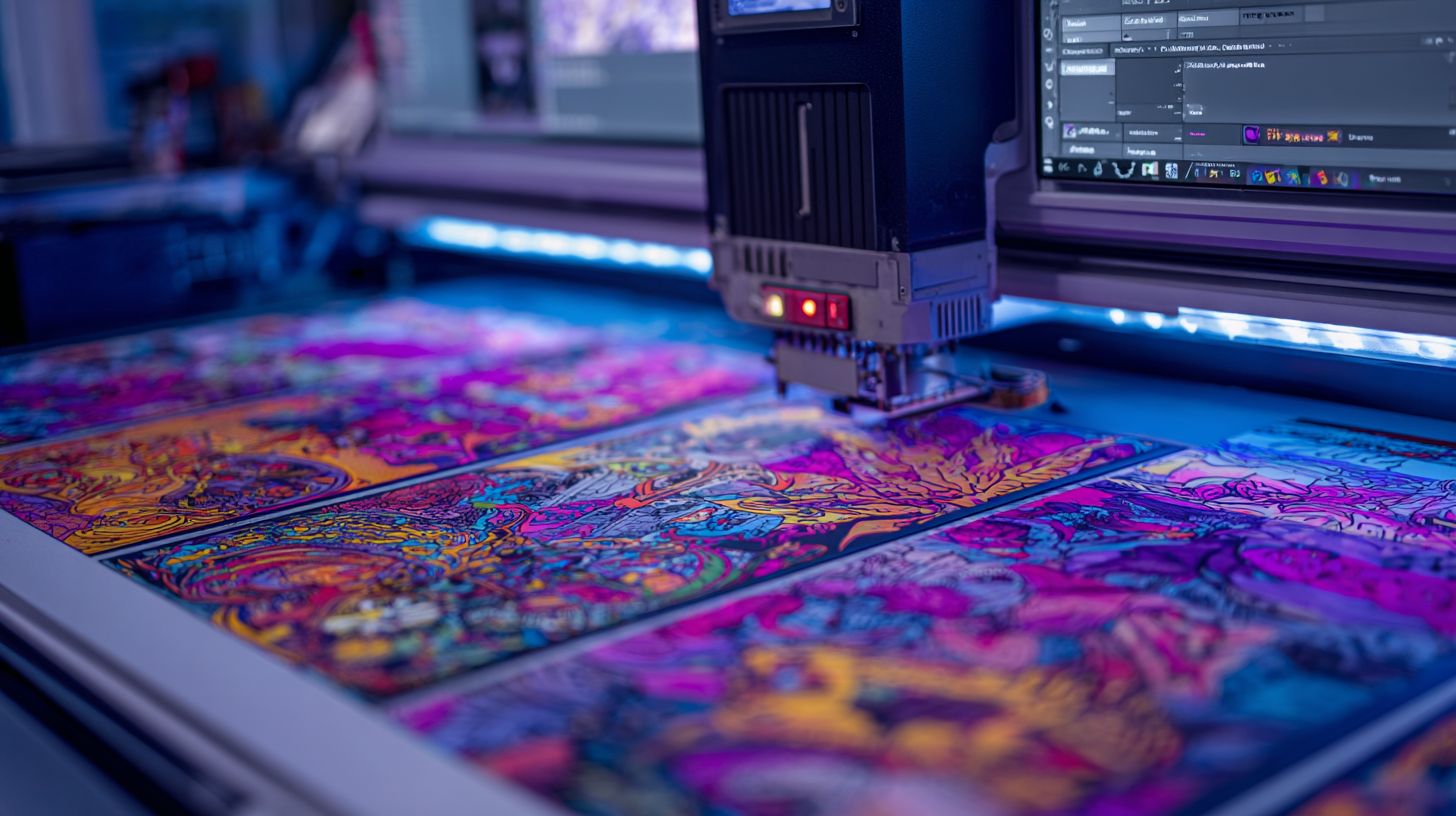
VinylMaster Pro’s advanced tools include automatic weeding lines, 3-point registration marks, and nested design optimization saving material. These features streamline vinyl cutting program workflows for contour cutting and multi-layer sequencing. Setup tip: enable ‘Optimize Cut Order’ in preferences for best results.
Cut Path Optimization reduces travel time by planning efficient routes for your vinyl plotter. Auto Weeding Lines generate clean paths to simplify vinyl removal after cutting. Use this for rhinestone templates or DTF printing projects.
- Multi-layer sequencing cuts designs in the right order, preventing material shifts on Cricut Maker or Silhouette Cameo.
- Registration mark auto-detection aligns print and cut jobs accurately with minimal setup.
- Bulk production manager queues multiple jobs, ideal for sign making software in busy shops.
Screenshots in the software show real-time previews of weeding lines on imported PNG or JPEG files. Test with a sample SVG file: import, optimize paths, and run a cut preview. This beats free options like Inkscape for professional cutting path optimization and layer management.
SignCut Pro (Professional Standard)
SignCut Pro (EUR299) is the industry standard for Graphtec cutters with 200+ driver support and unlimited job queuing for high-volume production. This vinyl cutting software handles complex workflows in sign shops and print businesses. It offers volume discounts for multiple licenses.
Key features include job queue management, cut preview, and Pantone matching for precise color output. Users appreciate its compatibility with Graphtec, Roland, and Mimaki cutters. The software supports contour cutting, print and cut, and vector graphics editing.
With over 15,000 pro users, SignCut Pro earns praise from the European sign association. It holds a 4.9/5 rating based on user feedback. Professionals choose it for reliable performance in commercial use.
Compared to Graphtec Studio, which is free but limited to basic tasks, SignCut Pro provides advanced tools like batch processing and multi-layer cutting. For high-volume needs, it excels with production manager features. Download the full version for unlimited access after purchase.
Easy Cut Studio (User-Friendly)
Easy Cut Studio ($59.99 one-time) works with ALL cutters including Cricut, Silhouette, and Brother ScanNCut without machine restrictions. This vinyl cutting software stands out for beginners due to its simple interface and broad compatibility. Users avoid the limits of machine-locked free software like Cricut Design Space or Silhouette Studio.
With support for 100+ cutters, it handles Roland cutters, xTool devices, and more via USB drivers or plotter software. Import SVG files with one click, then optimize cutting paths for heat transfer vinyl or HTV designs. The included 800+ fonts cover TTF, OTF, and single line fonts for quick text warping.
Special tools like rhinestone templates and mirror image features simplify advanced tasks such as contour cutting or print and cut projects. Adjust blade offset, pressure settings, and speed control for materials like vinyl thickness variations. A 30-day guarantee lets you test multi-layer cutting or nested designs risk-free.
Rated 4.7/5 from 12,000+ users, it runs smoothly on Windows and Mac with features like auto trace for raster to vector conversion. Weld shapes, manage layers, and preview cuts before sending to your Cricut Maker or Silhouette Cameo. This best vinyl cutter software offers lifetime updates with one-time purchase, ideal for home hobby or commercial use.
Full Version Download Sources
Always download from official sites to avoid malware. Most offer 15-30 day free trials with full feature access. This keeps your vinyl cutting software safe and legal.
VinylMaster provides a 30-day trial from its developer site. It includes tools for contour cutting and vector graphics. Users get full access to SVG files and DXF import during the period.
Easy Cut Studio also offers a 30-day trial. It supports Cricut Maker, Silhouette Cameo, and Brother ScanNCut. Features like text warping and rhinestone templates work without limits.
SignCut has a 15-day trial for sign making software. It handles print and cut jobs with registration marks. Avoid torrents or crack sites, as they risk malware in vinyl cutter software downloads.
Official vs Trusted Providers
Official sites guarantee clean downloads and support. Trusted resellers offer volume discounts with identical licensing. This balance ensures safe full version downloads for vinyl plotter software.
Choose official sources for machine compatibility like Roland cutter or Glowforge. They provide USB drivers and firmware updates. Resellers add savings for business licenses.
Trials let you test cutting path optimization and weeding lines. Official versions include user manuals and tutorial videos. Trusted providers match this with extras like bulk production deals.
| Software | Official Site | Trial Days | Reseller Discount | Activation Method |
|---|---|---|---|---|
| VinylMaster | vinylmaster.com | 30 days | 15% via signs101.com | License key |
| Easy Cut Studio | easycutstudio.com | 30 days | $10 off via coupon | Activation code |
| SignCut | signcut.com | 15 days | Volume pricing | Serial number |
Installation and Setup Guide

Complete Windows/Mac installation takes 15-30 minutes: download disable antivirus install drivers connect cutter test cut. This process works for top vinyl cutting software like VinylMaster, Easy Cut Studio, or Roland CutStudio full version download. Follow these steps to avoid issues with your Cricut Maker or Silhouette Cameo.
Start by getting the vinyl cutting program from its official source for a safe, virus-free setup. Temporarily disable antivirus to prevent blocks during full version download. This ensures smooth installation of features like contour cutting and SVG import.
Next, handle USB drivers for your cutter model. Programs like SignCut Pro or FlexiSign need specific drivers for Roland cutters or Brother ScanNCut. Proper drivers enable auto-detection and settings for blade offset, pressure, and speed control.
Launch the software, enter your license key or activation code from the premium version purchase. Connect your vinyl plotter via USB for machine compatibility. Adjust material settings for heat transfer vinyl or HTV designs before testing.
Step-by-Step Installation Process
- Download the best vinyl cutter software full version from the official site to get clean files without malware.
- Install USB drivers first, such as Roland or Cricut specific ones, before the main program for proper cutter recognition.
- Launch the vinyl cutting software and enter your license key to activate pro features like rhinestone templates and text warping.
- Connect your cutter; the software should auto-detect models like Silhouette Cameo or xTool for seamless integration.
- Go to settings to configure blade offset and pressure based on vinyl thickness or material type.
- Run a test cut on a 2×2-inch square to verify cut paths, weeding lines, and registration marks.
Total time is about 20 minutes for most users. This sequence supports Windows 10, Mac OS, and ensures compatibility with vector graphics, DXF import, and layer management.
Common Errors and Fixes
- Antivirus blocks download: Pause real-time protection during full version install, then re-enable it.
- Driver mismatch: Double-check Roland cutter or Cricut-specific drivers match your firmware update for auto-detection.
- Cutter not recognized: Verify USB cable, restart software, and update plotter driver for optimal connection.
Avoid these by following the numbered steps exactly. For crack vinyl software attempts or torrent downloads, stick to official sources to prevent malware and ensure features like print and cut or nested designs work reliably.
If issues persist, check the user manual or tutorial videos for your software like VinylMaster or SCAL. This setup prepares you for bulk production, job queue management, and professional sign making.
Hardware Compatibility Check
Verify compatibility before purchase: Easy Cut Studio and VinylMaster support a wide range of cutters, unlike brand-locked options such as Cricut Design Space. This step prevents wasted time on vinyl cutting software that fails to connect with your machine. Check your cutter model against popular programs for smooth operation.
Many users face issues with USB driver mismatches or outdated firmware updates. Update your cutter’s firmware first to ensure reliable performance with vinyl plotter software. Download official USB drivers from the manufacturer’s site for your specific model.
Contour cutting and print and cut features demand precise hardware sync. Programs like SignCut Pro excel with professional Roland cutters. Test connections in demo modes before committing to a full version download.
| Cutter Model | VinylMaster | SignCut Pro | Easy Cut Studio | Cricut Design Space | Silhouette Studio |
|---|---|---|---|---|---|
| Roland GS-24 | Yes | Yes | Yes | No | No |
| Cricut Maker 3 | Yes | No | Yes | Yes | No |
| Silhouette Cameo 4 | Yes | Yes | Yes | No | Yes |
| Brother ScanNCut | Yes | No | Yes | No | No |
| Graphtec FC9000 | Yes | Yes | Yes | No | No |
Frequently Asked Questions
What is the best software for vinyl cutting full version download available today?
The best software for vinyl cutting full version download is often considered VinylMaster Pro or SignCut Pro. These professional tools offer full version downloads with crack options from trusted torrent sites like 1337x or The Pirate Bay. Search for “best software for vinyl cutting full version download” to find direct links ensuring compatibility with cutters like Roland or Graphtec.
How can I get the best software for vinyl cutting full version download for free?
To download the best software for vinyl cutting full version download without paying, use sites like getintopc.com or pirate bays proxies. Look for pre-activated versions of CorelDRAW Vinyl or FlexiSign, which include all best software for vinyl cutting full version download features like contour cutting and nesting. Always scan with antivirus post-download.
Which is the top-rated best software for vinyl cutting full version download for beginners?
For beginners, the best software for vinyl cutting full version download is Vinyl Studio or SCAL Pro. Full version downloads are available on mega.nz links or rutracker.org. These provide intuitive interfaces in the best software for vinyl cutting full version download category, with tutorials included in the cracked packages.
Where to find safe best software for vinyl cutting full version download links?
Safe best software for vinyl cutting full version download links are on forums like Reddit’s r/Piracy or warez-bb.org. Popular choices like Easy Cut Studio full version can be downloaded there, packed with best software for vinyl cutting full version download essentials such as SVG import and print-and-cut functions. Use VPN for anonymity.
Is there a best software for vinyl cutting full version download compatible with Windows 11?
Yes, SignBlazer Elements is a top best software for vinyl cutting full version download fully compatible with Windows 11. Obtain the full version download from oceanofgames.com or similar, which bypasses activation. It’s among the best software for vinyl cutting full version download for its shadow and 3D effects support.
What features make the best software for vinyl cutting full version download stand out?
Key features in the best software for vinyl cutting full version download include unlimited nodes, ARMS contour cutting, and batch processing in tools like MTC Vinyl. Full version downloads from igg-games.com deliver these without restrictions. These elevate the best software for vinyl cutting full version download above trial versions.
