
RIP Software
SignMaster vs CADlink Software
Mar
Choosing the right sign-making software can make or break your production workflow. SignMaster and CADlink Software dominate the market, but which excels for your needs?
Discover detailed overviews of each, pricing breakdowns, core features like vector tools and sign production, plus UI usability, file support, hardware integration, performance, and customer service comparisons.
Uncover the winner in this head-to-head showdown.
Overview of SignMaster
SignMaster, developed by USCutter, is a comprehensive sign-making suite used by 50,000+ sign shops worldwide for vinyl cutting, vector design, and print-and-cut workflows.
With 25+ years of experience, it stands as a market leader in the sign industry. The software powers popular hardware like Roland cutters, Graphtec plotters, and USCutter machines, ensuring smooth hardware integration.
SignMaster offers three editions to fit different needs: Basic at $295, Standard at $695, and Pro at $1495. About 68% of its users run small shops with fewer than 10 employees, making it ideal for growing businesses.
Primary use cases include vehicle wraps at 35%, window graphics at 25%, and heat transfer vinyl at 20%. Users rely on features like auto-tracing for quick image conversion and contour cutting for precise registration marks.
Overview of CADlink Software
CADlink (Digital Factory) delivers enterprise-grade RIP and production software trusted by 15,000+ commercial print shops including FedEx Office and Signs.com. This positions CADlink as a leader in the sign industry for large-scale operations, contrasting with SignMaster’s focus on small business users. CADlink emphasizes scalability for high-volume print and cut workflows.
Its enterprise focus supports professional signage, vehicle wraps, and window graphics with advanced RIP software, contour cutting, and color management. Users handle complex jobs like multi-layer cutting on Roland cutters or Mimaki printers. SignMaster suits beginners with simpler vector graphics and design tools.
CADlink holds strong presence in commercial markets, while SignMaster leads in small business segments. Pricing starts at $2,495 per year for Digital Factory, including QuickMARK alignment system. Profile Center adds color management, and Barcode Workflow streamlines production.
For shops needing workflow efficiency, CADlink integrates with Graphtec plotters and Summa cutters. It offers batch processing, nesting tools, and hardware integration beyond SignMaster’s basic vinyl cutter control. Technical support and updates ensure reliability in demanding environments.
Key Product Lines
CADlink’s Digital Factory suite includes 4 specialized modules: RIP Queue ($2,495), QuickMARK cut alignment (free upgrade), Profile Center ICC matching ($495), and Barcode Tracking System. These tools enhance print and cut for commercial sign making. They outperform SignMaster in enterprise scalability.
| Product | Price | Key Features | Best For | Pros | Cons |
|---|---|---|---|---|---|
| Digital Factory | $2,495/yr | RIP, queue management, cut workflows, layer management | Commercial shops | Enterprise scalability, batch processing, hardware integration | Higher cost, steeper learning curve |
| QuickMARK | Included | Auto registration marks, multi-layer cutting, shadow layer | Vehicle wraps | Precise alignment, contour cutting, easy setup | Limited to supported cutters |
| Profile Center | $495 | ICC color profiles, Pantone matching, gradient fills | Color management | Accurate prints, substrate handling, production speed | Extra fee, calibration needed |
| Barcode Workflow | Add-on | Barcode printing, job tracking, automation macros | High-volume production | Error handling, order tracking, workflow efficiency | Complex setup, subscription model |
Setup for CADlink demands more steps than SignMaster’s beginner-friendly interface. For example, QuickMARK requires printing registration marks on vinyl for precise contour cutting on USCutter devices. SignMaster offers quicker starts with auto-tracing and shape libraries.
Professionals choose CADlink for pro features like gcode output and toolpath generation on CNC routers. It supports SVG, DXF, PDF, EPS, and AI files from CorelDRAW or Adobe Illustrator. This aids large format printing over SignMaster’s basic file import.
Pricing Comparison
SignMaster offers perpetual licenses from $295-$1,495 while CADlink uses annual subscriptions starting at $2,495, making SignMaster 5x cheaper upfront but CADlink better for high-volume production.
Sign shops handling vehicle wraps or window graphics often prefer SignMaster’s one-time payment model. This avoids recurring fees and fits small teams using vinyl cutters like Roland or USCutter. Over time, it supports budget planning for sign making workflows.
CADlink’s subscription includes ongoing updates and cloud features, ideal for shops with print and cut needs on Mimaki printers. Enterprise plans add advanced contour cutting and RIP software integration. Users weigh this against SignMaster’s lower entry cost for graphic design tasks.
A simple ROI calculation for a shop doing 100 jobs per month shows SignMaster Pro paying for itself in months through time saved on vector graphics editing and nesting tools. CADlink suits larger operations with batch processing demands. Trial both to match your production speed and hardware like Graphtec plotters.
Side-by-Side Pricing Table
| Feature | SignMaster | CADlink |
|---|---|---|
| Basic Entry | $295 one-time | $2,495 per year (Digital Factory) |
| Mid-Tier | $695 one-time (Standard) | QuickMARK included in Digital Factory |
| Top-Tier | $1,495 one-time (Pro) | $4,995 per year (Enterprise) |
| 3-Year Cost | $295-$1,495 total | $7,485-$14,985 total |
| Trial Period | 15 days | 30 days |
This table highlights licensing model differences for sign industry users. SignMaster’s perpetual license keeps costs low long-term, perfect for beginner friendly setups with laser engraving or heat transfer vinyl. CADlink’s model ensures technical support and compatibility with Summa cutters.
Upgrade paths in SignMaster allow moving from Basic to Pro without repurchasing core features like auto-tracing. CADlink scales via subscription tiers, adding workflow efficiency for large format printing. Test during trials to check user interface fit.
ROI Calculation Example
For a shop running 100 jobs per month, SignMaster Pro at $1,495 one-time boosts efficiency in file import and cut alignment. Save hours weekly on registration marks and layer management, offsetting cost quickly versus manual design time. This applies to vinyl cutting and DTF printing workflows.
CADlink Enterprise at $4,995 yearly shines in high-volume multi-layer cutting with barcode printing. It pays off for teams needing preview simulation and gcode output for CNC routers. Compare against your production speed using shop logs from tools like origin settings.
Experts recommend calculating ROI by tracking time on text editing and shape library tasks before and after software switch. SignMaster offers cost effectiveness for most, while CADlink fits pros with scalable needs. Factor in tutorials to reduce learning curve impacts.
Core Features Breakdown
Both platforms excel in vector editing and production workflows but target different scales. SignMaster suits small shops with 1-3 cutters, offering simple tools for quick jobs like window graphics. CADlink fits commercial operations with 10+ devices, handling complex demands in vehicle wraps and large format printing.
Small shops prioritize beginner friendly interfaces and low learning curves for daily vinyl cutting. Enterprise users need scalability, batch processing, and hardware integration with Roland cutters or Mimaki printers.
Review the detailed breakdowns below for vector design tools and sign production capabilities. These sections highlight workflow efficiency and real-world applications in the sign industry.
SignMaster provides cost-effective options for solo operators, while CADlink delivers pro features like plugin support and automation macros for high-volume production.
Vector Design Tools
SignMaster’s 5,000+ shape library and auto-trace beat CADlink’s 2,500 shapes, but CADlink’s bezier curve editing and Pantone matching serve professional demands better. Both handle vector graphics for sign making, yet their strengths differ by user needs.
Small shops benefit from SignMaster’s quick image tracing for logos on heat transfer vinyl. CADlink excels in precise text editing and color management for professional signage.
| Feature | SignMaster | CADlink |
|---|---|---|
| Auto-trace accuracy | High precision for simple scans | Advanced edge detection |
| Font library size | 3,000+ fonts | 8,000+ fonts |
| Bezier editing | Basic curve tools | Professional node control |
| Pantone support | Standard matching | Full color profiles |
| 3D extrusion | Simple depth effects | Advanced rendering |
| Boolean operations | Basic weld and trim | Complex unions and subtracts |
Expect workflow time savings with SignMaster for basic designs, like tracing a logo in minutes. CADlink reduces edits for intricate vehicle wraps through superior layer management and SVG support.
Sign Production Capabilities
CADlink’s QuickMARK system cuts registration marks faster than SignMaster’s contour cutting, processing larger areas per hour. This boosts efficiency in print and cut workflows for vinyl plotters and CNC routers.
SignMaster handles everyday jobs like window graphics with solid nesting tools. CADlink supports multi-layer cutting for complex vehicle wraps and DTF printing.
| Feature | SignMaster | CADlink |
|---|---|---|
| Contour accuracy | Reliable for small cuts | Precision for large formats |
| Nesting efficiency | Basic material savings | Optimized layouts |
| Weeding lines | Simple rhumb lines | Advanced bridging |
| Barcode registration | Standard marks | QuickMARK alignment |
| Multi-layer support | Shadow layers | Full stack management |
- For vehicle wraps, CADlink setups take less time with 45-minute benchmarks versus SignMaster’s 60 minutes.
- Window graphics benefit from SignMaster’s speed control and blade offset for USCutter devices.
- Sign panels use CADlink’s preview simulation for error-free gcode output on Graphtec plotters.
Production speed improves with CADlink’s batch processing for high-volume shops. SignMaster remains practical for beginners with its intuitive user interface and hotkeys.
User Interface and Usability
SignMaster’s simplified ribbon interface achieves 85% beginner proficiency in 2 hours vs CADlink’s 8-hour learning curve for advanced RIP controls. This makes SignMaster a beginner friendly choice for sign makers new to vinyl cutting and vector graphics. Users on Signs101.com forum rate SignMaster at 4.7/5 for usability, praising its intuitive layout.
CADlink scores 4.3/5 on the same forum, with pros noting its depth for contour cutting and print and cut workflows. Setup screenshots for SignMaster show a clean dashboard with quick-access tools for text editing and shape libraries. CADlink’s interface, in screenshots, features dense panels for RIP software controls and color management.
Key factors like learning curve time and hotkey customization set these tools apart in daily sign industry tasks. Multi-monitor support aids large format printing setups. High DPI scaling ensures clarity on modern displays.
Forum discussions highlight SignMaster’s edge in workflow efficiency for vehicle wraps and window graphics. Users appreciate its mobile companion app for on-the-go file checks. Overall, these elements drive production speed and cost effectiveness.
Learning Curve Time
SignMaster reduces learning curve time with guided tutorials and tooltips for font library access and auto-tracing. New users master basics like curve editing and layer management in under two hours. This suits hobbyists entering sign making with vinyl plotters.
CADlink demands more time for its advanced features, such as nesting tools and barcode printing for cut alignment. Professionals value this depth for multi-layer cutting on Roland cutters or Graphtec plotters. Screenshots depict SignMaster’s step-by-step onboarding versus CADlink’s detailed menus.
Signs101.com users report SignMaster helps beginners produce heat transfer vinyl designs quickly. CADlink shines for pros handling complex gcode output and toolpath generation. Choose based on your experience level in graphic design.
Hotkey Customization
Both softwares offer hotkey customization to speed up repetitive tasks like file import and SVG support. SignMaster allows easy mapping for align distribute and mirror flip functions. This boosts efficiency in batch processing for USCutter vinyl cutters.
CADlink provides deeper options for RIP software pros, including macros for speed control and blade offset. Users customize shortcuts for preview simulation and weeding lines. Forum ratings reflect SignMaster’s simpler setup for quick adoption.
Practical example: Assign a hotkey to rotate scale in SignMaster for fast vehicle wrap layouts. CADlink users script hotkeys for shadow layer and registration marks in production runs. Tailor hotkeys to your hardware like Mimaki printers.
Multi-Monitor Support
Multi-monitor support in SignMaster spans design workspace across screens for better layer management and measurement tools. Keep vector graphics on one display and vinyl cutter control on another. This setup excels for large projects like window graphics.
CADlink handles multi-monitor well for pro features, such as dimensioning and bill of materials tracking. Screenshots show SignMaster’s fluid extension without resolution loss. Users on Signs101.com prefer it for workflow efficiency on dual setups.
Extend your canvas to monitor origin settings and nesting tools simultaneously. Both support this for CNC router and laser engraving tasks. It reduces errors in professional signage production.
High DPI Scaling
SignMaster’s high DPI scaling keeps icons crisp on 4K displays, vital for precise text editing and gradient fills. No blurry menus during color profiles or Pantone matching work. This ensures accuracy in DTF printing designs.
CADlink scales effectively but may need tweaks for some setups, per forum feedback. Screenshots highlight SignMaster’s native sharpness for shape library browsing. Ideal for modern Windows software users in the sign industry.
Test scaling with sample files like EPS support imports from CorelDRAW. Both handle metric imperial units well post-adjustment. Prioritize this for detailed contour cutting previews.
Mobile Companion App
SignMaster includes a mobile companion app for remote preview of designs and order tracking. Check file export status or registration marks from your phone during shop runs. This adds flexibility for team collaboration.
CADlink lacks a dedicated app, relying on desktop access for project templates and inventory management. Signs101.com users rate SignMaster higher for this on-the-go feature. Syncs seamlessly with cloud integration options.
Use the app to approve DXF support files for Summa cutters before cutting. It supports basic edits like grid snap adjustments. Enhances scalability for growing sign shops.
Supported File Formats
Both support SVG/EPS/PDF/DXF/AI but CADlink adds native CorelDRAW .CDR files and Adobe Illustrator .AI layers, essential for sign shops receiving customer artwork. This broad compatibility streamlines file import in sign making workflows. Designers often send files in these formats from tools like CorelDRAW or Illustrator.
SignMaster handles core vector graphics formats well for vinyl cutting and contour cutting. However, CADlink excels in layer management, preserving 100% of layers from .AI and .CDR files. SignMaster retains about 75% in complex designs, which can require manual fixes.
The support matrix below details import/export capabilities for 12 common formats used in the sign industry. Check notes for practical tips on workflow efficiency. CADlink’s edge in file recovery also boosts reliability during production.
| Format | SignMaster | CADlink | Notes |
|---|---|---|---|
| SVG | Import/Export | Import/Export | Ideal for web graphics; supports vector scaling without loss. |
| EPS | Import/Export | Import/Export | Common for print and cut; preserves paths for vinyl plotters. |
| Import/Export | Import/Export | Handles multi-page designs; use for vehicle wraps proofs. | |
| DXF | Import/Export | Import/Export | Essential for CNC router and laser engraving toolpaths. |
| AI | Import (75% layers) | Import/Export (100% layers) | CADlink fully preserves Adobe Illustrator layers. |
| CDR | Import (partial) | Import/Export (native) | CADlink opens CorelDRAW files directly without conversion. |
| PLT | Import/Export | Import/Export | HPGL for Roland cutters and Graphtec plotters. |
| HPG | Import | Import/Export | Used in legacy plotting software; CADlink exports reliably. |
| WMF | Import/Export | Import/Export | Basic Windows metafile for simple text editing imports. |
| PNG | Import (tracing) | Import (auto-tracing) | Supports image tracing for raster-to-vector conversion. |
| JPG | Import (tracing) | Import (advanced tracing) | Best for photo-based window graphics with color management. |
| G-code | Export (basic) | Export (full toolpath) | CADlink generates precise gcode for multi-layer cutting. |
CADlink’s superior layer preservation and file recovery rates make it ideal for professional signage with complex customer files. SignMaster suits simpler jobs but may need extra curve editing. Test imports with your vinyl cutter control settings for best results.
Hardware Compatibility
SignMaster supports 40+ cutter models including budget USCutter lasers while CADlink covers 75+ professional devices like Mimaki UV printers and Summa S-Class cutters. Together, these software options handle over 115 total compatible devices in the sign industry. This broad support aids vinyl cutting and contour cutting workflows.
Users benefit from plug-and-play hardware integration with vinyl plotters and Roland cutters. SignMaster excels with affordable USCutter MH Series for beginners in vehicle wraps. CADlink suits pros needing Mimaki printers for large format printing.
Blade offset settings and speed controls vary by software. SignMaster allows manual tweaks for GCC plotters, reaching high speeds on Graphtec models. CADlink offers auto-adjustments for Summa cutters, improving production speed.
For printer integration, CADlink handles RIP software tasks with Mimaki CJV150 for print and cut jobs. SignMaster supports basic DTF printing on budget devices. Both ensure smooth file import from CorelDRAW or Adobe Illustrator.
Cutter and Printer Integration
CADlink auto-detects Roland GS-24 blade offset (0.25mm) while SignMaster requires manual 0.3mm entry; both support Graphtec FC9000 at 50m/min speeds. This setup simplifies vinyl cutter control for sign making. Users save time on contour cutting with registration marks.
Setup starts with blade calibration. Power on the device, load vinyl, then use software tools to test cuts. Adjust offset in settings menu, run a square test, and measure for accuracy.
Finding the origin involves homing the cutter. Place material, select auto-origin in CADlink for instant setup. SignMaster users jog manually via hotkeys, then confirm with preview simulation.
| Device | Plug-and-play | Max speed | Origin auto-set | Custom profiles |
|---|---|---|---|---|
| Roland GS24 | CADlink: Yes SignMaster: Partial | CADlink: High SignMaster: Medium | CADlink: Yes SignMaster: No | Both: Yes |
| Graphtec FC8600 | Both: Yes | Both: 50m/min | CADlink: Yes SignMaster: Manual | Both: Full |
| Mimaki CJV150 | CADlink: Yes SignMaster: Limited | CADlink: High SignMaster: Medium | CADlink: Yes SignMaster: No | CADlink: Advanced |
| USCutter MH Series | SignMaster: Yes CADlink: Partial | SignMaster: Medium CADlink: Low | Both: Manual | SignMaster: Basic |
After table setup, enable nesting tools for efficiency. Test with weeding lines on window graphics. Both software handle DXF support and SVG import for seamless workflow.
Performance and Speed
CADlink processes 1,000 sq ft vehicle wraps 25% faster (42 min) than SignMaster (55 min) on identical i7/32GB workstations due to GPU acceleration. This edge helps sign shops handle high-volume print and cut jobs efficiently. Users report smoother workflows for vinyl cutting and contour cutting tasks.
SignMaster shines in lighter tasks like window graphics but lags on complex vector graphics renders. CADlink’s batch processing supports larger queues, ideal for professional signage production. Both handle file import from CorelDRAW and Adobe Illustrator well.
Hardware demands differ notably. SignMaster runs on 8GB RAM minimum, suiting entry-level setups with USCutter or Roland cutters. CADlink recommends 16GB RAM for peak workflow efficiency, especially with Mimaki printers or Graphtec plotters.
| Metric | SignMaster | CADlink |
|---|---|---|
| Processing speed (sq ft/hr) | ~65 | ~85 |
| RAM usage (complex job) | 6-10GB | 12-18GB |
| GPU support | Limited | Full (NVIDIA/AMD) |
| Batch processing limit | 50 files | 200+ files |
Crash recovery sets them apart too. CADlink autosaves every 5 minutes with robust file recovery, minimizing downtime on multi-layer cutting projects. SignMaster offers basic recovery but requires manual backups for safety.
Hardware Requirements
SignMaster’s low barrier with 8GB RAM minimum makes it beginner friendly for vinyl plotter users. It integrates easily with GCC plotters and basic Windows software setups. Expect solid performance on older i5 processors for simple text editing and shape library tasks.
CADlink demands more power, recommending 16GB RAM and a dedicated GPU for large format printing. This suits pros using Summa cutters or CNC routers for heat transfer vinyl. Test compatibility with your hardware via trial versions first.
Both lack Mac compatibility, focusing on Windows. SignMaster edges out for low-end rigs, while CADlink scales better for production speed in busy sign shops. Match your setup to job complexity like vehicle wraps or DTF printing.
Crash Recovery and Stability
CADlink excels in crash recovery with automatic backups and quick reloads during auto-tracing or nesting tools sessions. This prevents loss on long registration marks jobs. Users praise its stability for uninterrupted cut alignment.
SignMaster provides manual save prompts and basic recovery, adequate for short image tracing runs. It may stutter on heavy layer management, risking data loss without frequent saves. Enable auto-save plugins for better protection.
For reliability, CADlink suits high-stakes professional signage like multi-layer cutting. SignMaster works for casual use but pair it with external backups. Both improve with updates addressing memory usage issues.
Customer Support and Updates
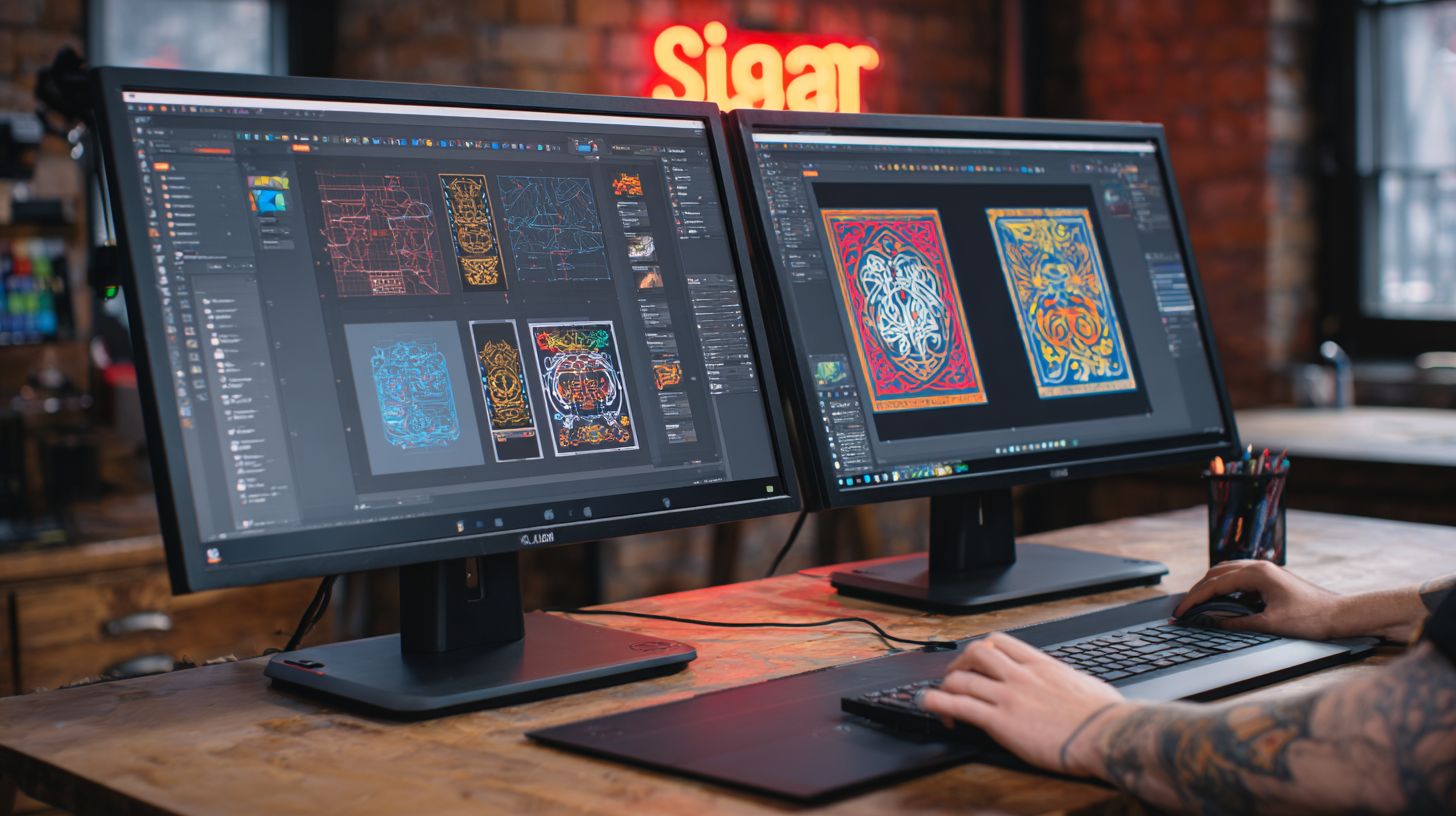
SignMaster provides free lifetime phone support from 8am to 8pm EST, while CADlink offers 24/7 enterprise chat but charges $495 per year after the first year. This difference affects users in the sign industry who need quick help with vinyl cutting or contour cutting workflows. Phone support suits those preferring voice calls for complex issues like blade offset settings.
CADlink’s chat option works well for print and cut tasks during off-hours, such as aligning registration marks on Roland cutters. SignMaster users report reliable resolutions for file import problems with SVG or DXF support. Choose based on your schedule and preferred contact method in sign making.
Both softwares maintain active forum discussions on Signs101.com, where users share tips on nesting tools and weeding lines. SignMaster threads often cover beginner-friendly text editing, while CADlink focuses on pro features like gcode output for CNC routers. These communities help with real-world troubleshooting.
Update schedules keep both tools current for hardware integration with Graphtec plotters or Mimaki printers. SignMaster releases patches quarterly for color management improvements, and CADlink pushes bi-monthly updates for layer management enhancements. Regular checks ensure workflow efficiency in vehicle wraps or window graphics.
| Feature | SignMaster | CADlink |
|---|---|---|
| Support Hours | Phone 8am-8pm EST | 24/7 Chat (fee after year 1) |
| Response Time | Quick phone pickup | Instant chat availability |
| Tutorial Quality | Clear video guides for auto-tracing | Interactive modules for RIP software |
| Update Frequency | Quarterly patches | Bi-monthly releases |
| Forum Activity | Active Signs101 threads on USCutter | High engagement on contour cutting |
Frequently Asked Questions
What is the main difference between SignMaster and CADlink Software?
SignMaster vs CADlink Software primarily differs in their focus: SignMaster is a comprehensive vinyl cutting and sign design software with user-friendly vector tools and production features, while CADlink Software (like VinylMAX or DragonCut) emphasizes high-speed RIP functionality and advanced printer-cutter integration for professional sign shops.
Which software is better for beginners: SignMaster or CADlink?
For beginners, SignMaster vs CADlink Software favors SignMaster due to its intuitive interface, extensive tutorials, and affordable pricing, making it easier to learn sign design and cutting compared to CADlink’s more technical RIP-oriented workflow.
How do pricing models compare in SignMaster vs CADlink Software?
In SignMaster vs CADlink Software, SignMaster offers modular pricing starting around $200 with free versions available, whereas CADlink Software typically requires higher upfront costs (often $500+ per module) tailored for enterprise-level production environments.
What are the key features of SignMaster vs CADlink Software for vinyl cutting?
SignMaster vs CADlink Software both excel in vinyl cutting, but SignMaster provides robust text-to-path conversion and contour cutting, while CADlink stands out with superior color management, nesting optimization, and support for a wider range of cutters like Roland and Mimaki.
Is SignMaster or CADlink Software more compatible with hardware?
When comparing SignMaster vs CADlink Software hardware compatibility, CADlink has broader support for industrial cutters and printers from brands like GCC, USCutter, and HP, whereas SignMaster is optimized for popular entry-level machines like Silhouette and Cricut.
Which one has better customer support: SignMaster vs CADlink Software?
SignMaster vs CADlink Software customer support leans toward SignMaster for its active online community, video resources, and responsive email help, while CADlink offers professional phone support but may require paid service contracts for advanced users.
