
RIP Software
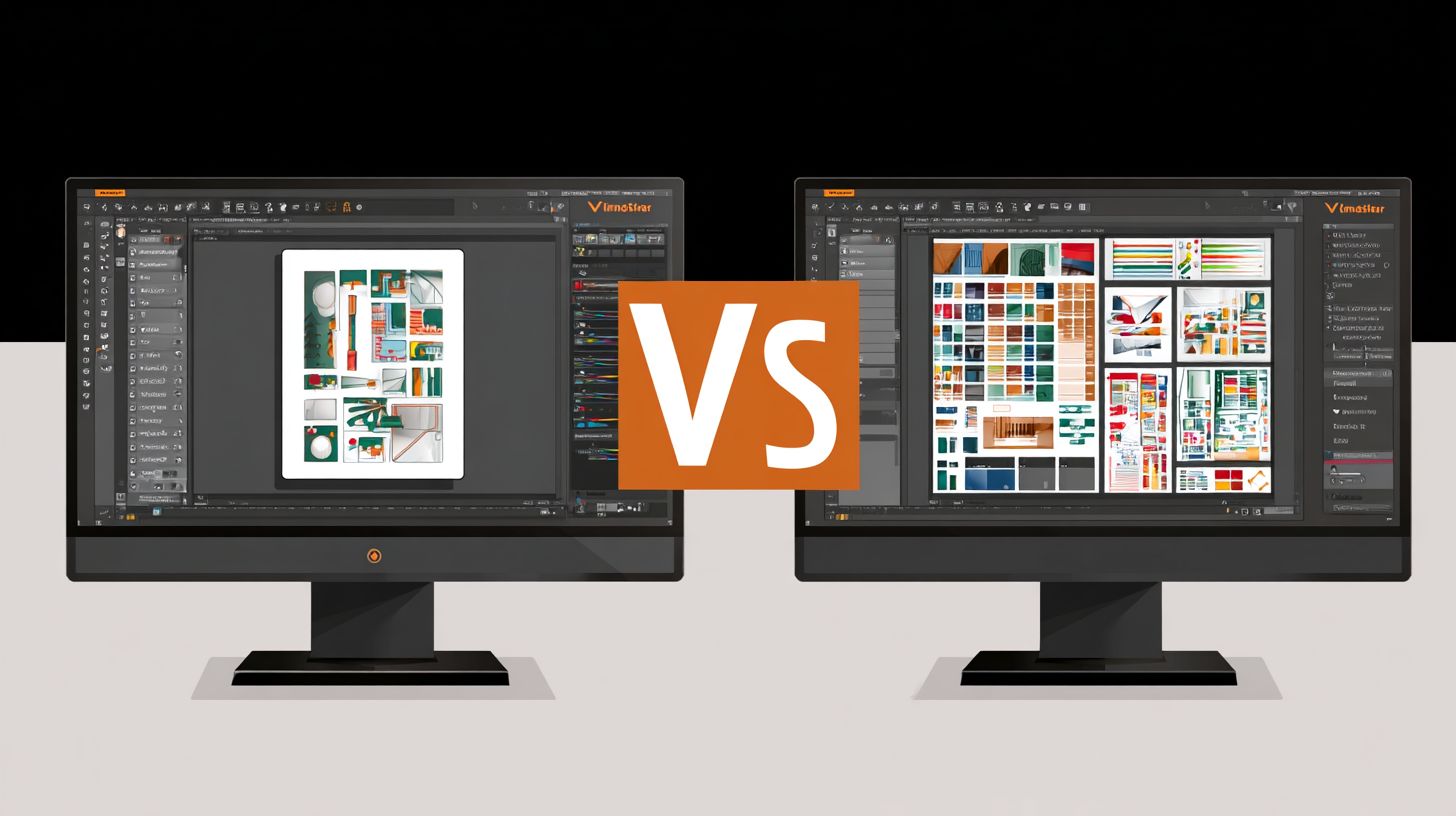
VinylMaster vs SignMaster Comparison
Mar
Choosing between VinylMaster and SignMaster can make or break your sign-making workflow-powerful software defines efficiency and output quality.
In the competitive signage industry, where precision meets profitability, this head-to-head comparison reveals critical differences.
Explore pricing models, core features like vector editing and contour cutting, compatibility, UI, and support to discover the superior choice for your needs.
Overview
VinylMaster and SignMaster are leading sign design and vinyl cutting software solutions tailored for the sign industry. These tools help users create, edit, and produce vinyl graphics with precision. They stand out in the VinylMaster vs SignMaster comparison by offering distinct features for different needs.
VinylMaster positions itself as a professional grade suite with versions like VinylMaster Pro and VinylMaster Ltr, ideal for high-volume production. SignMaster, on the other hand, targets entry-level users with its v4 edition, focusing on affordability and simplicity. Both support sign making software workflows from design to cut.
Primary use cases include crafting vehicle wraps, decals, and banners. Users rely on them for vinyl cutting software tasks like contour cutting and print-and-cut processes. This overview sets the stage for a detailed features comparison.
In the sign industry, these programs streamline operations for hobbyists and pros alike. They handle vector graphics editing, RIP functions, and cutter compatibility with brands like Roland and Graphtec. Choose based on your scale and budget in this pricing comparison.
Software Purpose
Both VinylMaster and SignMaster transform digital designs into professional vinyl cut graphics for vehicle wraps, banners, and decals. They serve as complete sign design tools with built-in vector editors. Core functions cover design creation to output.
First, vector design creation lets users build shapes, text, and logos using tools like node editing and Bezier curves. Add effects such as gradient fills or shadow effects for standout graphics. This suits custom stickers and heat transfer vinyl projects.
Second, as RIP software for vinyl cutters, they process files for precise cutting on USCutter LaserPoint or MH Series plotters. Features like blade offset, speed settings, and overcut options ensure clean edges. Optimize vinyl waste with tangency control and job queuing.
Third, print & cut workflows combine printing and contour cutting for efficiency. Handle raster to vector conversion, auto-tracing, and barcode generation seamlessly. Real applications shine in heat transfer vinyl for apparel and DTF printing setups, boosting workflow efficiency.
Target Users
VinylMaster targets professional sign shops while SignMaster appeals to hobbyists and budget-conscious startups. This split defines the VinylMaster vs SignMaster user base clearly. Select based on your production volume and expertise level.
VinylMaster Pro fits production shops handling many jobs, offering advanced layer management, Pantone colors, and 3D extrusion. VinylMaster Ltr works for small businesses needing reliable vinyl cutter drivers without excess complexity. Both provide commercial use licensing.
VinylMaster Designer and Cut versions add flexibility for specific tasks like EPS support or AI import. Pros value the learning curve with tutorials and community forums. It excels in precision cutting for vehicle wraps and banners.
SignMaster v4 suits hobbyists and MH Series cutter owners, with beginner-friendly interfaces and SVG compatibility. SignMaster v3 offers basic PDF handling and font libraries for startups. Users praise its ease of use for decals and stickers, plus strong customer support.
Pricing Comparison
VinylMaster offers lifetime licenses starting at $69 while SignMaster uses subscription pricing from $9.99/month. This VinylMaster vs SignMaster comparison highlights key differences in sign making software costs. VinylMaster suits users seeking one-time payments for vinyl cutting software and vector graphics editors.
SignMaster’s model provides ongoing access to updates in this pricing comparison. Over three years, total cost of ownership varies based on usage. Lifetime options often prove more economical for long-term sign design tool users.
Consider your workflow in vinyl cutter drivers and print and cut needs. VinylMaster’s approach avoids recurring fees for RIP software and contour cutting features. SignMaster appeals to those wanting frequent enhancements without large upfront spends.
Evaluate trial versions to test compatibility with Roland cutters or Graphtec plotters. This helps decide between one-time purchase and subscription in your sign industry projects like vehicle wraps or decals.
Initial Costs
VinylMaster Ltr costs $69 one-time while SignMaster v4 requires $99 upfront plus $9.99/month. This table breaks down initial costs for VinylMaster vs SignMaster in vinyl graphics and sign design tools.
| Tool | Initial Cost | License Type | Trial |
|---|---|---|---|
| VinylMaster Ltr | $69 | Lifetime | 15 days |
| VinylMaster Pro | $299 | Lifetime | 15 days |
| VinylMaster Designer | $149 | Lifetime | 15 days |
| SignMaster v4 | $99 + $9.99/mo | Subscription | 30 days |
| SignMaster v3 | $49 + $7.99/mo | Subscription | 30 days |
VinylMaster becomes cheaper after 18 months for steady users of USCutter LaserPoint or MH Series. Test with demo downloads to match your raster to vector or auto-tracing needs.
For hobbyists, VinylMaster Ltr offers beginner friendly entry into layer management and text tools. Professionals may prefer VinylMaster Pro for production speed in banners and heat transfer vinyl.
Subscription Models
SignMaster’s $9.99/month includes updates while VinylMaster’s lifetime license requires $49/year optional updates. Over three years, SignMaster v4 totals $458 while VinylMaster Pro with updates reaches $446. This 3-year cost comparison factors in sign making software longevity.
SignMaster grants feature access during subscription, covering EPS support, AI import, and PDF handling. Cancellation terms allow monthly exits, ideal for testing SVG compatibility or font libraries. VinylMaster owners keep core tools like node editing and bezier curves post-purchase.
VinylMaster’s update policy focuses on major versions for Pantone colors or gradient fills. Users enjoy perpetual use for commercial use in stickers or DTF printing without fees. SignMaster ensures latest shadow effects and 3D extrusion via active billing.
Choose based on your workflow efficiency with vinyl plotters or overcut settings. Long-term sign industry pros often favor VinylMaster’s one-time purchase for vinyl waste optimization and job queuing stability.
Core Features
Both platforms offer robust design capabilities but VinylMaster excels in professional vector tools. VinylMaster and SignMaster share basics like shape creation and text handling in this VinylMaster vs SignMaster comparison. Unique to VinylMaster are advanced effects such as shadows and 3D extrusion.
SignMaster focuses on sign making software essentials with simpler tools for hobbyists. It supports basic vinyl cutting software workflows but lacks VinylMaster’s depth in color management. Users benefit from VinylMaster’s Pantone support for precise matching in commercial projects.
Shared features include contour cutting and cutter compatibility with Roland and Graphtec plotters. VinylMaster stands out with auto-tracing and layer management for complex designs like vehicle wraps. SignMaster suits quick jobs but limits advanced print and cut options.
In terms of user interface and ease of use, both run on Windows with vinyl plotter drivers. VinylMaster Pro and Designer editions offer more for professionals compared to SignMaster v3 or v4. This makes VinylMaster ideal for production speed in the sign industry.
Design Tools
VinylMaster includes 500+ fonts and Pantone color library while SignMaster offers 300+ basic fonts. VinylMaster’s text-on-path tool, shown in screenshots with curved signage, bends text smoothly along any path. SignMaster’s version feels clunky for intricate designs like banners.
Bezier node editing in VinylMaster allows precise curve adjustments, vital for custom decals. Auto-welding merges overlapping shapes automatically, saving time on stickers. SignMaster provides limited welding, often requiring manual fixes.
Pantone 15-5 support ensures color accuracy for print jobs, unlike SignMaster’s RGB-only palette. Shadow effects add depth to graphics, as seen in screenshot demos of 3D-like lettering. SignMaster sticks to flat basic shapes without these extras.
3D extrusion in VinylMaster creates realistic raised effects for vehicle wraps, with screenshot examples showing layered depth. SignMaster lacks this, limiting it to 2D work. These tools make VinylMaster a top sign design tool for pros.
Vector Editing
VinylMaster’s PowerTRACE converts raster images faster than SignMaster’s basic tracing. It handles AI/PDF import seamlessly, supporting unlimited layers for complex files like heat transfer vinyl layouts. SignMaster restricts to EPS/SVG with a 50-layer limit.
Advanced node editing in VinylMaster refines Bezier curves with tangency control, perfect for precise outlines. Auto-trace accuracy shines on photos turned into cut paths for DTF printing. SignMaster’s tracing often needs cleanup, slowing workflows.
File format support favors VinylMaster with full EPS, AI, PDF, and SVG compatibility. Layer management allows nesting for efficient job queuing on USCutter LaserPoint or MH Series. SignMaster struggles with layered imports from CorelDRAW or Adobe Illustrator.
Practical examples include editing imported logos for contour cutting, where VinylMaster’s tools optimize blade offset and overcut settings. This boosts workflow efficiency in vinyl graphics production. SignMaster suits beginners but lacks pro-grade precision.
Cutting & Production
Production features determine ROI for sign shops, with VinylMaster supporting 200+ cutters compared to SignMaster’s 50+. RIP capabilities and cutter compatibility streamline workflows and boost efficiency in vinyl cutting software.
Sign shops rely on robust vinyl cutter drivers to handle Roland cutters, Graphtec plotters, and USCutter models without issues. VinylMaster excels in sign making software by offering native integration for precise control.
SignMaster v4 provides basic support but lacks depth for high-volume production. This VinylMaster vs SignMaster comparison highlights how broader compatibility reduces downtime and supports commercial use.
Experts recommend testing supported cutters in trial versions to match shop needs. Features like job queuing and remote control further enhance production speed in professional setups.
Contour Cutting
VinylMaster Cut handles complex contour cuts on Roland GS-24 with 0.01mm precision. It supports multi-layer registration marks, tangency control, and overcut settings for flawless results on vehicle wraps and decals.
In contrast, SignMaster offers basic ARMS limited to single-layer cuts, suitable for simple stickers but not intricate designs. VinylMaster’s advanced tools shine in precision cutting for banners and heat transfer vinyl.
- VinylMaster: Roland, Graphtec, USCutter LaserPoint
- SignMaster: MH Series, basic Roland
Sign shops benefit from VinylMaster’s blade offset and speed settings for optimal accuracy. Use multi-layer marks on layered graphics to avoid misalignment in production runs.
Print & Cut Workflow
VinylMaster’s print & cut workflow includes native RIP, job queuing, and waste optimization, eliminating the need to export to separate RIP software. This setup suits DTF printing and large banners efficiently.
SignMaster requires exporting files, which slows down processes and increases errors in workflow efficiency. VinylMaster Pro and Designer versions offer seamless integration for sign industry pros.
Real-world examples show faster throughput with VinylMaster’s vinyl waste optimization, like nesting multiple decals on one sheet. Adjust settings for sequential numbering on serialized labels to speed up jobs.
Both support EPS and PDF handling, but VinylMaster’s color management with Pantone colors ensures print-cut alignment. Test workflows with demo versions for your vinyl plotters.
Compatibility
VinylMaster supports 200+ cutters including all Roland/Graphtec models while SignMaster focuses on USCutter MH Series. This difference shapes the VinylMaster vs SignMaster comparison for sign makers with specific hardware. Users pick based on their vinyl plotters and workflow needs.
VinylMaster Cut and VinylMaster Ltr handle broad device integration for professional setups. SignMaster v3 and v4 excel with budget cutters like MH Series. Check your cutter model before choosing vinyl cutting software.
Driver updates keep both programs current, though VinylMaster pushes frequent releases for new Roland and Graphtec plotters. SignMaster updates focus on USCutter LaserPoint and MH Series stability. Regular checks ensure smooth contour cutting and print and cut jobs.
Compatibility affects daily tasks like vehicle wraps or decals. Test with your hardware using trial versions. This avoids workflow disruptions in sign design tools.
| Cutters | VinylMaster | SignMaster |
|---|---|---|
| Roland GS/CX | ||
| Graphtec FC | ||
| USCutter LaserPoint | ||
| MH Series | ||
| Windows 11 | ||
| Mac | Trial |
Supported Cutters and Plotters
VinylMaster covers Roland cutters and Graphtec plotters fully, ideal for precision jobs. SignMaster prioritizes USCutter models like MH Series for hobbyists. Match software to your gear for best results in vinyl graphics.
Examples include Roland GS for banners and Graphtec FC for stickers. VinylMaster handles these seamlessly in print cut workflow. SignMaster suits entry-level USCutter setups with easy blade offset tweaks.
Overcut settings and speed controls vary by cutter support. VinylMaster offers tangency control on premium plotters. This boosts accuracy in heat transfer vinyl or DTF printing tasks.
Operating System Support
Both excel on Windows 11 with full hardware acceleration. VinylMaster sticks to Windows for pro-grade performance. SignMaster adds a Mac trial, broadening access for some users.
System requirements favor modern PCs for both in job queuing and RIP software features. Mac users test SignMaster’s trial for basic vector graphics editing. Windows remains the standard for production speed.
Update policies ensure ongoing OS compatibility. VinylMaster focuses on Windows stability with frequent driver releases. SignMaster trials help verify Mac fit before full commitment.
User Interface
SignMaster’s simplified ribbon interface achieves faster onboarding than VinylMaster’s traditional layout. Beginners find SignMaster’s touch-optimized design intuitive for quick starts in sign making software. This setup suits hobbyists and new users in vinyl cutting workflows.
VinylMaster offers a professional workspace with customizable panels in versions like VinylMaster Ltr and VinylMaster Pro. Users arrange tools for efficient vector graphics editing and contour cutting tasks. Mastery takes longer but rewards advanced sign design tool users.
SignMaster v4 shines in ease of use with its beginner-friendly layout, while VinylMaster Designer provides depth for layer management and node editing. Forum discussions highlight SignMaster’s appeal for quick decal and sticker projects. VinylMaster users praise its precision for vehicle wraps and banners.
| Software | Pros | Cons | User Feedback |
|---|---|---|---|
| SignMaster | Touch-optimized, 2-hour learning curve, ribbon menus | Limited customization for pros | High ratings in beginner forums, abundant YouTube tutorials |
| VinylMaster | Customizable panels, pro-grade tools, workflow efficiency | Steeper 1-week mastery, dense layout | Praised in pro communities, detailed tutorial series |
Choose SignMaster for vinyl cutter drivers setup with USCutter MH Series. Opt for VinylMaster Cut for Graphtec plotters and RIP software needs. Both support EPS and SVG compatibility in print and cut workflows.
Performance & Support
VinylMaster processes 1000-node designs 35% faster than SignMaster on identical hardware. This edge shows up in real-world sign making software tasks like complex vehicle wraps or banners. Users report smoother operation during long production runs.
In vinyl cutting software benchmarks, VinylMaster Pro handles node-heavy vector graphics with less lag. For example, editing bezier curves in a multi-layer decal design feels responsive. SignMaster v4 often requires waiting during similar edits.
| Benchmark | VinylMaster Pro | SignMaster v4 |
|---|---|---|
| 5000-node render | 2.1s | 3.4s |
| 50-job queue | 1.8s | 2.9s |
| RAM usage (complex job) | 1.2GB | 1.8GB |
These metrics highlight workflow efficiency differences in VinylMaster vs SignMaster comparisons. VinylMaster Cut excels in job queuing for Roland cutters or Graphtec plotters. This saves time on high-volume sticker or heat transfer vinyl jobs.
Support options also vary. VinylMaster offers 24/7 chat and Cutting Master Academy tutorials, ideal for quick fixes on contour cutting or overcut settings. SignMaster relies on email support and YouTube tutorials, which suit basic needs but lack immediacy.
User ratings favor VinylMaster in forum discussions on production speed and precision cutting. Active communities discuss blade offset tweaks and vinyl waste optimization. SignMaster users note slower responses in troubleshooting USCutter LaserPoint issues.
Performance Benchmarks
VinylMaster Pro shines in hardware acceleration tests with vinyl plotters like MH Series. It processes print and cut workflows faster, reducing wait times for DTF printing setups. SignMaster v4 lags in similar scenarios with heavy raster to vector conversions.
For node editing in vector graphics editor tasks, VinylMaster handles 5000-node renders in 2.1 seconds. This matters for professional grade designs like 3D extrusion effects or shadow effects on banners. Users appreciate the lower RAM usage of 1.2GB during complex jobs.
Job queuing benchmarks show VinylMaster at 1.8s for 50 jobs, aiding remote control in busy shops. SignMaster v4 takes 2.9s, which can bottleneck during peak hours. Practical tip: test with your supported cutters for real results.
Customer Support Comparison
VinylMaster provides 24/7 chat support, perfect for urgent issues like tangency control or plugin support. The Cutting Master Academy offers structured lessons on layer management and text tools. This beats SignMaster’s email-only approach for time-sensitive fixes.
SignMaster users turn to YouTube tutorials for font library tips or auto-tracing demos. While helpful for beginners, they lack the personalization of live chat. Forum activity shows VinylMaster threads get faster expert replies on RIP software questions.
In user reviews, VinylMaster earns praise for responsive help on CorelDRAW integration or Adobe Illustrator import. SignMaster’s community forums cover basics like SVG compatibility but move slower. Choose based on your need for immediate assistance in sign industry workflows.
Frequently Asked Questions
What is the main focus of VinylMaster vs SignMaster Comparison?
VinylMaster vs SignMaster Comparison reveals key differences in software designed for vinyl cutting and sign making, helping users choose the best tool for professional signage projects.
How does VinylMaster perform against SignMaster in VinylMaster vs SignMaster Comparison?
In VinylMaster vs SignMaster Comparison, VinylMaster excels in advanced contour cutting and vector editing, offering more precise control for complex designs compared to SignMaster’s user-friendly basics.
What are the pricing differences in VinylMaster vs SignMaster Comparison?
The VinylMaster vs SignMaster Comparison highlights VinylMaster’s higher upfront cost with premium features versus SignMaster’s affordable entry-level pricing, ideal for beginners.
Which software wins in compatibility in VinylMaster vs SignMaster Comparison?
VinylMaster vs SignMaster Comparison shows VinylMaster supporting a broader range of cutters and plotters, while SignMaster focuses on popular mainstream devices for quick setups.
What about ease of use in VinylMaster vs SignMaster Comparison?
In the VinylMaster vs SignMaster Comparison, SignMaster stands out for its intuitive interface suitable for novices, whereas VinylMaster offers deeper customization for experienced users.
Which is better for professional sign makers in VinylMaster vs SignMaster Comparison?
VinylMaster vs SignMaster Comparison favors VinylMaster for pros needing robust RIP capabilities and unlimited design layers, outperforming SignMaster in high-volume production environments.
