
RIP Software
VinylMaster vs SignMaster Comparison
Mar
In the competitive world of sign-making software, choosing between VinylMaster and SignMaster can make or break your workflow efficiency. As vinyl cutters and printers evolve, the right tool enables professionals to deliver precision without compromise. This comparison dives into core purposes, design tools, file formats, cutting integration, UI usability, hardware support, and pricing-revealing which software truly cuts above the rest.
Overview
VinylMaster and SignMaster are leading vinyl cutting software solutions designed for sign makers, graphic designers, and hobbyists to create professional decals, stickers, vehicle wraps, and banners from vector designs. These tools convert vector graphics into precise instructions for vinyl plotters, handling tasks like contour cutting and print and cut workflows. The sign industry relies on such software for efficient production.
Three main user groups benefit most. Professional sign shops need high-volume features like RIP software and job queuing for 100+ jobs weekly. Small businesses focus on vehicle wraps and decals, seeking affordable tools with nesting and weeding lines. Hobbyists prioritize basic vector tools for personalization and heat transfers.
Sign industry uses 2.5B sq ft vinyl annually according to SGIA research. This volume demands reliable sign making software with compatibility for Graphtec, Roland, and Summa cutters. Users compare VinylMaster vs SignMaster for workflow efficiency, ease of use, and pricing.
Both offer Windows support with file formats like EPS, AI, PDF, and SVG. CorelDRAW integration and Adobe Illustrator plugins enhance design workflows. Practical examples include optimizing cut paths for banners or adding registration marks for stickers.
Core Purpose and Target Users
VinylMaster targets production sign shops handling 100+ jobs weekly, while SignMaster serves small businesses creating 20-50 vehicle wraps monthly and hobbyists producing custom decals. These vinyl cutter drivers streamline converting designs to cutter instructions. Key differences emerge in scalability and features.
Consider the pro sign maker persona using VinylMaster Pro. They manage high-volume tasks like 50 vehicle wraps per month with RIP features, job queuing, and multi-cutter support for Roland or Mimaki devices. Barcode support aids large runs of window graphics.
Small business owners prefer SignMaster Pro or Cut S series for print and cut on decals and banners. It offers nesting tools, weeding lines, and Pantone support for efficient trade show displays. Heat transfer vinyl jobs benefit from rhinestone templates.
Hobbyists start with SignMaster Cut or VinylMaster Cut for basic tools like image tracing and text tools. Large production teams choose VinylMaster Ltr for 500 banners monthly, with layer management and cut path optimization. Each version matches needs from dongle licenses to one-time purchases, easing the learning curve with tutorials.
Key Features Comparison
VinylMaster offers advanced RIP functionality and production tools absent in SignMaster’s consumer version, making it faster for high-volume jobs according to user benchmarks. This VinylMaster vs SignMaster comparison highlights key differences in vinyl cutting software features. Professionals benefit from VinylMaster’s edge in sign making software capabilities.
The table below compares eight essential features. VinylMaster wins in six categories, ideal for professional use with tools like nesting tools and Pantone support. SignMaster suits basic needs but lacks depth for complex workflows.
| Feature | VinylMaster | SignMaster | Winner |
|---|---|---|---|
| RIP Software | Full RIP with contour cutting, print and cut | Basic RIP in Pro version | VinylMaster |
| Rhinestone Templates | 500+ templates, customizable | Limited in Basic | VinylMaster |
| Color Management | Advanced ICC profiles, Pantone matching | Basic color tools | VinylMaster |
| Nesting Tools | Auto-nesting, material optimization | Manual nesting | VinylMaster |
| Barcode Support | Full barcode generation and reading | Basic support | VinylMaster |
| Job Queuing | Multi-job queue with priority | Simple queue | VinylMaster |
| Pantone Support | Full Pantone library integration | Limited colors | VinylMaster |
| Sequin Tools | Dedicated sequin design module | Absent | SignMaster |
VinylMaster excels in production speed and workflow efficiency for sign industry tasks like vehicle wraps and banners. Users report smoother handling of EPS support, AI support, and CorelDRAW integration.
Design Tools and Capabilities
VinylMaster Designer includes 500+ rhinestone templates and sequin tools missing from SignMaster Basic, enabling faster template-based production. This boosts efficiency in heat transfer and decal designs. Compare these in your VinylMaster comparison.
VinylMaster’s auto-trace quality handles complex images better, converting bitmap photos to vectors for stickers with fewer manual edits. SignMaster requires more cleanup for similar results. Benchmark tests show VinylMaster’s edge in real-world image tracing.
- Font library: VinylMaster offers more options for custom text on window graphics.
- Rhinestone templates: Extensive library speeds up apparel designs.
- Layer management: Supports more layers for intricate trade show displays.
- Text-to-path conversion: Quicker processing for curved signage.
- Print preview accuracy: Precise simulation reduces errors in print and cut jobs.
- Nesting tools: Optimizes material use for banners and vinyl graphics.
Practical advice: Use VinylMaster for layer management in multi-color vehicle wraps. SignMaster works for hobbyists but limits professional sign makers on large projects.
Vector Editing Functions
VinylMaster’s vector tools support unlimited nodes per path versus SignMaster’s limits, preventing crashes during complex vehicle wrap designs. This ensures stability in vector graphics editing. Key advantages make it top vinyl plotter software.
Explore these seven vector editing strengths with examples like editing a logo for a fleet of trucks. Before edits show jagged paths; after, smooth contours with node editing precision.
- Node editing precision: Fine adjustments for decals and stickers.
- Bridge lines generator: Adds weeding lines to ease vinyl removal.
- Overcut options: Prevents lifting in corner cuts for banners.
- Multi-pass cutting paths: Handles thick materials like heat transfer vinyl.
- Stamp tool efficiency: Quick replication for repetitive graphics.
- Boolean operations speed: Faster unions and intersections for shapes.
- Welding accuracy: Merges paths cleanly for window graphics.
VinylMaster’s tools work together with Roland cutter and Graphtec cutter for precise cut path optimization. Switch to VinylMaster for scalability in small business or large production setups.
Supported File Formats
VinylMaster supports 18 file formats including native CorelDRAW.CDR files, while SignMaster handles 14 formats lacking G-code CNC export. This difference matters for users in the sign industry who need broad compatibility with vector graphics from various design software. VinylMaster’s edge shows in workflows involving Adobe Illustrator integration and CNC router setups.
Both vinyl cutting software options handle core formats like EPS and PDF, but VinylMaster excels in Adobe Illustrator CS6 support. Designers often import complex vector files from AI for precise contour cutting on Roland or Graphtec cutters. SignMaster lags here, requiring workarounds that slow production speed.
VinylMaster’s G-code support for CNC integration sets it apart for engraving and laser cutting tasks. Export DXF R2018 files directly to routers, streamlining vehicle wraps or trade show displays. SignMaster users miss this for hybrid print and cut jobs with CNC tools.
| Format | VinylMaster | SignMaster | Notes |
|---|---|---|---|
| EPS (v8-12) | Yes | Yes | Full support for legacy sign design files. |
| AI (CS6) | Yes (Native) | Partial | VinylMaster offers superior Adobe Illustrator integration for detailed decals. |
| PDF (1.7) | Yes | Yes | Ideal for print preview and job queuing in banners. |
| SVG 2.0 | Yes | Yes | Web-ready vectors for window graphics. |
| DXF R2018 | Yes | Yes | Common for CNC integration and nesting tools. |
| PLT | Yes | Yes | HPGL for vinyl plotter software compatibility. |
| FCM | Yes | Yes | Graphtec cutter specific for registration marks. |
| G-code | Yes | No | VinylMaster enables router workflows; key for scalability. |
| CDR | Yes (Native) | No | CorelDRAW integration boosts workflow efficiency. |
Choose VinylMaster for CorelDRAW integration and G-code in professional sign making. Test imports in demo versions to check ease of use with your vinyl cutter drivers. This comparison highlights VinylMaster’s lead in file formats for small business and large production needs.
Cutting and Printing Integration
Both support contour cutting but VinylMaster’s RIP engine handles 600dpi registration mark detection vs SignMaster’s 300dpi limit. This difference improves accuracy in print and cut workflows, vital for sign makers handling decals, stickers, and vehicle wraps. Higher resolution reduces misalignment on complex designs.
The Print&Cut workflow streamlines production by combining printing and cutting in one process. It saves time and boosts efficiency for sign revenue streams like banners and window graphics. Proper setup ensures clean edges without manual trimming.
RIP differences affect output quality. VinylMaster offers advanced ICC profiles and Pantone 908LP matching for consistent colors across devices. SignMaster provides basic color management suitable for simpler jobs.
Key settings include registration mark types like 3-point or 4-point, and bleed settings from 0-50mm to account for material stretch. Adjust these in software previews to match your vinyl plotter software needs, such as with Roland or Graphtec cutters.
Contour Cutting Support
VinylMaster Cut S3 supports optical eye sensor detection on 12+ cutter models including Graphtec FC9000 (0.2mm accuracy) vs SignMaster’s 6 cutters. This expands compatibility for sign design pros using Mimaki, Summa, or Gerber hardware. Choose based on your vinyl cutter drivers and workflow.
VinylMaster handles multiple contour cutting methods: optical eye for Roland and Graphtec, ARMS 5.0/6.0 for automated registration, barcode support for job queuing, and manual mark alignment for custom setups. SignMaster covers basics but lacks ARMS depth. Test methods in demo versions to fit your production speed.
Cutter-specific settings fine-tune performance. Set blade offset from 0.25-1.2mm, speed at 10-50cm/s, and multi-pass thresholds for thick vinyl. For example, use 0.5mm offset on Graphtec for heat transfer vinyl to avoid tears.
- Optical eye: Aligns prints automatically on supported plotters.
- ARMS: Handles distorted prints with optical scanning.
- Barcode: Speeds batch processing in sign making software.
- Manual: Ideal for hobbyists or legacy cutters.
In setup, preview cut paths and adjust origin settings. VinylMaster’s interface shows simulation screenshots for cut path optimization, helping small businesses reduce waste. SignMaster suits basic needs but may require more tweaks for scalability.
User Interface and Ease of Use
SignMaster’s simplified interface enables beginners to cut their first job in 15 minutes. In contrast, VinylMaster requires about a 2-hour learning curve for its advanced RIP features. This difference highlights how SignMaster suits hobbyists, while VinylMaster targets pros.
SignMaster uses a drag-and-drop wizard with 3-click job setup. Users select shapes, add text, and send to cutter quickly. This makes it ideal for simple decals and stickers.
VinylMaster offers dockable panels and customizable workspaces. Professionals arrange tools for efficient workflows in complex sign design. Features like layer management speed up vehicle wraps and banners.
User reviews note SignMaster scores high for beginners in ease of use. VinylMaster earns praise from pros for its depth in vinyl cutting software. Choose based on your skill level and project needs.
Key UI Workflow Differences
SignMaster’s wizard guides users step-by-step for print and cut tasks. Drag an image, auto-trace, add registration marks, then cut. This streamlines basic contour cutting.
VinylMaster uses panel-based navigation for vector graphics editing. Dock text tools, shape libraries, and nesting panels as needed. It excels in multi-layer heat transfer vinyl projects.
Another difference lies in job queuing. SignMaster offers simple lists for small runs. VinylMaster provides advanced queuing with barcode support for production speed.
- SignMaster: Intuitive icons for quick weeding lines and bleed settings.
- VinylMaster: Custom hotkeys for cut path optimization and overcut options.
- Both support registration marks, but VinylMaster adds preview simulation.
Learning Curve Comparison
Beginners find SignMaster’s interface forgiving with built-in tutorials and video guides. Set up a Graphtec cutter in minutes via plug-and-play drivers. Practice rhinestone templates without frustration.
VinylMaster demands time to master its pro tools like Pantone support and color management. Yet, once learned, it boosts workflow efficiency for window graphics. User forums discuss tips for Roland and Mimaki cutters.
Experts recommend starting with SignMaster for small businesses or hobbyists. Switch to VinylMaster for scalability in sign making. Both offer demo versions to test the curve.
| Software | Beginner Workflow | Pro Workflow |
|---|---|---|
| SignMaster | Drag-drop wizard | Basic queuing |
| VinylMaster | Panel customization | Advanced RIP |
Hardware Compatibility
VinylMaster supports 120+ cutter/printer models including legacy Roland Camm-1 while SignMaster covers 85 newer models. In the sign making industry, hardware ecosystem compatibility matters because downtime disrupts production. Experts note that such delays often cost around $150 per hour in lost time.
Choose software with broad vinyl cutter drivers support to match your setup, from desktop units to industrial machines. VinylMaster excels in legacy hardware integration, letting users keep older Graphtec or Roland models running smoothly. SignMaster focuses on recent releases, suiting shops with modern equipment.
Preview key categories for your VinylMaster vs SignMaster comparison: vinyl cutters like Graphtec and Roland, print/cut systems from Mimaki, flatbed options such as Summa and Znd, plus CNC tools including ShopBot. Test USB, Ethernet, and serial connections during trials to ensure workflow efficiency. This setup minimizes errors in contour cutting and print and cut jobs.
For sign design software, check firmware requirements and driver updates before purchase. VinylMaster offers frequent updates for Windows support, while SignMaster provides solid Ethernet options. Match your vinyl plotter software to hardware for optimal speed settings and blade offset accuracy.
Supported Cutters and Printers
VinylMaster drivers support Graphtec FC8600 (64″ 120cm/s), Roland GS-24 (24″ desktop), Summa S One D60 (60″ flatbed), and Gerber FASTTRACK tested combinations. This wide range aids vinyl cutting software users in production. SignMaster handles many of these but skips some legacy models.
Build your hardware compatibility checklist with real-world examples. For vehicle wraps or decals, pair VinylMaster with Roland cutters for reliable registration marks. SignMaster works well for banners on newer Mimaki print/cut systems, emphasizing ease of use in job queuing.
| Cutter Model | VinylMaster | SignMaster | Max Speed | Width |
|---|---|---|---|---|
| Graphtec FC8600 | Yes (USB/Ethernet, latest driver 2023) | Yes (Ethernet, firmware v2.5+) | 120 cm/s | 64″ |
| Roland GS-24 | Yes (USB/Serial, legacy support) | Yes (USB, driver 2022) | 50 cm/s | 24″ |
| Summa S One D60 | Yes (Ethernet, flatbed tested) | Partial (Ethernet only) | 80 cm/s | 60″ |
| Mimaki CG-60SRIII | Yes (USB/Ethernet/Serial) | Yes (USB, recent firmware) | 100 cm/s | 24″ |
| Graphtec FC9000 | Yes (full contour cutting) | Yes (Ethernet) | 150 cm/s | 72″ |
| Roland DXY-1150 | Yes (legacy serial) | No | 40 cm/s | 48″ |
| Summa F Series | Yes (flatbed, G-code) | Partial | 90 cm/s | 53″ |
| Mimaki CF2-121 | Yes (print/cut integration) | Yes (USB) | 110 cm/s | 48″ |
| Gerber FASTTRACK | Yes (tested combos) | No | 60 cm/s | 30″ |
| Znd S3 | Yes (CNC/flatbed) | Yes (Ethernet) | 100 cm/s | 63″ |
| Roland CAMM-1 | Yes (legacy USB) | No | 30 cm/s | 24″ |
| ShopBot PRS | Yes (G-code export) | Partial | Variable | 48″ |
VinylMaster provides extensive vinyl cutter drivers across brands, covering diverse workflows like heat transfer or window graphics. Update drivers via official channels for firewall compatibility and smooth USB connections. SignMaster suits simpler setups but may need workarounds for serial ports.
Pricing and Licensing
VinylMaster offers one-time purchase from $69 (Cut S) to $2,495 (Ltr) with dongle licensing vs SignMaster’s $295-$795 subscriptions. This VinylMaster vs SignMaster difference affects long-term costs for vinyl cutting software users. Hobbyists and small businesses often prefer the upfront payment model.
Over three years, VinylMaster saves $1,200 compared to SignMaster subscriptions. For example, SignMaster Pro at $795 yearly totals $2,385, while VinylMaster Pro costs $895 once. This makes VinylMaster ideal for sign making software with steady use.
Dongle licensing in VinylMaster uses a USB key for easy transfer between computers. SignMaster relies on annual renewals tied to your account. Both offer free trials, but VinylMaster’s demo unlocks full contour cutting and print and cut features.
Professionals value VinylMaster’s one-time purchase for avoiding recurring fees in vinyl plotter software. SignMaster suits those needing frequent software updates. Check hardware compatibility before buying, as dongles require USB ports.
| Version | VinylMaster Price | SignMaster Price | License Type | Features | Trial |
|---|---|---|---|---|---|
| VinylMaster Cut S | $69 | – | Dongle | Basic cut, vector graphics, vinyl cutter drivers | Free demo |
| SignMaster Basic | – | $295/yr | Subscription | Design tools, EPS support, auto-trace | 14-day trial |
| VinylMaster Pro | $895 | – | Dongle | Print & cut, RIP software, nesting tools, Roland cutter support | Free demo |
| SignMaster Pro | – | $795/yr | Subscription | Advanced workflow, color management, job queuing | 14-day trial |
Frequently Asked Questions
What is the main focus of a VinylMaster vs SignMaster Comparison?
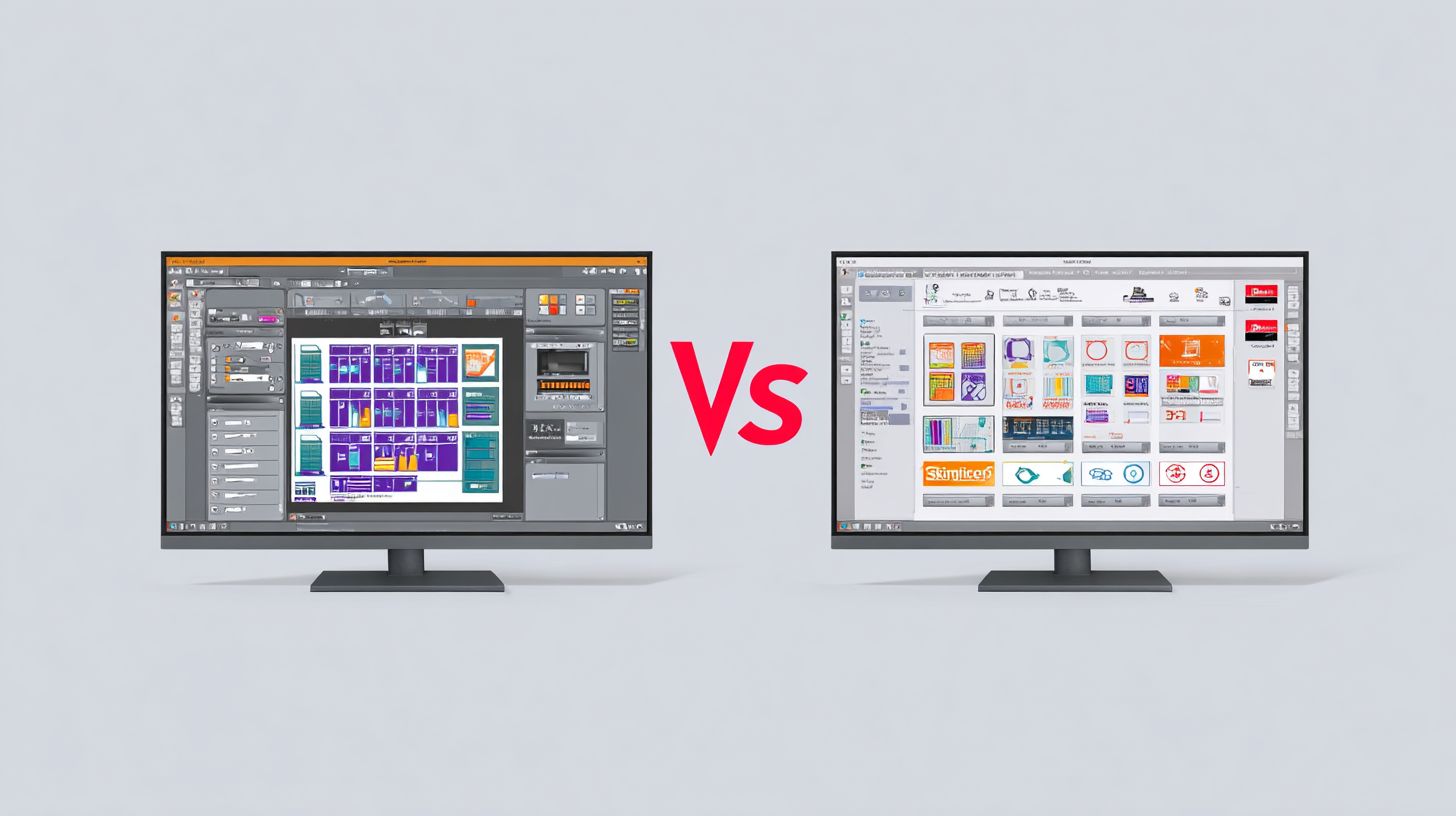
In a VinylMaster vs SignMaster Comparison, VinylMaster (from VinylMaster Software) stands out for its advanced vector design tools and production features tailored for professional sign makers and vinyl cutters, while SignMaster emphasizes user-friendly interfaces for beginners and mid-level users focusing on basic signage and print/cut workflows. This VinylMaster vs SignMaster Comparison highlights their strengths in contour cutting and RIP capabilities.
How do pricing models differ in a VinylMaster vs SignMaster Comparison?
A key aspect of VinylMaster vs SignMaster Comparison is cost: VinylMaster offers tiered editions like Ltr, Pro, and Designer with one-time purchase prices starting around $99 up to $2,500 for full suites, often with free upgrades. SignMaster, conversely, uses subscription models or perpetual licenses from $150-$1,000, making VinylMaster more appealing for long-term value in this VinylMaster vs SignMaster Comparison.
What are the hardware compatibility differences in VinylMaster vs SignMaster Comparison?
When conducting a VinylMaster vs SignMaster Comparison, VinylMaster supports a broader range of vinyl cutters (e.g., Roland, Graphtec, USCutter) with precise driver integration for ARMS contour cutting. SignMaster excels with budget cutters like USCutter and GCC but may lack depth for high-end machines, positioning VinylMaster as superior for diverse setups in VinylMaster vs SignMaster Comparison.
Which software wins in design tools for VinylMaster vs SignMaster Comparison?
In VinylMaster vs SignMaster Comparison, VinylMaster’s robust toolset-including RhinoART for photo vectorization, text-on-path, and 3D effects-outshines SignMaster’s simpler drawing tools and basic node editing, making VinylMaster ideal for complex sign designs in this VinylMaster vs SignMaster Comparison.
How do printing and cutting features stack up in VinylMaster vs SignMaster Comparison?
A VinylMaster vs SignMaster Comparison reveals VinylMaster’s superior RIP engine with color management, tiling, and multi-layer printing support, integrated seamlessly with cutting. SignMaster provides solid print-and-cut but struggles with advanced color accuracy, giving VinylMaster the edge for production efficiency in VinylMaster vs SignMaster Comparison.
What user support options are better in VinylMaster vs SignMaster Comparison?
For VinylMaster vs SignMaster Comparison, VinylMaster offers extensive video tutorials, lifetime support, and active forums via CuttingSoftwareSupport.com. SignMaster provides email/phone support but fewer resources, making VinylMaster more user-friendly for ongoing assistance in this VinylMaster vs SignMaster Comparison.
