
RIP Software
VinylMaster vs SignMaster Comparison
Mar
Choosing between VinylMaster and SignMaster can make or break your sign-making workflow. These powerhouse vinyl cutting software solutions give the power to professionals with precision design and production tools, but which delivers superior value?
Discover their target audiences, pricing models, core features like design and cut/print capabilities, user interfaces, compatibility, performance, and support in this head-to-head showdown.
Overview
VinylMaster and SignMaster are leading vinyl cutter software solutions designed for sign making, offering scalable features from hobbyist to professional workflows.
VinylMaster provides professional grade tools for high volume production. It excels in complex workflows like multi-layer cutting and job queuing. Commercial shops favor it for reliability in demanding environments.
In contrast, SignMaster stands out with accessible pricing and a gentle learning curve. It suits beginners and small operations needing quick setup for basic designs. This makes it ideal for entry-level vinyl graphics and decals.
VinylMaster positions itself for commercial shops, often discussed in industry forums as a go-to for pros. SignMaster appeals to hobbyists and small businesses, balancing cost with core features comparison like contour cutting and vector editing.
Software Purpose
Both software packages enable vector design creation, precise vinyl cutting, and print-and-cut workflows for signage, decals, apparel, and vehicle graphics.
For commercial signage, VinylMaster Pro manages extensive job queues and sequencing to avoid tangles. Users create store signage or banners with multi-color gradients and shadow modes. It supports high-speed production on Roland cutters and Graphtec cutters.
Custom apparel and HTV benefit from VinylMaster Ltr’s rhinestone templates and weeding optimization. Design t-shirt graphics or heat transfer vinyl with text tools and font managers. SignMaster handles simpler patterns effectively for small runs.
Print-and-cut decals use SignMaster v5 optical eye support for registration marks and ARMS alignment. Produce vehicle wraps or stickers with contour cutting, overcut options, and print cut alignment. Both offer file import for EPS support, PDF support, and SVG import.
Target Users
VinylMaster serves professional sign shops while SignMaster targets hobbyists and small businesses entering vinyl cutting.
Hobbyists start with SignMaster v4, praised in reviews for its beginner friendly interface and low cost. One user noted, “Perfect for my first cutter, easy to learn decals.” It includes cut preview and basic productivity tools.
Small shops upgrade to VinylMaster Ltr for enhanced vector editing and material settings. Forum quotes highlight, “Switched from SignMaster for better blade offset and speed control.” This tier supports USB connection and network cutters.
- Hobbyists: SignMaster v4 with simple text tools and shape library.
- Small shops: VinylMaster Ltr for distortion tools and batch processing.
- Commercial production: VinylMaster Pro with job queue, firmware update, and multi-layer cutting.
Users often follow progression paths, starting with SignMaster trials then moving to VinylMaster perpetual license for commercial use. Community forums share tutorials and upgrade advice.
Pricing Models
VinylMaster offers perpetual licenses starting at $299 while SignMaster provides both one-time purchases ($149-$499) and subscription options. This features comparison helps users choose based on budget and needs in vinyl cutter software. Small shops often prefer VinylMaster’s upfront cost for long-term savings.
SignMaster v4 suits hobbyists with its lower entry price, while v5 targets budget pros via monthly fees. Both include trial versions for testing contour cutting and print and cut features. Consider supported devices like Roland cutters and Graphtec cutters when evaluating.
Perpetual licenses avoid ongoing fees, ideal for commercial use in sign making software. Subscriptions bring cloud library access and updates. Weigh ease of use, vector editing, and workflow tools in this pricing decision.
| Tool | Initial Cost | Subscription | Trial | Best For |
|---|---|---|---|---|
| VinylMaster Ltr | $299 | None | 30-day | Small shops |
| SignMaster v4 | $149 | None | 14-day | Hobbyists |
| SignMaster v5 | $29/mo | Yes | 30-day | Budget pros |
Initial Cost
VinylMaster Cut starts at $299 for basic functionality, scaling to $1,495 for VinylMaster Pro with unlimited devices. SignMaster v4 Core begins at $149, with Pro at $299 and Ultimate at $499. These perpetual license prices cover desktop software for Windows compatible systems.
VinylMaster uses USB dongle activation for security, supporting multi-seat options in higher tiers. SignMaster offers similar one-time buys without dongles. Upgrade pricing ranges from $99 to $299, easing the path to pro features like rhinestone templates and sequencing.
For hobbyists, SignMaster v4 Core handles text tools and font manager basics. Professionals value VinylMaster Ltr or Pro for EPS support, PDF support, and SVG import. Test via trial versions to check compatibility with your vinyl graphics workflow.
- VinylMaster Cut: $299, basic cut preview and job queue.
- VinylMaster Ltr: $499, adds print cut alignment.
- VinylMaster Pro: $999, full vector editing and multi-layer cutting.
- VinylMaster Designer: $1,495, advanced 3D preview and batch processing.
Subscription Options
SignMaster v5 offers flexible subscriptions at $29/month or $289/year, including all updates and cloud features. VinylMaster has no subscriptions, relying on $99-$299 upgrade fees for new features. Both provide 30-day money-back guarantees for risk-free trials.
Over three years, SignMaster totals $1,044 with continuous access to bug fixes and stability improvements. VinylMaster Pro at $999 plus $300 in upgrades reaches $1,299. Subscriptions suit users needing frequent firmware updates and material settings for heat transfer vinyl or DTF printing.
VinylMaster’s lifetime license appeals to those avoiding annual fees, with strong customer support via tutorials. SignMaster subscriptions include cloud library for templates and project gallery. Choose based on your use, like tangles free cuts or overcut options.
- SignMaster v5: All updates, cloud access, lower upfront cost.
- VinylMaster: No recurring fees, USB dongle for portability.
- Both: 30-day trials, money-back options for testing performance.
Core Features
Both platforms provide professional vector design and precision cutting, with VinylMaster excelling in production workflows. VinylMaster offers advanced sequencing and tangle-free cutting, ideal for high-volume jobs. SignMaster focuses on accessible rhinestone and text tools for quicker setups.
VinylMaster Pro handles production capacity for large daily jobs, supporting complex multi-layer designs without interruptions. SignMaster v5 suits smaller shops with its straightforward interface and built-in templates. Users compare these in vinyl cutter software reviews for sign making efficiency.
Key differences include VinylMaster’s job queue and cut preview for optimized workflows, versus SignMaster’s origin reset and multi-color sequencing. Both support contour cutting on Roland and Graphtec cutters. Choose based on your needs for hobbyist or commercial use.
VinylMaster Cut and Ltr versions provide scalable options, while SignMaster v4 and v5 offer perpetual licenses. Integration with CorelDRAW and Adobe Illustrator enhances vector editing. This features comparison helps evaluate ease of use and performance.
Design Tools
VinylMaster Pro includes 500+ rhinestone templates and advanced font manager while SignMaster v5 offers distortion tools and 3D preview. These tools streamline sign design and vinyl graphics creation. Compare them for your vector editing needs.
| Feature | VinylMaster | SignMaster |
|---|---|---|
| Font Manager | Advanced | Basic |
| Rhinestone Templates | 500+ | 200+ |
| Vector Distortion | Pro only | All versions |
| 3D Preview | Yes | Yes |
For a layered business logo workflow, start with text tools to add the company name. Apply rhinestone templates for sparkle effects, then create a shadow mode layer. Export as EPS or SVG for compatibility.
VinylMaster’s template library speeds up heat transfer vinyl projects. SignMaster’s distortion tools help warp shapes creatively. Both support PDF import and shape libraries for professional grade designs.
Cut & Print Capabilities
VinylMaster supports ARMS contour cutting on Roland and Graphtec while SignMaster v5 features optical eye with xedge detection. These ensure precise cuts for multi-layer designs. Vinyl cutter software users praise their reliability.
VinylMaster provides auto tangles, overcut, and 0.25-2.0mm blade offset settings. Adjust speed control and downforce for various vinyl types. SignMaster offers multi-color sequencing and origin reset for efficient jobs.
Print-cut workflow follows these steps:
- Print with registration marks.
- Load vinyl into the cutter.
- Auto-align using optical eye.
- Precision cut within 0.01″ accuracy.
This process works with DTF printing and supported devices via USB or network.
Weeding optimization and batch processing boost productivity. VinylMaster Pro excels in tangle-free sequencing for large runs. SignMaster suits beginners with simple material settings and firmware updates.
User Interface
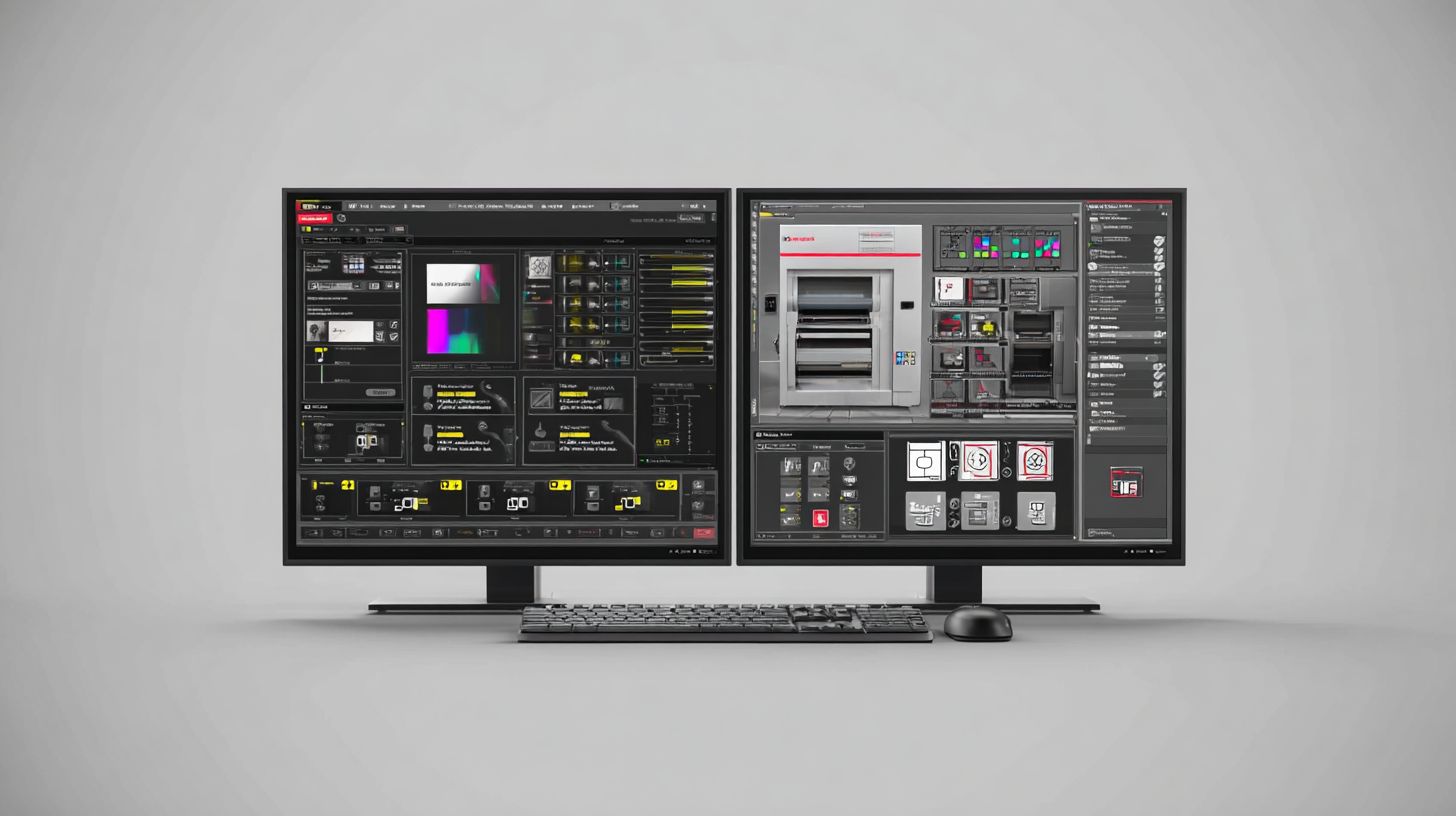
SignMaster offers a modern, intuitive interface for beginners while VinylMaster provides pro-level workspace customization. SignMaster uses a tabbed ribbon interface that groups tools logically, making it easy to find features like vector editing and text tools. VinylMaster relies on customizable multi-monitor panels, ideal for complex workflows in sign making software.
Users praise SignMaster’s ease of use, with ratings around 4.7/5 on platforms like Capterra for its clean layout. Beginners can quickly access contour cutting options and file import tools for EPS support and PDF support. VinylMaster’s flexible panels suit professionals handling multi-layer cutting and sequencing on Roland cutters or Graphtec cutters.
In this features comparison, SignMaster v5 shines for hobbyists with its straightforward navigation. VinylMaster Pro offers advanced productivity tools like job queue and cut preview, but requires setup time. Choose based on your needs in vinyl cutter software, from simple vinyl graphics to commercial print and cut projects.
Both support Windows compatible desktops with vector graphics editing, but SignMaster feels more beginner friendly. VinylMaster’s design aids professional grade tasks like rhinestone templates and tangles free paths. Test trial versions to see the interface in action for your workflow.
Learning Curve
SignMaster v5 achieves basic proficiency in 2-4 hours while VinylMaster Pro requires 20+ hours for advanced production features. New users master basic cuts in SignMaster after about 2 hours, moving to print-cut in 10 hours. VinylMaster takes 4 hours for basics and 20 hours for sequencing and ARMS.
SignMaster provides over 50 YouTube tutorials covering text tools, font manager, and material settings. Complete a simple decal as your first project in 15 minutes using its intuitive steps. VinylMaster offers official training videos and forum guides for blade offset, speed control, and downforce adjustments.
For vinyl cutter software beginners, SignMaster’s resources speed up learning contour cutting and registration marks. Professionals appreciate VinylMaster’s depth in weeding optimization and multi-color overcut options. Practice with demo files to build skills in sign design and heat transfer vinyl projects.
Both include user manuals and project galleries, but SignMaster’s community forums offer quick tips for USB connection and origin reset. VinylMaster’s upgrade path includes version history notes on new features like shadow mode. Start with basics to gain confidence before tackling batch processing or 3D preview.
Compatibility
Both support major cutters including Roland, Graphtec, and USCutter with VinylMaster offering broader legacy device compatibility. These vinyl cutter software options focus on Windows 10/11 primary support. VinylMaster handles 100+ cutters via USB/serial, while SignMaster provides plug-and-play for modern cutters.
Users benefit from reliable connections in sign making workflows. For instance, connect a Roland GS-24 directly without extra drivers in both programs. This setup ensures smooth operation for vinyl graphics and heat transfer vinyl projects.
Consider your hardware setup during the features comparison. VinylMaster excels with older serial port devices, ideal for hobbyists upgrading equipment. SignMaster suits newer network cutters, streamlining commercial use with Ethernet options.
Check cutter firmware updates for best results. Both offer tools like blade offset and speed control to match vinyl types. This compatibility reduces tangles and boosts productivity in contour cutting tasks.
Hardware Support
VinylMaster Cut supports 87 cutter models including Roland GS-24, Graphtec FC9000; SignMaster v5 handles 65+ including USCutter MH Series. This makes VinylMaster a strong choice for diverse supported devices. SignMaster focuses on current models with easy USB plug-and-play.
| Brand | VinylMaster | SignMaster |
|---|---|---|
| Roland | 15 models | 12 models |
| Graphtec | 18 models | 14 models |
| USCutter | 20 models | 18 models |
Connection types include USB 2.0, serial, Ethernet, and wireless for Graphtec only. VinylMaster Pro and Ltr versions shine with legacy serial ports for older Roland cutters. SignMaster v4 and v5 prioritize USB and network for Graphtec with ARMS optical eye.
Practical tip: Test USB connection stability for long jobs like multi-layer cutting. Use origin reset and overcut options to avoid issues. This hardware support aids weeding optimization and print cut alignment.
File Formats
Both import EPS, SVG, PDF with VinylMaster adding native CorelDRAW X8 integration and AI files. Native formats are VM for VinylMaster and SMD for SignMaster. This flexibility supports vector editing in sign design workflows.
Common import options cover EPS8/10, SVG 1.1, PDF 1.7, PLT, DXF. Export to EPS, SVG, PDF, PNG for sharing cut-ready files. Workflow example: Open Adobe Illustrator, save as EPS, import into software, auto-trace vectors, then queue for cutting.
- Import designs from various sources for quick edits.
- Use text tools and font manager for custom vinyl graphics.
- Apply rhinestone templates or sequencing for tangle-free paths.
VinylMaster’s CorelDRAW link speeds professional grade tasks like DTF printing prep. SignMaster handles SVG import well for hobbyist projects. Preview cuts with job queue to check material settings and downforce.
Performance & Support
VinylMaster Pro processes 1,000-node designs in under 2 seconds. SignMaster v5 handles 500 nodes optimally on 8GB RAM systems. Users notice smoother operation in VinylMaster Pro during complex sign making software tasks.
Key performance specs highlight differences in resource handling. VinylMaster Pro supports higher demands for vinyl cutter software workflows. SignMaster v5 suits lighter loads but may slow on intricate jobs.
| Metric | VinylMaster Pro | SignMaster v5 |
|---|---|---|
| RAM Req. | 8GB | 4GB |
| Max Nodes | 50K | 25K |
| Cut Preview Speed | 1.8s | 2.4s |
Customer support varies by software. VinylMaster offers email and phone from 9-6 EST. SignMaster provides 24/7 chat plus forums for quick help.
VinylMaster’s community exceeds 15K forum users, aiding troubleshooting. SignMaster relies on active forums for user tips. Choose based on your workflow needs in contour cutting or print and cut.
Performance Benchmarks
VinylMaster Pro excels in high-node processing for detailed vector editing. It manages 50K nodes without lag, ideal for commercial sign design. SignMaster v5 works well up to 25K nodes on basic setups.
During cut preview, VinylMaster Pro finishes in 1.8 seconds. This speed boosts productivity in batch processing for heat transfer vinyl. SignMaster v5 takes 2.4 seconds, fine for hobbyists.
RAM needs differ: VinylMaster Pro requires 8GB for stability. SignMaster v5 runs on 4GB, easing entry for beginner friendly users. Test with your hardware for resource usage.
Practical tip: Use VinylMaster Pro for multi-layer cutting jobs. It handles sequencing and tangle-free paths better under load.
Customer Support Options
VinylMaster support includes email and telephone during 9-6 EST hours. Response times help with firmware updates or blade offset issues. It’s direct for pro users.
SignMaster offers 24/7 chat and forums for instant aid. This suits urgent job queue fixes or origin reset problems. Forums connect users globally.
Both provide video tutorials and manuals. VinylMaster focuses on structured guides. SignMaster emphasizes community-driven solutions.
Community and Resources
VinylMaster boasts over 15K forum users sharing project gallery tips. Discuss Roland cutters or Graphtec compatibility here. It’s great for advanced workflows.
SignMaster forums support 24/7 discussions on text tools or rhinestone templates. New users find quick answers on learning curve topics. Both build strong networks.
Access template libraries and shape tools via communities. VinylMaster users trade custom material settings. SignMaster highlights user mods for speed control.
Expert advice: Join forums early for weeding optimization insights. They reveal real-world pros and cons beyond official docs.
Frequently Asked Questions
What is the main focus of VinylMaster vs SignMaster Comparison?
VinylMaster vs SignMaster Comparison highlights the key differences between these two popular sign-making software options, helping users decide which tool best suits their vinyl cutting and design needs.
How does VinylMaster compare to SignMaster in terms of features?
In VinylMaster vs SignMaster Comparison, VinylMaster stands out with advanced vector tools and seamless cutter integration, while SignMaster offers user-friendly interfaces ideal for beginners.
Which software wins in pricing according to VinylMaster vs SignMaster Comparison?
The VinylMaster vs SignMaster Comparison reveals that SignMaster often has more affordable entry-level pricing, but VinylMaster provides better value for professional-grade features over time.
What are the hardware compatibility differences in VinylMaster vs SignMaster Comparison?
VinylMaster vs SignMaster Comparison shows VinylMaster supporting a wider range of vinyl cutters from brands like Roland and Graphtec, whereas SignMaster excels with budget-friendly machines.
Is VinylMaster or SignMaster better for beginners in the VinylMaster vs SignMaster Comparison?
According to VinylMaster vs SignMaster Comparison, SignMaster is generally recommended for beginners due to its simpler learning curve, while VinylMaster suits experienced users seeking pro-level control.
What do user reviews say in the VinylMaster vs SignMaster Comparison?
User feedback in the VinylMaster vs SignMaster Comparison praises VinylMaster for its precision and customization, but notes SignMaster’s edge in ease of use and quick setup for small businesses.
