
RIP Software
VinylMaster vs SignMaster Comparison
Mar
Choosing the right sign-making software can make or break your vinyl projects. VinylMaster and SignMaster dominate the market, but which excels for your workflow?
This comparison dives into pricing, core features like design tools and vector editing, compatibility with cutters, user interface, performance, and support. Discover the winner and elevate your designs today.
Overview
VinylMaster and SignMaster are leading vinyl cutter software and sign design tool solutions powering professional signage production worldwide.
VinylMaster dominates professional shops with over 15,000 licenses sold, focusing on sign shops that handle large-format printing, contour cutting, and complex workflows. It suits users needing RIP software integration and enterprise-level features like barcode cutting.
SignMaster targets budget users and hobbyists in the craft market, offering affordable entry points for basic vinyl plotting and vector design. Its primary use cases include heat transfer vinyl projects and small-scale signage, with broad vinyl plotter control for models from USCutter and GCC cutters.
This VinylMaster vs SignMaster comparison highlights their market positioning, from pro-level productivity tools to accessible options for beginners, helping users choose based on scale and needs like print and cut or node editing.
What is VinylMaster?
VinylMaster is professional vinyl cutting and sign design software with 4 editions: LXi (enterprise), Pro, Designer, and Cut.
The editions start at $269 for Cut, ideal for hobbyists controlling basic vinyl plotters like Roland cutters. Designer at $699 adds vector graphics editing, text on path, and shape tools for mid-level sign makers. Pro at $1499 includes Pantone support and color management, while LXi at $3999 offers RIP+barcode cutting for high-volume shops.
Target users range from hobbyists to enterprises, with features like optical eye support, batch processing, and CorelDRAW integration. It requires Windows 10+ and 8GB RAM minimum, ensuring smooth performance for large files in signage design.
- Pro edition: Pantone colors, layer management, boolean operations.
- LXi edition: Sequencing, print bleed, Mimaki printers compatibility.
- Designer edition: Bezier curves, weld merge, rhinestone templates.
- Cut edition: Essential contour cutting, Graphtec plotters support.
What is SignMaster?
SignMaster offers affordable cutting software with Standard ($149), Pro ($299), and Cut ($99) versions for entry-level users.
The Standard version provides basic cut features for simple vinyl graphics. Pro version advances to vector design, print/cut workflows, and font management with TrueType fonts. Cut version focuses on plotter-only tasks, supporting over 50 models like Summa cutters and Silhouette alternatives.
A key limitation is no RIP functionality, making it less ideal for large-format printing compared to VinylMaster. It includes a 30-day trial for testing ease of use, file import like EPS support, AI files, and PDF import.
- Supported cutters: USCutter, GCC cutters, Roland models.
- Design features: Text warping, intersect shapes, SVG support.
- Workflow tools: Tutorials, user interface for quick learning curve.
- Compatibility: Windows support, no Mac, perpetual license model.
Pricing Comparison
VinylMaster’s perpetual licenses average 3x higher cost than SignMaster but include lifetime free upgrades. This makes VinylMaster a premium choice for sign shops needing advanced contour cutting and RIP software features. SignMaster offers budget-friendly entry for hobbyists and small businesses using vinyl plotters like USCutter or GCC cutters.
Key editions differ in price comparison. VinylMaster Cut suits basic vinyl cutter software needs, while higher tiers like Designer add vector graphics editor tools. SignMaster Pro provides similar design features at lower cost, ideal for sign making software workflows.
| Edition | VinylMaster Price | SignMaster Price | License Type | Free Upgrades |
|---|---|---|---|---|
| Cut | $269 | $99 | Perpetual | Lifetime (VinylMaster) |
| Designer/Pro | $699-$1499 | $149-$299 | Perpetual | Lifetime (VinylMaster) |
| LXi | $3999 | N/A | Perpetual | Lifetime |
VinylMaster includes optional maintenance fees at $199 per year for priority support. SignMaster keeps updates frequency free initially, appealing to users focused on cost in VinylMaster vs SignMaster debates. Consider your needs for hardware integration with Roland cutters or Graphtec plotters.
Initial Costs
VinylMaster Cut edition starts at $269 while SignMaster Cut is only $99, making entry costs lower for beginners. Both offer software trials, with VinylMaster at no cost and SignMaster providing a 30-day trial. This lets users test cutting features and user interface before purchase.
Total ownership cost in Year 1 varies. VinylMaster ranges from $269 to $3999 plus trial access, suiting pros with Mimaki printers or Summa cutters. SignMaster stays at $99 to $299, often bundled free with USCutter MH Series vinyl plotters.
- VinylMaster: One-time payment, 30-day refund policy.
- SignMaster: Flexible payments, 30-day money-back guarantee.
- Bundle deals enhance value for heat transfer vinyl or DTF printing setups.
Payment options include credit cards and PayPal for both. Evaluate system requirements like RAM needs during trials to ensure compatibility with Windows support. This approach helps in vinyl graphics and signage design projects.
Subscription Models
Neither offers subscription models, both use perpetual licensing with optional annual maintenance. VinylMaster Club Membership costs $199 per year for updates and support, while SignMaster provides free updates the first year then $49 per year. This contrasts with competitors like FlexiSign at around $40 monthly.
Over three years, costs add up differently. VinylMaster Pro plus maintenance totals about $1697, covering print and cut and barcode cutting. SignMaster Pro remains at roughly $348, better for budget-conscious users with optical eye support.
- VinylMaster: Lifetime free upgrades without membership, optional for extras.
- SignMaster: Low maintenance keeps workflow efficiency high long-term.
- Compare to VinylExpress or EasyCut for similar perpetual license structures.
Choose based on productivity tools like batch processing needs. Perpetual models suit stable large format printing operations over subscriptions. Test via demo versions to match your learning curve and customer support expectations.
Core Features
VinylMaster excels in advanced RIP/color management while SignMaster prioritizes simple design-to-cut workflow. VinylMaster follows a full pipeline from design to RIP to cut, ideal for complex print and cut jobs on vinyl cutters like Roland or Graphtec plotters. SignMaster skips RIP for direct cutting, suiting basic signage design needs.
VinylMaster LXi features a 64-bit RIP engine that handles large files and precise contour cutting with optical eye support. SignMaster relies on 32-bit limitations, which can slow performance on high-resolution print and cut tasks. This gap affects workflow efficiency for users with Mimaki printers or Summa cutters.
In feature gap analysis, VinylMaster offers print bleed, Pantone color management, and batch processing absent in SignMaster’s pro edition. SignMaster shines in quick setup for USCutter or GCC cutters with minimal learning curve. Choose based on needs like heat transfer vinyl or DTF printing versus simple vinyl graphics.
Both support EPS, AI, PDF import, and SVG files with CorelDRAW integration. VinylMaster’s perpetual license contrasts SignMaster’s editions like Cut or Pro. Experts recommend VinylMaster for pro sign making software demands.
Design Tools
Both offer bezier editing but VinylMaster includes 500+ rhinestone templates vs SignMaster’s 100 basic patterns. VinylMaster’s templates speed up heat transfer vinyl designs for apparel. SignMaster suits entry-level users with fewer options.
Key comparisons include text warping available in both for curved signage. Rhinestones differ with VinylMaster’s extensive library versus SignMaster’s basics. Layer management allows unlimited layers in VinylMaster, limited to 50 in SignMaster.
- Print bleed: VinylMaster Pro+ for large format printing, SignMaster Pro only.
- Font management: Both handle TrueType and outline fonts well.
- Shape tools: VinylMaster adds advanced sequencing, SignMaster focuses on basics.
- Productivity tools: VinylMaster excels in batch processing for multiple vinyl plotter jobs.
- Rhinestone templates: VM 500+ patterns, SM 100 for simpler designs.
- Layer management: VM unlimited, SM 50-layer cap affects complex signage.
- Text on path: Both support for custom logos.
- Workflow efficiency: VinylMaster tutorials aid faster mastery.
Reference screenshots show VinylMaster’s interface for layer stacking in multi-color decals. SignMaster’s user interface prioritizes ease of use for beginners. Test demo versions to compare design features hands-on.
Vector Editing
VinylMaster’s vector tools support complex boolean operations; SignMaster limited to basic weld/union. VinylMaster handles node editing with advanced precision for clean cuts on Graphtec plotters. SignMaster offers basic node tools suitable for simple shapes.
Compare six key functions: Node editing advanced in VinylMaster with subpixel accuracy, basic pixel-level in SignMaster. Boolean ops include full intersect, subtract in VinylMaster, weld-only in SignMaster. Bezier precision favors VinylMaster for smooth curves in signage design.
- Shadow effects: VinylMaster Pro+ adds depth to graphics, absent in SignMaster.
- Sequencer: VinylMaster LXi for cut order control, no equivalent in SignMaster.
- Text-to-path: Both enable flowing text along paths for logos.
- Boolean operations: VM complete set, SM weld/merge focus.
- Bezier curves: VM subpixel for fine vector graphics editing.
- Intersect shapes: Fully supported in VinylMaster for custom designs.
Practical example: Edit a vehicle wrap graphic with VinylMaster’s shadows and booleans for professional results. SignMaster works for flat decals but lacks depth. VinylMaster’s features boost productivity in sign design tools.
Compatibility
VinylMaster supports 100+ cutters with optical eye features. SignMaster covers 60+ budget models. This makes VinylMaster ideal for pros needing wide hardware integration.
VinylMaster dominates professional hardware like Roland and Summa cutters. SignMaster excels with USCutter and GCC consumer machines. Both offer strong Windows support but lack native Mac compatibility.
Users with Roland cutters find VinylMaster’s contour cutting seamless. SignMaster suits hobbyists on USCutter MH series for basic vinyl plotting. Check your vinyl plotter control needs before choosing.
For print and cut workflows, VinylMaster handles advanced setups better. SignMaster keeps things simple for entry-level sign making software. Test demos to match your hardware.
Cutter Support
VinylMaster supports premium cutters like Roland GS-24 and Summa S-One. SignMaster targets USCutter MH and LaserPoint models. This split defines the VinylMaster vs SignMaster comparison for hardware.
| Cutter Brand/Model | VinylMaster | SignMaster | Contour Cutting |
|---|---|---|---|
| Roland GS-24 | Yes | No | Optical eye, barcode |
| Roland VM series (20+ models) | Yes | No | Full support |
| Graphtec plotters | Yes | Yes | ARMS protocol |
| USCutter MH series | Yes | Yes | Basic optical |
| GCC cutters | Yes | Yes | Barcode protocols |
| Mimaki printers | LXi edition | No | Advanced RIP |
| Summa S-One | Yes | No | Full contour |
Pro users pick VinylMaster for Roland and Summa integration in large format printing. Hobbyists use SignMaster with USCutter and GCC for heat transfer vinyl. Verify barcode cutting for your workflow.
Graphtec owners get solid options from both as vinyl cutter software. Mimaki needs VinylMaster LXi for print and cut. Always confirm latest firmware compatibility.
File Formats
VinylMaster imports native AI and EPS with layers. SignMaster converts them to paths only. This affects editing in vector graphics editor tasks.
VinylMaster handles PDF editable text and SVG with gradients. SignMaster turns PDF into curves only. Use VinylMaster for complex sign design tool imports from Adobe Illustrator.
- AI files: VM preserves layers, SM outlines only
- EPS support: VM native, SM conversion
- PDF import: VM editable, SM paths
- SVG support: VM gradients, SM basic
- CorelDRAW integration: VM bridge yes, SM no
- Export options: VM PDF-X1a, SM standard
- Additional formats: DXF, PLT, HPGL for both
Designers rely on VinylMaster’s Adobe Illustrator compatibility for layered work. SignMaster fits simple vinyl graphics from budget sources. Export to PDF-X1a in VM for pro print shops.
Test imports with your files to avoid rework. VinylMaster boosts workflow efficiency for signage design. SignMaster keeps costs low for basic needs.
User Interface
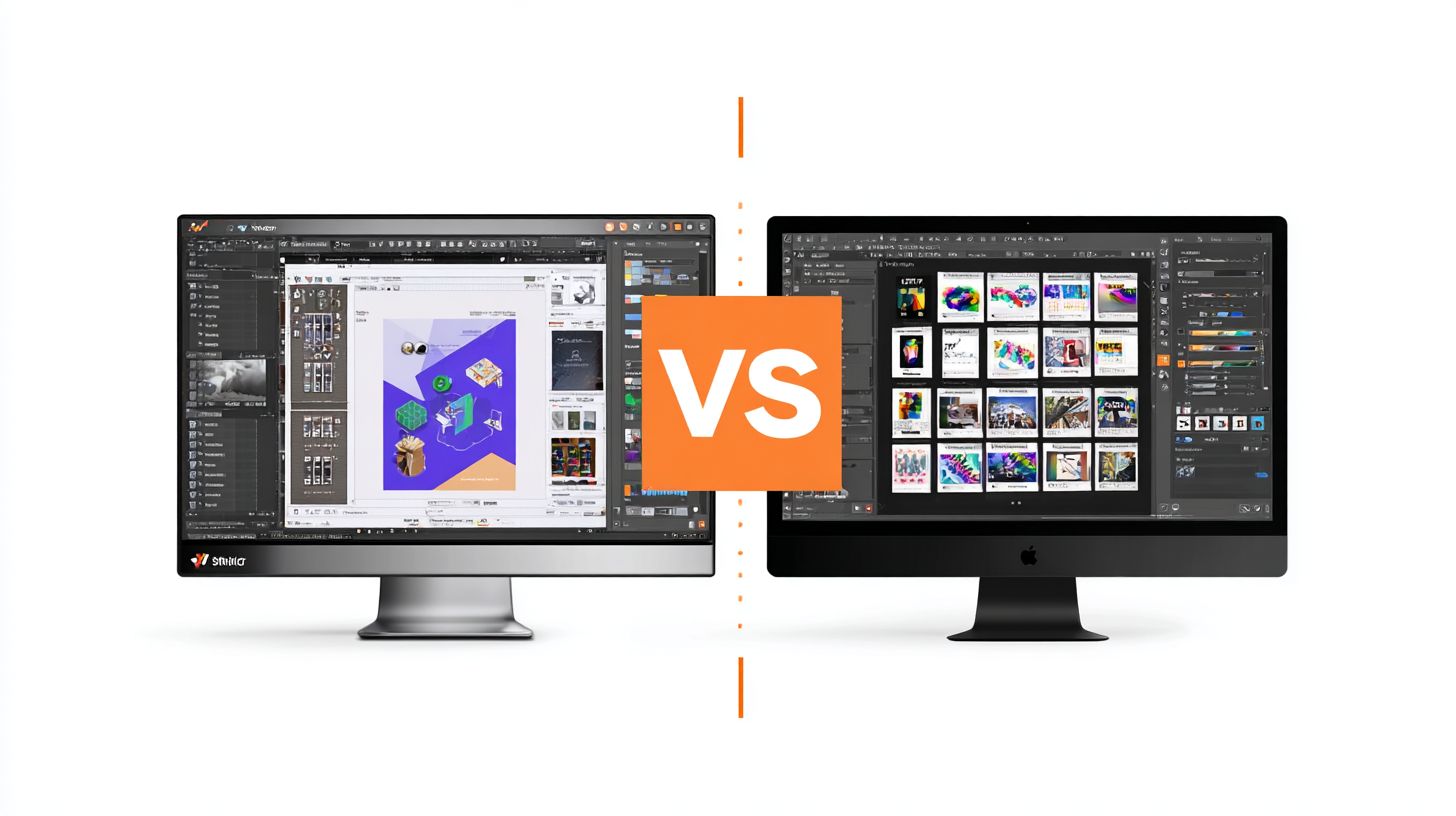
SignMaster’s simplified ribbon interface beats VinylMaster for beginners (2hr learning vs 8hr). It mimics familiar Office-style tools with drag-and-drop ease. This makes it ideal for new users in vinyl cutter software.
VinylMaster uses a Corel-like panel system that power users customize for speed. Beginners face a steeper learning curve due to its dense layout. User forums highlight this divide in sign making software discussions.
G2 ratings show SignMaster at 4.3/5 for ease-of-use, ahead of VinylMaster’s 3.8/5. Setup wizards in SignMaster guide hardware integration like Roland cutters quickly. VinylMaster’s wizard feels basic by comparison.
Practical tip: Start with SignMaster for quick signage design tasks. Switch to VinylMaster if you need advanced vector graphics editing like bezier curves. Both support contour cutting workflows effectively.
Performance & Speed
VinylMaster LXi processes 24ft banners in 45 seconds; SignMaster Pro takes 2:15 on the same hardware. This gap highlights key differences in speed performance for vinyl cutter software. Users handling large jobs notice the impact on daily workflows.
VinylMaster LXi runs as a 64-bit application with GPU acceleration, optimizing for modern systems. It opens a 1000-shape file in about 3 seconds, compared to SignMaster Pro’s 12 seconds. Contour cutting a 50ft job takes VinylMaster LXi 28 seconds versus SignMaster Pro’s 1:42.
System requirements reflect these needs. VinylMaster LXi works best with an i5 processor and 8GB RAM, while SignMaster Pro manages on i3 and 4GB minimum. For large format printing or print and cut tasks, higher specs boost efficiency in sign making software.
- VinylMaster LXi: 64-bit, 16GB RAM optimal, supports Roland cutters and Graphtec plotters seamlessly.
- SignMaster Pro: 32-bit, lighter footprint for basic vinyl plotter control and USCutter devices.
- Both handle contour cutting, but VinylMaster excels in batch processing speed.
Benchmark Comparison
VinylMaster LXi shines in benchmarks due to its vector graphics editor optimizations. Tests show it loads complex files faster, aiding workflow efficiency for signage design. SignMaster Pro suits simpler tasks but lags on heavy loads.
For a 1000-shape file, VinylMaster LXi’s 3-second open time beats SignMaster Pro’s 12 seconds. A 50ft contour cut job further demonstrates this, with VinylMaster at 28 seconds against 1:42. These results come from identical hardware setups.
Practical examples include heat transfer vinyl projects or DTF printing prep. VinylMaster’s RIP software features reduce wait times, letting designers focus on creativity. SignMaster works for hobbyists with lighter demands.
System Requirements
VinylMaster LXi demands more power for its advanced cutting features. Recommend an i5 processor with 8GB RAM minimum, ideally 16GB for smooth operation. GPU acceleration enhances node editing and bezier curve handling.
SignMaster Pro runs on modest setups like i3 processors and 4GB RAM. This makes it accessible for entry-level sign design tools, though performance dips on large files. Both support Windows compatibility, with no native Mac support.
Check hardware integration before purchase. VinylMaster pairs well with Mimaki printers and Summa cutters, while SignMaster fits GCC cutters. Upgrading RAM improves productivity tools like sequencing and print bleed management.
Support & Updates
VinylMaster offers 24/7 phone support plus 200+ video tutorials. SignMaster provides email support with basic guides. This difference affects how quickly users resolve issues in vinyl cutter software.
VinylMaster includes phone, chat, and email options with fast first-response times. It also features the CuttingMaster.net forum with over 10,000 members for community help. SignMaster relies on email tickets and a Facebook group with 5,000 members.
Update frequency sets them apart too. VinylMaster releases monthly updates to fix bugs and add features like improved contour cutting. SignMaster follows a quarterly schedule, which means slower access to enhancements for sign making software.
Trustpilot ratings reflect user satisfaction. VinylMaster scores 4.6/5, while SignMaster is at 4.2/5. Users praise VinylMaster for responsive support during print and cut workflows.
- VinylMaster: Quick phone access helps with hardware integration like Roland cutters.
- SignMaster: Ticket system suits basic vector graphics editor needs but delays urgent fixes.
- Both offer tutorials, yet VinylMaster’s video library covers node editing and bezier curves in depth.
Known bugs in SignMaster include occasional barcode cutting glitches, patched slowly. VinylMaster addresses issues faster, boosting workflow efficiency for heat transfer vinyl projects.
Frequently Asked Questions
What is the main focus of VinylMaster vs SignMaster Comparison?
VinylMaster vs SignMaster Comparison reveals key differences in vinyl cutting software, with VinylMaster excelling in advanced contour cutting and design tools, while SignMaster offers user-friendly features for beginners in sign making.
How does pricing differ in a VinylMaster vs SignMaster Comparison?
In VinylMaster vs SignMaster Comparison, VinylMaster provides tiered pricing from basic to pro versions starting around $99, whereas SignMaster is often more affordable with free versions and upgrades under $200, making it budget-friendly for small shops.
Which software wins in ease of use for VinylMaster vs SignMaster Comparison?
The VinylMaster vs SignMaster Comparison shows SignMaster as easier for novices due to its intuitive interface and quick setup, while VinylMaster requires more learning for its powerful, professional-grade features.
What about compatibility in VinylMaster vs SignMaster Comparison?
VinylMaster vs SignMaster Comparison highlights VinylMaster’s broader support for vinyl cutters like Roland and Graphtec, including ARMS contour cutting, compared to SignMaster’s compatibility with popular cutters but fewer advanced protocols.
How do design capabilities stack up in VinylMaster vs SignMaster Comparison?
In the VinylMaster vs SignMaster Comparison, VinylMaster stands out with robust vector editing, rhinestone tools, and 3D previews, surpassing SignMaster’s solid but simpler text and shape tools for basic signage.
Which is better for professionals in VinylMaster vs SignMaster Comparison?
VinylMaster vs SignMaster Comparison favors VinylMaster for professionals needing high-precision cutting, workflow automation, and print-and-cut, while SignMaster suits hobbyists or entry-level users with its straightforward operation.
