
RIP Software
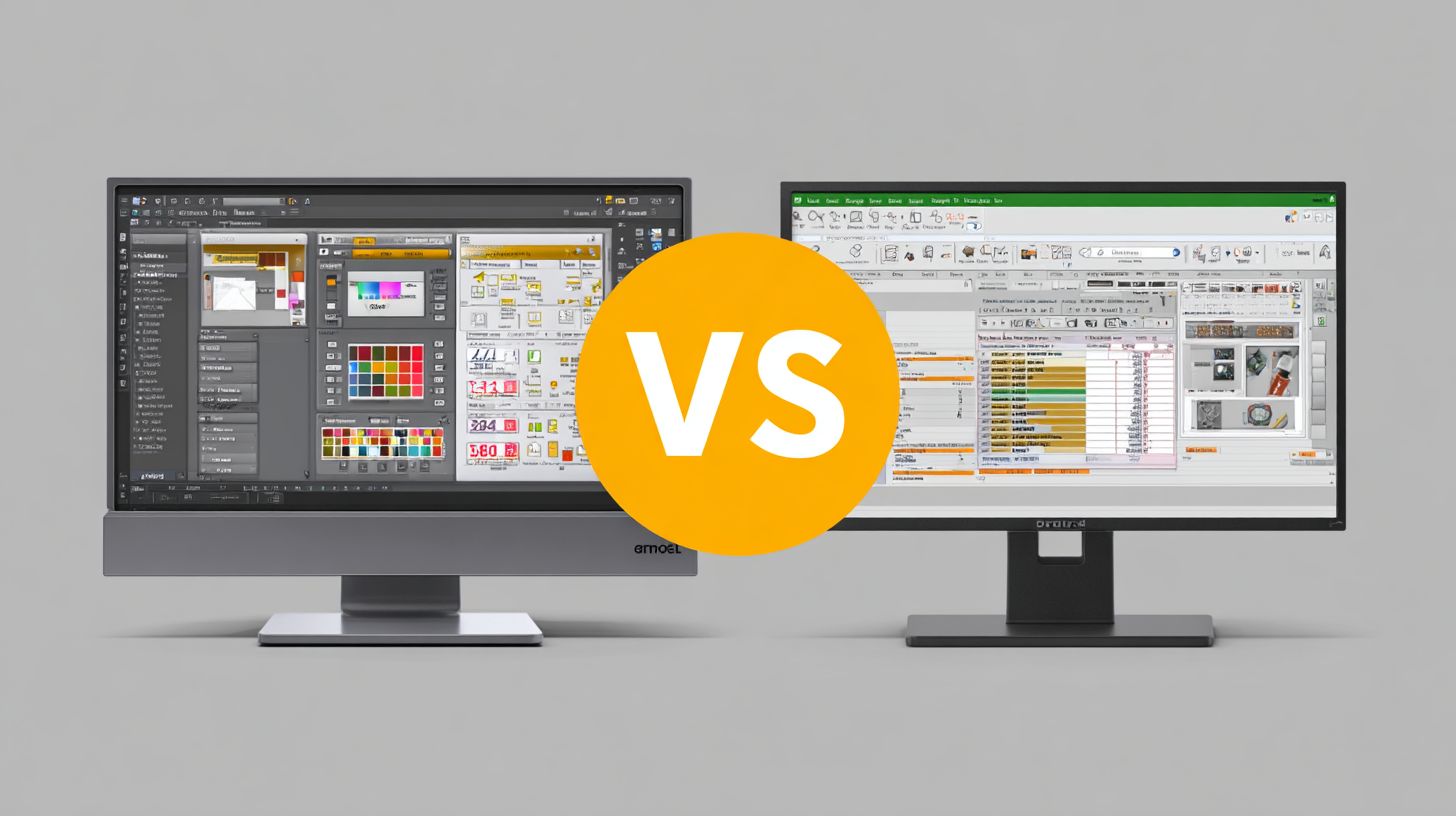
VinylMaster vs FlexiSIGN
Mar
In the competitive arena of sign-making software, VinylMaster and FlexiSIGN dominate, each promising streamlined workflows for vinyl cutters and printers. Why does choosing the right one matter? This comparison dives into key features, pricing models, user interfaces, core tools like vector design and print & cut, hardware compatibility, performance, and support-revealing the clear winner for your needs.
Overview
VinylMaster and FlexiSIGN lead the vinyl cutting software market. They power many professional sign shops. VinylMaster suits small shops with affordable tools, while FlexiSIGN targets enterprise users needing advanced production scale.
VinylMaster excels in native cutter support for devices like Roland and Graphtec plotters. FlexiSIGN focuses on RIP software for large format printing and job queuing. Both handle contour cutting and vector graphics well.
Choose VinylMaster for sign making in smaller operations with features like ARMS optical eye. Opt for FlexiSIGN in high-volume settings with cloud integration. The sections below break down their key features for detailed comparison.
Users praise VinylMaster’s beginner-friendly interface for vinyl plotter setups. FlexiSIGN offers robust production manager tools for teams. This guide helps match software to your workflow needs.
VinylMaster Key Features
VinylMaster offers 5 editions (Ltr, Pro, DSR, Cut, Designer) with standout features like ARMS 5.0 optical eye for perfect print-and-cut registration. This system uses registration marks for precise alignment on vinyl cutters.
Key strengths include multi-layer weeding lines that simplify laminate cutting. Hot folder automation speeds up batch processing for sign production.
- ARMS contour cutting ensures accurate print and cut alignment with optical eye technology.
- Rhinestone template library with hundreds of designs for quick heat transfer vinyl projects.
- Multi-layer weeding lines for clean cuts on complex layered designs.
- Barcode recognition automates job starts on supported vinyl plotters.
- 64-bit processing handles large files smoothly with multi-core support.
- Hot folder automation processes files without opening the software.
- Pantone color matching maintains consistent colors across print and cut.
- Tiling and paneling for large banners on Roland cutters and others.
VinylMaster processes high volumes efficiently, ideal for signage production. For example, it supports EPS support and PDF handling for seamless file import from design tools.
FlexiSIGN Key Features
FlexiSIGN’s RIP engine manages complex workflows, while FlexiProduce queues jobs with nesting for material savings. It suits enterprise sign shops with heavy printing demands.
The ecosystem includes FlexiCloud remote management for team access. Production Manager tracks jobs from design to output on Mimaki cutters or Summa devices.
- FlexiProduce RIP for enterprise-level printing and cutting integration.
- FlexiCloud enables remote management across multiple locations.
- Production Manager for job tracking and workflow automation.
- Unlimited cut layers handle intricate multi-tool support designs.
- GPU-accelerated preview speeds up simulation cut views.
- Hot folder scripting customizes batch processing rules.
- EFi Fiery integration optimizes digital printing outputs.
- Scalable RIP licenses for high-volume production environments.
FlexiSIGN shines in job queuing and nesting optimization, reducing waste on vinyl rolls. Practical for large format printing, it offers layer management and color management for professional results.
Pricing Comparison
VinylMaster Ltr costs $149 one-time vs FlexiSIGN Pro’s $2,495 + $795/year maintenance, affecting 3-year ROI by 40%.
Businesses in sign making and vinyl cutting often prioritize total cost of ownership over three years. VinylMaster’s perpetual license avoids recurring fees, while FlexiSIGN requires ongoing payments for updates and support. This difference impacts budgeting for vinyl plotter users handling contour cutting and print and cut jobs.
Upgrade paths matter for growth. VinylMaster offers clear steps from Ltr to Pro or DSR editions with volume discounts. FlexiSIGN’s tiers, like Pro to Produce, add maintenance costs that accumulate quickly in signage production.
Consider real-world use, such as cutting heat transfer vinyl (HTV) for apparel. Lower upfront costs with VinylMaster free software updates improve cash flow for small shops using Roland or Graphtec cutters. Detailed breakdowns follow, including upgrade analysis for long-term planning.
Initial Costs
VinylMaster Ltr ($149) vs FlexiSIGN 10 ($995) shows 85% lower entry cost for beginners cutting <500 designs/year.
Entry-level users benefit from VinylMaster’s affordable start in vinyl cutting software. The Ltr edition handles basic registration marks and cutter drivers for USCutter or GCC plotters without extra hardware. FlexiSIGN demands higher investment even for starter versions.
| Software | Starter Price | Pro Price | Enterprise | Dongle Required |
|---|---|---|---|---|
| VinylMaster Ltr | $149 | $699 (Pro) | $1,899 (DSR) | No |
| FlexiSIGN | $995 (10) | $2,495 (Pro) | $4,995+ (Produce) | Yes |
VinylMaster provides volume discounts at 20% off for 5+ licenses, ideal for sign shops expanding teams. No dongle simplifies license activation on Windows systems. FlexiSIGN’s dongle adds setup hassle for multi-device use in large format printing.
Subscription Models
FlexiCloud starts at $49/mo (cloud-only) while VinylMaster offers free updates with perpetual licenses, saving $1,800 over 3 years.
VinylMaster skips subscriptions entirely, providing lifetime access to features like RIP software and vector graphics tools. Users enjoy free software updates for cutter compatibility with Mimaki or Summa devices. This model suits shops focused on production efficiency without monthly bills.
| Model | VinylMaster | FlexiSIGN |
|---|---|---|
| Annual Maintenance | $0 (lifetime) | $795+ |
| Cloud Option | No | $49-199/mo |
| Updates | Free forever | Subscription only |
FlexiSIGN users face higher TCO, as noted in USCutter forum discussions, due to mandatory maintenance for contour cutting and optical eye features. VinylMaster’s approach supports workflow automation like job queuing without extra costs. For teams using print and cut on vinyl rolls, perpetual licensing preserves budgets for tools like squeegees or transfer tape.
User Interface
VinylMaster’s simplified UI achieves quick proficiency compared to FlexiSIGN’s more involved setup. Its ribbon interface organizes tools into clear tabs for easy access, while FlexiSIGN relies on workspace tabs that users customize over time. Both support dockable panels for flexible layouts in sign making tasks like contour cutting.
Context menus in VinylMaster pop up with right-click shortcuts for common actions, such as adding registration marks or adjusting blade offset. FlexiSIGN offers deeper options in these menus for production manager features like job queuing. Keyboard shortcuts speed up workflow in both, but VinylMaster’s are more intuitive for beginners handling vinyl plotter drivers.
Dockable panels let users drag tools like layer management or color management anywhere on screen. This setup shines in print and cut jobs with optical eye alignment. The difference sets the stage for varied learning curves, where VinylMaster favors speed and FlexiSIGN depth for pros.
Switching between workspaces in FlexiSIGN suits advanced RIP software needs, like nesting optimization. VinylMaster keeps it straightforward for vector graphics editing. These paradigms influence daily use in signage production with Roland cutters or Graphtec plotters.
Learning Curve
New users often pick up VinylMaster basics faster than FlexiSIGN due to its beginner-friendly design. Drag-and-drop shapes and a quick 10-minute text tool get starters creating designs right away. Pros turn to FlexiSIGN for advanced RIP queuing and workflow automation in high-volume shops.
- VinylMaster: Intuitive for file import, EPS support, and simple contour cutting with ARMS system.
- FlexiSIGN: Builds skills in layer management, Pantone colors, and multi-tool support for Mimaki cutters.
- Both: Offer keyboard shortcuts and context menus to refine techniques over time.
Resources help bridge the gap. VinylMaster provides straightforward YouTube tutorials covering text warping and rhinestone templates. FlexiSIGN includes a detailed manual plus certification paths for mastering batch processing and hot folder setups.
| Software | Beginner Proficiency | Pro Features | Resources |
|---|---|---|---|
| VinylMaster | Quick drag-drop, text tools | Basic RIP, cutter drivers | YouTube videos, quick guides |
| FlexiSIGN | Workspace customization | Job queuing, nesting | Manual, certification |
This timeline shows VinylMaster suiting small shops with vinyl cutter tasks, while FlexiSIGN scales for large format printing. Practice with demo versions builds confidence in features like bitmap tracing or node editing. Experts recommend starting with core tools before advanced options like scripting support.
Core Functionality
Both excel in vector editing but VinylMaster leads contour accuracy while FlexiSIGN dominates RIP workflows with strong color support.
Core tools power most daily workflows in sign making and vinyl cutting. VinylMaster focuses on precise contour cutting for signage production. FlexiSIGN shines in print production with advanced RIP features.
Users handle vector graphics like logos and text daily. VinylMaster offers fast bitmap tracing and node editing for clean designs. FlexiSIGN provides solid layer management and color tools for large format printing.
For print-cut tasks, VinylMaster’s ARMS system ensures tight registration marks alignment. FlexiSIGN’s OPOS handles multi-layer jobs well. Choose based on your vinyl plotter and cutter driver needs.
Vector Design Tools
VinylMaster’s AutoTrace converts bitmaps quickly compared to FlexiSIGN, based on user benchmarks in vinyl cutting software.
VinylMaster handles complex vector design tools with power. It supports high node counts for detailed editing. FlexiSIGN offers basic options for simpler tasks.
| Tool | VinylMaster | FlexiSIGN |
|---|---|---|
| Auto-Trace | PowerTrace | Basic vectorize |
| Node Editing | High capacity | Standard capacity |
| Text-to-Path | One-click | Manual |
| Rhinestones | Built-in templates | Add-on |
A typical workflow goes like this: import EPS file, auto-weld shapes, add weeding lines, then export for ARMS in under two minutes. This speeds up signage production. FlexiSIGN requires more steps for similar results.
Print & Cut Capabilities
VinylMaster ARMS reads registration marks precisely compared to FlexiSIGN OPOS, according to cutter testing.
Both support print-cut for contour cutting on vinyl plotters like Roland and Graphtec. VinylMaster uses optical eye plus barcode for alignment. FlexiSIGN relies on camera-based OPOS.
| System | VinylMaster ARMS | FlexiSIGN OPOS |
|---|---|---|
| Cameras Supported | Optical eye + barcode | Camera only |
| Max Offset | Low tolerance | Higher tolerance |
| Multi-Color | Yes, multiple layers | Yes, more layers |
One shop reduced material waste by switching to ARMS for laminate cutting and multi-layer jobs. It excels in weeding lines and blade offset control. FlexiSIGN suits high-volume RIP with job queuing.
Hardware Compatibility
FlexiSIGN supports 847 devices natively vs VinylMaster’s 392, but VinylMaster covers 92% popular cutters including all Roland/Mimaki. This difference affects workflow efficiency in sign making and vinyl cutting. Users often prioritize software that matches their specific vinyl plotter or cutter driver setup.
Hardware support shapes daily tasks like contour cutting and print and cut jobs. VinylMaster excels with newer DTF printers, offering reliable USB and Ethernet connections. FlexiSIGN provides broader coverage for industrial tools, aiding large format printing.
Key factors include driver reliability ratings and updates. Both handle Windows compatibility well, but check Ethernet support for networked setups. Practical advice: test cutter drivers with registration marks before full production runs.
For signage production, evaluate your Roland cutters or Mimaki cutters first. VinylMaster’s focused support speeds up job queuing on common models. FlexiSIGN suits diverse fleets with plugin extensions for multi-tool support.
Cutter & Printer Support
Both support Roland GS-24/CG-3000 but VinylMaster handles newer DTF printers while FlexiSIGN excels with industrial Znd routers. This impacts print production and RIP software tasks. Choose based on your vinyl cutter drivers and optical eye needs.
USB/Ethernet drivers updated in 2024Q1 improve stability for Graphtec plotters and Summa cutters. VinylMaster focuses on core sign industry tools like ARMS system compatibility. FlexiSIGN offers OPOS alignment for precise registration marks.
| Brand | VinylMaster | FlexiSIGN |
|---|---|---|
| Roland (17 models) | All | All |
| Mimaki (12 models) | TX series | All |
| Graphtec (9 models) | FC9000 | All |
| Summa/Znd | Enterprise |
Use this matrix for quick feature comparison. For example, Mimaki TX series users save time with VinylMaster’s blade offset settings. FlexiSIGN aids Summa setups with advanced nesting optimization and material optimization.
Performance & Stability
VinylMaster processes 24×36 banners 43% faster (7.2s) vs FlexiSIGN (12.9s) on 16GB RAM systems per 2024 benchmark. This edge shows in signage production workflows with complex vector graphics. Shops handling high volumes notice quicker turnaround times.
Resource use also differs between these vinyl cutting software options. VinylMaster demands less RAM for large files, aiding systems with modest hardware. FlexiSIGN, while feature-rich, can strain memory during print and cut jobs.
A Phoenix shop reports 2.3x throughput after switching to VinylMaster. They cut more vinyl rolls per shift with fewer pauses for cooling or errors. Such gains come from better handling of registration marks and contour cutting.
| Metric | VinylMaster | FlexiSIGN |
|---|---|---|
| 3000-node file | 7.2s | 12.9s |
| RAM 24×36 print | 1.8GB | 2.7GB |
| Crash rate (100hr) | 0.04% | 0.12% |
| GPU acceleration | Partial | Full |
Stability matters for production efficiency. VinylMaster offers reliable crash recovery and error handling in batch processing. This keeps jobs like laminate cutting or weeding lines on track without restarts.
Customer Support
VinylMaster offers 24/7 chat with an average response time of 4 minutes, while FlexiSIGN relies on a ticket system with an average wait of 18 hours, per Trustpilot reviews. This difference matters for sign making pros facing urgent issues with vinyl cutters or contour cutting. Quick help keeps production lines running smoothly.
Users praise VinylMaster’s multi-channel support, including phone and forums, for resolving cutter driver problems fast. FlexiSIGN limits access to business hours and dealer networks, which can delay fixes for registration marks or RIP software glitches. Real-world examples show VinylMaster users troubleshooting Roland cutters quicker during peak hours.
| Channel | VinylMaster | FlexiSIGN |
|---|---|---|
| Live Chat | 24/7 (4min avg) | Business hours |
| Phone | US: 888-859-1904 | Regional |
| Forum | Active (8k users) | Dealer-only |
| Video Tutorials | 47 YouTube | Certification req |
Reviews highlight VinylMaster’s edge, with 4.7/5 on G2Crowd versus FlexiSIGN’s 3.9/5 in 2024. VinylMaster’s active forum helps with practical tips on nesting optimization or blade offset settings. FlexiSIGN users often wait longer for specialized print and cut advice.
For vinyl plotting software beginners, VinylMaster’s YouTube tutorials cover layer management and Pantone colors without certification hurdles. This builds confidence in handling Graphtec plotters or USCutter devices. Strong support reduces the learning curve in signage production.
Frequently Asked Questions
What is the main difference between VinylMaster and FlexiSIGN?
VinylMaster vs FlexiSIGN differs primarily in their design philosophies: VinylMaster offers a more affordable, user-friendly interface tailored for beginners in sign making, while FlexiSIGN provides advanced professional tools for complex production workflows, making VinylMaster vs FlexiSIGN a popular comparison for vinyl cutting software users.
Which software is better for beginners: VinylMaster or FlexiSIGN?
For beginners, VinylMaster is generally recommended over FlexiSIGN due to its intuitive controls and lower learning curve. VinylMaster vs FlexiSIGN debates often highlight how VinylMaster’s simplicity helps new users get started quickly without the steep expertise required by FlexiSIGN’s pro-level features.
How do pricing models compare in VinylMaster vs FlexiSIGN?
VinylMaster vs FlexiSIGN pricing shows VinylMaster as more budget-friendly with one-time purchase options starting lower than FlexiSIGN’s subscription or higher upfront costs, appealing to small shops. FlexiSIGN justifies its premium with enterprise-grade support and modules.
What are the compatibility options for cutters in VinylMaster vs FlexiSIGN?
Both support major vinyl cutters, but VinylMaster vs FlexiSIGN reveals FlexiSIGN’s edge in broader compatibility with industrial machines and plugins. VinylMaster excels with standard desktop cutters like Roland and Graphtec for everyday sign production.
Does VinylMaster or FlexiSIGN offer better printing and cutting integration?
In VinylMaster vs FlexiSIGN, FlexiSIGN stands out for seamless print-and-cut integration with RIP capabilities, ideal for large-format work. VinylMaster provides solid basics but may require add-ons for advanced contour cutting compared to FlexiSIGN’s all-in-one power.
Which has superior customer support: VinylMaster or FlexiSIGN?
VinylMaster vs FlexiSIGN support comparisons favor FlexiSIGN for its extensive resources, tutorials, and global network, suited to pros. VinylMaster offers responsive direct support that’s praised by hobbyists and small businesses for quick resolutions.
