
RIP Software
Top Vinyl Design Software for T-Shirts
Mar
Transform your t-shirt visions into reality with precision vinyl designs that captivate. As custom apparel demand surges-Statista reports a 12% annual market growth-choosing the right software is crucial for sharp cuts and vibrant prints.
Discover top picks like Cricut Design Space, Silhouette Studio, and VinylMaster Pro; explore key features, head-to-head comparisons, beginner-friendly options, pro tools, and pricing to find your perfect match.
Key Features for T-Shirt Vinyl Design
Essential features enable precise t-shirt vinyl designs that cut cleanly without weeding issues. Modern vinyl design software must handle vector editing, multi-layer management, and cutter-specific optimizations for professional HTV results. These tools ensure custom t-shirt designs transfer smoothly onto cotton shirts or hoodies using heat presses.
Top vinyl software like Cricut Design Space and Silhouette Studio offer intuitive interfaces for beginners. Users adjust cut settings such as blade offset and pressure control to match vinyl thickness. This prevents tears in materials like glitter vinyl or holographic vinyl.
Advanced options in CorelDRAW or Adobe Illustrator support multi-layer designs with registration marks. Export to SVG files or DXF files works across cutters like Cricut Maker or Silhouette Cameo. Practical workflows save time for Etsy shop owners creating promotional apparel.
Software with print and cut features handles contour cutting for complex patterns. Material settings optimize speed adjustments for craft vinyl or printable vinyl. These capabilities make DIY t-shirt vinyl projects accessible for small businesses.
Vector Editing Tools
Vector tools convert raster images to clean SVG paths, reducing cut errors on Cricut Maker machines. Essential capabilities in vinyl cutter software include Bzier curves as in Silhouette Studio. These allow smooth curves for logo designs on t-shirt blanks.
Node editing, found in CorelDRAW, refines paths precisely. Image tracing in free tools like Inkscape turns pixel logos into vectors, like a pixel logo to clean SVG transformation. Pathfinder operations in Illustrator merge or subtract shapes efficiently.
- Weld tool in Cricut Design Space joins overlapping elements for seamless HTV.
- Text-to-path conversion warps fonts along curves for dynamic text effects.
- Support for SVG files, DXF files, and PNG import ensures compatibility.
Before tracing, a blurry raster image causes weeding issues. After vector conversion, cuts follow exact paths on adhesive vinyl. Export options suit machines like Brother ScanNCut or Roland CutStudio.
Layer Management
Layer systems organize complex multi-color HTV designs, preventing cut path overlaps on shirts. Color-coded layers in Cricut Design Space make workflows clear. Flatten options prepare designs for print and cut on 12×12 vinyl sheets.
Send-to-back ordering positions elements correctly, such as Layer 1 for background, Layer 2 for text, Layer 3 for shadow. Opacity controls aid previews of multi-layer designs. Cut order optimization sequences paths to minimize vinyl waste.
- Registration mark placement aligns print and cut for contour cutting.
- Layer management supports gradient fills or pattern fills on polyester shirts.
- Preview tools show weeding lines before sending to Silhouette Cameo.
A typical workflow stacks a base layer, adds mirrored text, then shadow effects. This ensures clean application with transfer tape on tote bag vinyl or onesie designs. Tools in SCAL Pro or VinylMaster handle such setups for professional results.
Top Vinyl Design Software Reviews
These three tools represent 75% of vinyl cutter market share based on 2023 user download data. This review format covers real user ratings from Capterra and G2, pricing details, and specific strengths for t-shirt vinyl workflows. Each option suits different needs, from hobbyists to commercial printers creating custom t-shirt designs with heat transfer vinyl.
Cricut Design Space excels for beginners with its free access and mobile apps. Silhouette Studio offers advanced node editing for multi-layer HTV designs. VinylMaster Pro handles large-scale production with contour cutting for professional shops.
Users praise these for drag-and-drop interfaces and tools like weld, slice, and mirror image. They support SVG files, PNG import, and material settings for vinyl thickness and blade offset. Choose based on your cutter, like Cricut Explore or Silhouette Cameo.
Expect tutorial videos and print previews in all. Ratings highlight ease for Etsy sellers making event t-shirts or team jerseys. Compare editions for one-time purchase versus subscription models.
Cricut Design Space
Cricut Design Space (free) powers 4.5M users with 4.2/5 Capterra rating for its intuitive drag-and-drop interface. This vinyl design software shines for Cricut Explore and Maker owners. Setup takes 5 minutes via browser install.
Pros include a 1M+ font library, auto-weld tool, and iOS/Android apps for on-the-go t-shirt design. Create multi-layer designs with text warping and shape tools. Users love the slice tool for clean heat transfer vinyl cuts.
Cons are cloud-only storage and limited node editing, which suits simple custom t-shirt designs but not complex bezier curves. Best for crafters doing “Welded 50 t-shirts in 2 hours” as one Etsy seller reviewed. Screenshot callout: Check the weld panel for overlapping letters.
Access layer management, print and cut, and cut settings for speed adjustment. Export SVG files or use Bluetooth support. Beginner-friendly with mobile app for hoodie designs and onesie vinyl.
Silhouette Studio
Silhouette Studio (free basic/$99 Designer) offers pro-level node editing missing from Cricut. It earns 4.5/5 G2 ratings for Cameo 4 users tackling complex multi-layer designs. Basic edition handles everyday t-shirt vinyl printing.
Editions break down as Basic (free), Designer ($99) with pixel trace and rhinestone templates, and Business ($199) for commercial use. Key features include compound paths and font manager for third-party fonts. Upgrade path: Start free, add Designer for raster to vector.
Best for image tracing PNG imports into vector graphics for SVG/DXF files. Use pathfinder tools for weld and slice on glitter vinyl or holographic designs. Screenshot callout: Explore the node editing panel for precise curves.
Supports print preview, weeding lines, and material settings like pressure control. Ideal for small business vinyl design on tote bags or mug wraps. Keyboard shortcuts speed up promotional apparel workflows.
VinylMaster Pro
VinylMaster Pro ($149 one-time) dominates commercial sign shops with unlimited nodes and Pantone support. It scores 4.7/5 from sign makers using Brother or Roland cutters. Perfect for pros beyond free tools’ limits.
Features ARMS contour cutting, roll vinyl optimization, and weeding lines for efficient HTV design. Compare to free options: Offers unlimited cut lines versus Cricut’s node restrictions. Handles large format printing and multi-color registration marks.
Targeted at commercial printers, it excels in a case study of 500 sq ft banner production with overcut options. Use gradient fills, pattern fills, and CMYK support for trade show graphics. Screenshot callout: View the cut path preview for vinyl simulator accuracy.
Supports eco-solvent inks, shadow layers, and export options for DTF printing. Windows compatible with USB connection for plotter software needs. Suited for custom team jerseys and car decals with professional grade tools.
Comparison of Top Tools
Cricut Design Space leads beginners. Silhouette Studio owns power users. VinylMaster serves commercial needs.
These top vinyl design software tools handle everything from simple t-shirt vinyl printing to complex multi-layer designs. Compare them side by side to pick the right one for your vinyl cutting machine.
Key factors include pricing models, editing power, and machine compatibility. For instance, free options suit hobbyists crafting custom t-shirt designs on Cricut Explore.
| Tool | Price | Best For | Rating | Standout Feature |
|---|---|---|---|---|
| Cricut Design Space | Free | Beginner/Cricut-only | 4.2 | iOS apps |
| Silhouette Studio | $99 | Pro editing | 4.5 | Node tools |
| VinylMaster Pro | $149 | Commercial | 4.7 | Contour cut |
| CorelDRAW | $549/yr | Vector master | 4.8 | Bezier |
| Inkscape | Free | Open source | 4.3 | Tracing |
This table highlights vinyl cutter software strengths. Cricut excels in beginner friendly drag-and-drop for heat transfer vinyl. CorelDRAW offers pro vector graphics editor tools like bezier curves for large sign making projects.
Decision Matrix for Your Needs
Match your workflow to the right tool using this decision matrix. Choose Cricut Design Space if under 50 designs per month. Opt for Silhouette Studio at 50 to 200 designs.
VinylMaster Pro fits over 200 designs monthly for small business vinyl design. CorelDRAW suits pros needing CMYK support and Pantone colors for promotional apparel.
- Low volume crafters: Cricut for cloud storage and tutorial videos.
- Mid volume: Silhouette for node editing and text warping.
- High volume commercial: VinylMaster for contour cutting and weeding lines.
- Budget vector work: Inkscape for image tracing and SVG files.
- Pro-grade: CorelDRAW for pathfinder tools and gradient fills.
Test with free trial options where available. Consider your vinyl types like glitter vinyl or printable vinyl and machine like Silhouette Cameo.
Best Software for Beginners
Cricut Design Space and Inkscape serve most first-time vinyl design software users, based on craft forum discussions. These tools offer a zero learning curve for t-shirt projects. Beginners quickly create custom designs with simple interfaces.
Cricut Design Space tops the list with drag-and-drop tools and over 100 tutorials. It handles HTV designs for heat transfer vinyl on cotton shirts or hoodies. Pair it with a Cricut Explore machine for easy cuts.
Inkscape, a free vector graphics editor, masters in hours via YouTube guides. Use its image tracing for raster-to-vector conversion of logos. Export SVG files for vinyl cutters.
Brother CanvasWorkspace bundles with ScanNCut for scanning and cutting. It supports print and cut for multi-layer t-shirt vinyl printing. Silhouette Studio Basic offers a free basic version with shape tools and font library.
5-Step Starter Workflow
- Import PNG or SVG files into the vinyl design software canvas. Adjust canvas size to match your t-shirt template.
- Use weld tool or slice tool for layer management. Add text warping for curved phrases like “Team Spirit”.
- Apply mirror image to all HTV designs. Set cut settings for vinyl thickness and blade offset.
- Preview cut paths with weeding lines. Test material settings for adhesive or glitter vinyl.
- Send to vinyl cutter via USB or Bluetooth. Use transfer tape for clean application on t-shirt blanks.
Avoid These Common Mistakes
Always mirror HTV designs before cutting, or your text appears backward on shirts. Forgetting this ruins custom team jerseys.
Match pressure control and speed adjustment to vinyl type, like holographic or flock. Test cuts prevent waste on polyester shirts.
Ignore registration marks at your peril in print and cut jobs. They ensure precise multi-color alignment for event t-shirts.
Advanced Features for Pros
Pros need node-level control and CMYK/Pantone support missing from consumer tools. Top vinyl design software like CorelDRAW and Adobe Illustrator deliver these essentials for t-shirt vinyl printing and custom designs. They handle complex multi-layer HTV designs with precision.
Key pro features set these tools apart. For example, unlimited nodes in CorelDRAW allow detailed editing of bezier curves for intricate logos. Adobe Illustrator’s Pantone library ensures color accuracy across print and cut workflows.
- Multi-artboard workflows in Illustrator speed up t-shirt template variations.
- Plugin ecosystems extend functionality for contour cutting and weeding lines.
- Batch tracing via VectorMagic integration converts PNG imports to vectors quickly.
- Cut path optimization in VinylMaster refines paths for vinyl cutters like Cricut Maker or Silhouette Cameo.
A typical workflow goes scan trace node edit export SVG + DXF. Start by scanning artwork, trace with raster-to-vector tools, edit nodes for clean paths, then export for vinyl cutter software. Enterprise pricing tiers offer volume licenses for teams handling promotional apparel.
These features support professional grade tasks like gradient fills, text warping, and registration marks. Pros use them for hoodie designs, car decals, and event t-shirts with flawless results.
Pricing and Licensing Options
Free tools handle most DIY needs for t-shirt vinyl printing; pros invest in commercial licenses for business growth. Options range from no-cost starters to professional subscriptions. Choose based on your scale, from hobby crafting to custom t-shirt designs for events.
One-time purchases suit small Etsy shops wanting lifetime access without recurring fees. Subscriptions offer updates and cloud features for teams. Always check personal vs commercial rights to avoid legal issues with client work.
Multi-user options appear in pro tools like CorelDRAW for shared workflows. Free trials let you test vinyl cutter software compatibility with machines like Cricut Maker or Silhouette Cameo. Factor in add-ons for features like rhinestone templates or DTF printing.
| Tool | Monthly | Annual | One-time | Commercial OK? |
|---|---|---|---|---|
| Cricut Design Space | Free | Free | N/A | Personal |
| Silhouette Studio | $0-9.99 | N/A | $99 | Business upgrade |
| VinylMaster | N/A | N/A | $149 | Yes |
| CorelDRAW | $22.42 | $268 | N/A | Yes |
| Illustrator | $22.99 | $275 | N/A | Yes |
Personal vs Commercial Rights
Personal licenses limit use to non-profit projects like family hoodie designs or personal mugs. Commercial rights allow selling custom t-shirt designs on platforms like Etsy. Review terms to ensure coverage for heat transfer vinyl or print and cut jobs.
Tools like Cricut Design Space restrict business sales without upgrades. Pro software such as VinylMaster includes full commercial rights from purchase. This protects small businesses scaling to promotional apparel.
For teams, check multi-seat licenses in CorelDRAW for shared access. Beginners start personal, then upgrade as sales grow. Experts recommend verifying rights for team jerseys or event t-shirts upfront.
Subscription Model vs One-Time Purchase
Subscriptions provide ongoing updates for vector graphics editors like Illustrator, including new font libraries and SVG export tweaks. One-time buys like VinylMaster avoid fees but may lack cloud storage. Pick based on your need for constant improvements in cut settings.
Annual plans save over monthly for steady users creating multi-layer designs. Lifetime options fit solo crafters focused on tote bag vinyl or car decals. Test free trials to compare value before committing.
Pros favor subscriptions for plugin support and tutorial videos. Hobbyists prefer one-time for simple HTV design tasks. Balance cost with features like contour cutting or material settings.
Multi-User and Team Options
Team licenses in CorelDRAW and Illustrator support multiple users on shared projects for sign making or trade show graphics. This enables collaboration on large format vinyl rolls. Basic tools lack this, suiting solo workflows.
VinylMaster offers business editions for small shops with shared PCs. Check for volume discounts on subscriptions during peak seasons. Use these for coordinated event t-shirts production.
Cloud features in subscriptions aid remote teams adjusting blade offset or speed settings. Local installs work for in-house groups. Start with single-user, expand as your vinyl business grows.
Frequently Asked Questions
What is the top vinyl design software for T-shirts?
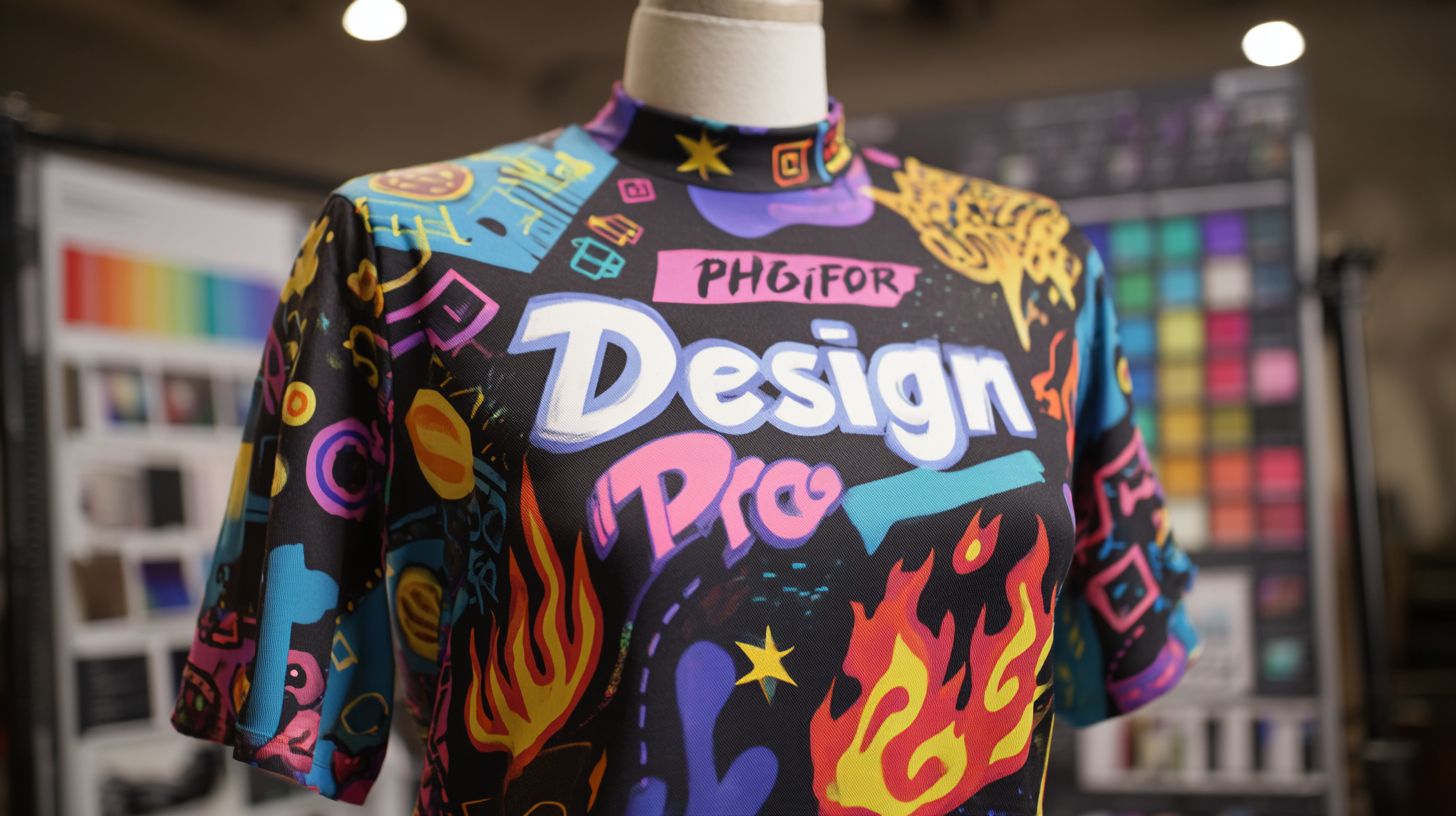
The top vinyl design software for T-shirts includes programs like Cricut Design Space, Silhouette Studio, and Adobe Illustrator, which offer precise vector tools, layering capabilities, and easy export options for vinyl cutting machines, making them ideal for custom apparel designs.
Which top vinyl design software for T-shirts is best for beginners?
For beginners seeking top vinyl design software for T-shirts, Cricut Design Space stands out due to its intuitive interface, free basic version, and built-in library of fonts and images tailored for vinyl heat transfer projects on T-shirts.
How does top vinyl design software for T-shirts work together with cutting machines?
Top vinyl design software for T-shirts seamlessly integrates with popular cutters like Cricut and Silhouette machines, allowing direct sending of designs via USB or wireless connections, with features for weeding lines and cut optimization specific to T-shirt vinyl.
What features make top vinyl design software for T-shirts efficient?
Key features in top vinyl design software for T-shirts include vector editing, multi-layer support, color matching for vinyl swatches, print-and-cut functionality, and preview modes to simulate T-shirt application, ensuring professional results.
Is there free top vinyl design software for T-shirts available?
Yes, free options among top vinyl design software for T-shirts include the basic versions of Inkscape and Silhouette Studio (with designer upgrades), providing essential tools for creating and exporting vinyl designs without upfront costs.
Can top vinyl design software for T-shirts handle complex designs?
Absolutely, top vinyl design software for T-shirts like CorelDRAW and Adobe Illustrator excels at complex designs, supporting intricate gradients, text warping, and high-resolution exports optimized for durable vinyl transfers on various T-shirt fabrics.
