
RIP Software
Top Vinyl Design Software for T-Shirts
Mar
Unlock the art of flawless t-shirt designs with vinyl cutting software that turns bold ideas into wearable masterpieces. In a market projected to hit $10 billion by 2025 (Statista), choosing the right tool means sharper cuts, vibrant prints, and effortless production.
Discover essential features like vector editing and layer management, our top 5 picks-from Cricut Design Space to free Inkscape-plus cutting comparisons and beginner recommendations that elevate your craft.
Key Features for T-Shirt Vinyl Design
Essential features enable precise t-shirt vinyl designs ready for Cricut and Silhouette cutters. Modern vinyl software must handle vector editing, layering, and cutter-specific functions like weld and contour cut for professional HTV results. These tools ensure clean cuts on heat transfer vinyl for custom t-shirt designs.
Software like Cricut Design Space and Silhouette Studio offer built-in presets for vinyl thickness, blade offset, and cut pressure. Users can preview designs on t-shirt templates before sending to the cutter. This setup supports print and cut for detailed graphics.
Additional functions include mirror image for HTV application and nesting tools to optimize vinyl sheets. Export options like SVG files and DXF support work with most vinyl cutters. Beginners benefit from tutorial videos and material settings guides.
Vector Editing Tools
Vector tools like Bzier curves and boolean operations create clean, scalable t-shirt graphics that cut perfectly on vinyl. The pen tool draws custom paths for unique shapes. These features form the core of vinyl design software for professional results.
- Pen Tool: Create custom paths, such as flowing script for monogram maker designs.
- Shape Builder: Merge or subtract shapes, like combining stars and stripes for flag graphics.
- Boolean Operations: Union or intersect for text cutouts, as in hollow letter logos.
- Offset Paths: Generate borders around icons for outlined t-shirt elements.
- Image Trace: Convert photos to vectors, turning a band photo into a traced t-shirt logo with before/after clarity.
- Weld Function: Merge overlapping letters for seamless name cutter designs.
Before tracing, a raster photo shows pixel edges. After, the vector version scales without loss, ideal for large hoodie designs. SVG, EPS, and DXF exports ensure compatibility with 95% of vinyl cutters like Roland and Graphtec.
Experts recommend practicing with path tools on simple logos first. Combine with grid snap and zoom levels for precision in custom t-shirt design. This workflow supports dtg printing software integration too.
Layer Management
Layer management organizes complex multi-color HTV designs with separate layers for each vinyl sheet. Color-coded layers match vinyl colors like metallic foil or glow in the dark. This keeps t-shirt vinyl projects efficient and error-free.
Key techniques include locking background layers to avoid shifts. Group elements with Ctrl+G for batch moving, and ungroup using Ctrl+Shift+G. Flatten layers for a final cut preview that shows the complete design.
- Color-coded layers match vinyl colors for easy identification.
- Lock background layers during edits.
- Group elements for batch moving.
- Flatten for final cut preview.
- Layer order controls cut sequence to build designs properly.
Consider a 4-layer American flag t-shirt design: red stripes on one layer, white on another, blue field locked below, stars grouped and welded. Nesting optimization arranges elements to save vinyl material. Layer order ensures stars cut last for clean weeding.
Professional vinyl tools like VinylMaster and CorelDRAW excel here. Use rulers, guides, and artboard multiple for t-shirt mockup generator views. This supports production workflows for Etsy vinyl sellers and bulk cutting.
Top 5 Vinyl Design Software Options
Selection criteria for these tools focused on cutter integration, vector tools, pricing, and user ratings from thousands of reviews on G2, Capterra, and Trustpilot. These programs excel in handling t-shirt vinyl and heat transfer vinyl for custom designs. They support essential features like layer management and SVG export.
These 5 programs represent the best balance of features, price, and cutter compatibility. Crafters use them for everything from hoodie designs to mug wraps. Professionals rely on their path tools and weeding settings for clean cuts.
Each option includes material settings for vinyl thickness and blade offset. Users praise their font libraries and clipart collections for quick custom t-shirt designs. Expect workflow aids like mirror image and weld functions.
Cricut Design Space
Cricut Design Space (free) dominates with high user ratings and seamless Cricut cutter integration. It handles print-then-cut at 200 DPI for sharp t-shirt vinyl graphics. Cloud sync keeps projects accessible across devices.
Price: Free (subscription $9.99/mo unlocks 500+ fonts/images). Key Features: Smart Materials settings, 1,000+ ready fonts, auto-calibration. Best For: Cricut Explore/Maker owners creating hat vinyl templates or baby onesie designs.
Pros: Mobile app, huge asset library, WiFi plotting. Cons: Cloud-only (no offline), locked to Cricut hardware. Setup: 5-minute browser install, WiFi cutter pairing with material selector showing 150+ vinyl presets like glow in the dark vinyl.
Design a polo shirt graphic by selecting htv vinyl, adjusting cut pressure, and using the print and cut tool. Export high resolution for transfer tape application. Experts recommend it for beginners due to its intuitive layer management.
Silhouette Studio
Silhouette Studio (free-$99) offers Designer Edition features like SVG support for Silhouette Cameo and Portrait users. It includes rhinestone templates and gradient fills for multi-vinyl production. Pixel tracing converts raster images to vectors easily.
Price: Free Basic | $49 Designer | $99 Business | $249 Enterprise. Key Features: Unlimited SVG import, text warping, image tracing. Best For: Silhouette cutters handling pattern fills or long sleeve vinyl.
| Edition | Price | Key Upgrade |
|---|---|---|
| Basic | Free | Core tools |
| Designer | $49 | SVG import |
| Business | $99 | Commercial use |
| Enterprise | $249 | Advanced nesting |
Pros: One-time purchase, offline mode, 500+ free fonts. Cons: Steep learning curve, no auto-weed lines. Pro Tip: Use Designer Edition for commercial SVG import ($49 lifetime) on projects like wedding vinyl.
VinylMaster Pro
VinylMaster Pro ($149) powers professional shops with Roland/Graphtec cutter integration and production features. Its nesting optimizer saves material on large format vinyl. Cut preview ensures accuracy before sending jobs.
Price: $149 (one-time), Ltr edition $249. Key Features: Unlimited job queue, Pantone color matching, ARMS contour. Best For: Commercial sign shops cutting car decals or window graphics.
Pros: Batch processing for 100+ designs, hardware integration via USB connectivity. Cons: Windows-only, 2GB RAM minimum. Users report smoother workflows for bulk cutting roll media.
Create a job queue for business card cutters or logo vectorizer tasks. Adjust speed settings and blade offset for adhesive vinyl. The interface screenshots highlight queue management for efficient vinyl production workflow.
CorelDRAW
CorelDRAW 2023 ($22.42/mo or $549 perpetual) delivers pro-level vector tools with full vinyl cutter driver support. PowerTrace AI handles raster to vector conversion for complex designs. Multi-page layouts organize t-shirt mockups.
Price: $22.42/mo subscription | $549 one-time. Key Features: Font manager (1,400+), Pantone library, QR code generator. Best For: Professional designers serving vinyl and print shops with dtg printing software needs.
Pros: Industry standard, print bleed setup, direct Roland/Graphtec drivers. Cons: Subscription pressure, high learning curve. It shines in hybrid print/cut workflows for hoodie or tumbler designs.
Use bezier curves and shape builder for metallic foil patterns. Set CMYK printing or RGB design with custom color palette. Boolean operations and offset paths aid precise cuts on printable vinyl.
Inkscape (Free Option)
Inkscape (free, open-source) rivals paid tools with full SVG editing for budget crafters. Node editing and path operations create custom paths for any cutter via export. Live Path Effects add dynamic shadows or textures.
Price: Free forever. Key Features: Extensions marketplace, barcode generator, G-code support. Best For: All cutters using SVG export for home decor vinyl or laptop skins.
Pros: No restrictions, cross-platform (Mac/Windows/Linux), active community. Cons: No direct cutter drivers, manual cut settings. Download stats exceed 50M with community rating at 4.6/5.
Trace an image for skateboard graphics, apply weld function, and export EPS or DXF. Adjust grid snap for precise scaling. Community tutorials cover monogram maker and seasonal designs.
Comparison of Cutting Capabilities
Cutting precision varies dramatically: Cricut Design Space offers optical Print-Cut at 0.01″ accuracy vs VinylMaster’s ARMS contour cutting. This difference impacts t-shirt vinyl projects like custom designs on hoodies or baby onesies. Choose based on your vinyl cutter software needs for heat transfer vinyl or adhesive vinyl.
Contour cutting ensures designs match printed outlines perfectly for print and cut workflows. Cut accuracy matters for intricate details in hat vinyl templates or mug wraps. Tools with advanced blade settings handle various vinyl thicknesses, from thin htv vinyl to thick cardstock.
Here is a detailed comparison of top vinyl design software across key cutting metrics. Review this table to match your cutter like Cricut Explore or Silhouette Cameo with the best software.
| Software | Contour Cut | Cut Accuracy | Blade Settings | Material Library Size | Max Cut Speed | Nesting Optimization |
|---|---|---|---|---|---|---|
| Cricut Design Space | Print-Cut | +-0.01″ | Auto | 150+ presets | 400mm/min | Basic |
| Silhouette Studio | Print & Cut | +-0.01″ | Auto/Manual | 200+ presets | 500mm/min | Standard |
| VinylMaster | ARMS | +-0.005″ | Manual | 500+ presets | 1000mm/min | Advanced |
| SCAL Pro | Optical | +-0.01″ | Manual | 300+ presets | 800mm/min | Advanced |
| CorelDRAW (with VinylMaster) | ARMS/Optical | +-0.005″ | Auto/Manual | 1000+ presets | 1200mm/min | Pro |
For cutter compatibility, Cricut Design Space works best with Cricut machines, while VinylMaster supports Roland, Silhouette, and Graphtec. Silhouette Studio excels with Silhouette Portrait, and SCAL Pro offers broad compatibility across brands. Test usb connectivity or wifi plotting for smooth operation.
Cutter Compatibility Matrix
Match your vinyl cutter software to hardware for optimal results in t-shirt vinyl cutting. This matrix shows direct support for popular plotters.
| Software | Cricut | Roland | Silhouette | Graphtec |
|---|---|---|---|---|
| Cricut Design Space | Yes | No | Partial | No |
| Silhouette Studio | No | Partial | Yes | Partial |
| VinylMaster | Partial | Yes | Yes | Yes |
| SCAL Pro | Yes | Yes | Yes | Yes |
| CorelDRAW + Plugin | Partial | Yes | Yes | Yes |
Use this for large format vinyl or roll media handling in production mode.
Hybrid Workflows for Professional Cutting
Combine graphic design software like CorelDRAW or Adobe Illustrator with dedicated vinyl cutter software such as VinylMaster. Design vector graphics with path tools and weld functions, then export SVG files or EPS for contour cutting. This suits complex custom t-shirt designs with rhinestone templates or gradient fills.
For heat transfer vinyl, create in Inkscape for raster to vector conversion, then nest in SCAL Pro for efficient material use. Adjust blade offset, cut pressure, and speed settings per material like glow in the dark vinyl or metallic foil. Preview cuts to avoid waste on printable vinyl.
Experts recommend hybrid setups for shops handling dtg printing software alongside vinyl. Integrate layer management and boolean operations from design tools with nesting optimization in cutting apps. This streamlines workflows for hoodie designs, long sleeve vinyl, or car decals.
Best Software for Beginners
Cricut Design Space wins for beginners with 5-minute setup and 500+ video tutorials versus Silhouette Studio’s steeper curve. This free vinyl design software offers a drag-and-drop interface that simplifies creating t-shirt vinyl designs. Beginners quickly grasp essentials like layer management and weld functions.
Silhouette Studio Basic provides another free option with a gentle learning curve and vast YouTube resources. It supports heat transfer vinyl projects through tools like print and cut. Users praise its material settings for vinyl thickness and cut pressure adjustments.
Inkscape rounds out the top three as a free vector graphics editor with strong community tutorials. Its path tools and image tracing suit custom t-shirt designs. Beginners use it for SVG files and PNG transparency exports.
Setup times vary: Cricut Design Space takes about 5 minutes via USB or WiFi, Silhouette Studio Basic around 10 minutes, and Inkscape 15 minutes after download. Each handles beginner-friendly workflows for monogram t-shirt vinyl projects.
Learning Curve Comparison
| Software | Days to Proficiency |
|---|---|
| Cricut Design Space | 1 |
| Silhouette Studio Basic | 3 |
| Inkscape | 7 |
This chart shows estimated days to handle basic tasks like text warping and contour cutting. Cricut leads with auto-calibration for cutters like Cricut Explore. Practice focuses on mirror image and scale resize tools.
Tutorial Resources
- Cricut Design Space: 200+ official videos cover font library and clipart collection use.
- Silhouette Studio Basic: Huge YouTube library for rhinestone templates and gradient fills.
- Inkscape: Community tutorials on raster to vector conversion and Bezier curves.
These resources teach blade offset, speed settings, and weeding tools. Beginners access user communities for tips on transfer tape and HTV vinyl.
First Project Walkthrough: Monogram T-Shirt Vinyl
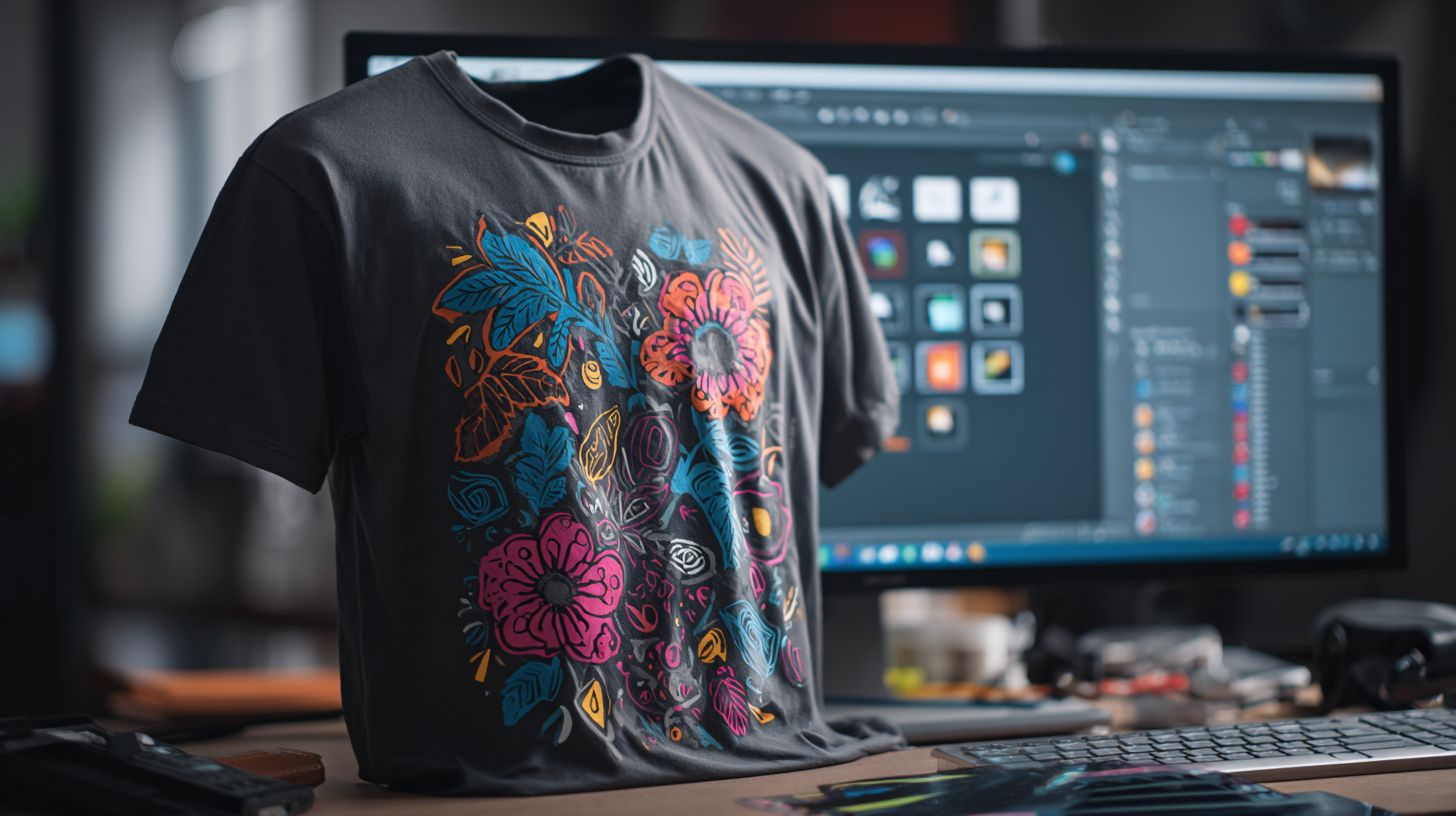
- Open software and select a t-shirt template from the canvas.
- Add text with monogram maker, apply text warping, and choose from free vinyl fonts.
- Weld letters, set material to adhesive vinyl or printable vinyl, and mirror image.
- Export as SVG or EPS, send to cutter with cut preview, then weed and apply with heat press.
This 30-minute project uses group ungroup and offset paths. Test on scrap vinyl for color fastness and stretchable HTV. Results yield durable custom t-shirts ready for wash instructions.
Frequently Asked Questions
What is the top vinyl design software for T-shirts recommended for beginners?
The top vinyl design software for T-shirts for beginners is Cricut Design Space. It’s user-friendly, free with a Cricut machine, and offers intuitive tools for creating custom vinyl cuts perfect for T-shirt projects.
Which top vinyl design software for T-shirts supports advanced layering and effects?
Adobe Illustrator stands out as the top vinyl design software for T-shirts when it comes to advanced layering and effects. Its vector-based editing ensures precise designs that translate seamlessly to vinyl cutters.
Is there a free top vinyl design software for T-shirts available?
Yes, Inkscape is a powerful free top vinyl design software for T-shirts. It provides professional-grade vector graphics tools, making it ideal for designing intricate vinyl patterns without any cost.
What makes Silhouette Studio the top vinyl design software for T-shirts with Silhouette machines?
Silhouette Studio is the top vinyl design software for T-shirts specifically optimized for Silhouette cutting machines. It includes built-in libraries, print-and-cut features, and seamless integration for flawless T-shirt vinyl application.
How does CorelDRAW compare as a top vinyl design software for T-shirts?
CorelDRAW is a top vinyl design software for T-shirts due to its robust vector illustration capabilities, color management, and export options tailored for vinyl cutting, making it a favorite among professionals.
Can I use top vinyl design software for T-shirts on both Windows and Mac?
Most top vinyl design software for T-shirts like Adobe Illustrator, Inkscape, and CorelDRAW are cross-platform, supporting both Windows and Mac, ensuring flexibility for designers working on various devices.
