
RIP Software
Top RIP Software for Print Shops
Mar
In the high-stakes world of print production, a single RIP software glitch can derail deadlines and profits. As print shops face rising demands for precision and speed, selecting the optimal Raster Image Processor is crucial for flawless output.
Discover what RIP software entails, essential features like color management and variable data printing, and our expert comparison of top contenders-ONYX RIP, EFI Fiery, Caldera VisualRIP, Wasatch SoftRIP, and AcroRIP. Unlock the perfect fit for your shop.
What is RIP Software?
RIP (Raster Image Processor) software converts vector files like PDFs and EPS into printer-ready raster images, processing PostScript code at speeds up to 10x faster than standard drivers. It acts as the core engine in the printing workflow, translating print files such as PostScript, PDF, and EPS into bitmap data. This process ensures proper color separation and halftone screening for high-quality output.
In a typical workflow, files move from design software through the RIP engine to the printer. Imagine a simple path: File RIP Printer. The RIP handles high-resolution tasks like 2400 DPI output, making it essential for print shops dealing with large format printing or commercial jobs.
RIP software supports job queuing for multiple files and over 50 file formats, including TIFF, JPEG, and PDF/X-1a. It integrates CIP4/JDF standards, streamlining production in commercial printing. Features like color management with ICC profiles and spot colors help maintain consistency across offset printing, inkjet, and UV printing.
Print shops rely on RIP for tasks like PDF processing, nesting, and tiling. It replaces basic print drivers with advanced prepress software capabilities, reducing errors in variable data printing or signage production. Experts recommend RIP for its role in print automation and integration with imposition software.
Key Features to Look For
Modern RIP software must excel in color accuracy, variable data processing, and production efficiency for print shops handling 500+ jobs monthly. These features ensure consistent print quality across large format printing, digital printing, and offset printing workflows. They reduce errors and speed up turnaround times in busy environments.
Color management prevents costly reprints by matching spot colors and CMYK conversions precisely. Variable data printing handles personalized jobs like direct mail or labels efficiently. Hot folder automation streamlines file intake, cutting manual setup in prepress software.
Print shops benefit from RIP integration with MIS systems via JDF support, improving job queuing and nesting. Look for GPU acceleration and multi-core processing to boost RIP speed on high-volume runs. For details, see the breakdowns below.
Choosing RIP software with these capabilities, such as Onyx RIP or EFI Fiery, optimizes printing workflow for inkjet printing, UV printing, and more. This leads to better resource use and happier clients.
Color Management
Advanced color management converts RGB to CMYK with minimal deviation using ICC profiles and supports thousands of Pantone spot colors. It ensures print quality matches design intent across screen printing, DTG printing, and sublimation printing. Print shops rely on this for commercial printing and packaging printing consistency.
Key capabilities include ICC v4 profile support for standards like GRACoL and SWOP, plus spot color matching via PantoneLIVE integration. Linearization curves optimize inkjet printers by adjusting density for substrates. Soft proofing delivers accurate screen-to-print previews, aiding proofing RIP workflows.
- ICC v4 profiles for precise color profiling in large format printing.
- PantoneLIVE for real-time spot colors in label printing.
- Linearization for ink estimation on UV printing presses.
- Soft proofing with high screen-to-print accuracy for contract proofing.
For example, Onyx RIP achieves superior results on EFI VUTEk printers compared to unprofiled output. This feature set in tools like GMG RIP or ColorGate enhances color calibration and reduces RIP troubleshooting in production.
Variable Data Printing
Variable data printing processes thousands of personalized pieces per hour by merging CSV data with PDF templates and generating unique QR codes or barcodes. It powers direct mail, signage printing, and textile printing jobs efficiently. Print shops use this for high-volume customization without slowing the RIP engine.
The VDP workflow starts with CSV or XML data import, then template merging, RIP processing, and output to printers like Roland or Mimaki. Supported formats include CSV, XML, Excel, and ODBC database connections. JDF integration links to MIS systems like EFI Pace for seamless print production.
- CSV and XML for fast data handling in web-to-print setups.
- Excel and ODBC for complex database connections.
- JDF support for print MIS integration and job queuing.
- Barcode generation for tracking in step and repeat jobs.
Tools like AcroRIP excel in speed for large datasets, outperforming others in benchmarks. This boosts print automation with nesting, ganging, and media profiles, ideal for shops running 500+ monthly jobs in digital printing or offset printing.
Top RIP Software Comparison
This comparison table evaluates 5 leading RIPs across 12 criteria including price, printer compatibility (50+ models), and production speed (jobs/hour). Print shops use these tools to optimize Raster Image Processor functions for large format printing, color management, and variable data printing. Key factors like hot folders and VDP support help streamline printing workflows.
Examine how ONYX RIP handles high-volume jobs with its 450 A1 sheets per hour speed, ideal for inkjet printing and UV printing. Meanwhile, EFI Fiery offers robust integration for production environments, supporting EFI/Oce printers with GRACoL certified color profiles. Budget-conscious shops might prefer AcroRIP for basic CMYK conversion on Chinese printers.
For DTG printing and textile applications, Wasatch SoftRIP provides custom ICC profiles and strong VDP support. Caldera VisualRIP suits signage printing with Roland and Mimaki compatibility, though its VDP is limited. Consider RIP speed and hot folder limits when matching software to your print shop efficiency needs.
Real-world examples show shops using job queuing and nesting features to reduce waste in offset printing or screen printing setups. Test RIP compatibility with your hardware, such as Epson or HP printers, to ensure smooth PDF processing and PostScript handling before purchase.
| Tool | Starting Price | Printer Brands Supported | Max RIP Speed (A1 sheets/hr) | VDP Support | Color Profiles | Hot Folders | Best For | User Rating |
|---|---|---|---|---|---|---|---|---|
| ONYX RIP | $2,995 | 200+ | 450 | Yes | 5,000+ | 20 | Large format | 4.8 |
| EFI Fiery | $5,000+ | EFI/Oce | 600 | Yes | GRACoL certified | 50 | Production | 4.7 |
| Caldera VisualRIP | $1,995 | Roland/Mimaki | 350 | Limited | PantoneLIVE | 10 | Signage | 4.6 |
| Wasatch SoftRIP | $2,495 | Epson/HP | 400 | Yes | Custom ICC | 15 | DTG/Textile | 4.5 |
| AcroRIP | $899 | All Chinese | 300 | Yes | Basic CMYK | 8 | Budget shops | 4.2 |
ONYX RIP
ONYX RIP processes 450 A1 sheets/hour with GPU acceleration and supports 200+ printer models including EFI VUTEk, Roland, and Mimaki. This Raster Image Processor excels in large format printing for print shops handling signage and banners. It streamlines printing workflow from prepress to output.
The core engine uses 32-core GPU processing for fast RIP speed. Print shops benefit from multi-core processing that handles complex jobs without delays. This setup supports inkjet printing, UV printing, and more.
Color tools include ONYX ColorGate with 5,000 ICC profiles for precise color management. Features like color profiling, spot colors, and CMYK conversion ensure consistent results across substrates. Experts recommend it for Pantone colors in commercial printing.
Advanced Workflow Features
ONYX RIP offers HotFolders and Job Queues for managing 1,000+ jobs. These tools enable print queue management and job queuing in busy environments. Print automation reduces manual steps in digital printing.
Nesting, tiling, and cropping optimize media use for signage printing. Imposition software features like step and repeat speed up production. This integrates with print MIS for efficient workflows.
A sign shop example shows increased throughput processing 2,500 banners per day. They used hot folders to automate intake from design software. Results improved print shop efficiency significantly.
Variable Data Printing (VDP)
ONYX supports VDP with CSV merging at 15,000 records/min. This handles variable data printing for personalized labels or textiles. PDF processing and PostScript processing ensure smooth EPS handling.
Features include barcode generation and ganging for high-volume runs. It works well for label printing and packaging printing. Resolution settings and DPI output maintain quality.
Print shops use it for sublimation printing and DTG printing with custom data. Error detection prevents waste during runs. This makes it a top choice for print production.
Pricing and Licensing
The Production Suite costs $4,995 for 5 printers. This RIP licensing model suits growing shops. Options scale with RIP modules for specific needs.
ONYX Advantage provides updates and RIP support. It includes RIP troubleshooting tools and tutorials. Media profiles and substrate settings come standard.
For offset printing or screen printing hybrids, licensing fits budgets. Compare with Caldera RIP or Wasatch RIP based on printer count. ONYX stands out in RIP comparison for features.
2. EFI Fiery
EFI Fiery Digital Factory Suite ($15K+) integrates with EFI Pace MIS for end-to-end workflow handling 1,000+ jobs daily in commercial print environments. This RIP software excels in enterprise settings with robust tools for print shops managing high volumes. It streamlines printing workflow from prepress to output.
Key to its power is Fiery Command WorkStation, which handles job ticketing and queue management efficiently. Operators can set parameters like job priority and nesting directly from a central interface. This reduces errors in busy print production runs.
For color management, EFI XF delivers precision with GRACoL 2013 certification. It supports ICC profiles, spot colors, and Pantone matching across digital printing, offset printing, and inkjet printing. Print shops achieve consistent results on various substrates.
VDP Navigator Pro enables variable data printing with XML and JDF support. Packaging printers, for example, cut makeready time from 15 minutes to 2 minutes per job in one case. This boosts efficiency in label printing and packaging printing workflows.
Enterprise Workflow Tools
Fiery Command WorkStation acts as the hub for job ticketing and print queue management. Teams assign tickets with details like media profiles and ink estimation. This supports print automation in commercial printing environments.
Hot folders automate file intake for PDF processing and EPS handling. Job queuing prioritizes tasks, ideal for handling signage printing or textile printing rushes. Error detection flags issues early, saving time on reprints.
Integration with EFI Pace MIS creates seamless JDF support and CIP4 compliance. Print shops gain full visibility from order to delivery. This setup shines in large format printing and UV printing operations.
Advanced Color Management
EFI XF provides color profiling and linearization for accurate output. Certified for GRACoL 2013, it handles CMYK conversion and halftone screening reliably. Use it for consistent results in screen printing or DTG printing.
Features include soft proofing and hard proofing tools aligned with SWOP and ANSI standards. Operators calibrate with substrate settings for optimal print quality. This is crucial for contract proofing in offset printing.
Spot color management supports Pantone colors across devices. RIP engine processes high-resolution files with GPU acceleration. Print shops benefit from faster RIP speed in high-volume jobs.
Hardware and VDP Integration
EFI Fiery embeds seamlessly in EFI VUTEk and Inca printers as a printer RIP. This ensures native support for large format printing and sublimation printing. No extra drivers needed for smooth operation.
VDP Navigator Pro processes variable data with XML/JDF inputs for personalized runs. It excels in packaging printing, where one printer reduced setup times dramatically. Ganging and step-and-repeat features optimize media use.
Compatibility extends to Roland RIP, Mimaki RIP, and Epson RIP workflows via modules. RIP licensing options scale for multi-printer fleets. This makes it a top choice for print shop efficiency.
3. Caldera VisualRIP
Caldera VisualRIP+ ($2,495) optimizes nesting for signage shops, saving media on Roland/Mimaki printers through intelligent tiling algorithms. This RIP software excels in large format printing for signage and textiles. Print shops rely on it for efficient printing workflow management.
Key strengths include Step & Repeat for repeating designs on sheets, cut contours for vinyl to ensure precise cutting paths, and white ink channel management for specialty inks. PantoneLIVE cloud colors provide accurate spot colors and Pantone colors via cloud access. These features enhance color management in UV printing and sublimation printing.
The workflow uses drag-n-drop hot folders for automated job queuing and VisualRIP Tile Pro for banners up to 200m long. It supports over 120 roll-fed printers, including Epson and HP models. This setup streamlines print production with job queuing and error detection.
A European sign shop reduced vinyl waste significantly with better nesting and tiling. Operators set media profiles and substrate settings for optimal results. Caldera integrates with print MIS for full print automation.
Wasatch SoftRIP
Wasatch SoftRIP E+ ($2,995) excels in DTG printing and textile workflows with pretreatment estimation and 400+ media profiles for Epson and HP inkjets. This RIP software optimizes white ink usage and streamlines color management for print shops. Operators appreciate its intuitive interface for daily production.
The pretreatment calculator estimates exact amounts for DTG jobs, reducing waste and improving print quality on dark garments. Rip-Queue XL handles up to 500 jobs in queue, ideal for high-volume runs. ColorTalk creates custom inkjet profiles, ensuring accurate color profiling across substrates.
A screen printing shop switched to DTG using Wasatch, boosting capacity from 200 to 1,200 shirts per day. They achieved 35% ink savings on the Epson F2100 through optimized halftone screening and ink estimation. This real-world shift highlights its role in print shop efficiency.
Key features include hot folders for automated PDF processing, nesting for material savings, and support for variable data printing. It integrates with Epson and HP printers for seamless inkjet printing. Print shops gain faster RIP speed and reliable job queuing for textile and signage work.
AcroRIP
AcroRIP 9.0 ($899 lifetime) supports 300+ Chinese printer brands making it the budget choice for small shops and UV/DTG startups.
This RIP software offers an unlimited printers license, basic variable data printing, and hot folder support. It works well as an affordable alternative to pricier options like ONYX RIP. Print shops save on costs without sacrificing core printing workflow features.
Setup is straightforward, often taking under an hour for JW-UV6090 or MTK UV printers. The RIP engine handles PDF processing and basic color management for inkjet printing and UV printing tasks. Small teams appreciate its simplicity in daily operations.
While it processes around 300 A1 sheets per hour, this suits low-volume runs in startup environments. Users integrate it easily with nesting and tiling for signage printing or labels. Overall, AcroRIP boosts efficiency for shops with one to three printers.
Key Pros and Cons
AcroRIP stands out for costing about 1/5th of ONYX, allowing budget-conscious print shops to access essential Raster Image Processor tools. Its easy setup speeds up onboarding for new users. Hot folders automate job queuing, streamlining print production.
On the downside, color management feels limited compared to premium RIPs like EFI Fiery or Caldera RIP. The RIP speed may lag on complex jobs with high DPI output or spot colors. It lacks advanced ICC profiles for precise Pantone colors or CMYK conversion.
Still, for basic large format printing and digital printing, these trade-offs work fine. Shops focus on practical features like EPS handling and TIFF support. This balance makes it ideal for entry-level needs.
Perfect For Startup Shops
AcroRIP fits startup print shops running 1-3 printers, such as UV or DTG models from Chinese brands. It supports step and repeat for ganging jobs efficiently. New owners use its media profiles for quick substrate settings.
Examples include handling sublimation printing or textile printing with simple ink estimation. Basic VDP handles personalized labels without extra modules. This keeps workflows lean for growing businesses.
Experts recommend it for shops prioritizing RIP cost over high-end color profiling. Pair it with print queue management for smooth operations. It integrates well with prepress software for everyday tasks like cropping and resolution settings.
Choosing the Right RIP
Match RIP to workflow volume: <100 jobs/month = AcroRIP ($899), 500+ jobs = ONYX Production ($4,995), enterprise = EFI Fiery ($15K+). This approach ensures your Raster Image Processor aligns with daily demands in print shops. Start by assessing your current setup.
Consider printer count first. Shops with 1-3 printers benefit from simple options like AcroRIP for basic large format printing. Larger fleets of 10+ units need robust solutions like ONYX for job queuing and multi-device management.
Evaluate job volume next. Low volumes under 200 jobs suit SoftRIP with its efficient PDF processing. High-volume shops over 1,000 jobs require Fiery for print automation and speed.
Factor in application type and budget. Signage work pairs with Caldera for nesting and tiling, while production demands ONYX. Budgets around $1K fit AcroRIP, but $5K+ opens premium color management tools.
Decision Matrix for RIP Selection
Use this decision matrix to narrow choices for your printing workflow. It covers key factors like scale and needs. Apply it step by step for best results.
| Factor | Low Scale Recommendation | High Scale Recommendation |
|---|---|---|
| Printer Count | 1-3: AcroRIP | 10+: ONYX |
| Job Volume | Under 200: SoftRIP | 1K+: Fiery |
| Application | Signage: Caldera | Production: ONYX |
| Budget | $1K: AcroRIP | $5K+: Premium (Fiery, ONYX) |
This matrix simplifies RIP comparison. For example, a small shop doing UV printing on two Roland machines picks AcroRIP. Test compatibility before committing.
Compatibility Chart by Printer Brand
Printer brand dictates RIP compatibility for optimal print quality. Mismatches lead to issues in color profiling and ICC profiles. Check this chart for matches.
| Printer Brand | Recommended RIP | Key Features |
|---|---|---|
| Roland | Caldera RIP | Vector to raster, nesting for signage |
| Epson | Wasatch RIP | DTG printing, media profiles |
| EFI | Fiery | High-speed RIP engine, JDF support |
| Mimaki | ONYX or RasterLink | Spot colors, ink estimation |
| HP | ONYX or Fiery | UV printing, job ganging |
Examples include Roland users favoring Caldera for sublimation printing workflows. Epson shops use Wasatch for precise halftone screening. Always verify RIP licensing with your hardware.
Pricing and Support
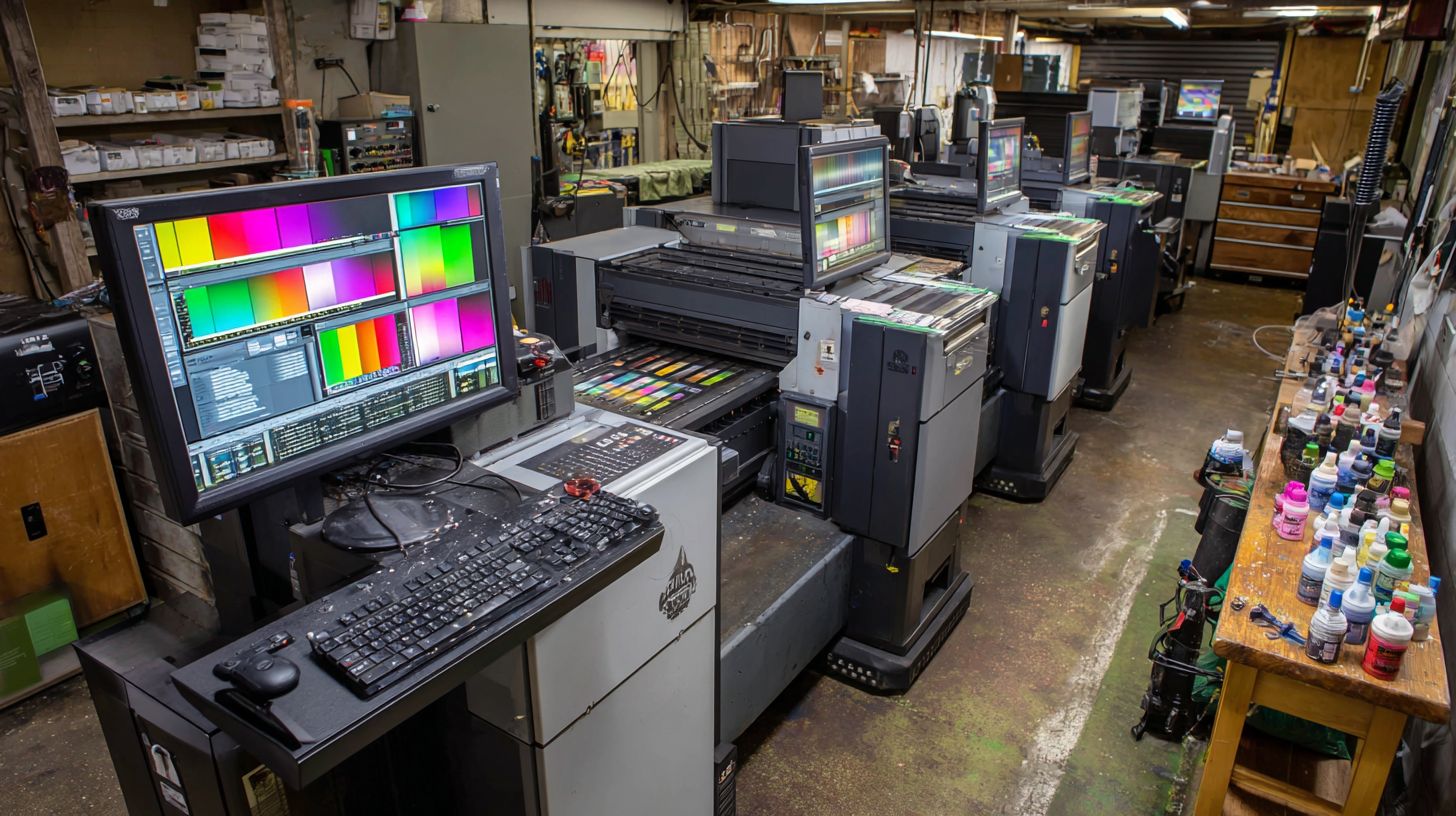
RIP pricing ranges $899 lifetime (AcroRIP) to $25K+ enterprise (EFI Fiery XF7) with annual maintenance 18-22% of license cost. Print shops must weigh initial investment against long-term value in features like color management and RIP speed. Smaller operations often favor affordable options, while large shops need scalable RIP licensing with robust support.
Annual maintenance covers updates, bug fixes, and technical help for smooth printing workflow. Without it, shops risk outdated RIP engines that slow job queuing or mishandle PDF processing. Experts recommend budgeting for this to maintain print quality in inkjet printing or UV printing.
Module add-ons expand capabilities, such as variable data printing or cutter integration. Support varies from email to 24/7 phone access, impacting downtime in high-volume signage printing. Free trials help test RIP compatibility with printers like Roland or Epson before committing.
| RIP | Base Price | Annual Maintenance | Module Add-ons | Support Hours |
|---|---|---|---|---|
| AcroRIP | $899 | None | $200/printer | |
| Wasatch | $2,995 | $600 (20%) | Embroidery $995 | Phone 9-6 |
| Caldera | $2,495 | $550 | Cutter $800 | Phone+Remote |
| ONYX | $4,995 | $1,100 (22%) | ColorGate $2K | 24/7 Production |
| EFI Fiery | $15K+ | $3,500 | VDP Pro $5K | 24/7 Enterprise |
Support Comparison
Support quality directly affects print shop efficiency during RIP troubleshooting. AcroRIP offers basic email help suitable for simple DTG printing setups. Wasatch and Caldera provide phone support with remote access, ideal for fixing color profiling issues quickly.
ONYX and EFI Fiery stand out with 24/7 availability, crucial for commercial printing deadlines. Phone lines from 9-6 limit flexibility for night shifts in large format printing. Remote sessions in Caldera speed up nesting or tiling adjustments without onsite visits.
Choose based on workflow needs, like hot folders in Onyx RIP or JDF support in EFI. Shops handling offset printing benefit from enterprise-level response times. Always verify current hours, as they evolve with software updates.
Free Trial Availability
Most top RIP software offers free trials lasting 15-30 days to evaluate features like ICC profiles or Pantone colors. AcroRIP provides a downloadable demo for testing EPS handling on Mimaki printers. Wasatch and Caldera trials include full RIP engine access for real jobs.
ONYX Advantage and EFI Fiery require requests for extended trials, focusing on production testing in textile printing or label printing. Use trials to check GPU acceleration and multi-core processing speeds. This hands-on approach reveals RIP performance before RIP cost commitment.
Trials often limit printers or modules, so confirm printer RIP compatibility upfront. Test media profiles and ink estimation on your substrates. Download from official sites to avoid pirated versions that lack proper support.
Frequently Asked Questions
What is the top RIP software for print shops in 2024?
Among the top RIP software for print shops, ONYX RIP stands out for its advanced color management, workflow automation, and support for high-volume production, making it ideal for professional print environments seeking reliability and efficiency.
Why do print shops need top RIP software?
Top RIP software for print shops is essential for processing complex files, optimizing raster image output, ensuring accurate color reproduction, and streamlining large-scale printing tasks like wide-format and textile printing to minimize errors and boost productivity.
How does ONYX compare to other top RIP software for print shops?
ONYX excels over competitors like EFI Fiery in top RIP software for print shops due to its intuitive interface, superior hotfolder automation, and robust screening options, particularly for UV and dye-sublimation printing in demanding shop settings.
What are the key features of top RIP software for print shops?
Top RIP software for print shops typically includes features like variable data printing, nesting optimization, Pantone color matching, ink usage estimation, and multi-printer support, all crucial for handling diverse substrates and deadlines efficiently.
Which top RIP software for print shops is best for beginners?
For beginners, Wasatch SoftRIP is a top RIP software for print shops, offering an easy-to-learn interface, affordable licensing, and strong tutorials, while still delivering professional-grade RIPping for entry-level wide-format operations.
Can top RIP software for print shops work together with existing workflows?
Yes, top RIP software for print shops like Caldera VisualRIP integrates seamlessly with tools such as Adobe Illustrator, CorelDRAW, and ERP systems via plugins and APIs, enabling smooth data flow from design to production without disruptions.
