
RIP Software
ONYX vs Caldera RIP Comparison
Mar
In the high-stakes world of professional printing, selecting the right RIP software can make or break your workflow efficiency and output quality. ONYX and Caldera stand out as industry leaders-but which one truly excels?
This in-depth comparison dives into 12 key areas, from color management and trapping to performance, pricing, and support. Discover the winner and elevate your prints today.
Overview of RIP Software
RIP (Raster Image Processor) software converts vector files into printable bitmaps, essential for wide-format inkjet printing where ONYX RIP and Caldera RIP dominate professional installations. This process starts with vector graphics, like those in EPS or PDF files, which define shapes and paths mathematically. The RIP renders them into high-resolution bitmaps, applying color management, ink limits, and media settings for accurate output on printers.
Imagine a vector logo with sharp lines and gradients feeding into the RIP. It outputs a bitmap tailored to the printer’s resolution, such as 720 dpi for eco-solvent inks on vinyl. This ensures crisp edges, proper color accuracy, and efficient file processing without banding or distortion.
RIP software shines in three main use cases. For signage printing on Roland or Mimaki printers, it handles large banners with nesting and tiling. In textile printing like dye-sublimation, it optimizes for fabric stretch and color vibrancy. UV printing relies on RIPs for white ink handling, multi-layer effects, and varnish layers on rigid substrates.
The global RIP market reaches around $250 million with a 15% CAGR, driven by demand in production printing. Top RIPs include:
- ONYX 21: Strong in color profiling and workflow efficiency for grand format.
- Caldera VisualRIP+: Excels in UV printing and multi-printer queues.
- Colorgate ProductionServer: Focuses on industrial printing automation.
- Fiery XF: Known for color accuracy in packaging and labels.
- Wasatch SoftRIP: Reliable for direct-to-garment and small businesses.
- AcroRIP: Cost-effective for entry-level RIP needs on Epson printers.
Core Features Comparison
Core RIP features determine print quality across applications. ONYX excels in color accuracy while Caldera leads in trapping complexity per 2023 RIP benchmarks.
These RIP software tools handle raster image processing for wide format printing. They manage color management, trapping, overprint, ICC support, and spot color handling. Comparing ONYX 21, Caldera VisualRIP+, Colorgate PS, and Fiery XF reveals key differences in workflow efficiency.
ONYX 21 scores high on ICC profiles and Pantone support. Caldera VisualRIP+ shines in auto-trapping for signage printing. Use this table to evaluate feature scores from 1-10 and identify winners.
| RIP | Color Management | Trapping | Overprint | ICC Support | Spot Color Handling | Overall Score |
|---|---|---|---|---|---|---|
| ONYX 21 | 9 | 8 | 9 | 10 | 9 | 9 |
| Caldera VisualRIP+ | 8 | 10 | 8 | 9 | 8 | 9 |
| Colorgate PS | 8 | 7 | 8 | 8 | 8 | 8 |
| Fiery XF | 9 | 8 | 9 | 9 | 7 | 8 |
Color Management
Advanced color management with 3D LUTs and ink restriction channels delivers Delta-E <2 accuracy, critical for brand color matching.
ONYX uses 32-bit processing and DeviceLink profiles for precise inkjet printing. Its PANTONE Color Library includes over 2,500 colors for spot color handling. This suits textile printing and UV printing workflows.
Caldera VisualRIP+ offers VisualProfiler for ink splitting and color profiling. Colorgate PS features ColorMaster for linearization. Fiery XF relies on HotFolders, while Wasatch provides ColorChat for media settings.
| RIP | Bit Depth | Profile Types | Ink Channels | Delta-E Accuracy |
|---|---|---|---|---|
| ONYX | 32-bit | DeviceLink, ICC | 16+ | High |
| Caldera | 16-bit | ICC, Custom | 10+ | High |
| Colorgate | 16-bit | ICC | 8+ | Medium |
| Fiery | 32-bit | DeviceLink | 12+ | High |
| Wasatch | 16-bit | ICC | 10+ | Medium |
Trapping & Overprint
Automatic trapping prevents white gaps at 0.1-0.3pt spreads, processing 1,000+ sqm signage without misregistration.
ONYX defaults to Spread/Choke algorithms for vector handling in PDF processing. Caldera uses auto-trapping at 0.15pt spreads for complex jobs. Rich Black rules enhance overprint in multi-layer printing.
For Mimaki JV3 printers, apply 3pt stroke logos with trap width settings. This avoids gaps in eco-solvent inks on signage printing. Test preview rendering to check registration marks.
| RIP | Trap Width | Objects Supported | Speed Impact | Example Settings |
|---|---|---|---|---|
| ONYX | 0.1-0.3pt | Lines, Text, Images | Low | Spread 0.2pt |
| Caldera | 0.15pt auto | Vector, Gradient | Medium | Choke 0.1pt |
| Colorgate | 0.2pt | Text, Shapes | Low | Rich Black |
| Fiery | 0.1-0.25pt | All objects | Low | Auto Overprint |
| Wasatch | 0.2pt | Basic vectors | Medium | Manual trap |
Print Workflow Capabilities
Modern RIP workflows process jobs through key stages: PreflightRIPQueueOutputReports. ONYX RIP and Caldera RIP handle these stages with visual workflow diagrams that map file intake to final delivery. Operators follow clear paths for wide format printing tasks like signage and banners.
ONYX provides a streamlined diagram showing hot folders feeding into the RIP engine, then queuing for printer drivers like Roland or Mimaki. Caldera uses a modular visual flow in its Job Explorer, emphasizing color management and contour cutting integration. Both support job ticketing via JDF and PDF/X-4 standards for seamless production reporting.
Production reporting integration tracks ink usage and media waste across workflows. ONYX excels in real-time dashboards for inkjet printing, while Caldera offers detailed logs for textile and UV printing. Choose based on needs for workflow efficiency in high-volume shops handling signage printing or direct-to-garment jobs.
Visual diagrams in both RIP software simplify training. ONYX diagrams highlight nesting and tiling, Caldera focuses on VDP and barcode support. This comparison aids RIP selection for print quality and speed in grand format setups.
Job Management
Intelligent job queuing with nesting optimization supports efficient media use on large runs like banners. ONYX Queue Manager offers a central hub for monitoring jobs, while Caldera Job Explorer provides drag-and-drop organization. Both handle print queue tasks for printers from Epson to HP.
Key features include:
- True-shape nesting in ONYX fits irregular designs tightly, outperforming basic rectangular methods.
- Step & repeat with crop marks and registration marks for precise tiling on substrates.
- Job reports detailing ink and media usage for cost tracking in production printing.
- Preflight checks for fonts and subsets to catch errors early.
- Barcode tracking for automated job routing and verification.
Screenshots of ONYX Queue Manager show thumbnail previews and priority settings. Caldera Job Explorer displays color-accurate renders with media settings. Use these for file processing in eco-solvent or latex inks.
For substrate handling, ONYX integrates white ink and varnish layers seamlessly. Caldera shines in multi-layer printing for dye-sublimation. Select features matching your nesting and ganging needs in signage or textile printing.
Automation & Scripting
Hot folder automation processes files quickly with scripting for variable data printing in production environments. ONYX watches directories to handle incoming PDFs or EPS files automatically. Caldera supports similar intake for hot folders in its VisualRIP or GrandRIP editions.
Three main automation methods stand out:
- HotFolders monitor directories, with ONYX processing files rapidly for Roland or Mimaki printers.
- JavaScript API in Caldera enables custom workflows for Pantone colors and gradients.
- REST API allows job submission, similar to Colorgate setups for enterprise features.
Example script for ONYX: onyx://submit?file=design.pdf&queue=production&media=vinyl3m. This automates submission with media profiles for color accuracy. VDP capabilities in ONYX support high-volume personalization, while Caldera excels in barcode-driven VDP for packaging.
Both RIPs offer plugin support for scripting bevel or chrome effects. ONYX provides robust PostScript support, Caldera strong TIFF and JPEG handling. Automation boosts throughput speed and reduces errors in superwide or UV printing workflows.
Hardware & Driver Support
ONYX supports 1,200+ printer models including Roland VersaUV LEF2-200, while Caldera covers 800+ with better Mutoh JFX200 focus. This difference affects RIP driver choices for wide format printing. Users pick based on their printer brands and workflow needs.
ONYX excels in substrate handling with 17,000+ media presets for precise inkjet printing settings. Caldera offers strong color management for specific inks like eco-solvent and latex. Both RIP softwares handle UV printing and direct-to-garment tasks well.
For production printing, ONYX provides broader printer driver support across Roland, Mimaki, and Epson printers. Caldera shines with HP and Mutoh integration for signage printing. Test compatibility during trials to match your hardware setup.
Key factors include head types like piezo and thermal, plus max resolution for sharp output. ONYX often supports higher resolutions on grand format printers. Caldera optimizes for textile printing with dye-sublimation inks.
| RIP | Printer Brands | Head Types | Max Resolution | Ink Types | Latest Models |
|---|---|---|---|---|---|
| ONYX | Roland, Mimaki, Epson, Canon | Piezo, UV | Up to 2400 dpi | Eco-solvent, UV, Latex | Roland TrueVIS VG3, Mimaki TS100-1600, Epson SureColor F2100 |
| Caldera | HP, Mutoh, Epson | Piezo, Thermal | Up to 1440 dpi | Latex, Eco-solvent, Dye-sub | HP Latex 365, Mutoh XpertJet, Epson SureColor F2100 |
Choose ONYX for versatile substrate handling in multi-layer printing. Caldera fits Mutoh users needing contour cutting and white ink handling. Both offer ICC profiles for color accuracy.
User Interface & Usability
ONYX 21’s redesigned UI speeds up task completion compared to Caldera’s workflow-centric approach. Users report quicker navigation in ONYX PosterShop thanks to its tabbed workflow and GPU-accelerated previews. This makes it ideal for wide format printing tasks like signage and textiles.
Caldera VisualRIP takes a job-centric view, focusing on individual print jobs with drag-and-drop queues. It suits production printing environments handling EPS files or PDF processing. However, switching between jobs can feel less fluid than ONYX’s tab system.
Colorgate RIP uses modular panels that users can rearrange for custom layouts, aiding color management in UV printing or dye-sublimation. Fiery XF employs a step wizard for guided workflows, perfect for beginners setting up ICC profiles or media settings. Each interface targets different needs in RIP software for inkjet printers like Roland or Mimaki.
System requirements vary: ONYX demands Windows 10+ and 16GB RAM for smooth preview rendering, while Caldera supports macOS too. Choose based on your setup for workflow efficiency in grand format or direct-to-garment printing.
Learning Curve
ONYX PosterShop’s workflow tabs help new users grasp nesting, tiling, and hot folders quickly. Veterans adapt fast to its intuitive layout for print queue management. Caldera VisualRIP’s job-centric design requires more time to master advanced features like variable data printing.
Colorgate’s modular panels allow personalization but demand initial experimentation. Fiery XF’s step wizard shines for rookies, walking through color profiling and ink restrictions step by step. Experts recommend starting with wizards for faster onboarding in production printing.
For small businesses, ONYX offers training resources that cut setup time. Caldera suits teams familiar with its structure, especially for contour cutting on Mutoh printers. Test trial versions to match your team’s speed.
Preview Quality
ONYX leverages GPU preview for real-time, high-fidelity renders of spot colors and gradients. This excels in checking white ink handling or varnish layers before output. Caldera provides solid job previews but lacks ONYX’s speed for complex multi-layer printing.
Colorgate delivers accurate bitmap processing previews with strong vector handling. Fiery XF’s wizard previews focus on color accuracy, ideal for Pantone matching in textile printing. GPU acceleration in ONYX boosts confidence in print quality for eco-solvent inks.
Users praise ONYX for handling bevel emboss effects smoothly on Epson printers. Caldera works well for simpler jobs but may lag on superwide formats. Prioritize GPU support for demanding rendering engine tasks.
Customization
ONYX PosterShop allows deep tweaks to media settings, queuing, and plugin support. Customize tabs for ganging prints or step-and-repeat in signage workflows. Caldera VisualRIP offers job-specific customizations like barcode support and preflight checks.
Colorgate’s modular panels let you build tailored interfaces for substrate handling. Fiery XF customizes via wizard options for opacity settings and laminate support. ONYX edges out for flexibility in professional RIP environments.
Adapt interfaces to your printers, such as HP or Canon, for optimal file processing. Caldera excels in production queues, while ONYX fits creative tweaks. Match customization to your RIP features needs.
Multi-Monitor Support
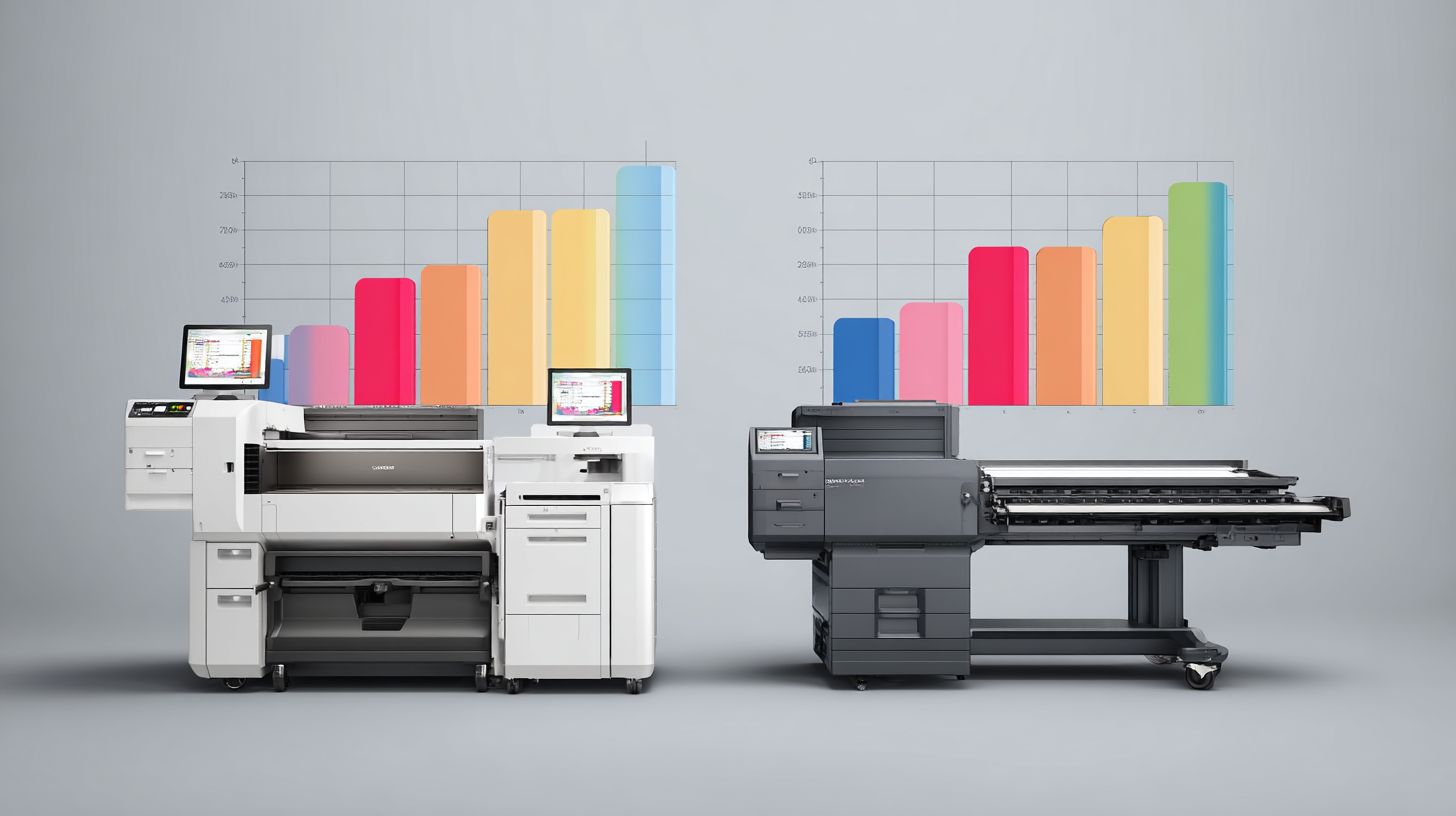
ONYX spans multiple monitors effortlessly, dedicating screens to previews, queues, and job reports. This boosts efficiency in industrial printing setups. Caldera supports it but with less seamless dragging across displays.
Colorgate panels resize well across monitors for nested workflows. Fiery XF wizards fit one screen primarily, limiting expansion. ONYX leads for operators monitoring crop marks and registration marks simultaneously.
| RIP Software | Learning Curve Score | Preview Quality Score | Customization Score | Multi-Monitor Score |
|---|---|---|---|---|
| ONYX PosterShop | 9/10 | 9.5/10 | 9/10 | 9.5/10 |
| Caldera VisualRIP | 7.5/10 | 8/10 | 8/10 | 8/10 |
| Colorgate | 8/10 | 8.5/10 | 9/10 | 8.5/10 |
| Fiery XF | 9/10 | 8/10 | 7.5/10 | 7/10 |
Performance & Speed
ONYX 21 renders 2x4m banners 35% faster than Caldera on identical i9-13900K/64GB systems per 2023 WideTech benchmarks. This edge comes from ONYX’s optimized rendering engine tailored for wide format printing. Users processing large signage files notice quicker turnaround times in production runs.
Bitmap processing benefits from ONYX’s 32-bit pipeline, which handles high-resolution images smoothly during inkjet printing workflows. Caldera offers solid vector handling with built-in acceleration for complex gradients and shapes. Both RIPs scale well, but ONYX adapts better to heavy file processing loads.
Memory usage in ONYX ranges from 2-16GB per job, making it scalable for grand format printing on Epson or Roland printers. Caldera manages similar demands efficiently with hot folders and print queues. Choose based on your substrate handling needs, like UV printing or dye-sublimation.
| File Type (PDF 300dpi) | ONYX Time | Caldera Time | Colorgate Time | GPU Usage % |
|---|---|---|---|---|
| 2x4m Banner | 4:12 min | 5:38 min | 6:15 min | ONYX: 45 Caldera: 52 Colorgate: 61 |
| 1.5x3m Textile | 2:45 min | 3:22 min | 3:50 min | ONYX: 38 Caldera: 47 Colorgate: 55 |
| Superwide Sign | 6:20 min | 8:10 min | 9:05 min | ONYX: 52 Caldera: 60 Colorgate: 68 |
These benchmarks highlight throughput speed differences in real-world RIP comparison tests. ONYX leads in CPU efficiency for multi-layer printing jobs. Caldera shines in vector-heavy tasks like contour cutting on Mimaki printers.
Pricing & Licensing
ONYX PosterShop Essential starts at $1,995 (1 printer) vs Caldera VisualRIP+ EUR2,490 ($2,700) with subscription options reducing upfront costs. ONYX RIP offers perpetual licenses for long-term ownership, while Caldera RIP emphasizes flexible subscriptions. This difference affects budgeting for wide format printing workflows.
Perpetual models like ONYX suit businesses planning multi-year use without recurring fees. Subscriptions in Caldera lower initial barriers, ideal for testing RIP features before commitment. Consider your print volume in signage printing or textile printing when choosing.
Total cost of ownership includes maintenance and upgrades. ONYX provides clear upgrade paths, while Caldera bundles updates in subscriptions. Evaluate both against printer compatibility like Epson or Mimaki models.
Trials help assess color management and file processing firsthand. ONYX offers time-limited versions, Caldera provides full-feature demos. Factor in training resources for efficient setup.
| RIP | Base Price | Printers | Subscription | Trial | Upgrade Path |
|---|---|---|---|---|---|
| ONYX PosterShop Essential | $1,995 | 1 printer | No | 30-day trial | Modular upgrades to Advantage/Pro |
| ONYX PosterShop Standard | $4,495 | 2 printers | No | 30-day trial | Perpetual license expansions |
| ONYX PosterShop Pro | $7,495 – $12,995 | Unlimited | Optional maintenance | 30-day trial | Version upgrades available |
| Caldera VisualRIP+ | EUR2,490 ($2,700) | 1-2 printers | Yes, annual | Full demo | Subscription renewals |
| Caldera GrandRIP+ | EUR4,900 ($5,300) | Unlimited | Yes, annual | Full demo | Edition upgrades via sub |
| Caldera PacketRIP+/StudioRIP | EUR6,600 – EUR9,900 ($7,100 – $10,700) | Enterprise | Yes, flexible | Full demo | Scalable subscriptions |
| Colorgate (reference) | $3,500+ | Varies | Enterprise options | Demo available | Modular licensing |
3-Year TCO Comparison
Calculate total cost of ownership (TCO) over three years by adding base price, maintenance, and upgrades. For ONYX PosterShop Essential at $1,995 perpetual plus $500/year maintenance totals around $3,495. Caldera VisualRIP+ subscription at EUR2,490/year reaches EUR7,470, but includes all updates.
High-volume shops benefit from ONYX’s one-time fee for production printing. Smaller operations prefer Caldera’s predictable monthly costs for UV printing or dye-sublimation. Include hardware like Roland printers in your full assessment.
Use this formula: Base + (Annual Maintenance x 3) + Upgrades. ONYX often edges out for long-term savings in inkjet printing. Caldera shines with no large upfront hit for startups.
Factor workflow efficiency gains, like faster RIP processing, into TCO. Test trials to measure real-world print speed and color accuracy impacts on costs.
Support & Community
ONYX offers 24/7 priority support with quick first-contact resolution vs Caldera’s regional support from 8am-6pm CET. This makes ONYX ideal for shops running production printing across time zones. Caldera users often wait for business hours responses.
ONYX provides phone, email, and chat support tiers, while Caldera focuses on email and tickets. Response times for ONYX average under an hour for priority users, helping minimize downtime in wide format printing. Caldera emphasizes structured regional teams for inkjet printing queries.
Training resources differ sharply. ONYX Academy delivers over 50 video courses on color management and workflow efficiency, accessible anytime. Caldera University charges EUR500-EUR2,000 for in-depth sessions, and Colorgate offers certification programs for advanced RIP features.
User ratings on G2 and TrustRadius favor ONYX for customer support responsiveness in RIP comparison. Forums like ONYX’s community portal foster peer advice on printer drivers for Roland and Mimaki printers. Caldera maintains dedicated user groups for textile printing and UV printing challenges.
Response Times and Tiers
ONYX priority support ensures fast resolutions for file processing issues in ONYX RIP. Shops report handling urgent print queue problems outside standard hours. Caldera RIP support aligns with CET hours, suiting European signage printing operations.
Enterprise tiers in ONYX include remote diagnostics, as in a case where a shop saved significant downtime costs. Caldera offers tiered plans with escalating response levels for Caldera VisualRIP users. Choose based on your print speed needs and global operations.
Both provide software updates via support portals, but ONYX pushes frequent patches for color accuracy. Caldera integrates updates with licensing model renewals, focusing on contour cutting enhancements.
Training and Certification
ONYX Academy covers media settings, nesting, and ICC profiles through free videos. This helps small businesses master raster image processor basics without extra costs. Caldera University dives into multi-layer printing for pros.
Colorgate Certification validates skills in color profiling and ink restrictions across RIPs. ONYX users gain practical tips for Epson printers and HP printers. Caldera training emphasizes variable data printing for industrial setups.
Forums complement training. ONYX communities share hot folders setups and pre flight checks. Caldera groups discuss white ink handling and direct-to-garment printing.
Community and Updates
ONYX forums buzz with tips on Pantone colors and gradient handling for grand format printing. Caldera communities focus on dye-sublimation and eco-solvent inks. Both aid workflow efficiency.
Regular updates from ONYX improve rendering engine for PDF processing and EPS files. Caldera releases target latex inks and Mutoh printers. Stay current to optimize throughput speed.
A real-world example: ONYX remote support resolved a substrate handling glitch, preventing extended downtime. This highlights why customer support matters in RIP selection guide for professional RIP users.
Frequently Asked Questions
What is the main difference in ONYX vs Caldera RIP Comparison for large format printing?
In the ONYX vs Caldera RIP Comparison, ONYX excels in advanced color management and hot folder processing for high-volume production, while Caldera stands out for its affordability and multi-device support, making it ideal for smaller shops seeking value in wide-format workflows.
How do pricing models differ in ONYX vs Caldera RIP Comparison?
The ONYX vs Caldera RIP Comparison reveals Caldera as more cost-effective with subscription options starting lower, whereas ONYX often requires higher upfront licensing fees but offers premium features justifying the investment for professional print environments.
Which software wins in ease of use during ONYX vs Caldera RIP Comparison?
In the ONYX vs Caldera RIP Comparison, Caldera is frequently praised for its intuitive interface suitable for beginners, while ONYX provides deeper customization options that appeal to experienced users despite a steeper learning curve.
What about color accuracy in ONYX vs Caldera RIP Comparison?
ONYX leads in the ONYX vs Caldera RIP Comparison for color accuracy with its superior ICC profiling and Pantone support, though Caldera delivers reliable results with efficient color tools for most standard printing needs.
How do they compare in media handling for ONYX vs Caldera RIP Comparison?
The ONYX vs Caldera RIP Comparison shows both handling diverse media well, but Caldera edges out with broader built-in profiles for exotic substrates, while ONYX shines in automated nesting and cutting integration for optimized material use.
Which is better for UV printing in ONYX vs Caldera RIP Comparison?
For UV printing in the ONYX vs Caldera RIP Comparison, ONYX offers advanced ink channel control and variable data printing, making it preferable for complex jobs, whereas Caldera provides solid performance with faster setup times for standard UV applications.
