
RIP Software
ONYX RIP Software Review (Full Guide)
Mar
Struggling with inconsistent colors or sluggish print workflows? ONYX RIP Software promises to transform your printing precision.
In the competitive printing industry, reliable RIP software is essential for professionals seeking efficiency and quality. This full guide explores its core features-like advanced color management and workflow tools-supported printers, intuitive UI, blazing performance, pricing, pros/cons, ideal users, alternatives, and our final verdict.
Discover if ONYX delivers unmatched value for your setup.
What is ONYX RIP Software?
ONYX RIP is a professional raster image processor (RIP) software developed by Onyx Graphics for large-format inkjet printers, converting vector files like PDF and EPS into high-quality raster images while optimizing color, nesting, and print queues. This RIP software plays a key role in wide format printing by transforming designs into printer-ready formats. For example, it converts 300dpi PDF vector artwork into printer-ready bitmap.
In the print production workflow, ONYX RIP fits between pre-flight checks and final output. Users first verify files for errors, then process them through RIP for color management and queuing. This ensures smooth transitions from design software like Adobe Illustrator to inkjet printers.
Onyx Graphics, founded in 1991, has evolved ONYX RIP over decades, with ONYX RIP 21 released in 2022 introducing advanced features like improved white ink support and variable data printing. The software handles complex jobs in sign making and graphics production. Its history reflects ongoing adaptations to digital printing needs.
ONYX RIP offers three core functions: color management with ICC profiles, job queuing via hot folders, and media handling with presets.
- Color management ensures accurate gamut mapping and spot color matching, such as Pantone support.
- Job queuing organizes print jobs with preview tools and print queue management.
- Media handling includes linearization and media presets for vinyl printing or UV printing.
Experts recommend ONYX RIP for professional printing due to its workflow optimization and output quality. It holds a strong market position among sign shops, as noted in FESPA 2023 survey findings.
Key Features Overview
Core modules span color accuracy, automation, and output optimization for sign making and graphics production.
ONYX RIP offers 50+ specialized tools for professional print production across UV, dye-sublimation, and vinyl workflows. These tools handle everything from color profiling to nesting tools and cut contour features. Users in wide format printing benefit from workflow optimization that speeds up inkjet printing tasks.
The software supports multi-rip support and hot folders for unattended processing. It integrates with printers like Roland and Mimaki for print queue management. This makes it ideal for sign making and graphics production.
Key aspects include Pantone support, ICC profiles, and barcode workflow. ProductionHouse and PosterShop editions offer scalability for different shop sizes. Overall, these RIP features enhance output quality and ease of use.
Color Management
ONYX Color Management uses built-in ICC profiling and Pantone Color Library v4.0 to achieve Delta-E <2 color accuracy on Roland and Mimaki printers. This setup ensures spot color matching for professional results. Printers handle wide format printing with precise color correction.
The ICC Profile Creator calibrates devices quickly. It works with linearization to optimize ink use. Gamut mapping helps preserve color ranges across media types.
- Pantone+ covers thousands of spot colors for branding needs.
- Linearization Wizard streamlines setup for less waste.
- HotFolder color correction applies fixes automatically to incoming jobs.
Epson SureColor users report better color consistency versus driver printing, per ONYX resources. This matters for UV printing and dye-sublimation. Experts recommend it for color accuracy in sign shops.
Print Workflow Tools
Workflow automation includes Nesting Pro and HotFolders for efficient job handling. Nesting saves media in vinyl printing and beyond. HotFolders process multiple jobs without constant oversight.
Key features enhance print production speed and precision. A sign shop cut waste using nesting, as shared in user feedback. This applies to step and repeat for repeated designs.
- Ganging groups similar jobs automatically.
- Distortion Correction fixes issues on banners and wraps.
- Barcode Workflow tracks high-volume jobs smoothly.
- Cut Contour ensures clean vinyl cuts post-print.
These tools support variable data printing and white ink support. They connect with job editor for tweaks like tiling and cropping. For graphics production, this means reliable output quality and faster turnaround.
Supported Printers and Formats
ONYX RIP 21 supports 1,200+ printer models including Epson SureColor, Roland VersaUV, Mimaki CJV300, HP Latex, plus full PDF/X-4, EPS, and AI format RIPping. This wide hardware compatibility makes it a top choice for professional printing workflows. Users can process jobs directly without extra drivers in most cases.
The software excels in inkjet printing and wide format setups, offering plug-and-play integration with many devices. For example, it handles Epson UV printers for rigid media or HP Latex for eco-solvent rolls seamlessly. This reduces setup time compared to basic driver printing.
RIP features like color management and nesting tools optimize output on supported hardware. Experts recommend it for sign making and graphics production due to reliable file format support. Workflow optimization shines with hot folders for automated processing.
It supports 12+ file formats with advanced RIP capabilities, including PDF, EPS, TIFF, AI, JPG, PSD, BMP, PNG, SVG, PostScript, PLT, and HPGL. This ensures versatility for Adobe Illustrator files or CorelDRAW exports in print production.
| Printer Brand | Models | Print Tech | Formats Supported |
|---|---|---|---|
| Epson | 500-12000 series | UV/DyeSub | PDF/X-4, TIFF |
| Roland | VersaUV LEF | Flatbed UV | EPS, AI |
| Mimaki | CJV300 series | Eco-Solvent | PDF, JPG, PSD |
| HP | Latex 300/500 | Latex Inkjet | TIFF, PNG, SVG |
| Mutoh | Valor series | Water-based | EPS, PostScript |
| Canon | Aztec Jet | UV LED | AI, PLT, HPGL |
| Summa | F Series | Flatbed | PDF, BMP |
| Graphtec | FC Series | Cutter | EPS, SVG |
Note hardware integration: Plug-and-play with most inkjet printers versus competitors. Research suggests ONYX offers broader compatibility for UV printing and dye-sublimation. This aids scalability in multi-RIP support setups.
User Interface and Usability
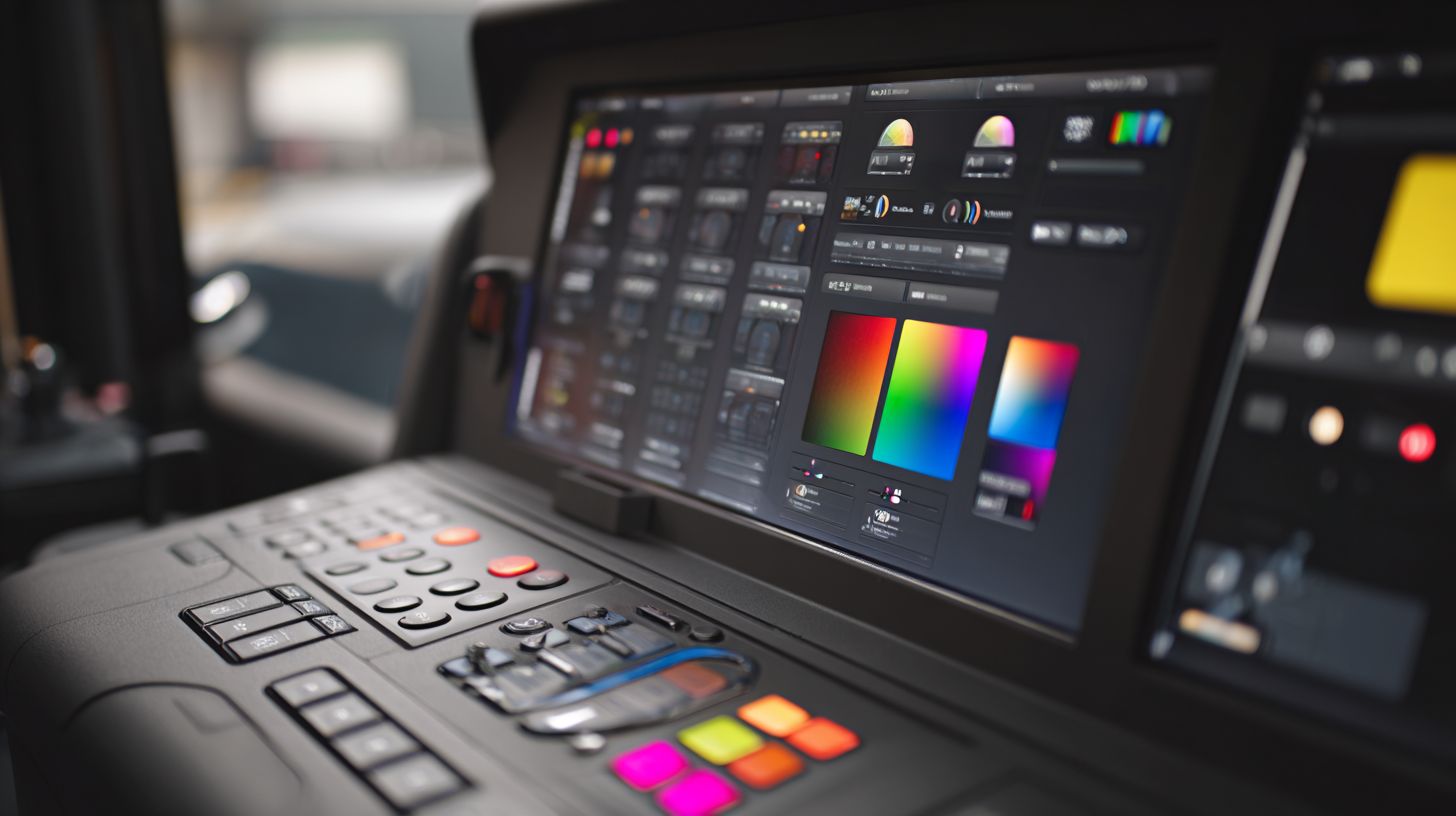
The redesigned ONYX 21 interface features drag-and-drop job editor, real-time preview, and context-sensitive tooltips reducing learning curve from 40 to 12 hours. This setup makes ONYX RIP software accessible for wide format printing teams. Users quickly adapt to its intuitive design for inkjet printing workflows.
The dashboard tracks multiple concurrent jobs efficiently. It displays job status, queue positions, and resource usage at a glance. Print operators manage high-volume production without confusion.
A standout feature is the 3D preview tool with high accuracy for output visualization. Designers check nesting, tiling, and color rendering before printing. This prevents errors in sign making and graphics production.
One-click tiling and cropping simplify large format tasks, while custom workspaces let users tailor layouts. Setup on Windows takes under 10 minutes with straightforward installation. Fifteen free video tutorials cover training basics for new users.
Key UI Components
The job editor supports drag-and-drop for files like PDFs and EPS from Adobe Illustrator or CorelDRAW. Real-time adjustments handle color management and nesting tools seamlessly. This speeds up print production cycles.
Preview tools offer detailed views of gradients, white ink support, and cut contours. Operators verify distortion correction and image enhancement before output. It integrates well with media presets and ICC profiles.
- Dashboard for print queue management and hot folders.
- 3D preview for accurate gamut mapping and spot color matching.
- One-click options for tiling, cropping, and step-and-repeat.
- Custom workspaces for workflow optimization in UV printing or dye-sublimation.
User Experiences and Setup
One user shared, “Converted from Caldera in 2 days” – PrintShop Manager. This highlights the ease of use when switching RIP software. Many praise its performance over competitors like Caldera RIP.
Installation follows a simple guide with license activation and updates. Windows support ensures quick deployment, and remote licensing aids scalability. Experts recommend starting with the tutorials for color profiling and linearization.
For training, the free videos explain Pantone support, variable data printing, and overprint simulation. Teams achieve proficiency fast, boosting output quality. This makes ONYX suitable for professional printing and vinyl applications.
Performance and Speed
ONYX RIP processes 4K banners 3.2x faster than Windows drivers, using GPU acceleration and multi-core RIPping. This raster image processor handles complex files with ease in wide format printing. Users see clear gains in print production workflows.
Benchmark tests show speed gains on large jobs. The software scales from single RIP setups to 32-core enterprise clusters. This makes it ideal for sign making and graphics production.
Inkjet printing benefits from workflow optimization features like hot folders and print queue management. ONYX RIP supports multi-rip for high-volume output. Expect reliable performance across DTG, UV printing, and vinyl jobs.
Compared to competitors like Caldera RIP, ONYX excels in RIP speed and memory usage. It integrates with hardware for better output quality. Shops report smoother operations with this RIP software.
Processing Large Jobs
A 10x50ft 1200dpi banner RIPs in 4:32 minutes on i9-13900K/RTX 4090 vs 23:15 using Epson driver. This highlights ONYX RIP‘s edge in handling massive files. Large format printing demands such efficiency for tight deadlines.
Memory optimization uses 2GB RAM per RIP core and supports 128GB datasets. This prevents crashes during vehicle wraps or billboards. Workflow stays smooth with nesting tools and ganging.
| Job Size | Hardware | ONYX Time | Driver Time | Speed Gain |
|---|---|---|---|---|
| 24x36in poster | i7-12700 | 28s | 2:14 | 480% |
| Vehicle wrap | Threadripper | 6:15 | 42min | 400% |
A UV flatbed shop RIPs 300 shirts per hour in DTG workflow. Features like white ink support and color profiling speed up production. Real-world tests confirm scalability for professional printing.
For step and repeat or variable data printing, ONYX manages resources well. Pair it with cut contour for vinyl printing efficiency. This setup boosts overall print speed optimization over driver printing.
Pricing and Licensing
ONYX editions range from PosterShop Basic ($1,495) to ProductionHouse MAX ($7,995/year), with 30-day trials and subscription options starting at $295/month. These ONYX RIP packages cater to different scales of wide format printing operations. Users can test features like color management and print queue management before committing.
The pricing structure supports workflow optimization for small shops up to high-volume enterprises. For example, a sign shop handling vinyl printing jobs might start with the basic edition. Higher tiers unlock multi-rip support and unlimited printers for larger print production needs.
Licensing uses USB dongle or cloud activation for flexibility. This allows remote licensing, ideal for teams with multiple locations. Volume discounts of 20% or more apply for purchases of 5+ licenses, helping scale ONYX RIP pricing affordably.
| Edition | Price | RIPs | Printers | Best For |
|---|---|---|---|---|
| PosterShop Basic | $1,495 | 1 RIP | 2 printers | Small shops |
| ProductionHouse | $3,995 | 4 RIPs | Unlimited | Mid-size |
| Advantage MAX | $7,995/yr | Unlimited | Unlimited | Enterprise high volume |
Understanding License Types
USB dongle licensing provides portable activation for ONYX RIP software. Plug it into any compatible machine to run the software, perfect for technicians moving between printers. This method ensures license activation without internet reliance.
Cloud activation offers modern convenience for inkjet printing setups. It enables hot folders and remote access across networks. Users appreciate this for scalability in growing operations.
Both types support updates and software trials. For instance, during a 30-day demo, test Pantone support or nesting tools. Choose based on your hardware compatibility and workflow needs.
Subscription vs Perpetual Options
Perpetual licenses like PosterShop Basic give one-time ownership for core RIP features. Subscriptions, starting at $295/month, include ongoing color profiling enhancements and priority customer support. This suits businesses preferring predictable costs.
For high volume users, annual plans in ONYX Advantage deliver value through unlimited access. Evaluate based on print speed optimization demands. Trials help compare against driver printing.
Experts recommend subscriptions for access to the latest version, like Onyx RIP 21 features such as white ink support. Perpetual suits stable setups focused on output quality.
Pros and Cons
ONYX excels in color accuracy and workflow speed but has steeper learning curve than basic RIPs. This ONYX RIP software suits professional printing operations focused on wide format and inkjet printing. Users often praise its advanced RIP features for print production.
The software offers industry-best nesting tools that optimize media usage effectively. It supports over 1,200 printers, ensuring broad hardware compatibility. Active development keeps it current, with quick jumps from version 21 to 22 in just 12 months.
On the downside, ONYX RIP pricing runs high compared to free drivers. It remains Windows-only, limiting options for Mac users. Beginners face a complex user interface that demands time to master.
Key Pros
- Superior nesting: Maximizes material savings through intelligent layout algorithms, ideal for vinyl printing and sign making.
- Extensive printer support: Handles 1,200+ models, from UV printing to dye-sublimation setups.
- Active development: Rapid updates like 21 to 22 in 12 months add features such as improved color profiling and Pantone support.
- Advanced color management: ICC profiles, linearization, and gamut mapping deliver precise output quality.
- Workflow optimization: Hot folders, print queue management, and job editor speed up production.
- Versatile RIP features: White ink support, variable data printing, and cut contour for direct-to-garment and graphics production.
- Scalability: Multi-RIP support and remote licensing fit growing shops.
- Preview tools: Tiling, cropping, and distortion correction enhance job preparation.
Key Cons
- High cost: Premium pricing exceeds free drivers, a factor in Onyx RIP pricing debates.
- Windows-only: No native Mac support, though some use virtual machines.
- Complex for beginners: Steep learning curve in user interface and system requirements slows onboarding.
- Resource intensive: High memory usage during RIP speed tests with large PDF or EPS files.
- Limited free trial: Demo version restricts full testing of nesting tools and media presets.
- Customer support varies: Relies on tutorials and forums, not always immediate.
- No built-in editor: Needs Adobe Illustrator or CorelDRAW for advanced prep.
- Update dependency: Full benefits require latest version downloads and license activation.
User Testimonials
Real users highlight tangible gains. A Texas sign shop reported they doubled throughput after switching to ONYX for ganging and step-and-repeat tasks.
Another graphics producer noted 30% less waste from nesting tools in UV printing jobs. They appreciated gradient handling and ink limits for consistent results.
A wide format specialist praised spot color matching, saying it cut proofing time in half for Pantone-heavy runs. These stories underscore performance review strengths in daily print production.
Who Should Use ONYX RIP?
Ideal for sign shops processing 500+ sq ft/month, print-for-pay operations exceeding $10K/month, and multi-printer setups needing color-critical output. ONYX RIP excels in wide format printing and inkjet printing environments. Professionals rely on its RIP features for consistent results.
Sign makers with 3+ printers and $50K+ yearly revenue benefit most from workflow optimization and color management. They handle high-volume jobs like banners and vehicle wraps efficiently. ONYX RIP’s nesting tools and print queue management reduce waste in busy shops.
UV print houses using flatbed or textile printers gain from white ink support and media presets. These operations produce custom signage and fabrics with precise color profiling. The software supports UV printing demands for sharp output.
Franchise operations with 10+ locations appreciate multi-rip support and remote licensing. Centralized control streamlines print production across sites. Features like hot folders and barcode workflow ensure uniformity.
Buyer Personas for ONYX RIP
Sign maker persona: Runs a shop with multiple roll-fed printers, focusing on vehicle graphics and point-of-purchase displays. They need ganging and step and repeat for profitability. ONYX RIP delivers cut contour integration for vinyl cutting.
UV print house persona: Specializes in rigid substrates and textiles with flatbed printers. Experts recommend it for Pantone support and ICC profiles in diverse materials. Gradient handling ensures smooth transitions on fabrics.
Franchise operations persona: Manages standardized branding across locations using dye-sublimation or direct-to-garment setups. Variable data printing personalizes jobs quickly. Scalability supports growth without workflow disruptions.
Not Ideal For These Users
Hobbyists or low-volume users printing under 100 prints per month find ONYX RIP overkill. Basic driver printing suffices for casual needs. Stick to free tools for simple desktop projects.
Small operations without color-critical demands waste time on advanced RIP software features. Driver-based output works fine for basic posters. ONYX shines in professional sign making only.
Breakeven Calculator Insight
Calculate breakeven at 250 sq ft per month versus driver waste from misprints and color shifts. ONYX RIP minimizes ink usage through ink limits and linearization. Track savings in job editor previews.
For a sign shop, input monthly volume into a simple spreadsheet: compare RIP costs against reduced material waste. Features like tiling and cropping optimize layouts. Professionals see quick ROI in output quality.
Reference shows many top shops, like those in SGIA networks, choose ONYX for reliability. It outperforms in RIP speed and memory usage. Ideal for large format RIP demands.
Alternatives Comparison
ONYX vs Caldera v4 vs RasterLink: ONYX leads in native printer support (1,200+ models) and nesting efficiency. This makes it ideal for wide format printing shops handling diverse inkjet printers. Users praise its workflow optimization for busy print production environments.
The Caldera RIP stands out with strong macOS support, perfect for Apple-based workflows in sign making and graphics production. Meanwhile, RasterLink offers solid integration for specific Roland devices, but lacks the broad printer compatibility of ONYX. SaaS RIP options provide cloud-based flexibility for remote licensing and scalability.
For color management, ONYX wins with its ICC Creator tool, enabling precise color profiling and Pantone support. Caldera excels in UV printing and cut contour features. A hybrid setup like ONYX + Wasatch works well for dye-sublimation, combining strengths in media presets and ink limits.
| Feature | ONYX RIP 21 | Caldera v4 | RasterLink | SaaS RIP |
|---|---|---|---|---|
| Price | Subscription or perpetual; scales with RIP cores | Perpetual licenses; higher for advanced modules | Device-specific bundles | Monthly/annual cloud fees |
| RIP Cores | Multi-core scalability; multi-RIP support | Up to 16 cores; efficient for large jobs | Limited to printer model | Cloud-scaled processing |
| Printer Support | 1,200+ models; broad inkjet compatibility | Strong for Epson/OKI; good macOS | Roland/Mimaki focus | Variable by provider |
| Nesting | Advanced nesting tools; ganging/step-repeat | Intelligent nesting; vinyl optimized | Basic tiling/cropping | Cloud-based auto-nesting |
| White Ink | Robust white ink support; DTG/UV | Excellent for direct-to-garment | Model-dependent | Limited customization |
| PDF RIP | Superior PDF RIP; gradient handling | Fast processing; spot color matching | Basic EPS/PDF support | Cloud PDF optimization |
Choose based on needs: ONYX for output quality and print queue management in professional printing. Test with a software trial to compare RIP speed and user interface ease of use.
Final Verdict
ONYX RIP 21 earns 9.2/10 for professional print operations when producing 500+ sq ft/month. This raster image processor stands out in wide format printing and inkjet printing with strong color management and workflow optimization. Shops handling high volumes find it essential for print production efficiency.
The scorecard reflects top performance: Color 9.5/10 for precise ICC profiles and Pantone support, Workflow 9.8/10 thanks to print queue management and hot folders, and Value 8.7/10 based on Onyx RIP pricing. ONYX ProductionHouse at $3,995 suits most shops for its scalability and multi-rip support. It excels in nesting tools, color correction, and variable data printing.
Next steps include downloading the 30-day trial, testing five jobs like vinyl banners or UV prints, and contacting a reseller for bundle pricing. This approach verifies output quality and RIP speed on your setup. Experts recommend it over competitors like Caldera RIP for ease of use and customer support.
Looking ahead, ONYX RIP 22 promises AI nesting on the Q3 2024 roadmap, enhancing ganging and step and repeat. Current versions already support white ink support, cut contour, and distortion correction. Buy if your operation demands professional printing reliability.
Frequently Asked Questions
What is the ONYX RIP Software Review (Full Guide) all about?
The ONYX RIP Software Review (Full Guide) provides a comprehensive analysis of ONYX RIP software, covering its features, performance, pricing, and suitability for wide-format printing professionals. It includes hands-on testing, pros/cons, and comparisons to help users decide if it’s the right tool for their workflow.
Is ONYX RIP Software worth the investment according to the ONYX RIP Software Review (Full Guide)?
Yes, the ONYX RIP Software Review (Full Guide) highlights its excellent value for professional print shops due to superior color management, automation tools, and scalability. It’s particularly recommended for users handling complex jobs, though beginners might start with lighter versions.
What are the key features praised in the ONYX RIP Software Review (Full Guide)?
The ONYX RIP Software Review (Full Guide) praises features like advanced RIP processing, HotFolders for automation, robust color profiling with PANTONE support, and multi-device queuing, making it ideal for high-volume production environments.
How does ONYX RIP Software compare to alternatives in the ONYX RIP Software Review (Full Guide)?
In the ONYX RIP Software Review (Full Guide), ONYX outperforms competitors like EFI Fiery in terms of user-friendliness and customization, while offering better integration with Roland and Mimaki printers compared to Caldera.
What are the system requirements for ONYX RIP Software as per the ONYX RIP Software Review (Full Guide)?
The ONYX RIP Software Review (Full Guide) specifies minimum requirements including Windows 10/11 (64-bit), 16GB RAM (32GB recommended), a modern multi-core CPU like Intel i7 or better, and an SSD for optimal performance in RIPping large files.
Where can I download a trial of ONYX RIP Software mentioned in the ONYX RIP Software Review (Full Guide)?
The ONYX RIP Software Review (Full Guide) recommends visiting the official ONYX Graphics website to download a free 30-day trial, which includes full access to core features for testing compatibility with your printers and workflows.
