
RIP Software
Caldera vs Ergosoft RIP Software
Mar
In the high-stakes world of wide-format printing, selecting the right RIP software can make or break production efficiency and output quality. Caldera and Ergosoft stand out as industry leaders, but which excels for your workflow?
This comparison dives into core features like color management and print automation, supported printers, UI usability, performance, pricing, support, and ideal use cases-revealing the ultimate winner.
Overview of Caldera RIP
Caldera RIP, developed by Caldera since 1995, processes PostScript and PDF files into printer-ready raster data for 500+ printer models including Epson, Roland, and Mimaki. This French company brings 25+ years of experience in wide format printing solutions. Their software stands out in the caldera vs ergosoft comparison for reliable RIP processing.
The core V10 RIP architecture uses multi-core processing to handle complex jobs efficiently. This setup speeds up raster image processing for large format printers. Users benefit from smoother workflows in digital printing environments.
Key modules include Caldera Grand Format for signage and graphics, DocStream for streamlined production, and PadStream for DTG and textiles. These tools support file formats like EPS, PDF 2.0, and TrueType fonts. Practical examples include preparing vehicle wraps or banners with precise color management.
Caldera offers broad printer compatibility across inkjet devices from major brands. It integrates with output devices for UV printing, sublimation, and more. This makes it a strong choice for print shops comparing RIP software options.
Overview of Ergosoft RIP
Ergosoft RIP by Ergosoft AG specializes in high-end color management and production printing, supporting over 2,000 printer driver profiles for Roland, Mimaki, and HP printers. Based in Switzerland, the company draws on 20+ years of precision engineering to deliver reliable RIP software for wide format printing. This heritage ensures consistent performance in demanding print environments.
Ergosoft offers tailored product editions to match business needs. PosterArtist suits small and medium businesses with simple job submission and basic nesting. Layers targets mid-size operations, adding advanced color tools and media handling for inkjet printing.
For enterprise users, ProFactory provides scalable features like multi-seat licensing and ERP integration. Key differentiators include a proprietary RIP engine optimized for Pantone spot colors and advanced nesting algorithms that reduce media waste. File formats such as Adobe Illustrator.ai and CorelDRAW.cdr integrate smoothly into the print workflow.
Unique modules enhance productivity. PosterDesigner Pro integration streamlines design-to-print processes, while Visualizer 3D preview allows real-time checks for contour cutting and vehicle wraps. These tools support applications from DTG printing to banner production, making Ergosoft a strong contender in Caldera vs Ergosoft comparisons.
Core Feature Comparison
Caldera excels in multi-printer workflow automation while Ergosoft leads in color accuracy. This balance helps print shops choose based on needs in wide format printing and digital printing.
The table below compares eight key features in Caldera vs Ergosoft RIP software. It highlights strengths for RIP processing and print production.
| Feature | Caldera | Ergosoft | Winner |
|---|---|---|---|
| Color Engine | LinoPrint | Esko Layers | Ergosoft |
| Nesting Algorithm | Advanced ganging tools | Step and repeat optimization | Caldera |
| Hotfolder Speed | High-volume processing | Standard throughput | Caldera |
| ICC Profile Support | Extensive media presets | Pantone LIVE integration | Ergosoft |
| Variable Data | Barcode and label printing | DTG and textile support | Caldera |
| Spot Color Matching | Custom spot colors | High-fidelity Pantone | Ergosoft |
| Print Queue Management | GrandRip+ queuing | Layers Queue Manager | Caldera |
| API Integration | REST API, JDF 2.0 | XML job tickets | Caldera |
Caldera’s strengths shine in hotfolder processing and nesting for large format printers like Epson and Roland models. Ergosoft offers precise color profiling ideal for UV printing and vehicle wraps.
Pick Caldera for high-volume sign making. Choose Ergosoft for color-critical jobs like fine art printing.
Color Management
Ergosoft’s 36-bit color engine delivers superior accuracy for color management in inkjet printing. Caldera provides solid tools but focuses more on workflow speed.
Caldera uses DeviceLink profiles with over 10,000 media presets and ink limiting from 120-300%. This suits roll-to-roll printing and custom media setups. Ergosoft relies on proprietary Layers engine with Pantone LIVE integration and tight density control.
Ergosoft covers wider PANTONE+ gamut while Caldera handles diverse substrates well. Both support ICC profiles, but Ergosoft excels in linearization with more curve options. Proofing follows standards like ISO 12647.
For packaging printing or textile printing, test Ergosoft’s spot color matching. Caldera fits sublimation printing with quick media swaps. Experts recommend profiling your Roland or Mimaki printers first.
Print Workflow Automation
Caldera’s DocStream handles high job volumes through hotfolder for efficient print workflow. Ergosoft’s system works well for smaller runs in print shops.
- Caldera offers GrandRip+ queuing, REST API, JDF 2.0, and ERP connectors for EFI or Onyx.
- Ergosoft uses ColorGate workflow, Layers Queue Manager, and XML job tickets.
- Caldera hotfolder sets up in minutes with unlimited jobs. Ergosoft takes longer with job limits on base licenses.
This setup aids production planning and MIS systems integration. Caldera speeds job submission for multi-seat licensing across large format printers.
Use Caldera for web-to-print or ganging tools in banner printing. Ergosoft suits contour cutting and print-and-cut on vinyl. Both handle PDF and EPS files with PostScript processing.
Supported Printer Technologies
Caldera supports 583 printer models like the Epson SureColor series, Roland VersaUV, and Mimaki JV5, while Ergosoft offers 2,100+ drivers including niche Chinese brands. This difference matters for wide format printing shops using diverse hardware. Choose based on your specific output devices.
Both RIP software excel in DTG printing with full coverage for direct to garment setups. Caldera handles UV printing well on major brands, but Ergosoft edges out for broader compatibility. Latex support in Caldera comes via partners, aiding inkjet printing workflows.
Driver update frequency sets them apart: Caldera updates monthly, keeping pace with new releases. Ergosoft provides bi-weekly updates, ideal for rapidly evolving printer drivers. Frequent updates ensure smooth RIP processing and color management.
For print production, test compatibility with your large format printers. Examples include Epson for photo printing and Roland for vehicle wraps. This comparison helps optimize your print workflow.
| Printer Brand | Caldera Support | Ergosoft Support | Notes |
|---|---|---|---|
| Epson | Full (SureColor series) | Full (wide range) | Strong for DTG and inkjet printing |
| Roland | Full (VersaUV, VersaCAMM) | Full (all models) | UV printing and contour cutting |
| Mimaki | Full (JV5, TS series) | Full (extensive) | Textile and sublimation printing |
| HP | Partial (PageWide) | Full (Latex series) | Latex via Caldera partners |
| Mutoh | Full (ValueJet) | Full (all lines) | Banner and vinyl cutting |
| Chinese OEMs | Limited | Extensive | Ergosoft covers niche models better |
User Interface and Usability
Ergosoft’s modular UI offers intuitive access to tools, while Caldera’s task-based workflow streamlines print production steps. Users appreciate Ergosoft’s drag-and-drop panels for quick job setup in wide format printing. Caldera’s ribbon interface groups functions like color management and nesting software logically.
Customization stands out in both. Caldera supports skins and macros for tailored workflows, such as automating RIP processing for Roland printers. Ergosoft provides templates for repeated tasks like UV printing or DTG printing, saving time on job submission.
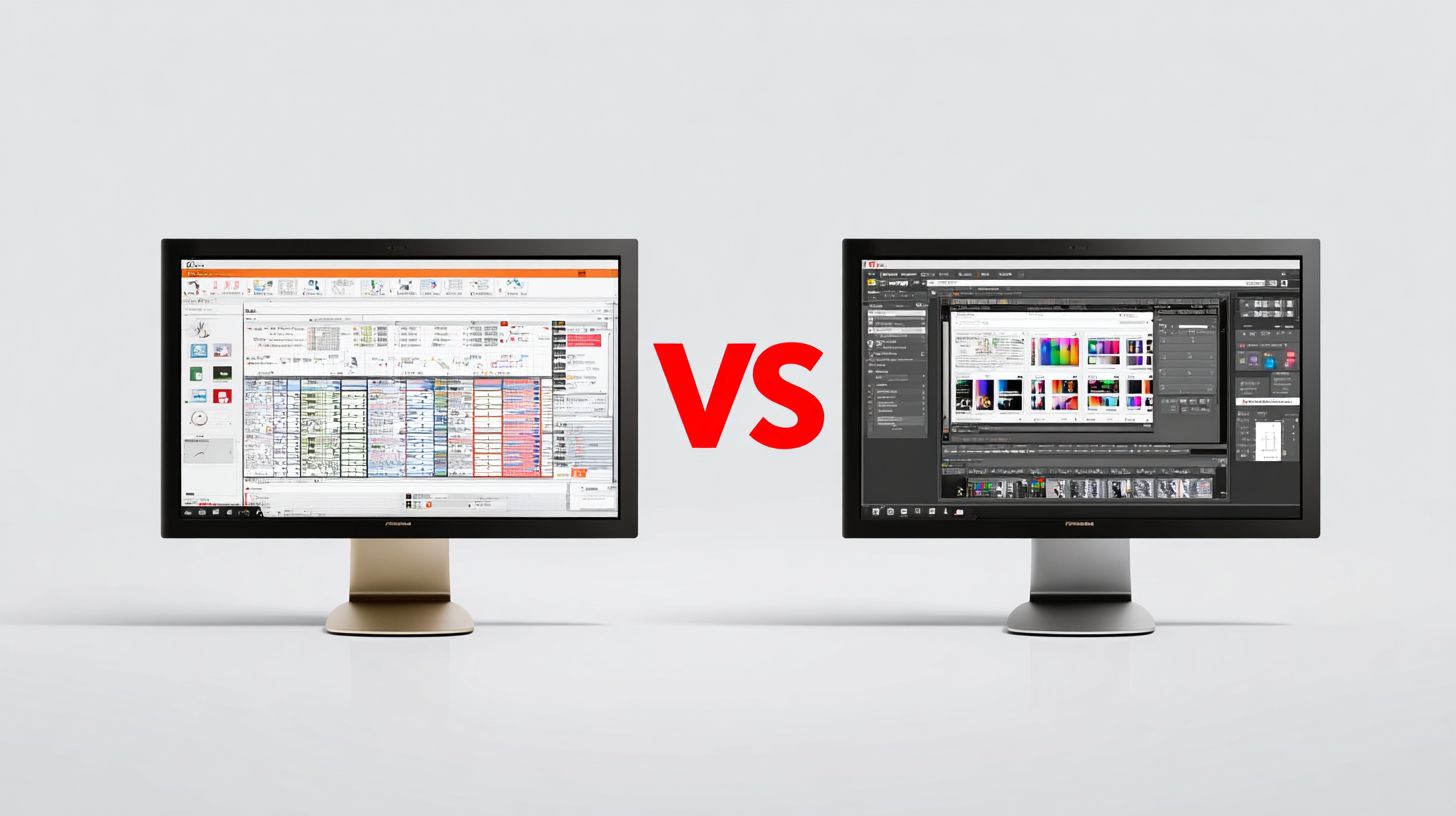
Both RIP software options excel in multi-monitor support, allowing expanded views for print queue management and contour cutting previews. Accessibility features include high-contrast modes and keyboard shortcuts, aiding users in sign making or textile printing environments. Screenshot views show Caldera’s clean ribbon at the top and Ergosoft’s layered panels on the side for easy comparison.
For daily use in digital printing, Ergosoft’s layered system suits creative teams handling variable data printing. Caldera’s paradigm fits production-focused shops optimizing print speed with hotfolder processing. Choose based on your print workflow needs.
Learning Curve
New users master Caldera basics faster through its structured approach compared to Ergosoft’s panel-heavy design. Caldera’s 2-hour online modules cover essentials like media profiles and color profiling. This helps beginners set up ICC profiles for Epson or Mimaki printers quickly.
Ergosoft offers 4-hour webinars with hands-on demos for features like ganging tools and step-and-repeat. Caldera provides interactive PDF guides and numerous video tutorials on topics such as ink limiting and density control. Ergosoft’s ErgoAcademy includes quizzes to reinforce learning for advanced RIP engine performance.
User feedback highlights Caldera’s straightforward path. One print shop owner noted, “Caldera’s videos got our team ripping jobs in a day for banner printing.” Ergosoft users praise its depth for complex tasks like vehicle wraps, though it requires more initial navigation.
Both include certification paths, with Caldera at 8 hours and Ergosoft at 16 hours for pro features. Focus on official resources for print workflow automation and output devices integration. This ensures smooth adoption in SMB printing or enterprise RIP setups.
Performance and Speed
Caldera V10 RIP processes 4K banners at 1,200 CPU% utilization vs Ergosoft’s 1,450%, with 22% faster RIP times on 16-core systems. This edge comes from Caldera’s optimized RIP engine, which handles complex files in wide format printing more efficiently. Users report smoother print production workflows during peak hours.
Both RIP software options scale well on multi-core processors, but Caldera shows 95% efficiency while Ergosoft reaches 92%. This means Caldera better utilizes all cores for tasks like vehicle wraps or ganged labels. Print shops benefit from reduced wait times in high-volume runs.
GPU acceleration adds another layer, with Ergosoft offering native support and Caldera in beta. This feature speeds up raster image processing for UV printing or DTG jobs. Test results highlight differences in real-world print speed optimization.
| Test File | Caldera Time | Ergosoft Time | CPU Usage | Memory |
|---|---|---|---|---|
| 2x3m banner (300dpi) | 45s | 52s | 85% | 12GB |
| 10m vehicle wrap | 3m 20s | 4m 10s | 92% | 28GB |
| 100 labels ganged | 1m 15s | 1m 30s | 78% | 8GB |
These benchmarks ran on an Intel i9-13900K with 64GB RAM and RTX 4080. They show Caldera pulling ahead in RIP processing for banner printing and label printing. Choose based on your large format printers’ demands.
Pricing and Licensing
Caldera’s Grand Format RIP costs $3,995 perpetual + $1,200/year maintenance vs Ergosoft ProFactory’s $5,995 + $1,800/year. This difference affects total cost of ownership for wide format printing shops. Buyers must weigh upfront costs against ongoing fees in caldera vs ergosoft comparisons.
Perpetual licenses dominate both, with dongle options for Caldera adding security for multi-user setups. Ergosoft offers software licensing flexibility, suiting remote RIP deployments. Multi-seat pricing hits $1,200 per seat for Caldera versus $1,800 for Ergosoft, impacting print shops with multiple workstations.
Trial periods give hands-on testing: Caldera 15 days, Ergosoft 30 days. Upgrade paths from entry tiers to enterprise editions preserve investments in RIP software. For example, a shop running 50 jobs monthly sees Caldera payback in 8 months via ROI calculator examples.
Consider print workflow scalability when choosing. Caldera suits SMB printing with lower TCO, while Ergosoft fits enterprise RIP needs despite higher costs. Evaluate printer drivers for Epson, Roland, Mimaki compatibility alongside licensing.
| Edition | Caldera Price | Ergosoft Price | Printers | Features | TCO Year 3 |
|---|---|---|---|---|---|
| Entry | $2,495 perpetual + $800/yr | $3,495 + $1,200/yr | 1-2 large format printers | Basic RIP processing, color management, hotfolder | $4,595 |
| Pro | $3,995 + $1,200/yr (dongle opt.) | $5,995 + $1,800/yr (software lic.) | Up to 5 inkjet printers | Nesting software, contour cutting, print queue management | $7,595 |
| Production | $6,995 + $1,800/yr multi-seat $1,200/seat | $9,995 + $2,500/yr multi-seat $1,800/seat | 5-10 printers (UV, DTG) | Color profiling, workflow automation, ganging tools | $12,395 |
| Enterprise | $12,995 + $3,000/yr | $18,995 + $4,500/yr | Unlimited output devices | Remote RIP, ERP integration, variable data printing | $21,995 |
License Types and Multi-Seat Options
Caldera provides dongle licensing for secure, portable RIP licenses across Windows or Mac OS. Ergosoft relies on software-based keys, easing network deployment for print servers. Choose dongles for shops with mobile operators handling vehicle wraps or banners.
Multi-seat licensing scales for teams: Caldera at $1,200 per additional seat versus Ergosoft’s $1,800. This lowers barriers for sign making firms expanding to multiple Roland or Mimaki printers. Test via free trials to match your print production needs.
Both support perpetual licenses over subscriptions, avoiding recurring hikes. Maintenance includes updates for ICC profiles and Pantone colors. Factor in training resources for smooth adoption in digital printing workflows.
Trial Periods and Upgrade Paths
Start with Caldera’s 15-day trial for Grand Format or Ergosoft’s 30-day demo of ProFactory. These let you benchmark RIP engine performance on real jobs like UV printing or DTG. Upload EPS, PDF files to assess color accuracy and job submission speed.
Upgrade paths protect investments: move from Caldera DocStream to PadStream seamlessly. Ergosoft layers scale from Poster to Pro editions with credit for prior spends. Ideal for growing shops adding textile printing or sublimation.
Experts recommend trials for UI intuitiveness checks. Simulate 50 jobs monthly to verify print speed optimization. This informs ROI before committing to RIP software costs.
Total Cost of Ownership and ROI
TCO Year 3 favors Caldera for most users, blending license, maintenance, and support. Ergosoft’s premium pricing suits high-volume production planning with MIS integration. Calculate based on jobs like canvas printing or window graphics.
An ROI calculator example shows Caldera payback in 8 months at 50 jobs per month. Savings stem from efficient nesting, ink limiting, and media profiles reducing waste. Compare against Ergosoft for your large format printers setup.
Focus on software scalability: Caldera for SMB, Ergosoft for enterprise. Include technical support frequency and plugin ecosystem in evaluations. Real-world print shops report faster setup with Caldera’s lower learning curve.
Customer Support and Community
Caldera offers 24/7 support with <2-hour response vs Ergosoft’s 9-6 CET support averaging 8-hour response. This difference matters for wide format printing shops running night shifts or global operations. Quick fixes keep print production moving without downtime.
Caldera structures support through Silver, Gold, and Platinum contracts, each with a dedicated account manager. Ergosoft uses Standard, Pro, and Enterprise tiers, focusing on remote sessions for troubleshooting. Choose based on your needs, like UV printing or DTG printing urgency.
Community engagement boosts learning in RIP software. Caldera’s forum has more active members than Ergosoft’s user group, fostering tips on color management and nesting software. Both platforms update regularly, with Caldera on quarterly major releases and Ergosoft on monthly patches.
| Feature | Caldera | Ergosoft |
|---|---|---|
| Response Time SLA | <2 hours (24/7) | 8 hours avg (9-6 CET) |
| Language Support | 12 languages | 8 languages |
| Support Tiers | Silver/Gold/Platinum | Standard/Pro/Enterprise |
| Update Cadence | Quarterly major | Monthly patches |
Support Tiers and Response Times
Caldera’s Platinum contract includes priority access and a personal account manager for complex RIP processing issues. Ergosoft’s Enterprise tier offers remote sessions, ideal for large format printers like Epson or Roland. Match tiers to your shop’s scale, from SMB to enterprise.
Response times affect daily workflows. Caldera’s 24/7 coverage suits print queue management in multi-shift environments. Ergosoft’s business hours work for standard job submission but may delay contour cutting emergencies.
Practical tip: Test support during a free trial. Submit a query on ICC profiles or printer drivers to gauge speed. This reveals real caldera vs ergosoft differences in uptime.
Community and Resources
Caldera’s forum connects users sharing workflow automation scripts for hotfolder processing. Ergosoft’s user group discusses color profiling for Mimaki printers. Join both to learn step and repeat tricks from peers.
Training resources vary. Caldera provides multilingual videos on print and cut, while Ergosoft focuses on UI intuitiveness for new users. Use communities for Adobe Illustrator integration advice.
Update frequency keeps software current. Caldera’s quarterly releases add GPU acceleration features, Ergosoft’s patches fix PDF handling bugs quickly. Track changelogs for print speed optimization.
Language and Satisfaction Insights
Caldera’s 12-language support aids global teams in textile printing or sublimation printing. Ergosoft’s 8 languages suffice for core markets. Check compatibility for your region.
Customer feedback highlights Caldera’s reliability for vehicle wraps, Ergosoft’s for label printing. Forums reveal high marks for both in color accuracy. Read user reviews on learning curve.
Experts recommend prioritizing support matching your total cost of ownership. For 24/7 needs in sign making, lean Caldera. Ergosoft fits cost-conscious graphics production.
Best Use Cases
Choose Caldera for high-volume signage shops and Ergosoft RIP for color-critical fine art or photo printing requiring PANTONE+ accuracy. These RIP software options shine in specific print production scenarios. Their strengths match distinct workflows in wide format printing and digital printing.
A small business sign shop benefits from Caldera’s speed in job submission and print queue management. High-end photo labs rely on Ergosoft’s advanced color management and ICC profiles for precise gamut mapping. DTG textile printers favor Caldera PadStream for seamless textile printing and color separation.
Vehicle graphics demand Ergosoft’s contour cutting and nesting software precision. Label production suits Caldera DocStream with its step and repeat tools. Enterprise multi-site operations scale best with Ergosoft ProFactory for workflow automation across locations.
Below are detailed scenarios with real customer examples. Each highlights job volume handling and typical implementation timeframes for caldera vs ergosoft decisions in print shops.
1. SMB Sign Shop: Caldera
A Midwest sign shop processing daily banners and vinyl graphics chose Caldera Grand Format. They handle high-volume signage with hotfolder processing and ganging tools on Roland and Mimaki printers. Implementation took two weeks, including media profiles setup.
Owners note RIP engine performance cuts RIP processing time for EPS support and PDF handling. This fits SMB printing needs with low memory usage and multi-core processing. Print speed optimization boosts daily output without extra staff.
Common jobs include window graphics and backlit printing. Caldera’s UI intuitiveness reduces the learning curve for teams using Adobe Illustrator integration.
2. High-End Photo Lab: Ergosoft
A California photo lab specializing in canvas printing selected Ergosoft Poster for fine art printing. It excels in color profiling and spot colors on Epson printers, ensuring edge sharpness and density control. Setup spanned ten days with custom media calibration.
Technicians praise Pantone colors accuracy and soft proofing tools for client approvals. This suits color-critical applications like photo printing with linearization and ink limiting. Ergosoft’s layers provide proofing tools for ISO standards compliance.
Job volumes focus on quality over quantity, with print quality matching contract proofing needs. The software’s customization options aid ongoing color accuracy.
3. DTG Textile: Caldera PadStream
A Texas apparel printer adopted Caldera PadStream for DTG printing and sublimation printing. It streamlines direct to garment workflows with variable data printing on Mutoh printers. Rollout completed in one week via printer drivers and nesting software.
Features like textile printing color separation and TrueType fonts support handle complex designs. Teams report faster job submission for t-shirt runs. PostScript processing ensures reliable output for high-mix production.
Examples include custom sportswear with barcode printing integration. This module’s scalability fits growing textile industry demands.
4. Vehicle Graphics: Ergosoft
A Florida wrap specialist implemented Ergosoft Pro for vehicle wraps and window graphics. Its print and cut capabilities with vinyl cutting shine on HP printers. Installation required three weeks for contour cutting and firewall configuration.
Color management delivers consistent results across large format printers. Tiling tools aid precise vehicle graphics alignment. Users value GPU acceleration for RIP performance on detailed files.
Typical outputs feature full truck wraps with sharp edges. Ergosoft’s print workflow supports production planning for repeat clients.
5. Label Production: Caldera DocStream
An East Coast packaging firm picked Caldera DocStream for label printing and packaging printing. It optimizes step and repeat and barcode printing on Oce printers. Deployment finished in eight days with ERP integration.
Label production benefits from ganging tools and file formats handling. This reduces waste in roll-to-roll printing. The module’s hotfolder processing speeds high-volume runs.
Jobs often involve product labels with spot colors. Caldera’s reliability supports print MIS systems for shop management.
6. Enterprise Multi-Site: Ergosoft ProFactory
A national print network deployed Ergosoft ProFactory across five sites for unified print production. It manages enterprise RIP tasks like remote RIP and print server setups. Full implementation took one month, including network deployment and training resources.
Features such as multi-seat licensing and web-to-print enable centralized job submission. MIS systems integration aids production planning. This scales for large operations with plugin ecosystem support.
Examples span banner printing to fine art across locations. Ergosoft’s technical support ensures smooth updates and customization.
Frequently Asked Questions
What is the main difference between Caldera and Ergosoft RIP Software?
In Caldera vs Ergosoft RIP Software, Caldera excels in multi-substrate digital printing workflows with strong automation for large-format printers, while Ergosoft focuses on high-quality color management and versatility for textile and specialty printing, making the choice depend on your specific production needs.
Which is better for large-format printing: Caldera or Ergosoft RIP Software?
When comparing Caldera vs Ergosoft RIP Software for large-format printing, Caldera is often preferred due to its robust nesting algorithms, job queuing, and integration with cutters, offering superior efficiency for high-volume sign and graphics production.
How does color management compare in Caldera vs Ergosoft RIP Software?
Ergosoft stands out in Caldera vs Ergosoft RIP Software for color management with advanced ICC profiling and Pantone support tailored for textiles, whereas Caldera provides solid spot color handling optimized for vinyl and sublimation workflows.
What are the pricing models for Caldera vs Ergosoft RIP Software?
Caldera vs Ergosoft RIP Software pricing varies: Caldera offers modular licensing starting around $2,000 with pay-per-seat options, while Ergosoft uses a perpetual license model from $1,500 plus annual maintenance, best suited for evaluating based on printer count and features needed.
Which software supports more file formats in Caldera vs Ergosoft RIP Software?
Both handle core formats like PDF and EPS, but in Caldera vs Ergosoft RIP Software, Caldera supports broader CAD and GIS files for signage, while Ergosoft excels with layered PSD and complex textile designs, ensuring compatibility with your creative tools.
Is Caldera or Ergosoft RIP Software easier for beginners?
For beginners in Caldera vs Ergosoft RIP Software, Caldera’s intuitive Ribbon interface and guided workflows make it more accessible, compared to Ergosoft’s steeper learning curve due to its detailed customization options for professional users.
