
غير مصنف
buy rip software for printing business
Mar
Struggling with inconsistent print colors or slow large-format jobs? RIP software is your printing business’s secret weapon for precision and speed.
In a competitive market, it optimizes files, enhances color accuracy, and boosts productivity-proven by industry leaders like EFI and ONYX.
Discover top options like ONYX RIP, EFI Fiery, and Wasatch SoftRIP, key features, pricing, buying tips, setup, and alternatives to elevate your workflow.
What is RIP Software?
RIP (Raster Image Processor) software converts vector files like PDFs and PostScripts into printer-ready raster images, essential for large format printing, DTG, and UV printing workflows.
This print RIP processes files through four core stages. First, parsing interprets PostScript or PDF data. Then, rendering converts vectors to raster at high resolutions like 1200-2400 DPI for sharp output.
Next comes screening to apply halftone patterns for smooth gradients. Finally, output generates printer-specific data. The workflow follows: File Input RIP Engine Color Management Printer Output.
For a printing business, RIP software boosts efficiency in sign making or banner printing. Tools like Onyx RIP or Caldera RIP handle heavy loads, such as processing large jobs quickly on Epson printers for roll-to-roll or flatbed setups. When you buy RIP software, consider compatibility with your RIP for Epson or Roland devices.
Core Functions for Printing
RIP software performs five critical functions that standard print drivers cannot handle effectively.
First, color management uses ICC profiles to match colors across devices. This ensures consistent results in UV printing or sublimation printing. Experts recommend it for direct to garment printing to avoid mismatches.
- RIP Engine: Processes large files much faster than basic drivers, ideal for print production software in busy print shops.
- Halftone Screening: Creates fine patterns for high-quality output, matching commercial standards in graphics RIP workflows.
- Nesting: Arranges designs to minimize media waste, key for vinyl cutter software and cost savings in signage business.
- Cut Contours: Supports ARMS or OPOS for precise cuts at small tolerances, perfect for print and cut on Mimaki or Roland printers.
Consider an Epson DTG example: Before RIP, prints show banding and dull colors. After using DTG RIP like AcroRIP, fabrics display vibrant, even coverage. For your printing business, evaluate RIP trial versions from vendors offering RIP for Roland or HP to test these in your setup.
Why Printing Businesses Need RIP Software
Print shops using RIP software see clear gains in efficiency over basic print drivers. Experts recommend it for printing businesses handling large format printing, sign making, and banner printing. This raster image processor tool streamlines workflows in digital printing setups.
Ink optimization stands out as a key benefit. RIP software like ONYX PosterShop helps reduce waste through smart color management and ICC profiles. Print shops report noticeable savings in inkjet RIP and UV printing jobs.
Another advantage is production speed. With RIP, job queuing runs much faster than Windows drivers alone. This boosts output in roll-to-roll printing and flatbed printing environments.
Job consistency improves reliability across runs. Features like nesting software and cut contour ensure even results in vinyl RIP and contour cutting. A Roland printer shop example shows how nesting doubled daily banner output from 15 to 30 units.
- Ink optimization: Tools adjust density for less usage in DTG RIP and sublimation printing.
- Production speed: Faster queuing supports high-volume sign making.
- Job consistency: Media profiles maintain quality in print and cut workflows.
- Revenue growth: Users of Caldera RIP note increased capacity for more jobs.
Businesses buying RIP software gain tools for color management, job management, and RIP queue control. Options like Onyx RIP, Wasatch RIP, and SAi FlexiRIP fit various needs, from SMB printing to enterprise setups. Investing in a RIP license pays off through better print quality and automation.
Top RIP Software Options
Leading RIP solutions dominate based on printer compatibility and workflow needs across inkjet, UV, and DTG applications. For a printing business, choosing the right raster image processor improves print quality and speed. Top options include ONYX as best overall, EFI Fiery for Xerox integration, Wasatch as DTG leader, Caldera for multi-vendor support, and ColorGate with production focus.
These RIP software options handle large format printing, sign making, and direct to garment printing. ONYX excels in broad compatibility for banners and signs. EFI Fiery streamlines commercial printing with MIS integration.
Wasatch leads in DTG RIP for garment printers using Epson and Brother machines. Caldera supports diverse vendors like Roland and Mimaki for vinyl RIP and contour cutting. ColorGate optimizes roll-to-roll printing and flatbed workflows for high-volume shops.
Buy RIP software based on your printer models, such as Epson, Roland, or HP. Test RIP trials to check color management, nesting, and job queuing. This ensures the best fit for your print shop productivity.
ONYX RIP
ONYX RIP processes 4,500+ printer models with Advanced Color Formula Guide matching Pantone within 2 DeltaE. This large format RIP supports 600+ printers from Roland, Mimaki, and HP. Shops buy ONYX for its perpetual RIP license priced from $2,495 to $9,995.
Key features include HotFolders for automated file intake, DeviceLink profiles for accurate color, and RIP-Queue Pro for job management. Large format shops handling banners and signs benefit most. Nesting algorithms reduce media waste during sign making.
| Feature | Description |
|---|---|
| PANTONE Matching | Precise spot color conversion using ICC profiles |
| Nesting Algorithms | Optimizes layouts for vinyl and banner printing |
| HotFolders | Monitors folders for instant RIP processing |
| RIP-Queue Pro | Prioritizes and previews multiple jobs |
Phoenix Signs used ONYX to boost Roland output from 20 to 29 jobs per day. Experts recommend ONYX for print production software in signage businesses. It offers RIP updates, training, and support for Windows and Mac.
EFI Fiery
EFI Fiery Digital Factory Suite integrates RIP with MIS/ERP for end-to-end production tracking. Optimized for Xerox and HP printers, prices start at $5,000 and go up to $25,000+. Commercial printers choose it for variable data printing and spot color mapping.
Features like Fiery Command WorkStation simplify job prep and proofing. It achieves high accuracy in color management for digital printing. JDF integration connects prepress software to output.
One EFI user cut makeready time from 12 minutes to 4 minutes per job. This speeds workflows in print shops handling brochures and packaging. EFI supports inkjet RIP and UV printing with strong printer RIP alternatives.
Workflow steps include file upload, color profiling, RIP processing, and automated output. Buy EFI Fiery for enterprise RIP needs with RIP API and barcode support. It ensures data protection and remote RIP access.
Wasatch SoftRIP
Wasatch SoftRIP leads DTG printing with white-underbase preview and 1,200+ media profiles. Priced from $995 to $4,995, it specializes in Epson and Brother for garment printers. Buy this DTG RIP for pretreatment calculator and ink optimization.
SoftRIP+ ChromaBoost expands color gamut for vibrant apparel prints. It reduces underbase ink on models like Epson F2100. Features include cut contour for print and cut workflows.
Garment printers see improved print quality with halftone RIP options. Wasatch handles PDF RIP, TIFF RIP, and PostScript files efficiently. It offers RIP tutorials and multi-language support.
Best for sublimation printing and direct to garment needs in SMB printing. Test the RIP demo for media profiles and job preview. Wasatch provides licensed RIP with dongle options for security.
Key Features to Evaluate
Prioritize RIP features based on your printer brand and application. Epson and Roland users need OPOS/ARMS cut contours for precise vinyl cutting in sign making. This ensures smooth print and cut workflows in your printing business.
Printer compatibility tops the list, supporting 600+ models from Epson, Roland, and Mimaki. Check for native drivers in your RIP software to avoid print quality issues. Roland users benefit from robust contour cutting integration.
Color management with ICC v4+ DeviceLink follows closely for accurate hues in UV printing and DTG. Nesting saves materials in banner printing by optimizing layouts. Evaluate hotfolder processing for automated job queuing in busy print shops.
Here are the top 8 must-have features ranked by priority for buying RIP software:
- Printer Compatibility: Supports 600+ models for seamless integration.
- Color Management: ICC v4+ DeviceLink for precise color accuracy.
- Nesting: Delivers material savings through efficient layouts.
- Cut Contours: ARMS2/OPOS for reliable print-and-cut operations.
- HotFolder Processing: Automates file input for high-volume production.
- Job Preview: Real-time views to catch errors before printing.
- Media Presets: 1,000+ options for quick setup in large format printing.
- Multi-language GUI: User-friendly interfaces for global teams.
Compatibility Matrix for Major Brands
| Feature/Brand | Epson | Roland | Mimaki |
|---|---|---|---|
| Printer Compatibility | Full (SureColor series) | Full (Versa series) | Full (JV/TX series) |
| Cut Contours (OPOS/ARMS) | ARMS2 native | OPOS core support | ARMS2/OPOS hybrid |
| Color Management | ICC v4+ optimized | DeviceLink ready | Advanced ICC profiles |
| Nesting & HotFolders | Excellent automation | Strong for roll-to-roll | Superior for flatbed |
Use this compatibility matrix to match RIP software with your hardware. For Epson in sublimation printing, prioritize ARMS2. Roland sign makers rely on OPOS for vinyl RIP precision.
Mimaki users gain from hybrid cut support in large format RIP. Test RIP trials to verify integration before RIP purchase. This step maximizes printing workflow efficiency.
Pricing and Licensing Models
RIP software ranges from $995 (Wasatch) to $25,000+ (EFI enterprise), with perpetual licenses offering best 3-year ROI. Prices vary based on features like color management, nesting software, and support for printers such as Epson, Roland, or Mimaki. Businesses in large format printing or sign making often start with affordable options to test RIP compatibility.
Perpetual RIP licenses require a one-time payment plus optional maintenance. For example, ONYX PosterShop costs $2,495 upfront with $500 yearly updates for RIP features like cut contour and print and cut. This model suits print shops wanting long-term ownership without recurring fees.
Subscription models like Caldera RIP at $3,495 annually provide ongoing RIP updates and cloud RIP access. They fit growing operations in UV printing or DTG RIP needing frequent media profiles. Evaluate based on your printing workflow and budget for inkjet RIP or vinyl cutter software.
| Software | Pricing Model | Cost Details |
|---|---|---|
| ONYX PosterShop | Perpetual | $2,495 one-time + $500/year maintenance |
| Wasatch | Perpetual | $995 – $4,995 one-time |
| EFI Fiery | Perpetual/Enterprise | $5,000+ |
| Caldera | Subscription | $3,495 annual |
A $3K RIP investment can save $15K yearly in waste and labor through better job management and ink optimization. Calculate ROI by tracking reduced reprints in banner printing or sublimation printing. Experts recommend trialing RIP demo versions to confirm gains in print productivity.
Where to Buy RIP Software
Purchase from authorized resellers to ensure genuine RIP licenses, training, and 12-month support. This approach protects your printing business from counterfeit software that often fails during critical jobs. Legitimate sources provide RIP updates and compatibility with printers like Epson, Roland, and Mimaki.
Explore three main purchasing channels for buy RIP software: official vendors, authorized resellers, and select marketplaces. Official vendors offer direct access to print RIP features like color management and nesting. Resellers bundle RIP software with training for large format printing and sign making.
Avoid general marketplaces like eBay due to high counterfeit risks with RIP dongles and cracked versions. Use this verification checklist before buying: confirm reseller listing on vendor sites, request license keys upfront, check for support contracts, and test demo versions.
- Verify seller through official reseller locators.
- Ask for proof of perpetual RIP license or subscription details.
- Ensure compatibility with your printing workflow, like UV printing or DTG RIP.
Recommended resellers by region include ColorManagement.us for the US, offering bundles for Onyx RIP and Caldera RIP. In Europe, check local partners via vendor directories. For Asia, vendors like Wasatch list certified sellers for inkjet RIP and vinyl cutter software.
Official Vendors
Official vendors provide license verification and priority support; ONYX direct sales include free training webinars. Buying from them ensures your raster image processor works with large format printing setups, including roll-to-roll and flatbed. They handle RIP installation queries for Windows or Mac systems.
Top vendors for buy print software include ONYX Graphics, EFI, Wasatch, and Caldera. ONYX offers a 30-day RIP trial to test features like ICC profiles and cut contour. EFI provides enterprise quotes for EFI Fiery RIP in commercial printing environments.
- ONYX Graphics: Visit onyxgfx.com for Onyx RIP pricing starting at entry-level packages.
- EFI: Request quotes at efi.com for professional RIP with MIS integration.
- Wasatch: Call 800-523-0026 for Wasatch RIP demos tailored to Roland or Mimaki printers.
- Caldera: Europe HQ at caldera.com, ideal for Caldera RIP in sublimation printing.
Use reseller locators on these sites to find local support for printing RIP. Warn against pirated dongles, which often brick within months and lack RIP updates. Opt for licensed versions to maintain print quality in your sign making or banner printing operations.
Installation and Setup Guide
Complete ONYX RIP installation takes 45 minutes on Windows 10/11 with i5 processor and 16GB RAM. This RIP software setup ensures smooth integration into your printing business workflow. Follow these steps for reliable large format printing results.
Before starting, back up your system and confirm your printer RIP compatibility, such as for Epson, Roland, or Mimaki models. Use a dedicated PC for the raster image processor to avoid conflicts with other print jobs. This prevents downtime in your sign making or banner printing operations.
The process involves hardware checks, software installation, and testing. Common issues like Error 2753 or driver conflicts arise from incomplete prep. Address them early for optimal print production software performance.
After setup, load ICC profiles for color management in UV printing or DTG RIP tasks. Test prints confirm inkjet RIP accuracy before full production. This guide supports your printing workflow from prepress to output.
8-Step Installation Process
- Verify printer USB/Ethernet connection. Plug in your printer and test basic connectivity via Windows Device Manager. Ensure no loose cables for RIP for printing stability in roll-to-roll or flatbed printing.
- Disable Windows Print Driver. Go to Printers & Scanners, remove the default driver to avoid conflicts. This step clears paths for professional RIP control in your print shop.
- Install Visual C++ Redistributables. Download the latest version from Microsoft and run it first. It resolves dependency issues common in graphics RIP setups for Windows RIP.
- Run RIP installer as Admin. Right-click the ONYX installer, select Run as administrator. Activate your RIP license during this phase for licensed RIP access.
- Add printer via RIP Port. In ONYX, create a new queue and select the printer port. Map it correctly for print and cut or vinyl RIP functions.
- Load ICC profiles. Import media-specific profiles for color management in sublimation printing or direct to garment printing. Match them to your inks and substrates.
- Test 1m banner. Queue a simple design, like a solid color fill, and print. Check for banding or color shifts to validate RIP engine output.
- Configure HotFolders. Set up watched folders for automated job intake. Enable for job management in high-volume signage business workflows.
Common Error Fixes
Error 2753 often occurs during installer extraction due to permissions. Run as admin and temporarily disable antivirus to fix it. This keeps your RIP installation on track for commercial printing.
Driver conflicts happen when Windows drivers linger. Uninstall all printer software via Control Panel, then reboot. Reinstall only the printing RIP components for clean RIP compatibility.
| Error | Cause | Solution |
|---|---|---|
| Error 2753 | Permission issues | Run as Admin, disable AV |
| Driver conflicts | Residual Windows drivers | Uninstall, reboot, reinstall RIP |
| Port not found | Connection failure | Check USB/Ethernet, Device Manager |
For contour cutting or nesting software, verify post-install. Consult RIP tutorials or vendor support if issues persist. This ensures peak print quality in your digital printing setup.
Alternatives to Purchasing
Printer-embedded RIPs handle most basic jobs but lack advanced nesting and color control of standalone RIP software. For printing businesses starting with large format printing or sign making, these options provide viable paths before committing to a full RIP purchase. Explore five key alternatives to buying premium raster image processors like Onyx RIP or Wasatch RIP.
Printer RIPs from Epson or Roland come free with the hardware. They support basic banner printing and vinyl cutting but fall short on color management and ICC profiles. Ideal for simple workflows in a new print shop.
Free trials, such as ONYX’s 30-day version, let you test professional RIP features like nesting and cut contours. Open-source tools like Gutenprint work on Linux for inkjet RIP needs, though limited to basic output. Cloud options like AcroRIP at $49 per month offer SaaS flexibility for UV printing or DTG RIP.
Cracked versions pose severe risks with malware and legal issues, so avoid them entirely. A hybrid approach pairs a free printer RIP with an affordable $995 Wasatch license for startups needing better print production software.
Review the comparison matrix below to assess feature parity against full RIPs. This guides your choice for printing workflow efficiency.
| Alternative | Key Strengths | Limitations | Best For |
|---|---|---|---|
| Printer RIP (Epson/Roland) | Free, easy setup | No advanced nesting, limited media profiles | Basic banner printing, startups |
| Free Trials (ONYX 30-day) | Full feature access temporarily | Time-limited, requires renewal | Testing RIP for Roland or Mimaki |
| Open Source (Gutenprint) | No cost, customizable | Linux only, basic color control | Low-budget Linux users |
| Cloud RIP (AcroRIP $49/mo) | Subscription, remote access | Ongoing costs, internet dependent | Remote RIP for sign making |
| Cracked Versions | Apparent low cost | Malware risk, no support or updates | Avoid completely |
Hybrid Recommendation for Startups
For print business startups, combine a printer RIP with Wasatch at $995 for optimal results. This setup covers sublimation printing basics via the embedded RIP while adding nesting software and cut contour from Wasatch. It boosts productivity without a full RIP investment.
Experts recommend this hybrid for SMB printing operations handling roll-to-roll printing or flatbed printing. You gain RIP tutorials and updates from Wasatch, improving print quality over free tools alone. Test with a RIP demo to confirm fit.
Transition gradually: Start with free options, evaluate RIP compatibility for your Epson or HP printer, then add the licensed component. This path minimizes RIP cost while scaling your printing community workflow.
Frequently Asked Questions
What is RIP software and why should I buy RIP software for printing business?
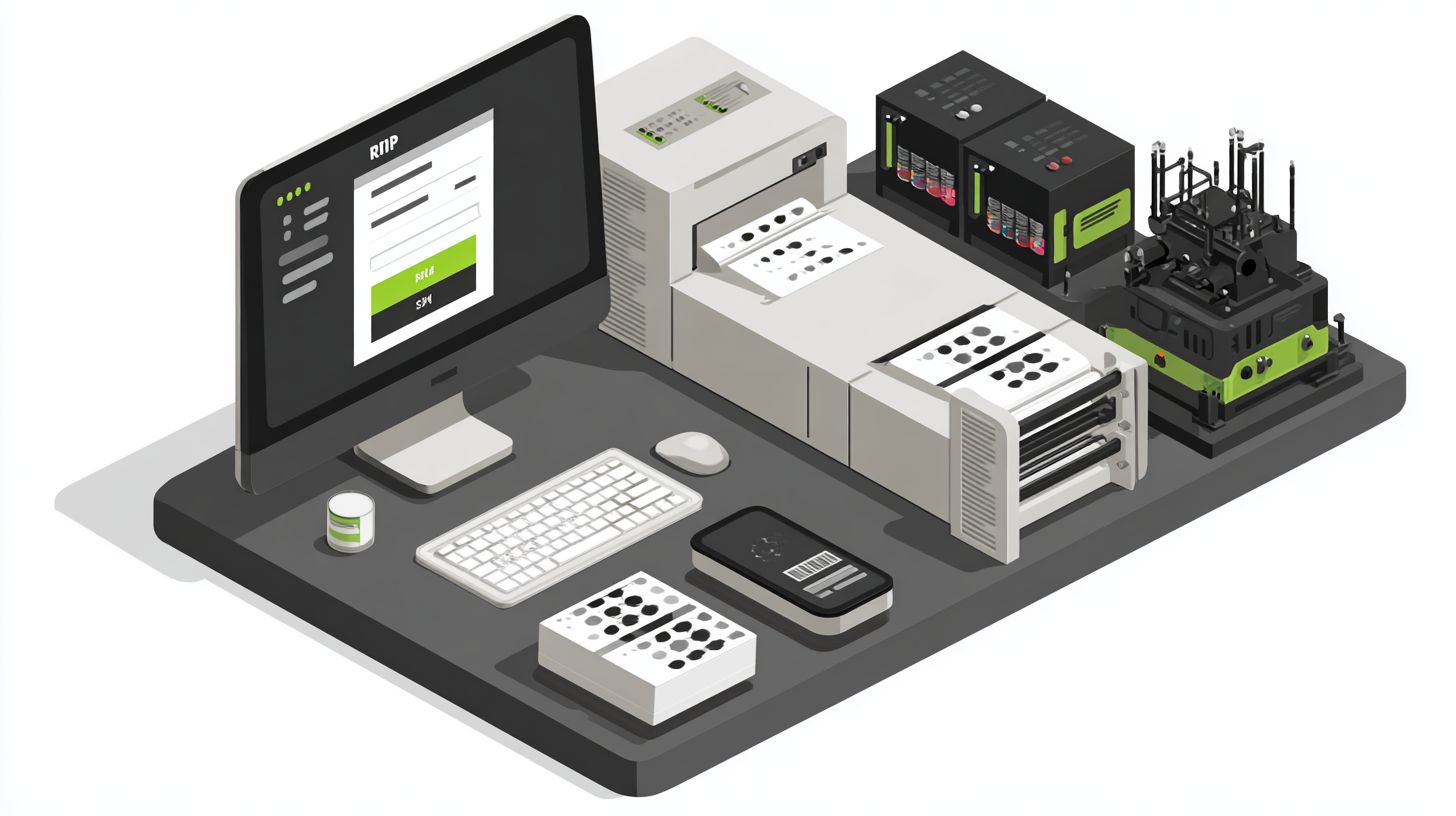
RIP software, or Raster Image Processor software, is essential for printing businesses as it converts digital images into printable formats. If you’re looking to buy RIP software for printing business, it ensures high-quality prints, accurate color management, and efficient workflow for large-format or DTG printing.
Where can I buy RIP software for printing business that’s reliable?
You can buy RIP software for printing business from trusted vendors like Epson, Colorgate, ONYX, or SAI, available through their official websites, authorized resellers, or platforms like Amazon and specialized printing supply stores. Always check for licenses tailored to your printing needs.
How much does it cost to buy RIP software for printing business?
The cost to buy RIP software for printing business varies: basic versions start at $500-$1,000, while professional editions with advanced features can range from $2,000 to $5,000 or more, often including annual subscriptions for updates and support.
What features should I look for when I buy RIP software for printing business?
When you buy RIP software for printing business, prioritize features like color management (ICC profiles), nesting for material optimization, job queuing, preview tools, and compatibility with your printers (e.g., Roland, Mimaki). Trial versions help test these before purchase.
Is it necessary to buy RIP software for printing business or are there free alternatives?
While free alternatives like Inkscape or GIMP exist, they lack professional RIP capabilities. To buy RIP software for printing business is recommended for production-scale operations to avoid color inaccuracies, print failures, and inefficiency in commercial printing.
How do I install and set up RIP software after I buy RIP software for printing business?
After you buy RIP software for printing business, download from the vendor’s site, install on a dedicated PC with good specs (multi-core CPU, 16GB+ RAM), connect your printer via USB/Ethernet, calibrate profiles, and run test prints. Most include tutorials and support for quick setup.
