
RIP Software
Best Vinyl Cutting Software for Beginners
Mar
Unlock your crafting potential with the perfect vinyl cutting software-even if you’re just starting out. Beginners often struggle with complex tools, but the right program simplifies designs, ensures precise cuts, and sparks creativity. Discover essential features, user-friendly interfaces, our top picks like VinylMaster Ltr, SCAL, and Silhouette Studio, plus free vs. paid comparisons, hardware tips, tutorials, and pitfalls to dodge. Your first flawless project awaits.
What Beginners Need in Vinyl Software
Beginner vinyl software should prioritize drag-and-drop interfaces, pre-set material libraries, and test cut generators to achieve clean cuts within 30 minutes of setup. New users often struggle with complex tools, so focus on low learning curve software that matches popular cutters like Cricut Explore 3 and Silhouette Cameo 5.
Look for auto-trace features that convert images to cut lines quickly. Compatibility ensures smooth USB or wireless connections without firmware hassles. These elements make vinyl cutting for beginners straightforward for DIY projects like custom decals.
Pre-set libraries for heat transfer vinyl or removable vinyl save time on settings. Test cut grids help calibrate blade offset and pressure right away. Beginners gain confidence with user-friendly vinyl tools that support SVG import and basic node editing.
Experts recommend starting with free trials of Cricut Design Space or Silhouette Studio. This setup avoids common mistakes like poor weeding or misaligned layers. Soon, you’ll create beginner vinyl projects with minimal waste.
Key Features to Look For
Essential features include auto-tracing, material preset libraries, and cut path optimization in the best vinyl cutting software. Auto-trace turns bitmaps into vectors similar to Inkscape quality, ideal for scanning logos. This saves hours on manual drawing for vinyl stencil software.
Seek these must-have features for smooth operation:
- Auto-trace for quick image conversion to cut paths.
- Node editing to refine shapes precisely.
- Welding tools to merge overlapping designs cleanly.
- Test cut grids for easy blade calibration.
- Multi-layer support for complex decals.
- Registration marks generator for print-and-cut accuracy.
- Blade offset calculator to adjust for vinyl thickness.
- Path optimization to shorten cut times.
Material presets cover types like holographic vinyl or chrome vinyl. Real-time previews show layer stacking before cutting. These tools in Sure Cuts A Lot or VinylMaster ensure error-free results on Roland or Graphtec cutters.
User-Friendly Interface Priorities
Prioritize software with one-click SVG import, visual layer panels, and real-time preview. Silhouette Studio suits beginners better than pro options like CorelDRAW due to its intuitive layout. Drag-and-drop canvas makes placing DXF vinyl files or fonts effortless.
Rank these interface priorities for easy vinyl editing:
- Drag-drop canvas with smooth zoom for detailed work.
- Visual layer stack to manage multi-layer vinyl.
- One-click weld/union for instant shape merging.
- Real-time cut preview to spot issues early.
- Undo history for safe experimentation.
- Context-sensitive tooltips for quick guidance.
Cricut Design Space excels in cloud-based access for iOS or Android, while VinylMaster offers offline editing. Video tutorials and community forums help troubleshoot weeding or contour cutting. This focus on intuitive vinyl interface builds skills fast for t-shirt vinyl or car decals.
Top 5 Best Software Recommendations
These top 5 recommendations cover hobbyists to professionals, with VinylMaster Ltr leading for commercial cutters and Silhouette Studio dominating consumer market. Selection focuses on user ratings of 4.0 or higher, compatibility with 10 or more machines, and balance of feature depth against learning curve. This ensures beginner vinyl software options that deliver reliable results for vinyl cutting for beginners.
Each program offers practical tools like SVG import vinyl and contour cutting, ideal for custom vinyl decals or heat transfer vinyl projects. Beginners benefit from intuitive interfaces with low learning curves, while pros access node editing and rhinestone templates. These picks suit various setups, from USCutter to Roland vinyl software.
Explore options for vinyl plotter software needs, including free vinyl cutting software and lifetime licenses. Test features like print and cut alignment marks for error-free designs. This guide helps choose the best software for vinyl cutting without common beginner mistakes.
1. VinylMaster Ltr
VinylMaster Ltr ($149 one-time) supports 100+ cutters including Roland GS-24 and Graphtec FC9000 with optical eye contour cutting and 0.001″ precision. Key features include optical registry, rhinestone templates, unlimited nodes, and ARMS contour cutting. Best for commercial sign shops. User rating: 4.7/5 (1,200+ reviews).
Pros: Lifetime license, pro features like path optimization cutter and batch cutting software. Cons: 2-hour learning curve for node editing vinyl. Start with test cut grids to fine-tune blade offset vinyl and pressure settings software for clean cuts.
Ideal for sign making software tasks, such as window graphics vinyl or car decal software. Import DXF vinyl files easily, then use registration marks vinyl for multi-layer vinyl projects. Experts recommend practicing with simple vinyl editor tools before complex jobs.
This vinyl cutting machine software excels in professional vinyl upgrade paths. Adjust material settings vinyl for chrome vinyl cutting or holographic vinyl software needs. Community forums vinyl offer step-by-step vinyl guides for quick mastery.
2. SCAL (Sure Cuts A Lot)
SCAL 5 ($69.95 one-time) works with ANY vinyl cutter via USB/serial including USCutter MH Series and offers font welding + 2000+ free fonts. Key features: Universal cutter support, SVG/DXF import, rhinestone templates, text-to-path. Best for multi-brand cutter owners. Rating: 4.6/5.
Pros: One-time purchase, Mac/Windows compatibility as affordable vinyl software. Cons: No built-in image trace, so pair with external bitmap to vector vinyl tools. Use text to path vinyl for weeding vinyl designs on t-shirt vinyl cutter projects.
Perfect for beginner vinyl projects like DIY vinyl projects or vinyl stencil software. Drag and drop vinyl software makes welding vinyl shapes simple, with auto kerning text for professional looks. Offline vinyl editor ensures reliable USB vinyl connection without cloud issues.
Handles Graphtec cutter software and Roland vinyl software equivalents smoothly. Optimize with speed control cutter and vinyl thickness settings for minimal waste software. Video tutorials cutter help troubleshoot cutter software for flawless results.
3. Silhouette Studio
Silhouette Studio (free basic, $99+ Designer Edition) powers 4M+ Cameo/Curios with point-and-click design and print-then-cut registration marks. Key features: Free version sufficient for basics, 1200 DPI preview, auto-kerning, pattern fills. Best for Silhouette owners, crafters. Rating: 4.4/5.
Pros: Huge free asset library for Silhouette Cameo software users. Cons: Limited to Silhouette hardware, lacking broad vinyl cutter compatibility. Crafters love pattern fill software for heat transfer vinyl software designs like custom vinyl decals.
This free vinyl cutting software suits vinyl cutting for beginners with intuitive vinyl interface. Use group ungroup shapes and boolean operations vinyl for quick edits. Print cut align marks simplify multi-layer vinyl on printable vinyl software.
Access beginner vinyl tutorials within the app for origin setup vinyl and plotter calibration tool. Fine-tune with test cut grid for permanent vinyl settings or removable vinyl cutter jobs. Huge community makes it top vinyl design programs for hobbyist vinyl tools.
Free vs Paid Software Comparison
Free tools like Inkscape and GIMP with plugins handle most beginner needs in vinyl cutting software, but they lack cutter-specific optimizations that paid options provide for cleaner results.
Beginners often start with free vinyl cutting software for projects like custom decals or t-shirt designs. These tools offer SVG export and basic editing, perfect for hobbyists. Paid software adds drivers for machines like Cricut or Silhouette, ensuring better compatibility.
Consider your needs when choosing beginner vinyl software. Free options suit simple DIY vinyl projects, while paid ones excel in commercial work with features like contour cutting vinyl. A hybrid approach combines the best of both worlds.
Experts recommend testing free tools first for vinyl cutting for beginners. Upgrade to paid for advanced vinyl plotter software features like optical eye cutting. This path minimizes costs while building skills.
| Feature | Free (Inkscape, GIMP + Plugins) | Paid (VinylMaster, Sure Cuts A Lot) |
|---|---|---|
| Cost | $0 | $70-150 (one-time or lifetime license) |
| Vector Tools | Basic path editing, node tools | Advanced node editing, boolean operations |
| Auto Trace | Yes, bitmap to vector | Superior image vectorizer |
| Cutter Drivers | Limited, generic | Cutter-specific (Cricut, Silhouette, Roland) |
| Contour Cutting | No | Yes, with registration marks |
| Optical Eye | No | Yes for print and cut |
| Material Settings | Manual | Presets for vinyl types |
| Path Optimization | Basic | Advanced for minimal waste |
| Batch Cutting | Limited | Job queue support |
| SVG/DXF Import | Full support | Plus EPS, PDF, AI, PLT |
| Text to Path | Yes | Auto kerning, font cutting |
| Preview Tool | Basic | Real-time cut preview |
| Customer Support | Community forums | Direct support, video tutorials |
| Platform | Windows, Mac, Linux | Windows, some Mac |
Why Free Software Works for Beginners
Inkscape vinyl cutting provides free vinyl design software with drag-and-drop tools ideal for starters. Create shapes, weld vinyl designs, and export SVGs for most cutters. It supports beginner vinyl projects like stencils without any cost.
Use vinyl cutting plugins in GIMP for bitmap tracing on images. Practice weeding vinyl designs with simple editors before investing. This builds confidence in user-friendly vinyl tools.
Free options have a low learning curve with community tutorials. Handle multi-layer vinyl or font cutting vinyl easily. Perfect for hobbyist vinyl tools in craft vinyl software.
Advantages of Paid Vinyl Cutting Software
Paid tools like VinylMaster and Sure Cuts A Lot offer hardware integration for clean cuts on machines like Graphtec or USCutter. Features include blade offset and pressure settings for various vinyl types. Ideal for sign making software.
Enjoy print and cut software with align marks and speed control. Tackle complex jobs like car decals or window graphics vinyl. These provide error-free cutting and plotter calibration tools.
Affordable vinyl software often includes lifetime licenses and firmware updates. Access step-by-step vinyl guides and troubleshooting for cutter software. Great for upgrading from hobby to professional vinyl work.
Hybrid Recommendation: Best of Both Worlds
Design in Inkscape for free, then import to SCAL for cutting. This combo gives SVG import vinyl and cutter drivers without full paid commitment. Perfect for vinyl cutter beginners guide.
Export designs with DXF vinyl files or EPS for seamless transfer. Use Inkscape for editing like union intersect vinyl, then optimize paths in paid software. Saves money on simple vinyl editor tasks.
Test this workflow on beginner vinyl tutorials for heat transfer vinyl or custom vinyl decals. It offers cost-effective vinyl software with pro features. Suits those seeking best value cutter software.
Hardware Compatibility Essentials
Verify USB/Bluetooth drivers and firmware compatibility before purchase. Silhouette Studio supports 5 Cameo models while SCAL drives 300+ third-party cutters. This ensures smooth operation with your vinyl cutting machine software.
Beginners often face issues with mismatched hardware. Check cutter driver certification first to avoid connection errors. Test your setup with a simple heart decal project to confirm reliability.
Firmware version matching prevents crashes during cuts. Update your cutter’s firmware via the manufacturer’s site. Pair it with beginner-friendly cutter software like Sure Cuts A Lot for best results.
Focus on material thickness range from 0.03-2.0mm for vinyl types like heat transfer vinyl. Adjust pressure settings software accordingly. This setup supports multi-layer vinyl projects without errors.
Key Compatibility Checklist
- Cutter driver certification: Ensures official support for error-free cutting.
- Firmware version matching: Matches software to your device’s current firmware.
- USB/Bluetooth stability: Provides reliable USB vinyl connection or wireless links.
- Material thickness range (0.03-2.0mm): Handles vinyl from thin stickers to thick cardstock.
- Baud rate support (9600-115200): Optimizes data transfer for vinyl plotter software.
- Test cut verification: Run a test cut grid to fine-tune blade offset and speed.
Software Compatibility Matrix
| Software | Supported Cutters |
|---|---|
| Cricut Design Space | Cricut (Studio only) |
| Silhouette Studio | Silhouette (Studio/SCAL) |
| VinylMaster | Roland (VinylMaster) |
| Sure Cuts A Lot (SCAL) | Generic (300+ models) |
Use this vinyl software comparison to match your cutter. For example, SCAL excels with USCutter or Graphtec via HPGL vinyl format. Always verify hardware integration cutter in software trials.
Getting Started Tutorials
Follow this 7-step process to cut your first vinyl decal in 25 minutes using free Silhouette Studio: import SVG, size, add weeding lines, test cut, full cut, weed, transfer. This beginner vinyl tutorial works with vinyl cutting software like Silhouette Cameo software and helps you master vinyl cutting for beginners. Expect smooth results on your first try with basic tools.
Start with free vinyl cutting software downloads for a low learning curve. Silhouette Studio offers drag and drop vinyl software features, SVG import vinyl support, and intuitive vinyl interface. Pair it with Cricut Explore software alternatives for hobbyist vinyl tools.
Prepare your workspace with vinyl cutter beginners guide essentials: a cutting mat, transfer tape, and weeding tools. These steps cover material settings vinyl, blade offset vinyl, and pressure settings software. Video tutorials cutter style guidance keeps it simple.
After cutting, practice weeding vinyl designs on a coffee mug decal example. This builds confidence for DIY vinyl projects like custom vinyl decals. Move to multi-layer vinyl next for advanced beginner vinyl projects.
7-Step Tutorial for Your First Cut
- Install software and drivers (10 minutes): Download Silhouette Studio or Cricut Design Space, then install machine drivers. Connect via USB vinyl connection. Restart your computer for best vinyl cutter software compatibility.
- Load vinyl (Cricut Premium, 12″ width): Place Cricut Premium Vinyl on the mat, load into your cutter. Use vinyl type library settings for permanent vinyl settings. Align origin setup vinyl carefully.
- Import SVG (coffee mug design): Open vinyl design software free, import coffee mug SVG. Resize to 4×4 inches, add weeding lines with node editing vinyl. Preview with vinyl preview tool.
- Set blade depth (3.0): Adjust to blade depth 3.0 in material settings vinyl. Select speed control cutter at medium. Save for clean cuts vinyl.
- Generate test cuts (3×3 grid): Run test cut grid on scrap vinyl. Check for clean edges using plotter calibration tool. Note results for fine tune settings.
- Fine-tune pressure (Medium): Set to medium pressure based on test. Adjust if cuts are too shallow or deep. Retry test if needed for error free cutting.
- Cut full design (5 minutes): Send to cutter for full job. Monitor path optimization cutter. Weed and transfer once done.
Troubleshooting Common Beginner Issues
- Vinyl not cutting through: Increase blade depth or pressure in pressure settings software. Run another test cut grid on thicker vinyl thickness settings.
- Jagged edges on cuts: Check blade sharpness and firmware update software. Slow speed control cutter for chrome vinyl cutting or holographic vinyl software types.
- Design shifting during cut: Ensure mat adhesion and registration marks vinyl alignment. Calibrate origin setup vinyl before starting.
These troubleshooting cutter software tips fix most beginner mistakes vinyl. Refer to community forums vinyl for more step by step vinyl guide advice. Practice with heat transfer vinyl software next.
Common Beginner Mistakes to Avoid
Avoid most cutting failures by calibrating blade offset (0.25mm standard) and using proper weeding lines. Common errors waste sheets per project in vinyl cutting for beginners. Learning these fixes saves time and materials in best vinyl cutting software.
Beginners often face issues like wrong blade depth or skipping origin setup. This section covers seven key mistakes with simple solutions. Use tools in Cricut Design Space, Silhouette Studio, or free vinyl cutting software to fix them.
Each mistake includes a before/after example and steps for beginner vinyl software. Follow these tips for clean cuts on vinyl plotter software. Practice with test grids to build confidence.
Integrate material presets and auto-trace features for error-free results. These apply to user-friendly vinyl tools like Inkscape vinyl cutting or VinylMaster. Start with small beginner vinyl projects to test fixes.
1. Wrong Blade Depth
Setting blade depth too shallow leaves uncut vinyl. Too deep causes tears in heat transfer vinyl or decal cutting. Use a 16-point test grid in your vinyl cutting machine software.
Before: Jagged edges on car decals. After: Smooth lines after grid test. Print the grid, cut from light to heavy pressure, and pick the best square.
Adjust in pressure settings software for vinyl thickness settings. This works in Silhouette Cameo software or USCutter software. Test on scrap for clean cuts vinyl.
2. No Weeding Lines
Forgetting weeding lines makes removing excess vinyl hard. Designs stick together without offsets. Add 0.5pt offset paths in weeding vinyl designs tools.
Before: Messy removal from t-shirt vinyl. After: Easy peel with lines. Select shapes, apply offset in vinyl layer software.
Use this in Sure Cuts A Lot or CorelDRAW vinyl. It prevents waste in multi-layer vinyl projects. Practice on vinyl stencil software.
3. Incorrect Speed/Pressure
Wrong speed or pressure leads to incomplete cuts or drags. Vinyl type varies needs. Load material presets in your best software for vinyl cutting.
Before: Skipped lines on window graphics. After: Perfect depth. Choose preset for permanent vinyl settings or removable vinyl, then fine-tune.
Apply in Roland vinyl software or Graphtec cutter software. Check speed control cutter for minimal waste software. Test first for safety.
4. Poor Vectorization
Low-quality scans cause rough paths in image vectorizer software. Bitmap images fail on cutters. Use auto-trace at 300DPI for sharp vectors.
Before: Bumpy edges on sign making. After: Smooth contours. Import image, set DPI, trace in bitmap to vector vinyl.
Ideal for print and cut software or contour cutting vinyl. Works in easy vinyl software like Inkscape. Edit nodes for precision.
5. Skipping Origin Setup
Not setting the origin point misaligns cuts on your mat. Vinyl shifts off position. Always use plotter calibration tool and load origin in software.
Before: Crooked custom vinyl decals. After: Aligned perfectly. Place blade at corner, set as origin in origin setup vinyl.
Essential for USB vinyl connection or wireless vinyl cutter. Check in Cricut Explore software. Prevents error-free cutting issues.
6. Mirror Flip Forgotten
Overlooking mirror flip reverses text on transfer vinyl. Designs print backward. Enable flip tool before cutting in mirror flip cutter.
Before: Backwards font cutting on shirts. After: Correct orientation. Select text, mirror horizontally in text to path vinyl.
Common in heat transfer vinyl software. Use in Silhouette Studio for t-shirt vinyl cutter. Double-check preview.
7. Overlapping Paths
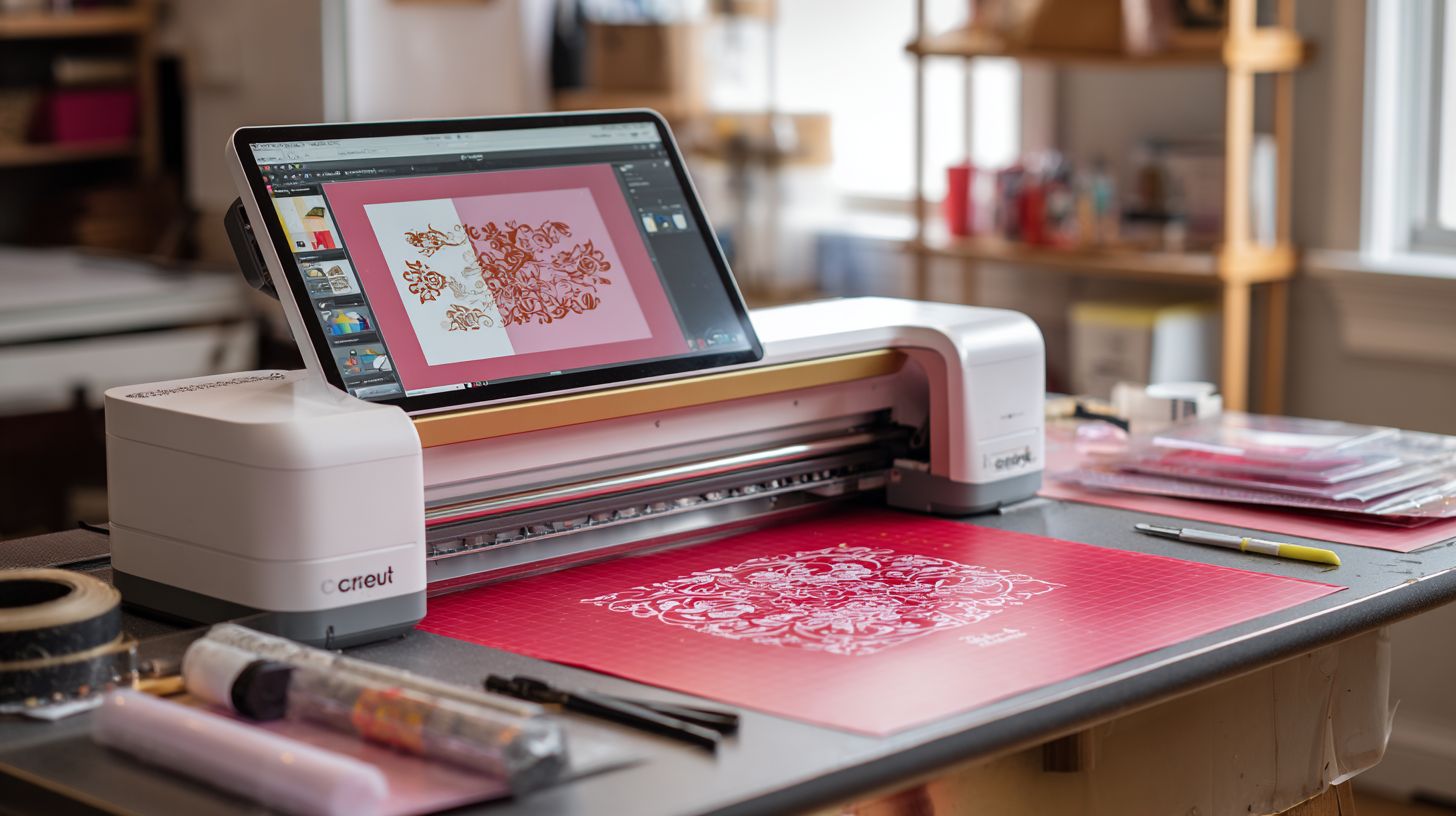
Overlapping paths confuse the cutter, causing double cuts or skips. Shapes merge poorly. Use path optimization or weld in welding vinyl shapes.
Before: Gaps in shadow layer vinyl. After: Seamless joins. Select overlaps, apply union in boolean operations vinyl.
Fix in node editing vinyl or VinylMaster. Great for batch cutting software. Ensures hardware integration cutter.
Frequently Asked Questions
What is the best vinyl cutting software for beginners?
The best vinyl cutting software for beginners is often VinylMaster Ltr or Sure Cuts A Lot (SCAL), as they offer intuitive interfaces, easy design tools, and compatibility with popular cutters like Cricut and Silhouette. These stand out for their simplicity and comprehensive tutorials tailored for newcomers.
Why choose VinylMaster Ltr as the best vinyl cutting software for beginners?
VinylMaster Ltr is considered the best vinyl cutting software for beginners due to its user-friendly drag-and-drop interface, built-in library of fonts and shapes, and affordable one-time purchase price. It supports most USB cutters and includes step-by-step video guides to get you started quickly.
Is Sure Cuts A Lot a good best vinyl cutting software for beginners?
Yes, Sure Cuts A Lot (SCAL) is an excellent best vinyl cutting software for beginners because it bypasses proprietary software limitations, works with over 400 cutter models, and features simple rhyming tutorials. Its lightweight design and lifetime license make it ideal for those new to vinyl crafting.
How does free software compare to the best vinyl cutting software for beginners?
Free options like Inkscape with plugins can work, but the best vinyl cutting software for beginners like VinylMaster or SCAL provides superior cut optimization, better plugin support, and reliable driver integration, reducing trial-and-error frustration for new users.
What features make software the best vinyl cutting software for beginners?
Key features in the best vinyl cutting software for beginners include an easy-to-navigate workspace, auto-tracing for images, weld and slice tools for designs, preview modes, and compatibility with common file formats like SVG and PNG, ensuring a smooth learning curve without overwhelming complexity.
Where can beginners download the best vinyl cutting software for beginners?
Beginners can download the best vinyl cutting software for beginners from official sites like vinylmaster.com for VinylMaster Ltr or craftedge.com for Sure Cuts A Lot. Always purchase from trusted sources to avoid malware and ensure full compatibility with your vinyl cutter.
