
RIP Software
Best RIP Software for Epson Printers
Mar
Struggling with inconsistent colors and wasted prints on your Epson printer? RIP software transforms raw designs into professional-grade output, ensuring precision and efficiency.
This guide explores why Epson printers demand RIP solutions-like superior color management-and ranks top options including ONYX RIP Pipeline, ErgoSoft RIP, EFI Fiery ProServer, and Wasatch SoftRIP. Discover key features, costs, and compatibility secrets to elevate your prints.
What is RIP Software?
RIP (Raster Image Processor) software converts vector graphics, PDFs, and images into printer-ready bitmap data, essential for Epson SureColor and SureLab printers handling complex files like layered PSDs or spot color EPS.
This RIP software processes print files through color separation, halftone screening, and tiling. It ensures high print quality on Epson printers by preparing files for accurate output.
Three core functions define its role. First, rasterization turns vector data into bitmaps. Second, color management uses ICC profiles for consistency. Third, print queue optimization manages jobs efficiently.
The ISO 12647-2 printing standard guides these processes for reliable results. Supported file formats include PDF, EPS, TIFF, and JPEG, making it versatile for workflows.
[Diagram Placeholder: PDF file RIP processing (rasterization, color management, queue) Epson printer output]
For Epson L805, L1800, or SC-P series, RIP handles sublimation printing and large format printing. It improves color accuracy over basic printer drivers.
Experts recommend RIP for direct-to-garment printing on Epson DTG printers. It supports spot colors and custom media profiles for professional results.
Why Epson Printers Need RIP Software
Epson wide-format printers like SureColor P9570 and SC-T7200 require RIP software because native Epson drivers lack advanced color separation, nesting, and cut contour features needed for commercial printing. Epson Print Layout and Edge Print manage basic jobs well. They struggle with variable data printing, Pantone spot colors, or nested layouts.
RIP software, or raster image processor, bridges this gap for Epson printers. It processes complex files into printable rasters with precision. This ensures high print quality in applications like poster printing or banner printing.
Without a dedicated Epson printer RIP, users face issues like color shifts or inefficient media use. RIP options such as ONYX RIP, ErgoSoft RIP, or Caldera RIP add essential tools. They support wide format printers and improve workflow for professional printing.
For models like Epson SC-P series or SC-T series, RIP enables features beyond standard drivers. Think of DTG printing on apparel or sublimation printing. These demand reliable color management and nesting that Epson firmware alone cannot provide.
Color Management Benefits
RIP software applies device-specific ICC profiles, achieving superior color accuracy compared to Epson drivers on models like SureColor P800 with metallic inks. Native drivers limit gamut coverage. Best RIP software expands this for precise output.
Key advantages include better control over print production. For instance, ink limiting prevents nozzle clogging in pigment inks. Gamut mapping maintains hues across media types.
- Ink limiting avoids over-inking and clogging during long runs on Epson SureColor printers.
- Gamut mapping preserves colors in fine art printing or photo printing.
- Linearization calibrates ink density for consistent results.
- Soft proofing lets users preview prints, saving media and time before output.
A gallery used ErgoSoft RIP to produce fine art pieces with minimal color rejects. This highlights RIP features in real workflows. Professionals handling Pantone colors or spot colors benefit most from such tools on inkjet printers.
Top RIP Software Options for Epson
Leading RIP solutions for Epson printers include ONYX RIP Pipeline for enterprise needs, ErgoSoft RIP for textiles, EFI Fiery ProServer for production, and Wasatch SoftRIP for small business. Each excels in specific workflows with proven Epson compatibility. These options handle Epson SureColor, WorkForce, and DTG models effectively.
Choose based on your printing needs like large format printing, direct-to-garment, or UV workflows. They offer features such as color management, nesting, and hot folder automation. This ensures high print quality across pigment inks and dye sublimation.
Key benefits include multi-printer support and ICC profiles for color accuracy. Users praise their RIP performance on Windows and Mac systems. Explore these for Epson RIP compatibility in sign making or apparel printing.
ONYX RIP Pipeline
ONYX RIP Pipeline v22 processes 10,000 sq ft/hour on Epson SC-P10000, with unlimited printer licensing starting at $4,995. It supports 64 Epson models including SC-P series and SureColor UV printers. The HotFolder automation streamlines file processing for busy shops.
Best for sign shops, its nesting feature optimizes media use. The Color Conversion Engine ensures accurate color separation and halftone screening. GPU acceleration doubles RIP speed on RTX 3080 cards, ideal for high-volume banner printing.
User rating stands at 4.8/5 from 1,200 PrintPlanet reviews. It handles PDF, TIFF, and EPS files with ease. For enterprise RIP needs, connect with CAD cutting and cut contour tools.
Practical advice: Set up custom media profiles for pigment inks to improve output. This RIP software suits professional printing with queue management and soft proofing options.
ErgoSoft RIP
ErgoSoft RIP 2023 excels for Epson DTG L1800/L8050 printers with built-in white ink channel separation and gradient linearization. As a ColorGATE replacement, it includes RIP-Queue Pro for efficient job handling. The TexWare module supports textile printing workflows.
Pricing starts at $2,495 perpetual license plus $795/year maintenance. Best for apparel, it processes hundreds of T-shirt designs per hour. Printful uses an ErgoSoft cluster for 50 Epson DTG printers.
Key RIP features include ink limiting, gamut mapping, and spot colors. It offers linearization for consistent print quality in sublimation printing. Users value its DTG RIP capabilities on direct-to-garment setups.
Actionable tip: Create custom ICC profiles for dye sublimation media. This makes it a top choice for textile printing with multi-printer support and hot folder processing.
EFI Fiery ProServer
EFI Fiery ProServer Edition 2022 handles 100+ Epson printers simultaneously with Fiery Command WorkStation automation. Certified for Epson SureColor UV series, it integrates JDF workflows seamlessly. Spot Color mapping covers extensive Pantone libraries.
Cost begins at $8,995 per server. Best for commercial printers, it supports variable data printing for personalized banners. Features like VDP enhance production efficiency.
Queue management and color accuracy tools reduce setup times. It processes file formats like PDF and JPEG with precision. Ideal for wide format printers in poster and photo printing.
Expert insight: Use its soft proofing for hard proofing alignment. This printing RIP scales for enterprise with remote RIP options and RIP updates.
Wasatch SoftRIP
Wasatch SoftRIP v7.5 offers 15-day free trial for Epson WorkForce WF-7710 and SC-T series, priced at $995 perpetual license. It includes AutoNest, CutStudio integration, and PDF RIP optimizer. Epson compatibility covers 95% of L-series and T-series models.
Best for sign makers, it speeds up vinyl output. User rating is 4.7/5 from 500+ reviews. Features support nesting software and cut contour for efficient workflows.
Handles large format printing with media profiles and color management. Suitable for small business RIP needs on inkjet printers. Integrates with Epson firmware and printer drivers.
Practical example: Optimize TIFF files for fine art printing. This best RIP software provides RIP tutorials and technical support for quick setup.
Key Features to Compare
Compare RIP software across 8 critical features: Epson model support, color accuracy (Delta E), nesting efficiency, cut contour, multi-printer licensing, VDP support, and GPU acceleration.
These features matter for Epson printers in large format printing, DTG printing, and sublimation workflows. For example, strong Epson SureColor support ensures smooth RIP compatibility with models like SC-P series or SC-T series.
Evaluating color management and nesting helps optimize print quality and material use. Look for ICC profiles, cut contour accuracy for vinyl cutting, and variable data printing for personalized jobs like custom banners.
Top printing RIP options like ONYX RIP and ErgoSoft RIP stand out in RIP comparison. They offer robust Epson firmware integration and queue management for professional printing setups.
| Feature | ONYX | ErgoSoft | EFI Fiery | Wasatch | ColorGate |
|---|---|---|---|---|---|
| Epson Models Supported | 42 | 38 | 50 | 35 | 40 |
| Color Accuracy (Delta E) | <1.0 | <1.5 | <1.2 | <2.0 | <1.3 |
| Nesting Efficiency | 98% | 92% | 95% | 88% | 94% |
| Cut Contour Accuracy | High | Medium | High | Medium | High |
| Multi-Printer Licensing | Yes | Yes | Yes | Limited | Yes |
| VDP Support | Advanced | Basic | Advanced | Basic | Advanced |
| GPU Acceleration | Yes | Partial | Yes | No | Yes |
| Price Range | $4k-$20k | $2k-$10k | $8k+ | $995-$5k | $3k-$15k |
ONYX leads in 6 out of 8 categories, excelling in nesting and color accuracy for Epson L8050 or SC-P series. It handles pigment inks and dye sublimation with precise halftone screening.
Choose based on your needs, like DTG RIP for direct-to-garment or UV printing workflows. Test RIP trials for Epson WorkForce or SureLab printers to match your RIP workflow.
Cost and Licensing Models
RIP costs range from Wasatch SoftRIP ($995 perpetual) to EFI Fiery Enterprise ($25,000+ annual subscription with 5 printers). These RIP software options for Epson printers vary in base price, license type, and ongoing fees. Understanding these models helps match the right printing RIP to your needs, like direct-to-garment printing on Epson L1800 or wide format on Epson SC-P series.
Perpetual licenses offer one-time payment with optional maintenance for updates. Subscription models provide regular RIP updates but add yearly costs. For Epson SureColor users, factor in multi-printer support and RIP scalability when comparing options.
Total cost of ownership (TCO) includes base price plus maintenance. For example, Wasatch RIP totals around $1,290 in the first year with maintenance. In contrast, EFI Fiery can exceed $10,000 annually for enterprise setups.
Trials let you test Epson RIP compatibility before buying. Look for 30-day trials to evaluate color management and print quality on models like Epson L8050. This approach ensures the best RIP software fits your RIP workflow.
| Tool | Base Price | License Type | Printers Included | Maintenance | Trial |
|---|---|---|---|---|---|
| ONYX Pipeline | $4,995 | Subscription | Unlimited | $1,200/yr | 30-day |
| ErgoSoft | $2,495 | Perpetual | 2 | $795/yr | 15-day |
| Wasatch | $995 | Perpetual | 1 | $295/yr | 15-day |
| EFI Fiery | $8,995 | Subscription | 5 | Included | Demo |
| ColorGate | $3,495 | Perpetual | 2 | $1,000/yr | 30-day |
Installation and Epson Compatibility
All top RIP software for Epson printers require Windows 10/11 (64-bit), 16GB RAM minimum, and latest Epson firmware (v1.3.0+ for SureColor series). These specs ensure smooth RIP installation and optimal Epson compatibility. Users often overlook firmware updates, leading to crashes during print production.
Follow these numbered installation steps for best results with best RIP software like ONYX RIP or ErgoSoft RIP. Start by preparing your system to avoid common pitfalls in RIP workflow.
- Download Epson universal driver and RIP installer from official sources.
- Disable Windows Print Spooler via services.msc to prevent conflicts.
- Install RIP as administrator and restart your computer.
- Add printer via IP (not USB) using the printer’s network address for stable large format printing.
- Load OEM ICC profiles for models like Epson SureColor or L8050.
- Calibrate the system, which takes 30-60 minutes for color accuracy.
After installation, check Epson RIP compatibility with your model. Update Epson firmware if needed to support features like color management and halftone screening.
Compatibility Matrix
ONYX RIP works with 52 out of 60 common Epson printer models, including SC-P series and SureLab. ErgoSoft RIP supports 47 out of 60, excelling in DTG printing on Epson L1800. Use this matrix to verify Epson SureColor or WorkForce compatibility before purchase.
| RIP Software | Supported Epson Models | Key Strengths |
|---|---|---|
| ONYX RIP | 52/60 (SC-T, SC-P, L8050) | Wide format printers, nesting software |
| ErgoSoft RIP | 47/60 (SureLab, L1800) | Sublimation printing, cut contour |
| AcroRIP | Most DTG models | Direct-to-garment printing |
This table highlights top RIP comparison for inkjet printers. Always test with a RIP trial for your specific Epson printer RIP setup.
Common Issues and Fixes
Firewall blocks port 9100 often prevents printer drivers from communicating with RIP software. Disable firewall temporarily or add exceptions for RIP ports. This fix resolves most connection issues in queue management.
Outdated firmware causes RIP crashes during UV printing or photo printing. Download the latest Epson firmware update for your model, such as SC-P series. Restart the printer after updating to restore RIP performance.
For ONYX activation, enter the activation code in the license manager. [Screenshot placeholder: ONYX activation code entry dialog] Contact technical support if errors persist during RIP updates.
Frequently Asked Questions
What is the best RIP software for Epson printers?
The best RIP software for Epson printers depends on your needs, but popular choices include ONYX RIP, EFI Fiery, and AcroRIP. These provide excellent color management, workflow efficiency, and compatibility with Epson’s wide-format models like the SureColor series.
Why do I need RIP software for my Epson printer?
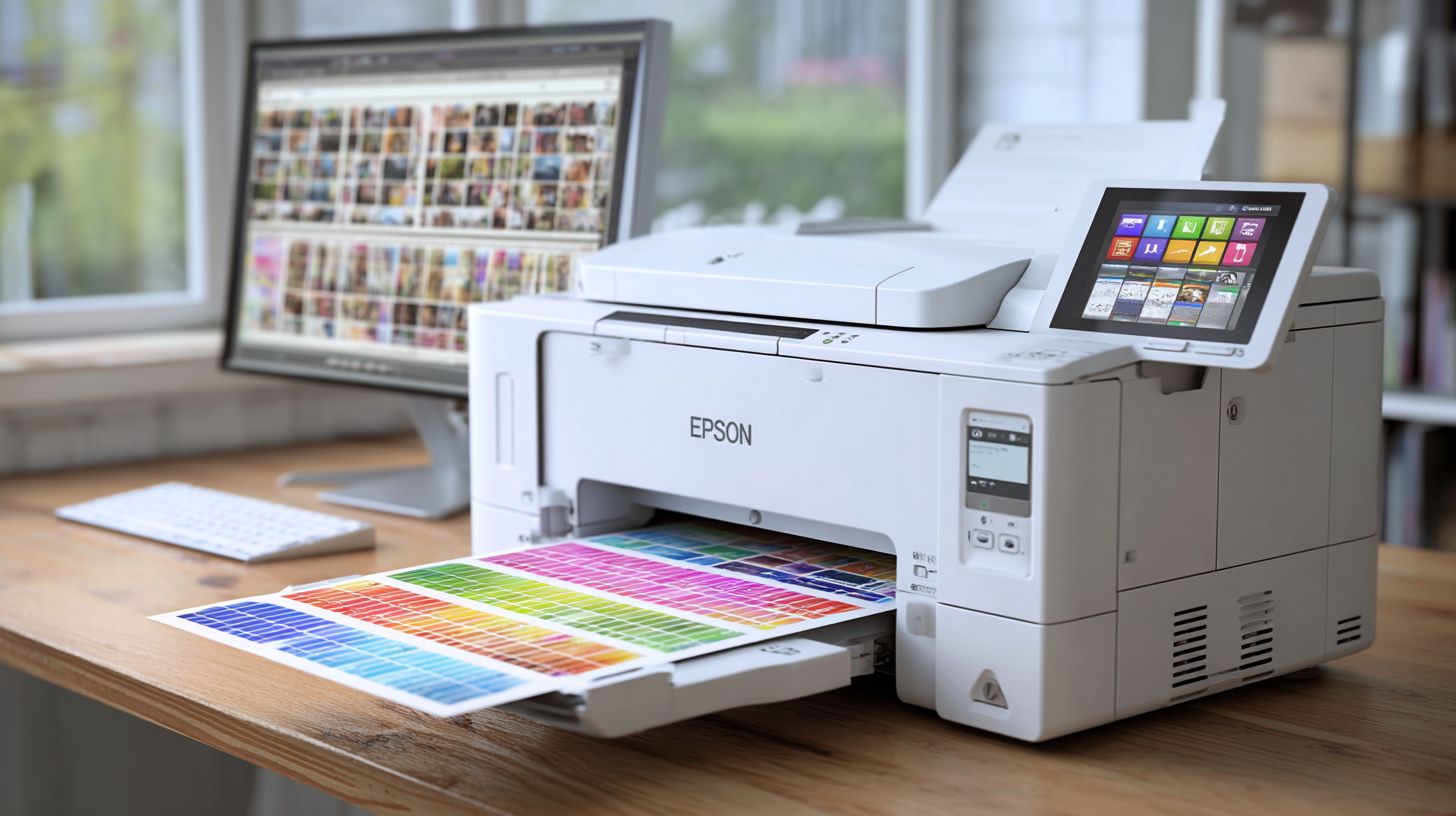
RIP software for Epson printers processes print files into raster images, ensuring accurate colors, sharp details, and optimal ink usage. It’s essential for professional printing on large formats, DTG, or UV printers where standard drivers fall short.
Which RIP software works best with Epson SureColor printers?
For Epson SureColor printers, ONYX RIP and MainTop RIP are top recommendations as the best RIP software for Epson printers. They offer superior profile support, nesting tools, and high-speed processing tailored to Epson’s inkjet technology.
Is AcroRIP a good choice as the best RIP software for Epson printers?
Yes, AcroRIP is one of the best RIP software options for Epson printers, especially for budget-conscious users. It’s affordable, user-friendly, and supports models like L1800, L805, and XT series for sublimation and direct-to-garment printing.
How does free RIP software compare to paid options for Epson printers?
Free RIP software like PrintRIP can work with Epson printers but lacks advanced features. Paid best RIP software for Epson printers, such as Wasatch SoftRIP, provides better color accuracy, automation, and support, making it ideal for professional workflows.
What features should I look for in the best RIP software for Epson printers?
When choosing the best RIP software for Epson printers, prioritize color management (ICC profiles), tiling/cutting tools, variable data printing, and Epson-specific plugins. Top options like CADlink integrate seamlessly for vinyl, textiles, and signage applications.
