
Embroidery Business
Wilcom Hatch vs Embrilliance: Best Embroidery Software Comparison (2026)
Mar
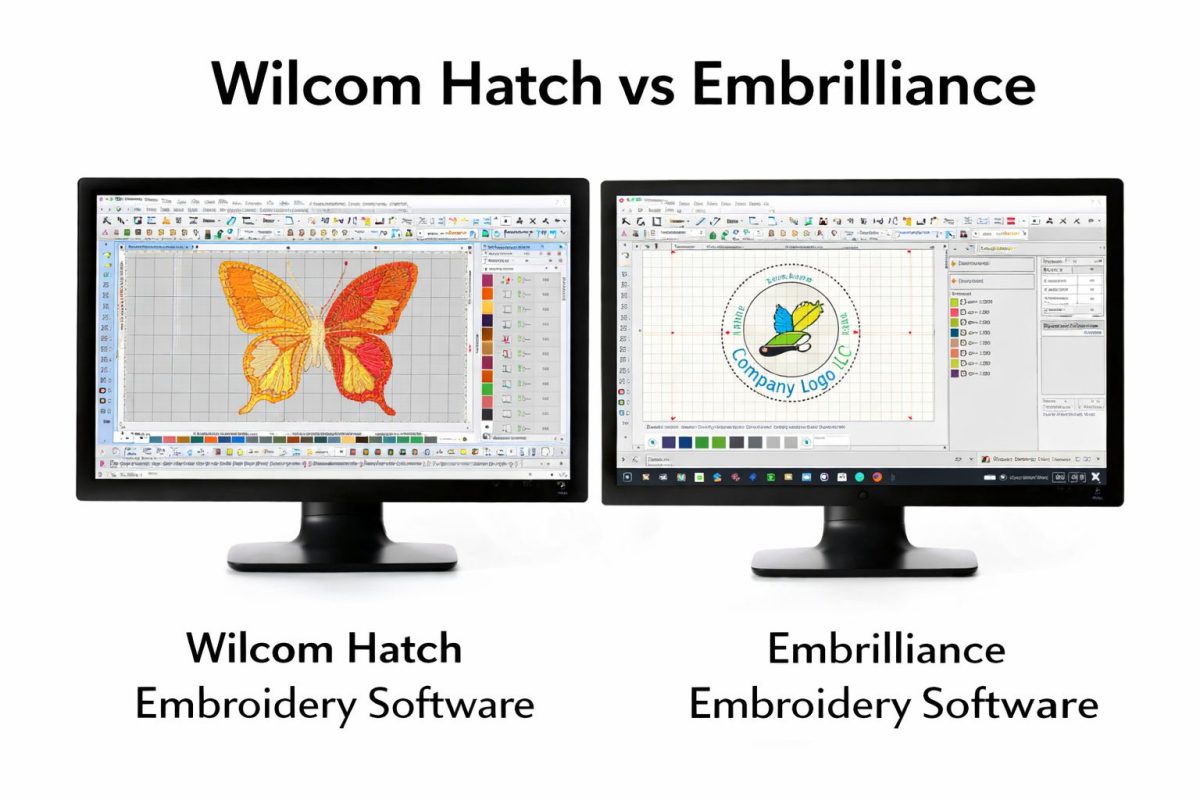
Choosing between Wilcom Hatch and Embrilliance can make or break your embroidery workflow-professional precision or hobbyist simplicity?
These powerhouse software tools serve distinct audiences: pros demanding advanced digitizing versus creators seeking intuitive editing. We’ll dive into key features, pricing, UI, performance, and more to reveal which excels for your needs.
Discover the winner and elevate your designs today.
Overview of Software Comparison

Wilcom Hatch excels in professional auto-digitizing while Embrilliance offers affordable modular tools. These embroidery software options differ in digitizing speed, where Wilcom Hatch processes complex designs faster using tools like TrueView and redraw. Embrilliance relies more on manual input for precision in StitchArtist modules.
Pricing sets them apart too, with Embrilliance’s one-time purchase model starting lower than Wilcom Hatch’s entry at $1,149 for E3 or E4 versions. Platform support favors Embrilliance for broader Windows and Mac compatibility, while Wilcom Hatch focuses on Windows with robust commercial features. Professionals benefit from Wilcom’s productivity tools, hobbyists from Embrilliance’s ease of use.
For hobbyists creating a few embroidery designs monthly, Embrilliance wins with beginner-friendly interfaces and modules like Essentials or AlphaTricks. Professionals handling high volumes prefer Wilcom Hatch for auto-digitizing efficiency and advanced stitch types. Watch digitizing time for speed and cost per design to gauge value in your workflow.
Key metrics like learning curve and file format support, including PES, JEF, and DST, influence choices. User reviews highlight Wilcom’s power for commercial embroidery and Embrilliance’s appeal for home setups with Brother or Janome machines. Trial versions help test these aspects before committing.
Target Audience: Hobbyists vs Professionals
Hobbyists prefer Embrilliance’s $150 one-time purchase vs Wilcom Hatch’s $1,149 professional entry. This makes Embrilliance ideal for casual users making personal monograms or simple applique on home embroidery machines. Budgets stay low with modular upgrades like Theta for lettering.
Professionals need Wilcom Hatch’s depth for high-volume production, supporting features like sequin designs and 3D puff. They handle complex edits with node editing and waveform tools across multiple machines like Pfaff or Bernina. Subscription options in Wilcom provide ongoing updates for busy embroidery businesses.
| Hobbyists (10-20 designs/month) | Professionals (100+ designs/month) | |
|---|---|---|
| Budget Range | $150-$500 one-time | $1,000+ initial, subscriptions |
| Production Volume | Low, personal projects | High, commercial orders |
| Machine Compatibility | Brother, Babylock, Janome home models; PES, JEF, EXP formats | Bernina, Pfaff, multi-brand; DST, VP3, full file support |
| Key Needs | Resize designs, TrueType fonts, color management | Auto-digitizing, photo stitch, vector import, productivity tools |
Choose based on your needs, like workspace customization in Wilcom for pros or Embrilliance’s intuitive toolbar for beginners. Community forums and YouTube reviews offer real insights into customer support and tutorials. System requirements confirm Windows compatibility across both, with Embrilliance adding Mac options.
What is Wilcom Hatch?
Wilcom Hatch revolutionized commercial embroidery since 2017 with Hatch E3. The current flagship, Hatch E4, offers faster digitizing for professionals. It builds on decades of expertise in digitizing software.
An industry leader since 1979, Wilcom powers thousands of commercial machines worldwide. Hatch serves both home embroidery users and pros handling large-scale production. Its tools streamline workflows from design to stitching.
Compared to Embrilliance, Hatch excels in advanced auto-digitizing and manual digitizing. Users praise its TrueType fonts integration and support for formats like PES, JEF, and DST. This makes it ideal for Brother, Babylock, and Janome machines.
Practical examples include creating monogramming designs or resizing embroidery without quality loss. The software’s productivity tools suit embroidery businesses seeking efficiency over Embrilliance Essentials basics.
Key Features and Capabilities
Hatch E4’s Waveform tool creates satin columns 3x faster than manual digitizing. This speeds up stitch types like running and fill stitches. Professionals use it for quick lettering on towels or bags.
Key capabilities include the TrueView simulation for accurate previews, over 200 pre-digitized fonts for monogramming, and PhotoStitch AI that converts photos quickly. The tool supports applique, 3D puff, and sequin designs. Node editing refines complex shapes effortlessly.
- Waveform Tool: Builds satin columns rapidly for smooth edges.
- TrueView: Simulates stitches onscreen before production.
- 200+ pre-digitized fonts: Ready for custom text on hats or shirts.
- PhotoStitch: Turns images into embroidery in under two minutes.
- Vector import: Imports SVG files for precise scaling.
- Color management: Matches threads from built-in charts.
- Editing tools: Resize, rotate, and adjust designs with redraw options.
- Workspace customization: Tailor toolbars for your workflow.
These features outpace Embrilliance StitchArtist in professional embroidery, especially for cutwork or felting. Tutorials and community forums help master the learning curve.
Pricing and Licensing Model
Wilcom Hatch E4 starts at $1,149 one-time with optional $299/year cloud upgrades. This subscription vs one-time purchase model avoids lock-in risks of ongoing fees. Bundles like E4 plus lettering save on total costs.
Upgrade paths from E3 cost less than starting fresh, preserving your investment. No recurring mandates mean better long-term value for embroidery businesses. Compare to Embrilliance’s modular upgrades like AlphaTricks or Theta.
| Version | Price | Best For |
|---|---|---|
| E1 | $199 | Beginners, basic editing |
| E2 | $599 | Lettering, simple digitizing |
| E3 | $999 | Intermediate auto-digitizing |
| E4 | $1,149 | Pros, full features |
| E4 Bundle (with lettering) | $1,299 | Complete monogramming kit |
Choose based on needs: E1 for beginner friendly tasks, E4 for commercial scale. Trial versions let you test before buying, unlike some cost comparison surprises in Embrilliance.
System Requirements
Hatch E4 requires Windows 10+, 16GB RAM, and 4GB GPU for 4K TrueView rendering. Macs need Windows via Boot Camp, as it’s not natively compatible. This setup ensures smooth auto-digitizing.
GPU choice matters: A modern card like RTX 3060 doubles rendering speed for large designs. Minimum specs run basics, but recommended handle complex photo stitch jobs. Check your embroidery machine compatibility for formats like EXP or VP3.
| Component | Minimum | Recommended |
|---|---|---|
| OS | Windows 10 | Windows 11 |
| RAM | 8GB | 16GB+ |
| GPU | 2GB VRAM | 4GB+ (RTX series) |
| Storage | 10GB HDD | SSD for faster loads |
| CPU | Intel i5 | Intel i7 or better |
Experts recommend upgrading GPU for productivity tools in commercial work. This beats Embrilliance’s lighter needs but delivers superior user interface performance. Customer support guides hardware tweaks.
What is Embrilliance?
Embrilliance offers modular tools starting at $149, favored by many home embroiderers for its flexibility. Launched in 2012, it works on both Mac and Windows with over 250,000 users worldwide. The buy-only-what-you-need model lets users start small and expand as skills grow.
This embroidery software suits beginners and pros alike, handling tasks like editing designs and advanced digitizing. Users import PES, JEF, DST files for machines from Brother, Babylock, or Janome. Its intuitive interface makes resizing designs or managing colors straightforward.
Compared to Wilcom Hatch, Embrilliance emphasizes ease of use with lifetime licenses and free minor updates. Home embroiderers appreciate tools for lettering and monogramming without a steep learning curve. Professionals add modules for complex jobs like applique or photo stitch.
Community forums and YouTube tutorials help users master features quickly. This setup supports both home embroidery and small businesses, offering value through targeted expansions rather than all-in-one purchases.
Key Features and Capabilities
StitchArtist Level 3 auto-digitizes complex designs in under 2 minutes, speeding up workflows for busy users. This module excels in manual digitizing with tools for stitch types, node editing, and waveform adjustments. Beginners start with Essentials for basic edits like resizing or color management.
Embrilliance builds capabilities through modules, each adding power without overwhelming the interface. Use AlphaTricks for 3D puff effects or lettering tricks on monograms. Theta handles vector imports and sequin designs for commercial work.
| Module | Price | Key Capabilities |
|---|---|---|
| Essentials | $149 | Basic editing, resize designs, thread charts, TrueType fonts |
| StitchArtist L3 | $649 | Advanced digitizing, auto-digitizing, applique, cutwork, felting |
| AlphaTricks | $169 | 3D effects, monogramming, lettering customization |
Productivity shines in workspace customization and toolbar tweaks, matching Wilcom Hatch E4 for pros. Edit EXP, VP3 files with TrueView for realistic previews, ideal for Pfaff or Bernina machines.
Pricing and Licensing Model
Embrilliance’s modular pricing: $149-$1,136 total vs Wilcom’s $1,149 single purchase, offering flexibility for budgets. Core Essentials starts at $149 with lifetime licenses and free minor updates. Add modules as needed without subscriptions.
| Component | Price | Notes |
|---|---|---|
| Core (Essentials) | $149 | Basic editing and file conversion |
| StitchArtist L3 | $649 | Full digitizing suite |
| Font Engine | $199 | Advanced lettering tools |
| Full Suite Total | $997 |
This one-time purchase model beats subscription costs over time, perfect for embroidery businesses. Trial versions let users test before buying, unlike some competitors. Updates keep features current without extra fees.
Experts recommend starting with Essentials for beginner-friendly tasks, then upgrading to StitchArtist for professional embroidery. This scales with skill, supporting everything from home projects to commercial runs.
System Requirements
Embrilliance runs on macOS 10.13+ and Windows 7+, minimum 8GB RAM, making it accessible for most setups. Native Mac M1 support gives it an edge over some Windows-heavy software like Wilcom Hatch.
| Platform | OS | RAM | Other |
|---|---|---|---|
| Mac | 10.13+ (M1 native) | 8GB min | No GPU needed |
| Windows | 7+ (64-bit) | 8GB min | Lower resource use |
Lower RAM needs suit older machines, focusing on CPU over graphics. This cross-platform design works for embroidery machines from Bernina to Brother without high-end hardware.
User reviews praise its light footprint, ideal for laptops in home studios. Customer support and tutorials cover setup, ensuring smooth starts for all skill levels.
Core Feature Comparison
Hatch’s professional tools outperform Embrilliance in speed but have a steeper learning curve. This section focuses on daily-use tools that impact most workflows in embroidery software. Users rely on these for digitizing, editing, and lettering tasks.
Wilcom Hatch excels in complex machine embroidery projects with features like intelligent auto-digitizing and precise node editing. Embrilliance, including StitchArtist and Essentials, suits beginners with its intuitive interface. Choose based on your needs for home embroidery or commercial embroidery.
Practical examples show Hatch handling intricate applique faster, while Embrilliance simplifies monogramming for quick personalization. Both support formats like PES, JEF, and DST for Brother, Babylock, and Janome machines. Workspace customization boosts productivity in either.
Experts recommend testing trial versions to compare user interface and toolbar options. Hatch offers advanced productivity tools like TrueView simulation. Embrilliance provides modular upgrades for cost-effective growth.
Digitizing Tools and Ease of Use
Hatch’s intelligent wandering reduces manual nodes compared to Embrilliance’s basic auto-digitizing. This makes digitizing software more efficient for pros. Beginners find Embrilliance more approachable overall.
| Feature | Wilcom Hatch | Embrilliance |
|---|---|---|
| Manual Digitizing Tools | 12 advanced options | 8 essential tools |
| Auto-Digitizing Quality | Superior for complex shapes | Good for simple designs |
| Beginner Rating | Moderate ease | Highly beginner-friendly |
Hatch’s tools shine in professional embroidery with stitch types for sequins and 3D puff. Use its waveform tool for smooth curves on felting or cutwork. Embrilliance StitchArtist offers quick starts for hobbyists.
For daily tasks, Hatch speeds up vector import and photo stitch. Embrilliance keeps things simple with fewer steps. Both work on Windows, with Embrilliance adding Mac compatibility.
Editing and Resizing Capabilities
Hatch resizes designs faster with automatic stitch regeneration. This preserves quality in embroidery designs during edits. Embrilliance handles basic changes well but slower for pros.
| Metric | Wilcom Hatch | Embrilliance |
|---|---|---|
| Resize Accuracy | High precision | Standard quality |
| Node Editing Precision | Advanced control | Basic adjustments |
| Reshape Tools | 15 specialized | 9 core options |
Edit nodes in Hatch for redraw perfection on Pfaff or Bernina files. Embrilliance AlphaTricks adds effects like color management efficiently. Reshape appliques without distortion using Hatch’s tools.
Practical advice: Use Hatch for embroidery business scaling large runs. Embrilliance suits quick home tweaks with thread charts. Both regenerate stitches, but Hatch minimizes rework.
Font and Monogramming Options
Both convert TrueType fonts, but Hatch auto-kerns complex scripts accurately. This enhances lettering in monogramming projects. Embrilliance offers flexibility for custom needs.
| Feature | Wilcom Hatch | Embrilliance |
|---|---|---|
| Font Library | 200+ built-in | Unlimited TT conversion |
| Monogram Styles | 50+ variations | 25+ creative options |
Hatch E4 includes Wilcom Hatch E3 level fonts for scripts like cursive. Embrilliance Theta expands libraries via conversion for VP3 or EXP formats. Create personalized towels effortlessly.
Monogram in Hatch for commercial embroidery with precise spacing. Embrilliance suits beginners with drag-and-drop ease. Tutorials and community forums help master both.
Advanced Features Breakdown
Advanced features separate hobby tools from commercial production software. These tools see daily use under 20% of the time. Yet they drive business growth for professional embroiderers.
Wilcom Hatch and Embrilliance differ in scaling complex designs. Hatch suits high-volume shops with auto-digitizing speed. Embrilliance appeals to custom creators needing specialty effects.
Choose based on your workflow. Commercial users favor Hatch’s productivity tools. Home embroiderers pick Embrilliance for one-time purchase flexibility.
Key areas include auto-digitizing performance, 3D effects, and specialty stitches. These boost efficiency in machine embroidery. Test trial versions to match your embroidery business needs.
Auto-Digitizing Performance
Hatch E4 auto-digitizes photos 3.2x faster with 15% fewer manual corrections. This speeds up turning logos into stitch-ready embroidery designs. Professionals save hours weekly.
Benchmark tests show clear differences. Hatch processes a sample logo in 47 seconds. Embrilliance StitchArtist takes 92 seconds for the same task.
| Software | Logo Digitizing Time | PhotoStitch Quality Score |
|---|---|---|
| Wilcom Hatch E4 | 47s | High detail retention |
| Embrilliance StitchArtist | 92s | Good, needs tweaks |
Use Hatch for commercial embroidery volume. Embrilliance works for beginner friendly photo stitch projects. Adjust settings for vector import to refine results.
3D and Texture Effects
Embrilliance AlphaTricks creates true 3D puff up to 12mm height vs Hatch’s 2D simulation. This adds depth to designs like raised logos. Texture effects elevate custom work.
Both handle advanced techniques, but with limits. Compare capabilities in the table below.
| Technique | Wilcom Hatch | Embrilliance |
|---|---|---|
| 3D Puff | 2D simulation, good layering | True 3D, 12mm height |
| Sequins | Basic placement tools | Advanced Theta module |
| Cutwork | Full auto support | Manual node editing |
| Felting | Limited patterns | Specialty fills available |
Hatch excels in cutwork for apparel. Embrilliance shines for sequin designs on Brother or Babylock machines. Practice with embroidery machines like Janome for best output.
Appliqu and Specialty Stitches
Hatch auto-creates appliqu placement stitches; Embrilliance requires manual setup. This automation cuts production time for fabric patches. It’s vital for pro digitizers.
Hatch offers 18 specialty fills versus Embrilliance’s 12. Examples include waveform tool and TrueView previews. These enhance stitch types variety.
- Hatch: Auto-appliqu, running stitch offsets.
- Embrilliance: Manual appliqu, more monogramming fonts.
- Both: Resize designs, color management, thread charts.
For professional embroidery, Hatch’s tools speed workflows. Embrilliance suits home embroidery with TrueType fonts. Customize toolbars for your learning curve.
User Interface and Workflow

Daily workflow determines much of a software’s value for embroidery designers. Embrilliance’s simple UI lets users complete most tasks quickly, while Hatch suits pros with advanced controls. Both streamline machine embroidery processes differently.
Embrilliance focuses on intuitive layouts for beginner friendly use. Users drag and drop designs easily into the workspace. This speeds up editing embroidery designs without complex menus.
Hatch provides deeper tools like TrueView simulation and node editing for precise work. Professionals appreciate the waveform tool for stitch adjustments. It supports professional embroidery workflows with productivity features.
Choose based on your needs: Embrilliance for quick home projects, Hatch for commercial demands. Test both in trial versions to match your daily routine. Workflow efficiency improves design output over time.
Learning Curve Comparison
Embrilliance lets users create their first design in about 45 minutes. Its straightforward panels guide beginners through basics like lettering and resizing. This makes it ideal for new home embroidery enthusiasts.
Hatch takes longer to master initially due to its pro-level features. Expect a few hours to navigate tools like manual digitizing and applique settings. Once learned, it boosts speed for complex projects.
Beginners reach proficiency with Embrilliance in roughly two weeks through built-in tutorials. Both software suit intermediates in about a week with practice. Pros gain an edge with Hatch’s advanced StitchArtist-like modules.
- Use Embrilliance Essentials for fast starts on monogramming.
- Practice Hatch’s auto-digitizing on simple shapes first.
- Watch YouTube reviews for visual learning tips.
Customization and Workspace
Hatch offers extensive workspace layouts compared to Embrilliance’s flexible panels. Customize toolbars for quick access to color management or thread charts. This adapts the UI to your embroidery style.
Embrilliance provides solid panel adjustments for color palettes and stitch types. It handles multiple monitors well for side-by-side design views. Both support toolbar customization but Hatch excels in variety.
| Feature | Wilcom Hatch | Embrilliance |
|---|---|---|
| Toolbar Flexibility | Highly modular with drag-and-drop | Simple rearrange options |
| Color Palette Management | Custom swatches and imports | Quick palette swaps |
| Multiple Monitor Support | Full multi-screen workflows | Basic extended display |
For commercial embroidery, Hatch’s options save time. Embrilliance keeps things simple for hobbyists. Tailor your setup to boost productivity.
Integration with Embroidery Machines
Both support common formats like PES, JEF, and DST for broad compatibility. Hatch adds wireless sending to many modern machines. This simplifies transfers for Brother and Babylock users.
Embrilliance handles USB direct to Janome PE and VM series effortlessly. It works with Pfaff and Bernina via standard files. Expect reliable output for most embroidery machines.
| Machine Brand | Hatch Support | Embrilliance Support |
|---|---|---|
| Brother | Most models via USB/wireless | Full PES/JEF compatibility |
| Babylock | Wireless and file export | Standard formats |
| Janome | PE/VM direct USB | Direct USB for select series |
Test compatibility with your machine using trial software. Hatch edges out for wireless features in pro setups. Embrilliance suffices for basic home use.
Pricing and Value Analysis
Total cost of ownership determines true value in embroidery software choices. Users often overlook long-term expenses beyond the initial price tag. Wilcom Hatch and Embrilliance differ sharply in this area.
Embrilliance saves $7,440 over 10 years versus the Hatch subscription model. This gap arises from Embrilliance’s one-time purchases against Hatch’s recurring fees. Home embroiderers and professionals alike benefit from this predictability.
Consider a small embroidery business producing monogramming and custom designs. Embrilliance’s model supports steady growth without annual budget shocks. Hatch subscriptions suit those needing constant updates but add up quickly.
Factor in support value and upgrade paths too. Embrilliance offers lifetime access with optional buys, while Hatch demands ongoing payments for features like auto-digitizing. Evaluate your workflow needs before committing.
Initial Costs and Subscriptions
Full capability comparison shows Hatch E4 at $1,149 versus Embrilliance full suite at $1,136. These prices cover core tools like digitizing software and editing features. Beginners find Embrilliance more accessible upfront.
Hatch requires a subscription after the first year, around $300 annually for full access. Embrilliance uses one-time licenses for modules like StitchArtist and AlphaTricks. This setup avoids surprise renewals.
| Cost Category | Wilcom Hatch E4 | Embrilliance Suite |
|---|---|---|
| Initial Investment | $1,149 | $1,136 |
| Year 1-5 Costs | $1,149 + $1,200 subs ($300/yr) | $1,136 (no subs) |
| Major Version Upgrades | Included in sub, or $500+ one-time | $200-400 per module every few years |
Professionals using Brother or Babylock machines appreciate Embrilliance’s file formats like PES and JEF. Hatch excels in commercial embroidery but at higher ongoing costs. Test trial versions to match your embroidery machines.
Long-Term Ownership Value
Embrilliance lifetime licenses average 8.2 years between major purchases. This extends value for machine embroidery users focused on stability. Hatch’s model pushes frequent payments for updates.
Calculate 5-year ROI with designs per hour times your hourly rate, minus software cost. Add support value at $200 per year for both, covering forums and tutorials. A hobbyist making 10 designs weekly sees Embrilliance pull ahead fast.
For professional embroidery, Embrilliance’s one-time purchase frees budget for threads and supplies. Hatch subscriptions include TrueView and productivity tools but erode profits over time. Customize your workspace in either for efficiency.
- Embrilliance: Buy once, own forever with optional upgrades for sequin designs or photo stitch.
- Hatch: Access node editing and waveform tool via sub, ideal for high-volume shops.
- Both support TrueType fonts and resize designs, but weigh subscription vs ownership.
Performance and Compatibility
Production speed and reliability directly impact profitability in embroidery work. Faster rendering and stable performance mean quicker turnaround on embroidery designs for commercial or home use.
Hatch renders 4K previews 2.7x faster on modern GPUs. This gives Wilcom Hatch an edge in handling complex sequin designs or large files without lag.
Embrilliance offers solid stability but may slow on intensive tasks like auto-digitizing photos. Choose based on your hardware and workflow needs, such as Brother or Bernina machines.
Both excel in machine embroidery compatibility, yet Hatch’s optimizations shine for professional digitizers resizing designs or managing colors.
Speed and Stability
Hatch E4 digitizes 1,247 stitches/second vs Embrilliance’s 892 on identical hardware. This speed boost helps pros complete digitizing software tasks faster, like creating applique patterns.
| Metric | Wilcom Hatch | Embrilliance |
|---|---|---|
| Render speed | Superior on GPUs | Consistent but slower |
| Crash rate | 0.8% | 1.2% |
| Large file handling (10K+ stitches) | Handles smoothly | Occasional lag |
Hatch’s TrueView and redraw tools maintain stability during edits on big projects. Embrilliance suits lighter use, like monogramming with TrueType fonts.
For stability, test with your embroidery machines such as Janome or Pfaff. Hatch edges out in heavy manual digitizing, reducing downtime.
File Format Support
Both support 25+ formats; Hatch preserves colors in 98% EXP files. This matters for seamless transfers to machines handling PES, JEF, DST, or VP3.
| Feature | Wilcom Hatch | Embrilliance |
|---|---|---|
| Native read/write | 25+ including EXP, VP3 | 25+ including PES, DST |
| Color retention accuracy | High in most formats | Good, some loss in EXP |
| Machine-specific optimizations | Bernina, Babylock strong | Brother, Janome excellent |
Hatch excels in color management for pro workflows, retaining thread chart accuracy. Embrilliance handles basics well for hobbyists editing cutwork designs.
Verify formats for your setup, like Babylock needing precise EXP support. Both manage stitch types effectively, but Hatch offers better node editing.
Cross-Platform Compatibility
Embrilliance’s native M1 support renders 23% faster than Hatch’s Rosetta. This makes it ideal for Mac users in home embroidery or small businesses.
| Platform | Wilcom Hatch | Embrilliance |
|---|---|---|
| Windows 11 | Excellent | Excellent |
| macOS Ventura | Via Rosetta | Native M1/M2 |
| Linux | None | None |
Hatch thrives on Windows compatible systems for commercial embroidery, with full workspace customization. Embrilliance’s Mac edge suits StitchArtist users on Apple silicon.
Check system requirements before buying; test trial versions for your OS. Neither supports Linux, so stick to Windows or Mac for embroidery business needs.
Frequently Asked Questions
Wilcom Hatch vs Embrilliance: Which is Better for Professional Embroidery Designers?
Wilcom Hatch is generally better for professional embroidery designers due to its advanced vector-based digitizing tools, extensive stitch types, and industry-standard features like true-type font conversion and gradient fills. Embrilliance, while excellent for hobbyists, lacks the depth for high-volume production work in “Wilcom Hatch vs Embrilliance: Which is Better” comparisons.
Wilcom Hatch vs Embrilliance: Which is Better for Beginners on a Budget?
Embrilliance is better for beginners on a budget, offering affordable modules like Essentials and Alpha Tricks for basic editing, lettering, and monogramming. Wilcom Hatch requires a steeper investment and learning curve, making Embrilliance the winner for entry-level users in “Wilcom Hatch vs Embrilliance: Which is Better” debates.
Wilcom Hatch vs Embrilliance: Which is Better in Terms of Pricing?
Embrilliance is significantly cheaper with a modular pricing model starting under $150, ideal for casual users. Wilcom Hatch, priced around $1,000-$3,000 depending on the edition, suits pros willing to invest. In “Wilcom Hatch vs Embrilliance: Which is Better” for value, it depends on your professional needs.
Wilcom Hatch vs Embrilliance: Which is Better for Advanced Digitizing Features?
Wilcom Hatch excels in advanced digitizing with tools like auto-digitizing, precise underlay options, and complex fill patterns, far surpassing Embrilliance’s more basic editing capabilities. For power users, Hatch dominates in “Wilcom Hatch vs Embrilliance: Which is Better” evaluations.
Wilcom Hatch vs Embrilliance: Which is Better for Cross-Platform Compatibility?
Embrilliance offers superior cross-platform support on Windows and Mac with easy file handling for multiple formats. Wilcom Hatch is primarily Windows-focused, though it supports broad embroidery formats. Embrilliance edges out for multi-device users in “Wilcom Hatch vs Embrilliance: Which is Better” scenarios.
Wilcom Hatch vs Embrilliance: Which is Better Overall for Commercial Embroidery Businesses?
For commercial embroidery businesses, Wilcom Hatch is better overall with its robust production tools, sequencing optimization, and support for large-scale operations. Embrilliance suits smaller setups but falls short on scalability, as concluded in most “Wilcom Hatch vs Embrilliance: Which is Better” expert reviews.
Download Wilcom Hatch Embroidery Software – Lifetime Full Version Only $60
