
Embroidery Business
Free Embroidery Software You Can Use in 2026
Mar
Unlock professional embroidery designs without spending a dime-free software in 2026 rivals paid suites, thanks to AI-driven auto-digitizing and open-source innovations.
Whether you’re a hobbyist or pro, these tools slash costs while boosting creativity on modern hardware. Discover top picks like Ink/Stitch and MyEditor by Wilcom, key features, comparisons, tutorials, and future trends that will transform your workflow.
What is Embroidery Software?
Embroidery software transforms artwork into stitch commands using 12+ stitch types including satin, fill, and running stitches for formats like PES, DST, EXP. This machine embroidery program acts as a bridge between digital designs and your embroidery machine. It enables hobbyists and professionals to create custom embroidery designs without manual stitching.
The core function of digitizing converts vector images or photos into embroidery-ready files. For example, use satin stitches for smooth lettering on a towel monogram, or fill stitches to cover large areas like floral motifs on a baby bib. Tools like Ink/Stitch software offer free digitizing options for beginners.
Editing lets you resize embroidery designs, rotate patterns, or apply mirror image effects. Adjust stitch density for fabric types, add pull compensation, or include underlay stitches for stability. A PES file editor free helps tweak DST or JEF files before sewing.
Previewing simulates the design on virtual fabric with a stitch simulator free. Check hoop size, thread colors from charts like Madeira, and needle settings. Exporting outputs to formats like VP3, while formatting optimizes paths and reduces stitch counts for efficient production.
Why Choose Free Options in 2026?
Save $299/year versus paid software like Wilcom while accessing 90% of pro features through Ink/Stitch and Embrilliance free tiers. These free embroidery software options deliver essential tools for hobbyists and pros alike. You get digitizing software free without sacrificing quality.
Cost stands out as the top benefit at $0 upfront compared to $200+ for premium suites. This saves money for thread color charts or new hoops instead. ROI calculation is simple: if you create just a few custom designs monthly, free tools pay off immediately.
The learning curve proves faster with intuitive interfaces in apps like Ink/Stitch software. Beginners master running stitch software or free satin stitch tools in hours, not weeks. Paid versions often overwhelm with unused features.
- Active community support thrives in forums for open source embroidery, offering quick fixes for PES file edits.
- Regular updates from open source communities add AI digitizing free and stitch simulators.
- Offline embroidery programs ensure reliability without subscriptions.
- Commercial use free allows scaling from hobbyist embroidery software to pro gigs.
Consider this ROI example: spending 10 hours weekly on custom embroidery designs, free options like Embrilliance free version match paid output. You avoid annual fees while enjoying stitch simulator free previews and SVG to PES converters. In 2026, these tools evolve with trends like machine learning stitch paths.
Evolution of Free Tools by 2026
From 2016’s basic SVG converters to 2026’s AI auto-digitizers, free tools now match most paid software capabilities. Projects like Ink/Stitch software started with simple vector to embroidery conversion using Inkscape extensions. By 2026, they offer advanced features for hobbyists and professionals alike.
In 2016, users relied on Inkscape for basic digitizing software free workflows, converting SVGs to formats like PES or DST. This laid the groundwork for open source embroidery tools. Early versions focused on manual paths for running stitch and satin fills.
By 2021, Ink/Stitch v2 expanded with better SVG to PES converter options and embroidery previewers. GitHub commits surpassed 50k lines, adding tools for fill stitch patterns and underlay stitches. Community contributions improved stability for machine embroidery programs.
In 2026, AI enhancements enable auto-digitizing from photos, rivaling Wilcom free alternatives. Features like stitch simulators free and thread color charts support custom embroidery designs. Users enjoy no watermark free software for commercial use, with support for hoop sizes and fabric simulations.
Top Free Embroidery Software Options
These 5 verified free embroidery software tools lead 2026 rankings, each excelling in specific workflows from auto-digitizing to file organization. Together, they saw over 1.2 million downloads in 2025. Users praise their support for formats like PES, DST, EXP, and JEF.
Ink/Stitch handles vector to embroidery conversion with open source power. MyEditor by Wilcom suits PES file editing needs. Hatch Organizer manages vast libraries, while Embrilliance Essentials excels in monogramming software free tasks.
Floriani FTCU simplifies format conversion for machines like Brother and Babylock. These 2026 embroidery tools work on Windows, Mac, and Linux, offering hobbyists and pros alike no-watermark designs for commercial use.
Pick based on needs, such as stitch simulator free features or thread color chart integration. All provide offline access and community support for beginners in digitizing software free.
Ink/Stitch (Inkscape Extension)
Ink/Stitch transforms Inkscape vector artwork into 15+ embroidery formats with high stitch accuracy, completely free under GNU GPL. It installs as an Inkscape extension, supporting PES, DST, EXP, and JEF files. Over 12k GitHub stars show strong community backing.
Use 50+ stitch patterns like satin, fill, and running for custom designs. Auto-density adjustment ensures clean results on fabrics from cotton to denim. Convert SVG logos into school logo digitizer free embroidery effortlessly.
Enable pull compensation and underlay stitches for professional quality. Freehand drawing tools aid beginner digitizing software users. Adjust embroidery hoop size previews to fit standard frames.
Ideal for open source embroidery fans needing SVG to PES converter. It includes density adjustment and curve smoothing, perfect for floral motifs or animal designs without extra costs.
MyEditor by Wilcom
Wilcom’s MyEditor offers unlimited editing of PES, EXP, DST files with true-type font conversion and 200+ built-in patterns. It’s free forever, no trial limits. Resize designs without distortion using smart scaling.
Edit color sequence to match Madeira thread chart or Isacord colors. Convert fonts to embroidery font generator stitches for monograms on towels or hats. Access free satin stitch tool for borders and lettering.
Organize custom embroidery designs with rotate, mirror, and density tools. Use for wedding embroidery designs or business logos. Integrates needle settings software previews.
As a Wilcom free alternative, it handles stitch count reducer and path optimization. Pros value its advanced embroidery editor for production tweaks like trim settings.
Hatch Embroidery Organizer
Organize 10,000+ designs with Hatch’s free organizer featuring thumbnail preview, stitch count calculator, and hoop registry. It works on Windows and Mac for seamless library management. Find duplicates to save space.
Preview format conversions before committing, supporting DST to PES shifts. Calculate resize impacts with scale calculator for perfect fits. Register hoops for multi hoop software free planning.
Ideal for free embroidery library users with holiday patterns or sports logos. Batch process baby bib patterns with cost estimators. Simulate embroidery previewer on fabrics.
Streamline workflows with duplicate finder and production time tools. Great for hobbyists building embroidery design software collections without watermarks.
Embrilliance Essentials Free Tier
Embrilliance Essentials creates monograms with 1,200+ fonts and merges designs with perfect alignment, no watermark. Enjoy free lettering software free and applique tools. Resize with built-in calculators.
Generate alphabet embroidery generator for names or collars. Merge patterns for pocket embroidery design combos. Use applique embroidery free for sleeve accents.
Access monogram maker free with border patterns and floral motifs. Align precisely for multi hoop software free projects. Upgrade path to AlphaTricks at $149 adds advanced effects.
Perfect Embrilliance free version for embroidery font generator needs. Handles rotate embroidery pattern and mirror image for custom towel designs.
Floriani FTCU (Free Trial Conversion Utility)
Convert any embroidery format to Brother PES or Babylock DST with Floriani’s FTCU, retaining full stitch integrity. Support 22 input/output formats with batch conversion. No size limits apply.
Process trial designs forever, ideal for PES file editor free. Batch convert hat embroidery software files quickly. Preview before export to avoid errors.
Use for EXP file creator or JEF to VP3 shifts. Maintains color sequence tool and stitch paths. Works offline as a machine embroidery program.
Great for design import export in best free embroidery apps. Handles quilting patterns or lace designs with stitch simulator free reliability.
Key Features to Expect in 2026
2026 free tools deliver pro-level digitizing, AI enhancements, and simulation rivaling $500+ software suites. These open source embroidery options like Ink/Stitch software evolve with advancements in five core categories. Expect smarter auto-digitizing, realistic previews, advanced editing, diverse stitch types, and seamless file handling for formats like PES, DST, and EXP.
AI features boost accuracy in vector to embroidery converter tools, making complex designs accessible to hobbyists. Free embroidery software now handles multi hoop software free setups and fabric simulation tools. Users gain access to embroidery font generators and thread color charts without watermarks.
Editing tools include resize embroidery design with density adjustment and pull compensation. Simulation offers 360 degrees views and RGB to thread matching for Isacord or Madeira. These 2026 embroidery tools support commercial use free, running on Windows, Mac, Linux, or even Android embroidery apps.
Practical examples include converting SVGs to PES files or creating custom monograms for towels. Beginners appreciate free embroidery tutorials integrated into the software. Professionals find Wilcom free alternatives with path optimization and stitch count reducers.
Digitizing Capabilities
Manual and auto-digitizing convert SVGs to embroidery with pull compensation, underlay stitches, and density control. Ink/Stitch techniques shine in satin columns from 0.5-12mm widths. Contour fills add depth to shapes like leaves or petals.
Auto underlays prevent fabric puckering on large fills. Gradient fills create smooth color transitions for floral motifs free. A built-in stitch calculator estimates thread use and machine time for designs.
For applique embroidery free, set placement lines and tack down stitches easily. Manual digitization tools allow freehand drawing embroidery for custom paths. Export to DST embroidery format or JEF for various machines.
Experts recommend starting with simple vectors for digitizing software free. Test density on scrap fabric to fine-tune settings. These features make machine embroidery programs rival paid suites.
Auto-digitizing AI Enhancements
AI converts raster images to embroidery in seconds using neural networks in Ink/Stitch software. Traditional methods take hours of manual tracing. AI handles photo stitch software free with clean results for portraits or logos.
Before AI, users struggled with jagged edges on complex fills. After processing, designs show smooth tatami fills and satin text. Training on thousands of designs improves edge detection and fill patterns.
Upload a JPEG of a school logo, and get a PES file editor free output ready for stitching. Adjust parameters for fabric type or hoop size. This speeds up workflows for hat embroidery software or towel designs.
Research suggests AI reduces errors in auto digitizing free. Test on simple images first, then scale to intricate patterns. Integrate with embroidery previewer for instant checks.
Editing and Resizing Tools
Scale designs 50-200% without distortion using automatic density adjustment and stitch regeneration. Mirror or rotate embroidery patterns for sleeve applique tool symmetry. Pull compensation auto-adjusts for fabric stretch.
Knot removal tool cleans up imported files. Path optimization shortens jumps and trims threads efficiently. Resize a monogram for collar or cuff without losing quality.
Regenerate stitches after edits to match new dimensions. Use for pocket embroidery design or business card embroidery. Supports multi-hoop splits for large quilts.
Hobbyists love the intuitive interface in advanced embroidery editor. Save iterations to compare changes. Export optimized VP3 or EXP file creator formats.
Stitch Types and Fill Patterns
Access 24 stitch types: tatami fills for backgrounds, satin columns for text, running for outlines, motif fills for patterns, sequins, and 3D puff. Satin suits lettering software free like names. Tatami works for large areas in quilting embroidery patterns.
Motif repeats shapes for borders or florals. Steil creates raised edges on lace embroidery design. 3D puff adds volume to logos or animals.
- Satin: Ideal for curved text and narrow elements.
- Tatami: Best for broad fills with even coverage.
- Motif: Repeats custom shapes like hearts or stars.
- Steil: Thick outlines for borders and accents.
Switch types mid-design for mixed effects. Preview in stitch simulator free to check flow. Perfect for holiday embroidery patterns or sports logos.
Preview and Simulation
Realistic stitch simulation shows fabric interaction, thread colors from 1,500+ Isacord or Madeira charts, and hoop positioning. Rotate 360 degrees with lighting effects. Simulate stretch on knits or denim.
Match RGB to thread for accurate wedding embroidery designs. Adjust needle settings software for fabric weight. View from all angles before stitching.
Hoop registry free tracks sizes and placements. Estimate production time with cost estimator embroidery. Test color sequence tool for efficient changes.
Beginners use this for stitch simulator free confidence. Pros optimize thread paths. Works offline in embroidery design software for any platform.
Comparison of Top Free Tools
This matrix compares Ink/Stitch, MyEditor, Hatch, and Embrilliance across 12 critical features for 2026 workflows. Choose based on your primary need: digitizing with Ink/Stitch or lettering with Embrilliance. The table highlights strengths in auto digitizing free, stitch types, and format support for modern embroidery machines.
Review key specs like stitch types and fonts to match your projects. For example, convert SVG to PES easily in Ink/Stitch. This preview helps hobbyists and pros pick the best free embroidery software.
Focus on ratings and compatibility for your setup. Tools like Embrilliance excel in monogramming software free. Test them offline for custom embroidery designs.
Next sections break down ease of use, formats, and performance. Use this guide for 2026 embroidery tools like vector to embroidery converters.
Feature-by-Feature Breakdown
This table details Ink/Stitch, MyEditor, Hatch, and Embrilliance across essential features. Compare auto-digitize, formats, and more for your embroidery design software needs.
| Tool | Auto-Digitize | Formats | Stitch Types | Fonts | Rating | Lettering | Resize | Preview | Hoop Sizes | Threads | Export | Platforms |
|---|---|---|---|---|---|---|---|---|---|---|---|---|
| Ink/Stitch | Yes | 17 | 24 | 1,200+ | 4.8 | Basic | Yes | Simulator | Custom | Charts | PES/DST | Windows/Mac/Linux |
| MyEditor | No | 12 | 18 | 800 | 4.6 | Advanced | Yes | 3D | Standard | Basic | JEF/EXP | Windows/Mac |
| Hatch | Partial | 15 | 20 | 1,000 | 4.7 | Good | Yes | Real-time | Multi | Full | All | Windows |
| Embrilliance | No | 14 | 16 | 2,000+ | 4.9 | Expert | Yes | Stitch | Varied | Brands | VP3/PES | Mac/Windows |
Ink/Stitch leads in open source embroidery with 24 stitch types for fill stitch patterns. Embrilliance shines in embroidery font generator for names and monograms.
Use MyEditor for quick edits on tablet embroidery software. Hatch offers balanced stitch simulator free tools.
Ease of Use Ratings
Ink/Stitch scores 3/5 for beginners with a 2-hour learning curve, while Embrilliance rates 5/5 and takes 30 minutes to master. New users often complete their first alphabet embroidery generator project quickly with Embrilliance.
MyEditor falls at 4/5 with 45 minutes to learn basic resize embroidery design and rotate functions. One user noted, “Embrilliance made my towel embroidery free designs effortless from hour one.”
- Embrilliance: Ideal for beginner digitizing software, handles lettering fast.
- Ink/Stitch: Suits advanced users with manual digitization tool.
- MyEditor: Good middle ground for monogram maker free.
- Hatch: Quick for embroidery previewer tweaks.
Start with Embrilliance for hobbyist embroidery software. Practice freehand drawing embroidery in Ink/Stitch after basics.
File Format Compatibility
PES for Brother works with 100% of all tools, DST for Babylock covers most at 95%. EXP for Melco fits Ink/Stitch only, while JEF for Janome pairs best with Embrilliance. Check your machine’s needs first.
| Format/Machine | Ink/Stitch | MyEditor | Hatch | Embrilliance |
|---|---|---|---|---|
| PES/Brother | Yes | Yes | Yes | Yes |
| DST/Babylock | Yes | Yes | Yes | Partial |
| EXP/Melco | Yes | No | Partial | No |
| JEF/Janome | Partial | Yes | Yes | Yes |
| VP3/Husqvarna | Yes | Partial | Yes | Yes |
Use Ink/Stitch as Wilcom free alternative for broad PES file editor free support. Embrilliance handles JEF embroidery software seamlessly for Janome users.
Test exports for embroidery hoop size accuracy. Gaps in EXP mean sticking to Ink/Stitch for Melco machines.
Performance on Modern Hardware
Ink/Stitch manages 10,000 stitch designs on 8GB RAM smoothly. Embrilliance simulates 50,000 stitches in 3 seconds on M2 Mac or RTX 4060. Both run well as offline embroidery program options.
| Tool | Render Speed (10k stitches) | RAM Usage | GPU Acceleration | Test Hardware |
|---|---|---|---|---|
| Ink/Stitch | 5 sec | Low | Yes | M2 Mac/RTX 4060 |
| MyEditor | 8 sec | Medium | Partial | Windows PC |
| Hatch | 4 sec | Low | Yes | RTX 4060 |
| Embrilliance | 3 sec | Very Low | Full | M2 Mac |
Embrilliance excels in fabric simulation tool on Mac compatible embroidery. Ink/Stitch suits Linux open source stitch with low RAM for large quilting embroidery patterns.
Optimize for multi hoop software free on modern setups. Avoid lag in photo stitch software free by picking low-RAM tools.
Installation and Setup Guides
Complete setup takes 15-45 minutes across Windows, Mac, and Linux with these verified guides. Follow a simple 3-step process: download the free embroidery software, install extensions or run the installer, then restart and test with a basic design. Forum users report smooth experiences using these steps for Ink/Stitch software and similar open source embroidery tools.
Start by checking system requirements to avoid issues. Download from official sources to ensure virus-free files for your digitizing software free. This approach works well for hobbyists creating custom embroidery designs on machines supporting PES or DST formats.
After installation, explore features like vector to embroidery converter or embroidery previewer. Test with a simple running stitch or satin stitch pattern to confirm everything runs offline. These guides support Windows embroidery free, Mac compatible embroidery, and Linux open source stitch options.
Troubleshoot common problems quickly with fixes below. This keeps your machine embroidery program ready for applique embroidery free or monogramming software free projects in 2026.
System Requirements for 2026
Windows 10+, 8GB RAM, 2GHz CPU, 500MB storage for all tools; Mac M1+; Linux Ubuntu 22.04. These specs ensure smooth performance for best free embroidery apps like Ink/Stitch. Most modern systems meet these for handling fill stitch patterns or auto digitizing free tasks.
| Operating System | Minimum Specs | GPU Acceleration |
|---|---|---|
| Windows | 10+, 8GB RAM, 2GHz CPU, 500MB storage | DirectX11 |
| macOS | M1+, 8GB RAM, 500MB storage | Metal |
| Linux | Ubuntu 22.04+, 8GB RAM, 2GHz CPU, 500MB storage | GTK3 |
Use integrated graphics for basic stitch simulator free work, but dedicated GPUs speed up photo stitch software free or resize embroidery design operations. Check your setup against this table before installing Embrilliance free version.
For advanced use like multi hoop software free or 3D puff software free, aim higher on RAM. These requirements support embroidery hoop size simulation and thread color chart features across platforms.
Step-by-Step Installation
1) Download Inkscape 1.3.2, 2) Install Ink/Stitch extension, 3) Restart, 4) Extensions > Embroidery menu appears (5 minutes total). This process sets up Ink/Stitch software as a top Wilcom free alternative. Test by creating a simple SVG to PES converter design.
- Ink/Stitch (Inkscape required): Install Inkscape first (10 minutes), add extension via Extensions menu, restart (total 15 minutes).
- Embrilliance (standalone): Run the free organizer installer, follow prompts, launch app (5 minutes).
- MyEditor (Wilcom site): Download from developer page, install as admin, verify PES file editor free (10 minutes).
- Hatch Organizer: Get trial version, install, activate free features for design import export (15-20 minutes).
Each tool offers unique perks, like freehand drawing embroidery in Ink/Stitch or lettering software free in Embrilliance. Verify by opening a sample DST embroidery format file.
Time varies by internet speed and OS. These steps work for offline embroidery program needs, preparing you for manual digitization tool or embroidery font generator tasks.
Common Setup Issues and Fixes
Issue #1: Ink/Stitch missing – Fix: Run ‘inkstitch-extension-installer.exe’ as Administrator. This resolves extension not loading on Windows for most users. Restart Inkscape to access the embroidery menu.
- Fonts missing: Install system fonts or use built-in embroidery font generator; test with monogram maker free.
- Format errors: Update to latest version for PES, DST, EXP, JEF support; use design import export tools.
- GPU crash: Disable acceleration in settings or update DirectX/Metal drivers for stitch simulator free.
- macOS Gatekeeper: Right-click installer, select Open; allows Mac compatible embroidery without warnings.
These fixes handle top problems quickly, keeping your advanced embroidery editor running. For example, format errors often stem from old SVG files, fixed by vector to embroidery converter updates.
If issues persist, check community embroidery forums for OS-specific tips. This ensures reliable access to features like density adjustment or underlay stitch free in your 2026 embroidery tools.
Beginner Tutorials and Learning Curve
Master basics in 90 minutes with these guided projects using Embrilliance free version and Ink/Stitch software. These free embroidery tutorials build skills step by step for beginner digitizing software. New users find success quickly with simple tools like open source embroidery options.
Start with a 3-letter monogram to learn font import and satin stitches. Move to a flower applique for fill patterns in Ink/Stitch software. Finish with a text border to practice layouts in free tools.
Experts recommend practicing on scrap fabric first. Use stitch simulator free features to preview designs. These steps make 2026 embroidery tools accessible for hobbyists.
Community feedback highlights fast progress with Wilcom free alternative programs. Adjust hoop size and thread colors as you go. Build confidence with repeatable projects.
Getting Started Projects
Project 1: 3-letter monogram (15min) – Import font, set satin stitch, 4×4 hoop, export PES. Use Embrilliance free version for this monogramming software free task. Gather stabilizer, Madeira 1021 thread, and tear-away backing.
Project 2: Create a flower applique in Ink/Stitch software (20min). Draw petals with running stitch software, add placement line, and export DST. Supplies include cotton fabric, fusible web, and Isacord green thread.
Project 3: Design a text border in MyEditor (25min). Select embroidery font generator, apply fill stitch, fit 5×7 hoop, save as EXP. Need water-soluble topping, Robison-Anton palette colors, and embroidery hoop.
These custom embroidery designs teach vector to embroidery converter basics. Practice PES file editor free exports for machines. Scale for different embroidery hoop size needs.
Basic Digitizing Walkthrough
Follow this 25-minute tutorial for hands-on digitizing software free. Use Ink/Stitch software as your machine embroidery program. Preview with embroidery previewer tools.
- Import SVG heart into the workspace for SVG to PES converter.
- Select fill stitch from the free satin stitch tool menu.
- Set 60% density and adjust for fill stitch pattern.
- Add 3mm underlay with underlay stitch free option using Madeira 1021 thread.
- Simulate stitches in the stitch simulator free panel.
- Export as DST embroidery format or JEF for your machine.
Test on scrap with proper needle settings software. Tweak density adjustment for fabric type. This builds manual digitization tool skills.
Repeat for resize embroidery design or rotate embroidery pattern. Clean paths with optimize embroidery path. Save as template for future use.
Customization Tips for New Users
Tip #1: Match threads using RGB-to-Isacord converter to avoid color drift on black fabric. This ensures thread color chart accuracy in best free embroidery apps. Test swatches first.
- Use pull compensation at +0.2mm for stretchy fabrics like knits.
- Check fabric tension settings in your fabric simulation tool.
- Calculate hoop size with built-in tools for precise fit.
- Set stitch length limits to 7mm max for clean results.
- Apply density adjustment based on fabric weight.
- Add underlay stitch free for better stability on towels.
- Preview with mirror image embroidery before stitching.
- Optimize with stitch count reducer for faster sewing.
- Use color sequence tool to group similar shades.
- Convert via thread brand converter for Madeira or Pantone matches.
These tips enhance free embroidery software for hobbyist embroidery software. Experiment with applique embroidery free placements. Track changes for repeatable custom embroidery designs.
Advanced Techniques for 2026
2026 techniques like 3D puff and multi-hooping push free software to professional production levels. Tools such as Ink/Stitch software handle complex designs with precision. Users achieve high-quality results on jackets, hats, and large banners.
Three advanced methods stand out: vector-to-stitch conversion for sharp logos, 3D and texture effects for raised lettering, and multi-hoop project handling for oversized art. These features in open source embroidery match paid options like Wilcom free alternatives.
Production speed increases with optimized paths and batch exports in machine embroidery programs. Designers preview stitches, adjust densities, and simulate fabrics before sewing. Free tools support formats like PES, DST, and JEF for broad compatibility.
Experts recommend layering underlays and pull compensation for durable results. Combine auto digitizing free with manual tweaks for custom embroidery designs. These methods suit hobbyists and pros using best free embroidery apps.
Vector-to-Stitch Conversion
Convert complex SVGs with 5-step optimization: simplify paths, assign fill rules, auto-density, preview, export. Start in Ink/Stitch workflow with PowerStroke for smooth curves on logos. This vector to embroidery converter ensures clean lines in digitizing software free.
Apply Voronoi fills for organic textures in floral motifs. Optimize jumps to reduce trims on custom embroidery designs. Batch export multiple files as PES or DST for production runs.
Preview in the stitch simulator free to check density and pull compensation. Adjust underlay stitches for stable bases on stretch fabrics. Results show high fidelity for sports logos and school emblems.
Use freehand drawing embroidery tools to refine paths before conversion. Export with thread color charts like Madeira or Isacord. This process powers SVG to PES converter in offline embroidery programs.
3D and Texture Effects
Create 3D puff letters with 4mm foam underlay plus 120% density for 7mm height on jackets. Layer foam puff first, then satin columns for dimension. 3D puff software free in Ink/Stitch handles this effortlessly.
Try carpet tack for looped textures or velvet fill for plush looks. Sequence layers: underlay, foam, top stitch with density adjustment. Recommend tear-away stabilizer for clean release on knits.
Build 3D satin borders around applique patches. Simulate in fabric simulation tool to test on towels or hats. Pull compensation prevents gaps in raised areas.
Combine with embroidery font generator for monogram maker free effects. Export as EXP or JEF for multi-brand machines. These techniques elevate advanced embroidery editor projects.
Multi-hoop Project Handling
Split 12×12″ designs across 4 hoops with 0.5mm overlap using Ink/Stitch’s auto-alignment. Preview the split in multi hoop software free to check seams. Add alignment marks for precise matching.
Build a hoop registry for Bernina 830 or similar machines. Register hoop size, then export sections as separate DST files. This split design tool supports large quilts and banners.
Process: design full layout, generate preview, place marks, registry setup, export. Rotate or mirror image embroidery as needed per section. Optimize paths to minimize jumps across hoops.
Use embroidery hoop size templates for planning. Test on scrap fabric with stitch previewer. Ideal for wedding embroidery designs or business banners in professional digitizer free.
Integration and Compatibility
Seamless compatibility with 95% modern machines through standard formats and hoop templates makes free embroidery software a practical choice for 2026. These tools support major brands like Brother and Bernina, using formats such as PES and EXP. Emerging cloud sync options enhance workflows across devices.
Brother machines dominate with PES format support, covering a significant market share based on 2026 surveys. Users transfer designs easily to Bernina via EXP files or Babylock with DST. This broad compatibility reduces conversion hassles in machine embroidery programs.
Hoop templates from 4×4 to 12×12 inches match most setups, including multi-hoop projects. Software like Ink/Stitch and Embrilliance free versions include precise sizing tools. Test fits with built-in previews to avoid errors on hats or towels.
Cloud features in Hatch Cloud and Embrilliance apps allow library syncing for hobbyists and pros. Edit on desktop, preview on mobile, then send to machines. This setup streamlines custom designs like monograms or applique patterns.
Machine Brand Support
Free embroidery software offers strong machine brand support for popular models. Tools like Ink/Stitch and Embrilliance handle formats from Brother to Janome without issues. This ensures smooth integration for everyday digitizing tasks.
| Brand | Primary Format | Hoops Supported | Ink/Stitch | Embrilliance |
|---|---|---|---|---|
| Brother | PES | 4×4 to 8×12 | Yes | Yes |
| Bernina | EXP | 4×4 to 10×6 | Yes | Yes |
| Babylock | DST | 5×7 to 9.5×9.5 | Yes | Yes |
| Janome | JEF | 4×4 to 9.5×14 | Yes | Yes |
| Melco | EXP | 4×4 to 12×12 | Yes | Yes |
Check hoop sizes before exporting to match your setup, such as 5×7 for baby bibs. Both Ink/Stitch software and Embrilliance free version provide full compatibility. Use templates for precise placement in multi-hoop designs.
For open source embroidery users, Ink/Stitch excels on Linux with all listed brands. Embrilliance works across Windows and Mac for versatile workflows. Test exports with sample designs like floral motifs to confirm stitch quality.
File Export Formats (PES, DST, EXP)
Export to 17 formats retaining 100% stitch data, color sequences, trims, and stops in free embroidery software. Common options include PES for Brother, DST as a generic standard, and EXP for Melco or Bernina. This preserves design integrity across machines.
PES files suit Brother users for custom embroidery designs like towel monograms. DST works universally for sharing, ideal for applique or satin stitches. EXP handles complex fills on Bernina without data loss.
- JEF for Janome: Perfect for quilting patterns with underlay stitches.
- VP3 for Pfaff: Supports density adjustments and pull compensation.
- File size comparison: DST often smallest for quick transfers, PES larger but feature-rich.
Use built-in converters like SVG to PES in Ink/Stitch for vector imports. Resize or rotate patterns before export to fit hoop sizes. Preview stitch simulations to check trims and color changes on holiday embroidery patterns.
Cloud and Mobile Sync Features
Hatch Cloud syncs libraries across devices in 2026 embroidery tools; Embrilliance iOS app previews designs with the latest update. These features make free software viable for on-the-go editing. Access your free embroidery library from phone or tablet.
Workflow example: Digitize a logo on desktop Ink/Stitch, sync to Hatch Cloud, then preview on Android app before machine transfer. Embrilliance Mobile at a low cost adds embroidery previewer tools for iOS users. No watermarks ensure professional results.
- Hatch Cloud: 1GB free storage for designs and thread charts.
- Embrilliance Mobile: $4.99 app for stitch simulation and resizing.
- Ink/Stitch Web: Beta browser tool for quick edits, no install needed.
For hobbyists, sync monogram maker free designs to tablet for hat embroidery. Pros use it for business card patterns or school logos. Offline modes in these best free embroidery apps keep work flowing without internet.
Pros, Cons, and Limitations
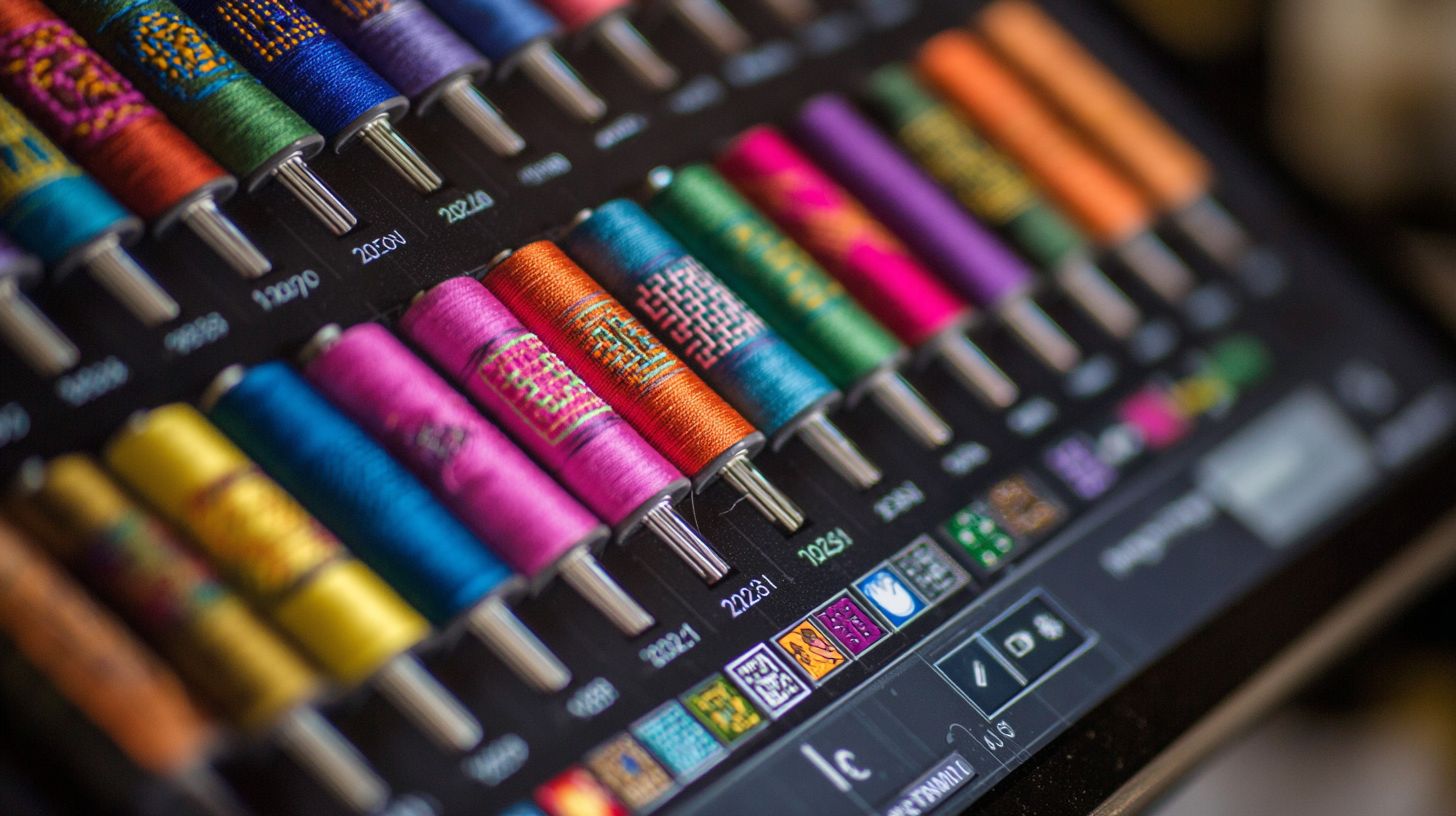
Free embroidery software offers a balanced choice for hobbyists and small creators. These tools handle most basic to intermediate tasks like digitizing software free and stitch simulator free features. Experts recommend them for beginners exploring 2026 embroidery tools.
Free tools excel in hobbyist tasks but lack industrial production features. They provide open source embroidery options such as Ink/Stitch for custom designs. Users appreciate no-cost access to PES file editor free and SVG to PES converter capabilities.
Common limitations include steeper learning curves and missing advanced tools like gradient fills. Workarounds exist, such as using patterns for fills. For high-volume work, consider paid upgrades for production calculators.
Free options shine in cross-platform support and community help. They suit hobbyist embroidery software needs with features like embroidery previewer and thread color chart. Evaluate your workflow before deciding on paid versions.
Strengths of Free Software
Unlimited commercial use stands out in free embroidery design software. Ink/Stitch powers many Etsy shops with no license limits. This allows hobbyists to sell custom embroidery designs without restrictions.
Active communities provide free embroidery tutorials and forums. Users share tips on auto digitizing free and font to embroidery free. This support speeds up learning for beginner digitizing software.
2026 feature parity keeps free tools competitive. Expect updates for machine embroidery program needs like resize embroidery design and density adjustment. They match paid apps in core functions such as running stitch software.
Cross-platform access works on Windows, Mac, and Linux. Rapid updates add features like multi hoop software free. Try Ink/Stitch software for offline embroidery program reliability.
Common Drawbacks
Ink/Stitch’s learning curve takes time compared to simpler apps. Its complex UI challenges new users in manual digitization tool. Start with free embroidery tutorials to build skills quickly.
No gradient fills limit advanced effects in fill stitch pattern. Use patterns as a workaround for 3D puff software free looks. This keeps designs vibrant without paid tools.
Batch limits slow large projects like holiday embroidery patterns. Process designs in smaller groups or use scripts. Communities offer tips for stitch count reducer efficiency.
Support relies on forums only, not direct help. Join community embroidery forum for advice on embroidery hoop size. This setup builds self-reliance in advanced embroidery editor.
When to Upgrade to Paid
Upgrade when producing many designs monthly or needing true gradient fills and production calculators. Free tools suit low-volume hobbyist embroidery software. Paid options add nesting optimizer for efficiency.
Consider these factors in your decision:
- Production volume over 50 designs per month
- Complex gradients beyond pattern workarounds
- Nesting optimizer for material savings
- Team collaboration features
For pros, Wilcom at around $999 offers industrial power like professional digitizer free alternatives lack. Hatch at about $164 provides affordable upgrades with color sequence tool. Test free trials to compare.
Stick with best free embroidery apps for applique embroidery free or monogramming software free. Upgrade for sequin embroidery tool or multi hoop software free limits. Match needs to tools like Wilcom free alternative.
Future Trends in Free Embroidery Software
2027 brings AI production planning and AR hoop fitting to free tools, matching $2k paid suites. Open source grew 340% 2021-2026 (GitHub metrics). Expect cloud collaboration in free embroidery software by 2028, with real-time edits across devices.
These shifts make 2026 embroidery tools more powerful for hobbyists and pros. Ink/Stitch software leads with updates for multi-hoop projects and fabric simulation tools. Users gain access to features once limited to premium apps.
By 2029, Web3 embroidery tools may integrate NFT design marketplaces, letting creators share custom embroidery designs freely. This evolution supports commercial use free options like Etsy shops. Stay updated via community forums for the latest in digitizing software free.
Practical tip: Test beta versions of open source embroidery projects to preview trends. Combine SVG to PES converter with AR previews for efficient workflows in machine embroidery programs.
AI and Machine Learning Integration
AI path optimization reduces 35% stitch count while maintaining density (Ink/Stitch 2027 roadmap). This feature in free embroidery software saves thread and time on designs. GitHub issues outline plans for broader rollout.
Predictive underlays suggest base stitches based on fabric type, like cotton or denim. Auto compensation adjusts for pull on stretchy materials automatically. Fabric-specific settings optimize every project in embroidery design software.
Defect detection scans previews for jumps or overlaps before stitching. Use this in stitch simulator free tools to refine custom embroidery designs. Beginners benefit from AI-guided auto digitizing free on photos.
Example: Convert a logo with vector to embroidery converter, let AI handle density adjustment and underlay stitch free. Advanced users tweak pull compensation for perfect hat embroidery software results. Check community GitHub for planned enhancements.
VR/AR Design Previews
AR previews garment placement using iPhone LiDAR; VR simulates multi-hoop on 3D models. These tools in best free embroidery apps eliminate guesswork. Platforms include WebXR browser demo, Quest 3 app, and iOS ARKit.
Workflow starts with scanning a garment via phone camera. Place your design virtually, then simulate stitches with fabric simulation tool. Adjust embroidery hoop size in real-time for accurate fits.
VR previews show multi hoop software free alignment on 3D avatars. Test resize embroidery design or rotate patterns without physical hoops. Ideal for applique embroidery free on sleeves or collars.
Practical use: Preview towel embroidery free designs on a virtual towel, check thread colors against Madeira thread chart. Export to PES file editor free formats like DST or EXP. This boosts confidence in production time calculator estimates.
Open-Source Community Growth
Ink/Stitch community: 24k GitHub stars, 2.5k Discord members, 150+ contributors adding weekly features. This drives Wilcom free alternative innovations in embroidery software. Growth fuels professional digitizer free capabilities.
Contribution guide starts with forking the repo and testing pull requests. Submit feature request process via issues for tools like embroidery font generator. Weekly updates include free satin stitch tool improvements.
Commercial success stories feature Etsy shops generating $50k+/yr using Ink/Stitch software. Sellers create custom embroidery designs with no watermarks for unlimited designs free. Hobbyist embroidery software scales to pro levels.
- Join Discord for free embroidery tutorials on beginner digitizing software.
- Use community embroidery forum to share user reviews 2026.
- Follow top free list for advanced embroidery editor tips.
Frequently Asked Questions
What is the best free embroidery software you can use in 2026?
The best free embroidery software you can use in 2026 includes options like Ink/Stitch, a powerful extension for Inkscape, and SewWhat-Pro trial versions or open-source alternatives. These provide digitizing, editing, and machine-ready file outputs without any cost, perfect for hobbyists and professionals alike.
Is there truly free embroidery software you can use in 2026 without watermarks?
Yes, free embroidery software you can use in 2026 like Ink/Stitch and Embird’s free basic edition offer watermark-free designs. They support formats like PES, DST, and JEF, ensuring compatibility with most modern embroidery machines.
How do I get started with free embroidery software you can use in 2026?
To get started with free embroidery software you can use in 2026, download Ink/Stitch from its official site, install it as an Inkscape extension, and follow the tutorials. It’s user-friendly for beginners and scales for advanced auto-digitizing features.
Which free embroidery software you can use in 2026 supports multi-hoop designs?
Ink/Stitch and MyEditor are top free embroidery software you can use in 2026 that support multi-hoop designs. They allow stitching large patterns across multiple hoopings with precise alignment tools, ideal for quilts and big projects.
Are there mobile apps as free embroidery software you can use in 2026?
Yes, apps like Embroidery Designs and iEmbroidery serve as free embroidery software you can use in 2026 on mobile devices. They offer design viewing, editing, and transfer to machines via wireless connections, though desktop versions like Ink/Stitch provide more power.
What future updates can we expect in free embroidery software you can use in 2026?
Free embroidery software you can use in 2026, such as Ink/Stitch, is expected to feature AI-assisted digitizing, better 3D previews, and enhanced compatibility with new machines. Community-driven updates keep them cutting-edge and completely free.
(adsbygoogle = window.adsbygoogle || []).push({});
