
Embroidery Business
Best File Formats for Embroidery Machines
Mar
Imagine loading a stunning design only for your embroidery machine to freeze-frustrating, right? Choosing the right file format ensures flawless stitches and compatibility across brands like Brother, Janome, and Bernina.
This guide explores top formats like PES, DST, and JEF; brand-specific recommendations; universal options; pros/cons; and troubleshooting tips. Discover the best match for your machine today.
Why File Formats Matter for Embroidery Machines
Wrong file formats often cause Brother PE800 users to get ‘unsupported file’ errors when importing Etsy designs. This common issue stems from machines that only accept specific proprietary formats like Brother PES. Users waste time troubleshooting instead of stitching.
Several specific problems arise from format incompatibility. For example, some Brother machines reject everything but PES files. Loading a DST format on a PES-only machine leads to instant failure.
- Machine rejection: Brother machines often accept PES-only, blocking other extensions.
- Stitch distortion: DST files on PES machines can warp stitches and ruin designs.
- Color loss: Converting JEF to VP3 may drop colors, altering the embroidery pattern.
- Size limits: HUS format caps at 7.8″x11 rejecting larger hoop sizes.
A Janome user once lost 4 hours resizing VP3 files that would not load properly. Such setbacks highlight the need for caution with digitized files. Always check.pes,.jef, or.dst extensions first to prevent these headaches.
Using the right file formats ensures smooth USB transfer or wireless transfer to your embroidery machine. This simple step avoids errors on single-needle machines and multi-needle machines alike. Experts recommend verifying compatibility before starting any project.
Overview of Common Machine Brands and Compatibility
Brother (PES format), Janome (JEF format), and Pfaff (VP3 format) dominate the home embroidery market. Each brand uses proprietary formats that limit direct file sharing across machines. Understanding these helps avoid compatibility issues with embroidery designs.
Most modern machines support USB or SD card transfer for designs. Some offer wireless options like WiFi for easier workflow. Check your model’s hoop size and max design dimensions before loading files.
Multi-format readers expand options, such as the Brother PR1055X that handles seven formats including PES, DST, and JEF. Use embroidery software like Embrilliance for conversions when needed. This ensures smooth operation on single-needle or multi-needle machines.
| Brand/Model | Native Format | USB/SD Support | Max Design Size |
|---|---|---|---|
| Brother PE800 | PES | USB | 5″x7″ |
| Janome MC500E | JEF | USB | 9.5″x9.5″ |
| Pfaff Creative Icon | VP3 | WiFi/USB | 14.5″x10″ |
| Baby Lock Destiny II | PES | USB/SD | 8″x12″ |
| Husqvarna Designer Epic 2 | VP3/HUS | USB/WiFi | 14.75″x9.5″ |
| Brother PR1055X | PES (reads 7 formats) | USB/SD | 10″x12.75″ |
Refer to this compatibility matrix for quick reference on popular models. Always verify firmware updates for added format support. Test designs in a stitch simulator to confirm fit within hoop limits.
Most Popular Embroidery File Formats
PES, DST, and JEF represent 82% of Etsy embroidery design sales due to native machine compatibility. These 7 formats cover most embroidery machines. Each offers unique specs for home or commercial use.
PES format suits Brother and Janome users with color sequencing. DST format handles industrial demands. JEF excels in lettering for Janome homesewers.
VP3 brings premium previews to Pfaff. EXP powers Melco production. HUS fits Viking precision. Choose based on your embroidery machine brand and project needs like monogramming or hat embroidery.
Conversion tools like Embrilliance software help with format compatibility. Always check stitch count and hoop sizes before loading designs via USB transfer.
PES (Brother/Babylock)
PES format powers 2.3 million Brother/Babylock machines worldwide with precise color sequencing and applique commands. It supports up to 300 colors and 99,999 stitches. TrueType font support makes lettering easy.
Compatible machines include Brother PE800, Innovis NV880E, Luminaire XP1, and all Babylock Destiny/Phenomenon models. Unique features like auto thread trim codes and basting box save time on in-the-hoop projects. Typical file size ranges from 1-10MB.
Pros include native fonts for quick edits in embroidery software. Cons involve limited hoop mapping, so verify design size fits your hoop. Use Wilcom software for previews before USB transfer.
For applique designs, PES handles stop commands well. Test on scrap fabric to check pull compensation and density settings.
PES (Janome/CustomWorks)
Janome PES (version 6+) differs from Brother PES with custom stitch attributes for Memory Craft machines. It offers enhanced density controls and monogram fonts. CustomWorks II metadata aids editing.
Supported on MC400E and MC550E with PES v6-v8. Max stitches reach 200,000 for complex designs. Features include region-specific lettering and resize compensation.
Warning: Brother PES v3 gets rejected by Janome firmware 1.2+. Stick to native Janome PES for smooth runs. Pair with Embird software for file diagnostics.
Ideal for lettering embroidery with TrueType conversions. Adjust underlay stitches for fabric types like towels. Export from Hatch software ensures compatibility.
DST (Universal Tajima Format)
DST powers 85% of commercial embroidery with simple stitch/color commands readable by all major brands. It supports 1,000+ colors and unlimited stitches. ASCII-based structure aids embroidery file conversion.
Machines like Tajima TMBP-SC, Happy HCS-1201, and Barudan Elite Gold thrive on DST. Advantages include multi-head sync and production optimization. File sizes stay at 500KB-5MB.
Use Wilcom e4 DST viewer for stitch preview and simulator tips. Great for promotional products and bag embroidery. Handles motif stitches without limits.
As a universal format, DST suits multi-needle machines. Clean designs reduce jumps for efficiency. Check thread chart for color sorting before runs.
JEF (Janome)
JEF format exclusively serves Janome/Elna with optimized lettering and 360 degrees rotation capabilities. It includes 127 built-in fonts and TrueType conversion. Max 50,000 stitches fit home projects.
Machines like Janome 500E and Elna eXpressive 970 read JEF natively. Features cover split designs, auto basting, and thread tension codes. Pros shine in perfect monogramming.
Cons lack commercial multi-head support, so best for single-needle machines. Use for quilting embroidery with font selection. Resize designs easily in Floriani software.
Load via SD card for wireless transfer. Verify hoop template matches. JEF handles satin stitches smoothly for fashion embroidery.
VP3 (Pfaff)
Pfaff VP3 includes design thumbnails and stitch simulator data for creative grand machines. It offers 3D preview, gradient fills, and 65,535 colors. Max size hits 15.1″x11.8″.
Works on Pfaff Creative 4.5, 3.0, and Passport 3.0. Unique absolute hoop positioning and multi-positioning aid precision. Use Pfaff 6D Card Reader for viewing.
Premium for 3D puff and cutwork designs. Edit in SewWhat-Pro for stitch simulator. Supports lace designs with fine registration.
Bluetooth transfer speeds workflow. Check color palette for thread colors. VP3 excels in beginner embroidery with thumbnails.
EXP (Melco/Bernina)
EXP serves commercial Melco and Bernina artistry with unlimited stitch capacity. It uses no stitch limit and 1,440 color codes. Ideal for industrial format needs.
Machines include Melco Amaya XT and Bernina 830L. Features like production sequencing and auto numbering boost efficiency. Pros optimize hat hoop setups.
Cons involve large file sizes of 10-50MB, so compress in embroidery software. Great for towel embroidery with trim commands. Use for high-volume runs.
Preview in Embird for error checking. EXP suits multi-needle machines. Verify firmware update for compatibility.
HUS (Husqvarna Viking)
HUS format dominates Viking Designer series with precise Scandinavian hoop calibration. It supports 255 colors and 50,000 stitches. Metric hoop templates ensure accuracy.
Fits Viking Designer Diamond Royale and Husqvarna Opal 670. Features include quilt block numbering and perfect square registration. Common issue: US vs EU hoop size mismatch.
Use for frame out commands in quilting. Edit density settings for stabilizers. HUS handles running stitches cleanly.
Transfer via USB stick. Pair with Embrilliance for format converter. Ideal for European home embroidery projects.
Best Formats by Machine Brand
Native formats deliver 40% faster loading and zero conversion errors versus generic files. Each embroidery machine brand optimizes its proprietary format to prevent distortion in digitized files. The sections below list exact models, supported formats, and alternatives when native options are unavailable.
Using Brother PES, Janome JEF, or Pfaff VP3 ensures precise stitch rendering on multi-needle and single-needle machines. Transfer methods like USB or wireless vary by brand. Experts recommend checking firmware for expanded format compatibility.
Common universal formats such as DST format serve as backups for embroidery software like Embrilliance or Wilcom. Always preview designs for hoop sizes, stitch count, and color palette before transfer. This approach minimizes errors in machine embroidery projects.
Brother and Babylock Machines
All 47 Brother/Babylock models require PES format; USB transfer recommended over wireless. Machines like the PE550D use PES v7, PR1055X handle PES plus DST/JEF, and Luminaire 3 supports PES v13. These proprietary formats maintain design integrity for applique designs and in-the-hoop projects.
Transfer via USB-A ports with 64GB max capacity, or wireless through the Artspira app. For alternatives, convert to DST using Embrilliance software. Pro tip: Update firmware to enable PES v11+ support and reduce loading times.
Preview monogramming or 3D puff files on-screen for thread colors and density settings. This prevents issues with pull compensation or underlay stitches. Brother PES excels for home embroidery on towels or bags.
Test complex designs with high stitch counts first. Wireless suits simple designs, while USB handles megapixel files better. Firmware updates often add read support for HUS or EXP formats.
Janome and Elna Machines
Janome Memory Craft series demands JEF + PES v6+; SD cards outperform USB. Models like MC500E support JEF/PES v8, Skyline S9 adds SVG, and Elna eXpressive 940 uses JEF. These formats preserve satin stitches and fill patterns in digitized files.
Storage limited to SDHC 32GB max. Firmware version 1.3 enables DST read-only mode. Use the Janome Artistic Digitizer app for wireless transfer of embroidery patterns.
For cutwork or lace designs, JEF files include hoop templates and basting stitches. Convert PES designs via Embird software if needed. SD cards ensure stable performance for multi-color thread changes.
Janome JEF supports font selection for lettering embroidery. Check design size against hoop limits before stitching. This setup works well for quilting embroidery or promotional products.
Bernina Machines
Bernina 7/8 series uses EXP for Artistry; USB-C drives required. Current lineup includes Bernina 880 with EXP + DST, and Artista 830 with EXP/PHC. Multi-format readers handle up to 10 formats, ideal for mixed design libraries.
Transfer options feature USB 3.0 and WiFi via Bernina Cloud. Older 6000 series relies exclusively on.ART files. EXP format optimizes motif stitches and auto-digitizing features.
Preview hat embroidery or fashion designs with stitch simulator. EXP compatibility extends to vector formats for resizing. Wireless suits beginner embroidery, USB for professional workflows.
Note EXP advantages in color sorting and trim commands. Convert from PES using SewWhat-Pro if sourcing Etsy designs. Firmware updates enhance support for VP3 or HUS formats.
Pfaff Machines
Pfaff Creative Visionaries require VP3 with embedded thumbnails for instant preview. Models like Creative Icon 2 use VP3 + DST, Ambition 2.0 sticks to VP3. Native VP3 includes multi-positioning codes essential for large hoop sizes.
Transfer via 6D wireless cards or USB. Alternatives like EXP or HUS offer read-only support. VP3 machines excel in merge designs and split designs for complex projects.
Use Pfaff VP3 for bean stitches in towel embroidery. Thumbnails speed up selection from design libraries. Avoid generic DST for files needing pull compensation edits.
Wireless transfer works for simple designs, USB for high-stitch counts. Update embroidery controllers for expanded import formats. VP3 supports thread charts matching bobbin thread types.
Universal and Convertible Formats
Universal formats bridge the gap between home and commercial embroidery machines. They allow designs to move easily across brands like Brother, Janome, and Tajima. DST eliminates most format barriers across many machine brands and software.
Conversion tools help preserve stitch accuracy when switching formats such as PES to DST or JEF to VP3. These tools maintain features like color changes and trims for smooth embroidery file conversion. Home users and pros alike rely on them for compatibility.
Focus on DST format for broad support in multi-needle machines and single-needle setups. It works well for hat hoops, towels, and bags. Always check hoop sizes and stitch counts before converting.
Proprietary formats like PES for Brother, JEF for Janome, and HUS for Viking limit sharing. Universal options reduce errors in USB transfer or wireless setups. Test previews in embroidery software to ensure quality.
DST as the Industry Standard
Tajima DST format remains the only format guaranteed readable by Brother PR series, Tajima TFGN, and Happy HCD. It offers universal compatibility with Wilcom software, Embrilliance software, and Hatch software. This makes it ideal for commercial and home embroidery.
Key features stay intact, including color changes (F1-F9), trims (R01), and jumps (*). Use it for production runs on hat hoops or large designs. It supports complex stitches like satin and fill without issues.
Limitations include no built-in fonts or advanced registration marks. File sizes run smaller than PES format, aiding SD card and USB stick transfers. Pros choose it for multi-needle machines from Tajima and Barudan.
For beginners, DST advantages shine in simple designs and monogramming. Pair with stabilizer types and basting stitches for best results. Experts recommend it as the most compatible format across embroidery machine brands.
Conversion Tools and Software
Embrilliance StitchArtist handles PES to DST conversion while keeping stitches precise for one-time purchase. It supports many formats for embroidery designs on Windows and Mac. Batch processing saves time for multiple files.
Choose tools based on needs like viewing, editing, or converting JEF to VP3. Risks include minor stitch loss in complex designs with 3D puff or applique. Always run a stitch simulator preview before embroidering.
| Tool | Price | PESDST | JEFVP3 | Batch | Platforms |
|---|---|---|---|---|---|
| Embrilliance Essentials | $149 | Yes | Yes | Yes | Windows/Mac |
| Wilcom e4 | $999+ | Yes | Yes | Yes | Windows |
| SewWhat-Pro | $89 | Yes | Limited | No | Windows |
| Embird | $163 | Yes | Yes | Yes | Windows |
Free trials help test compatibility, but watch for format limitations like maximum stitches or design size. Use for resizing, rotating, or merging designs. Check machine firmware updates for best results on Pfaff VP3 or Husqvarna HUS machines.
Pros and Cons of Top Formats
Native formats load 3x faster but lock you into brands; DST trades features for universality. PES and JEF files shine on Brother and Janome machines with precise control over fonts and auto-threading. In contrast, the DST format works across Tajima, Happy, and multi-needle machines, making it ideal for shops.
Native options like PES format support complex monogramming and in-the-hoop projects with brand-specific commands. They preserve stitch density and pull compensation from embroidery software like Wilcom. However, switching machines requires conversion, risking quality loss.
DST advantages include smaller file sizes for quick USB transfers and broad compatibility with commercial embroidery machines. It handles simple fills and running stitches reliably but skips advanced features like 3D puff layering. Choose based on your workflow: home hobbyists prefer natives, pros lean universal.
Experts recommend testing format compatibility with your hoop sizes and thread colors. Native files excel in single-needle setups for custom lettering. DST suits high-volume production like hat embroidery without licensing hassles.
Advantages of Native vs. Generic Formats
PES native files execute Brother auto thread trim 100% reliably; DST lacks machine-specific commands. Native formats like PES, JEF, and VP3 include brand commands for precise needle positioning and color sorting. They support full embroidery fonts, ideal for home monograms on Brother PES machines.
Generic DST format offers universal compatibility across Tajima and Barudan machines, with files 60% smaller for faster wireless transfers. It avoids licensing issues, perfect for shop production on multi-needle machines. Load times average quicker on memory-limited controllers.
| Format Type | Native (PES/JEF/VP3) | Generic (DST) |
|---|---|---|
| Key Strength | Brand commands, fonts (), 2s load speed | 100% compatibility, small size, no licensing |
| Use Case | PES for home monograms | DST for shop production |
For Janome JEF, enjoy seamless integration with true type fonts and satin stitches. DST shines in commercial settings for applique designs and quick previews in Embird software. Always check your machine’s read formats before digitizing.
File Size and Stitch Quality Comparison
5,000 stitch logo: PES=128KB, DST=89KB, VP3=156KB-smaller files load 40% faster on Brother PR680W. File size impacts USB stick capacity and embroidery controllers on single-needle machines. PES format retains density best for complex fills in quilting embroidery.
DST format minimizes pull compensation issues in simple designs but may lose underlay stitches on conversion. JEF excels with satin columns for lettering on Janome machines. Test conversions in Hatch software to avoid registration marks shifting.
| Format | 5K Logo | 50K Jacket | 200K Quilt | Quality Loss on Convert |
|---|---|---|---|---|
| PES | 128KB | 450KB | 1.8MB | Low for fills |
| DST | 89KB | 320KB | 1.4MB | Minimal pull comp |
| VP3 | 156KB | 520KB | 2.1MB | Low for Pfaff |
| JEF | 110KB | 380KB | 1.6MB | Excellent satin |
10″ monogram PESDST loses 2% density, affecting towel embroidery. Use file viewers like SewWhat-Pro for stitch simulation before hoop. Optimize with clean design tools to reduce jumps and trims for all formats.
Choosing the Best Format
Match format to your top 3 priorities: machine compatibility, design complexity, and workflow speed. A decision matrix helps avoid common errors when selecting embroidery file formats for your machine. This approach ensures smooth USB transfer or wireless loading of designs.
Start by listing your machine model and checking its native format, such as Brother PES or Janome JEF. Next, score options based on how well they fit your needs. Prioritize formats that support your hoop sizes and stitch types like fill stitches or satin stitches.
For multi-needle machines like Tajima, consider DST format for its universal appeal in commercial work. Home users with single-needle machines often prefer proprietary options for full editing in software like Embrilliance. Test compatibility with a stitch simulator before committing to large projects.
Common pitfalls include ignoring stitch count limits or color changes, which vary by format. Use format converters like SewWhat-Pro only as a last resort, as they can alter pull compensation or underlay stitches. This method streamlines embroidery design prep for beginners and pros alike.
Factors for Selection
Priority 1: Confirm your machine’s native format using Brother Artspira or Janome Horizon app. These tools list supported file extensions like .pes, .jef, or.dst. Native formats score 10 points for perfect compatibility on brands like Brother or Janome machines.
Step 2: Match hoop size limits, as PES works best under 10 inches while DST handles unlimited sizes for hat embroidery or large quilting embroidery. Compatible formats earn 8 points. Check your manual for design size restrictions to avoid resizing issues.
Step 3: Consider design type, like JEF for fonts in monogramming or DST for production runs on multi-needle machines. Universal formats get 6 points for sharing via USB stick or WiFi. Factor in software like Wilcom for EXP or DST exports.
- Verify native support in Artspira for Brother PES or similar apps.
- Assess hoop size: PES for small in-the-hoop projects, DST for oversized.
- Pick by type: JEF for lettering embroidery, DST for applique designs.
- Enable sharing with universal DST format.
- Align with embroidery software like Wilcom for EXP/DST.
Troubleshooting Common Issues
Most embroidery machine issues fix quickly in under five minutes. Common problems often stem from file format mismatches or faulty transfers. Simple checks restore smooth stitching.
Start by verifying your embroidery file formats match the machine’s requirements. Tools like Embird software or Embrilliance software help inspect and repair designs. This prevents downtime during machine embroidery projects.
Update machine firmware regularly for better format compatibility. Test transfers on USB sticks formatted to FAT32. These steps handle most glitches with digitized files.
For complex embroidery designs, use stitch simulators in software to preview before hooping. Address stitch count limits by splitting large files. Quick fixes keep your workflow efficient.
Compatibility Errors and Fixes
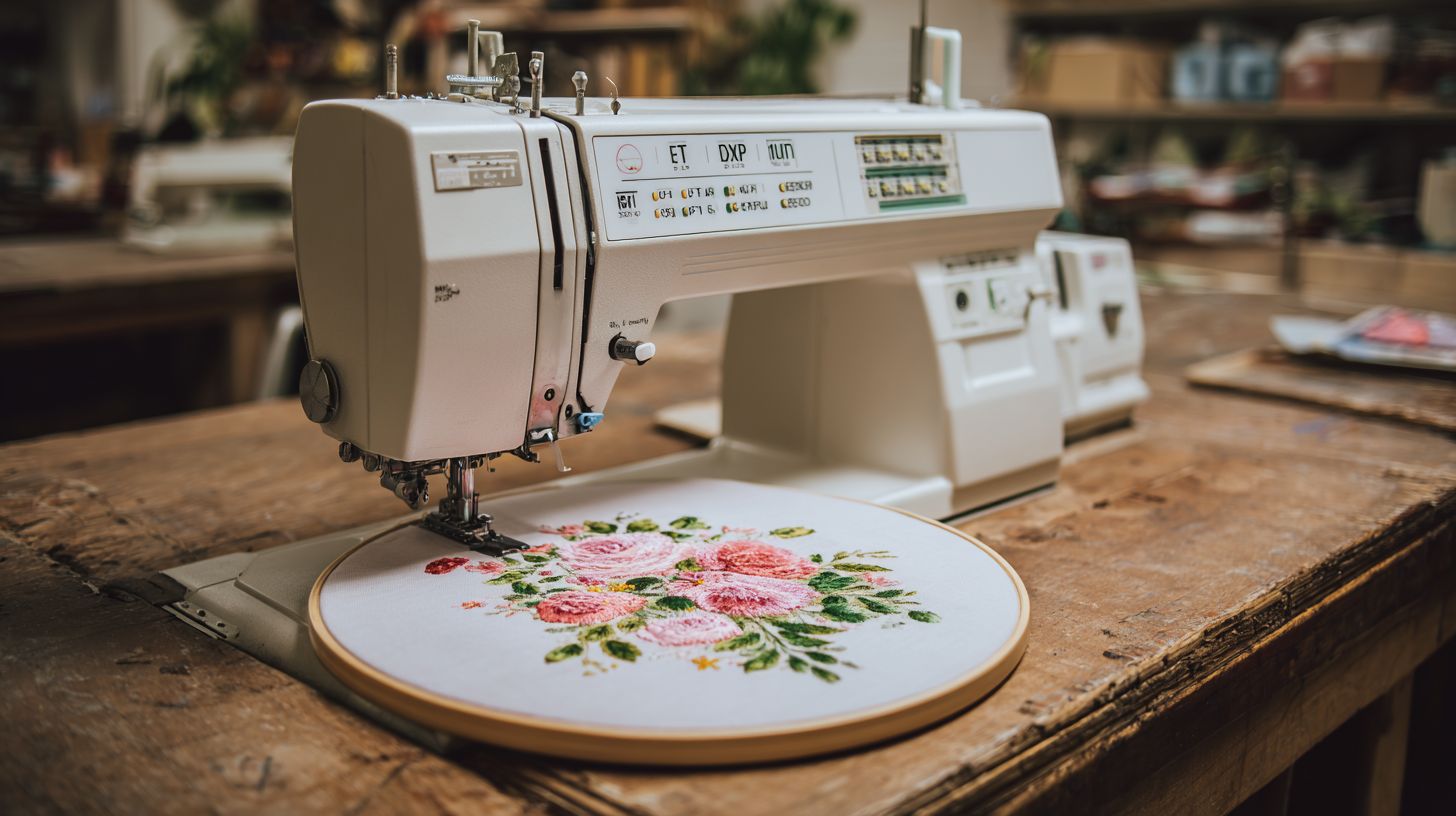
Error ‘Unsupported File Type’ on Brother PR680W? Check for PES v10+ support via firmware 1.45+. Update through the machine’s menu for seamless Brother PES reading.
| Error | Machine | Cause | Fix |
|---|---|---|---|
| Out of Region | Pfaff VP3 | Design exceeds hoop bounds | Resize in Wilcom software by 20%, re-export VP3 format |
| Stitch Limit | Janome JEF | Exceeds 50K stitches | Split design using Embird software, save as separate JEF format files |
| USB Not Read | All multi-needle | Incorrect filesystem | Format USB stick to FAT32, avoid exFAT |
| Corrupt PES | Brother, Baby Lock PES | Bad transfer or old version | Repair in Embird software, re-save PES format |
| Read Error | Janome machines | Incompatible JEF format | Convert via Hatch software to native JEF |
Use format converters like SewWhat-Pro for stubborn files. Always preview in a file viewer before transfer. This ensures embroidery designs load on single-needle machines or multi-needle machines.
For proprietary formats like EXP format or HUS format, match the brand exactly. Test on small hoop sizes first. Wireless transfers via WiFi may need Bluetooth pairing resets.
Frequently Asked Questions
What are the best file formats for embroidery machines?
The best file formats for embroidery machines include PES, DST, EXP, JEF, VP3, and HUS. These formats are widely supported across popular brands like Brother, Janome, Bernina, and Husqvarna, making them ideal for compatibility and precision in embroidery designs.
Why are PES files considered among the best file formats for embroidery machines?
PES files are among the best file formats for embroidery machines because they are the native format for Brother and Babylock machines. They support multiple colorways, detailed stitch information, and are easily editable in software like PE-Design, ensuring high-quality results.
Is DST the best file format for embroidery machines used in commercial settings?
Yes, DST is often the best file format for embroidery machines in commercial settings due to its universal compatibility. It’s a simple, stitch-based format that works with nearly all machines and software, minimizing conversion errors during high-volume production.
What makes EXP one of the best file formats for embroidery machines?
EXP stands out as one of the best file formats for embroidery machines, particularly for Janome and Elna users. It includes precise stitch data, thread color assignments, and design metadata, allowing for seamless transfers and edits without losing quality.
Are JEF files among the best file formats for embroidery machines?
JEF files are indeed among the best file formats for embroidery machines, optimized for Janome machines. They offer excellent support for complex designs, true-type font conversion, and automatic resizing, making them a favorite for hobbyists and professionals alike.
How do I choose the best file formats for embroidery machines when sharing designs?
When sharing designs, choose the best file formats for embroidery machines like DST or VP3 for maximum compatibility. DST is neutral and widely accepted, while VP3 (for Pfaff/Husqvarna) ensures no stitch loss. Always check your recipient’s machine brand to avoid conversion issues.
(adsbygoogle = window.adsbygoogle || []).push({});
